УФ ультрафиолетовая лента безопасности для настольного принтера Seaory ПВХ карты, лента для принтера сублимации краски
- Category: >>>
- Supplier: Shenzhen Mingwah Aohan Internet Of Thing Technology Corporation Ltd.
Share on (10000012327297):
Product Overview
Description
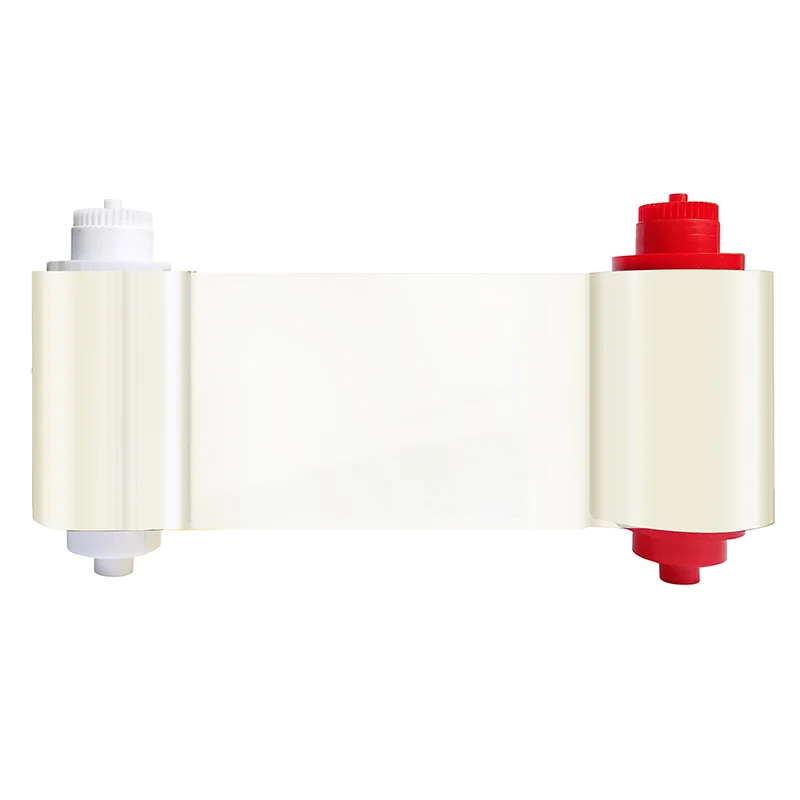
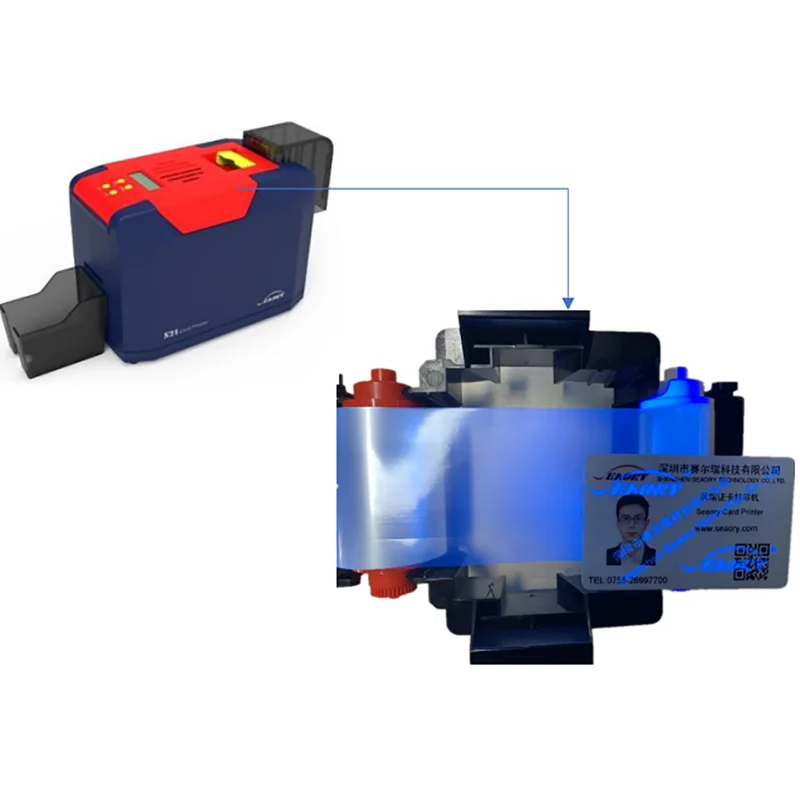
Seaory S Series UV Ultraviolet Security Ribbon
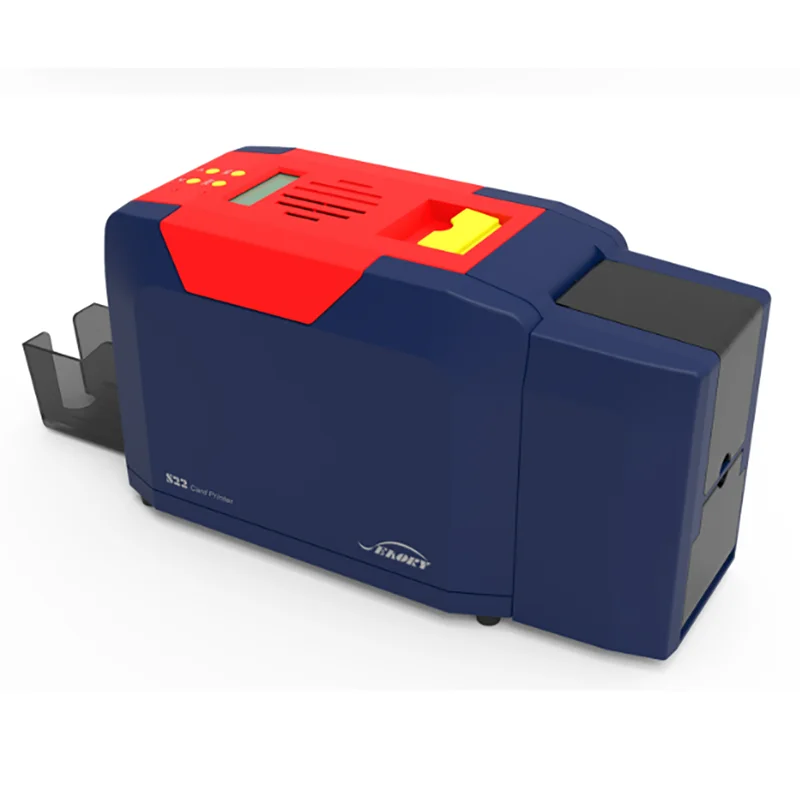
Suitable for Seaory S20 S21 S22 S22K card printers
silver monochrome ribbon are primarily used for printing text and one-color line art on one or both sides of a card
Size:100mx60mm
1000 monochrome prints per roll (ISO CR80 53.98mm×85.60m)
Printing card material:PVC or Composite PVC
Cleaning roller and cleaning card are included
silver monochrome ribbon are primarily used for printing text and one-color line art on one or both sides of a card
Size:100mx60mm
1000 monochrome prints per roll (ISO CR80 53.98mm×85.60m)
Printing card material:PVC or Composite PVC
Cleaning roller and cleaning card are included

Product overview
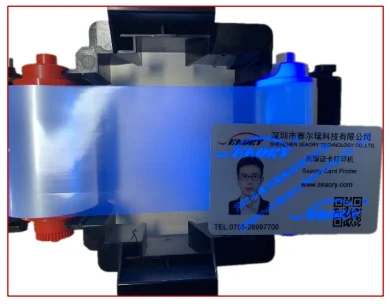
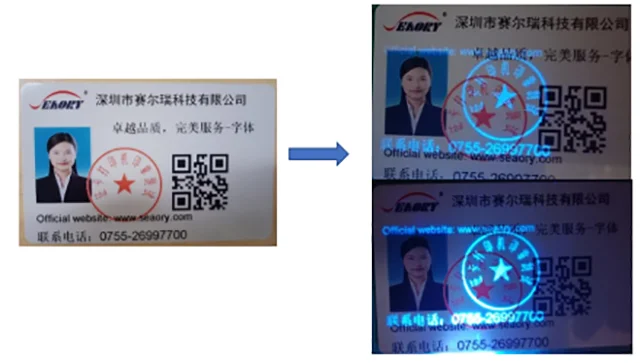
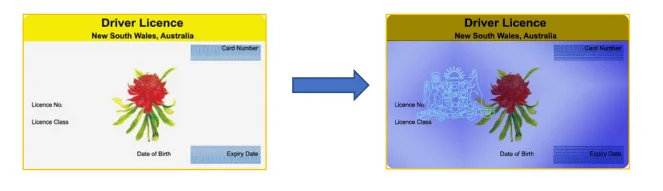
Seaory UV Ultraviolet light safe printing is widely used in card schemes to enhance protection and color. You can use specific colors to add fluorescent pictures or text, making the card easier to verify and more secure. It has the haracteristics of high definition, purple light discoloration effect, strong gloss, good scratch resistance, ribbon saving and so on.
This ribbon can only be used in Seaory S series card printers. To maximize print card quality and card printer durability, please use the Seaory original ribbon.
This ribbon can only be used in Seaory S series card printers. To maximize print card quality and card printer durability, please use the Seaory original ribbon.

Main features
Low cost ,high quality printing effect. High temperature resistant, suitable for high-speed printing. Wide application range, Anti - static back coating effectively protects the print head.
Specification
Model name | Seaory S series White Monochrome Ribbon |
Printers concerned | Seaory S20、S21、S22、S22K |
Number of prints per roll | Up to 1000 |
Size | 100m×60mm |
Compatible cards | PVC or composite PVC |
Come with accessories | 1PC Cleaning roller and 1PC cleaning card |
G.W | 200g |
Packing size | 96mmX62mmX105mm |
Packing & Delivery


FAQ
Fault codes | Fault name | Reason | Solution |
CODE:43 | Ribbon missing | Ribbon uninstalled | Install ribbon according to operating manual |
CODE:46 | Ribbon out | Replace a new ribbon | Replace a new ribbon according to operating manual |
CODE:5F | Card out | Place some cards | Place some cards according to operating manual |
CODE:21 | Printer cover is open | Top cover of the printer is not closed | Close the printer cover |
CODE:22 | Reject box open | Reject box is open | Close reject box |
CODE:23 | Reject box full | Reject box is full | Take out defective cards |
CODE:51 | Card feed error | Thickness of card feeding entrance setting is wrong | Adjust the feed card thickness according to the operation manual |
CODE:11 | Card jam | Unusual card jam | Clean the card moving roller regularly according the to operation manual |
CODE:44 | Ribbon unsupport | Ribbon chip unsupport | Check the ribbon details by the driver or LCM,and contact the local distributor |
Q1:When card printer no action
* Verify that the card printer driver is installed correctly
* Check power and USB cable connections
* Check ribbons and cards
* Print test picture
* Check power and USB cable connections
* Check ribbons and cards
* Print test picture
Q2:When print out the blank card
* Check ribbons and cards
* Please reset the card printer’s parameters by driver (Print option - Tool - Position Calibrate - Reset to factory default ) Or
adjust the L,T and S value
* Try to print again after adjust
* Check whether the printing card is CR-80 standard
* Please reset the card printer’s parameters by driver (Print option - Tool - Position Calibrate - Reset to factory default ) Or
adjust the L,T and S value
* Try to print again after adjust
* Check whether the printing card is CR-80 standard
Q3:When partial or error printing
* Check the card printer’s setting
* Check the cable and ribbon
* Make sure the cleaning roller is clean
* Check the card is clean or not
* Check the print head
* Check the cable and ribbon
* Make sure the cleaning roller is clean
* Check the card is clean or not
* Check the print head
Q4:When the printed card has a defect
* The card surface is not clean
* Please clean the card printer by cleaning card
* Print head is not clean or damaged, need to wipe cleaning or replace
* Check whether the cleaning roller need to replace
* Please clean the card printer by cleaning card
* Print head is not clean or damaged, need to wipe cleaning or replace
* Check whether the cleaning roller need to replace
Q5:When the printed card appears with a white line
* Check whether the ribbon is proper installed
* Check whether the print head is not clean or damaged
* Check whether the print head is not clean or damaged
Q6:When the printed card appears white vertical or color lines
* Print head maybe was damaged
Q7:When the printed card appears blurry image
* Check whether the ribbon is proper installed
* Check whether the cleaning roller or print head is not clean
* Check whether the printing card is CR-80 standard
* Check whether the cleaning roller or print head is not clean
* Check whether the printing card is CR-80 standard
We Recommend
New Arrivals
New products from manufacturers at wholesale prices