
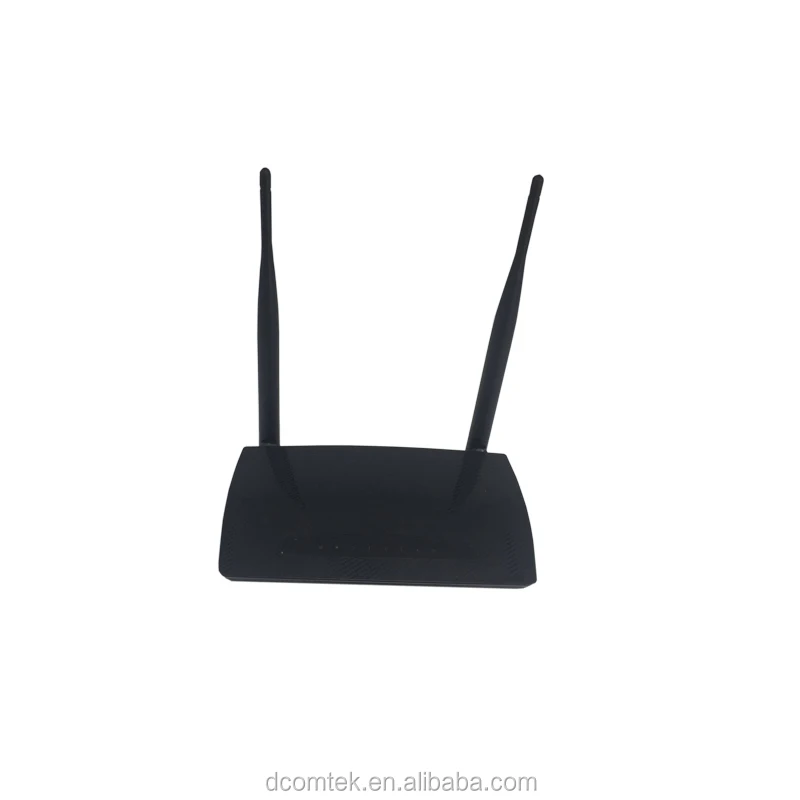
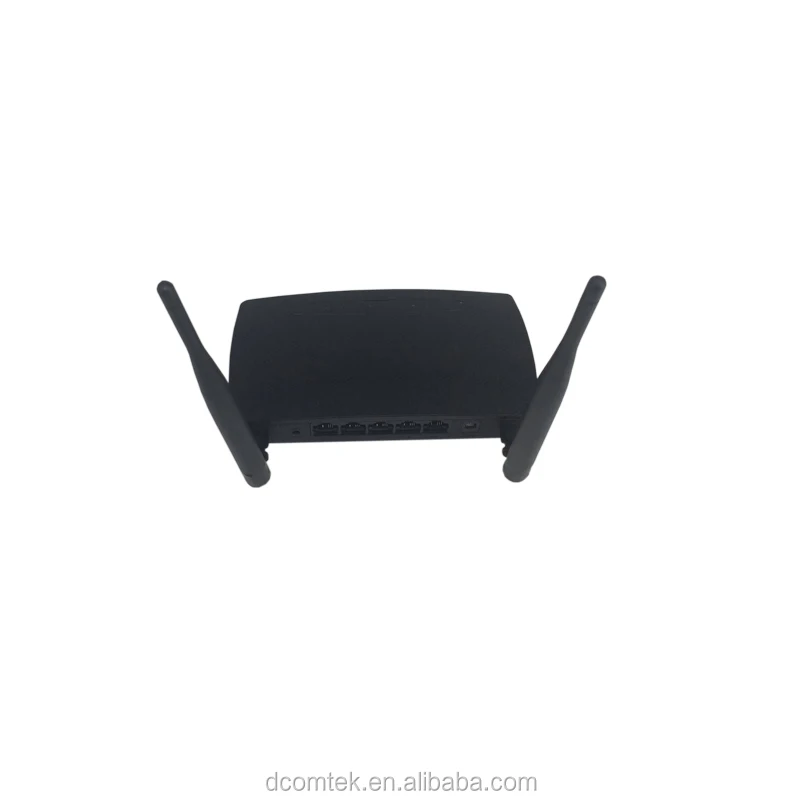
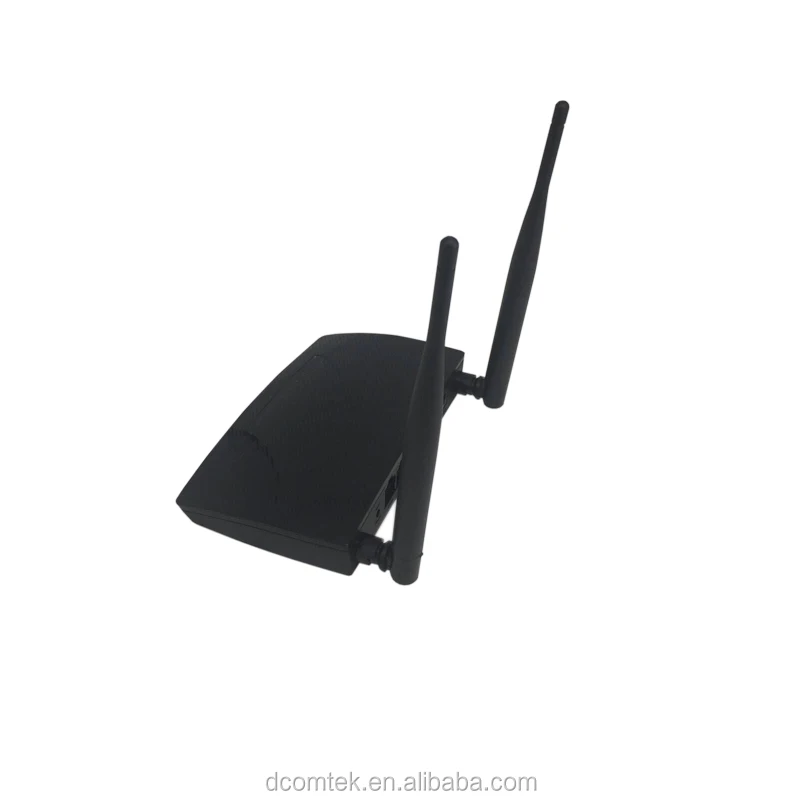
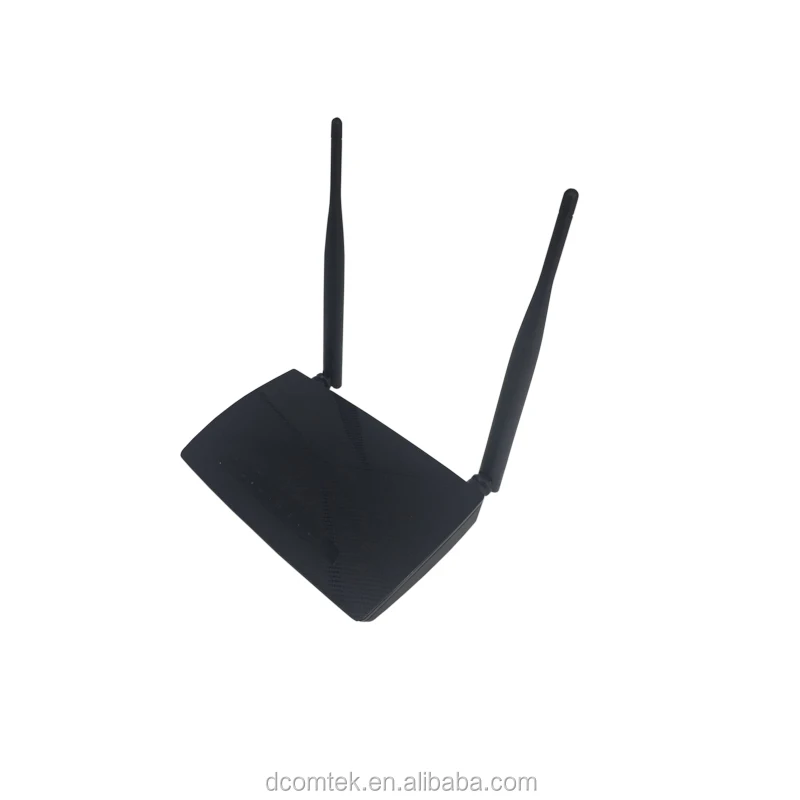
192.168.1.1 4port Realtek Wireless Wifi Router 300
- Category: >>>
- Supplier: Shenzhen Yingdakang Technology Co. Ltd.
Share on (1421254768):
Product Overview
Description

DWR-N223R WIRELESS-N ROUTER
The WIRELESS N ROUTER is a wireless area network (WLAN) access point (AP). Utilizing 802.11 b/g/n wireless technology, Up to 300Mbps with 12times faster seep, it is a high performance, wireless N 4 Ports Router, and also integrated with a built-in infrastructure mode wireless access point and one WAN plus four LAN switch. Therefore, it’s ideal for home and office networking to a share high speed internet connection with the flexibility, speed and security you need.
Enhanced MIMO technology enables you to very easily extend the range of your wireless coverage up to 4 times farter than regular 11b/g standard. MIMO technology multiplies the effective data rate and applies reflections to increase the range and reduce “dead spots” in the wireless coverage area.
Features Wi-Fi Protected Access (WPA) and 64/128-bit WEP Encryption to provide an enhanced level of security for wireless data communications. It also includes advanced security features such as WPA2 and AES to keep your wireless connection safe from unauthorized access. The new WPS technology will be very easy to set the wireless security just push the button only, all the wireless encryption will auto finish. The router can serves as a DHCP server, has a powerful SPI firewall to protect your PCs against intruders and most unknown internet attacks, and supports VPN pass-through. This router can let your network to share a high speed cable/DSL internet connection with the ultimate freedom of wireless networking anywhere。
Enhanced MIMO technology enables you to very easily extend the range of your wireless coverage up to 4 times farter than regular 11b/g standard. MIMO technology multiplies the effective data rate and applies reflections to increase the range and reduce “dead spots” in the wireless coverage area.
Features Wi-Fi Protected Access (WPA) and 64/128-bit WEP Encryption to provide an enhanced level of security for wireless data communications. It also includes advanced security features such as WPA2 and AES to keep your wireless connection safe from unauthorized access. The new WPS technology will be very easy to set the wireless security just push the button only, all the wireless encryption will auto finish. The router can serves as a DHCP server, has a powerful SPI firewall to protect your PCs against intruders and most unknown internet attacks, and supports VPN pass-through. This router can let your network to share a high speed cable/DSL internet connection with the ultimate freedom of wireless networking anywhere。
Features
* Complies with the IEEE 802.11b/g and IEEE802.11n draft 2.0 standards
* 1 10/100M Auto-Negotiation RJ45 WAN port, 4 10/100M Auto-Negotiation RJ45 LAN ports, supporting Auto MDI/MDIX.
* High data rate up to 300Mbps network speed
* Supports WDS (Wireless Distributed System) repeater mode
* Supports AP client、Bridge、Gateway mode
* Supports WPS (Wi-Fi Protected Setup) function
* Supports WEP、WPA-PSK、WPA2-PSK encryption security
* Wi-Fi alliance WMM (Wi-Fi Multimedia Enhancement) support
* Supports hidden SSID function
* Obtain WAN IP by PPPoE/DHCP/static IP/PPTP
* Provides DHCP server
* VPN pass through (L2TP/IPSec/PPTP)
* Ignores Ping packets from WAN to LAN ports
* Supports Virtual Server, Special Application and DMZ host
* Supports UPnP, Dynamic DNS
* Supports Flow Statistics
* Supports system status (port connectivity) and remote log for network management
* Shares data and Internet access for users, supporting PPPoE, Dynamic IP, Static IP, PPTP Internet access
* Supports ICMP-FLOOD, UDP-FLOOD, and TCP-SYN-FLOOD filter
* Supports firmware upgrade
* Supports Web management
* Built-in firewall supporting IP address filtering, Port filtering, and MAC address filtering
* Integrated anti-DOS firewall
* Support DD-WRT、openWRT
* 1 10/100M Auto-Negotiation RJ45 WAN port, 4 10/100M Auto-Negotiation RJ45 LAN ports, supporting Auto MDI/MDIX.
* High data rate up to 300Mbps network speed
* Supports WDS (Wireless Distributed System) repeater mode
* Supports AP client、Bridge、Gateway mode
* Supports WPS (Wi-Fi Protected Setup) function
* Supports WEP、WPA-PSK、WPA2-PSK encryption security
* Wi-Fi alliance WMM (Wi-Fi Multimedia Enhancement) support
* Supports hidden SSID function
* Obtain WAN IP by PPPoE/DHCP/static IP/PPTP
* Provides DHCP server
* VPN pass through (L2TP/IPSec/PPTP)
* Ignores Ping packets from WAN to LAN ports
* Supports Virtual Server, Special Application and DMZ host
* Supports UPnP, Dynamic DNS
* Supports Flow Statistics
* Supports system status (port connectivity) and remote log for network management
* Shares data and Internet access for users, supporting PPPoE, Dynamic IP, Static IP, PPTP Internet access
* Supports ICMP-FLOOD, UDP-FLOOD, and TCP-SYN-FLOOD filter
* Supports firmware upgrade
* Supports Web management
* Built-in firewall supporting IP address filtering, Port filtering, and MAC address filtering
* Integrated anti-DOS firewall
* Support DD-WRT、openWRT



Product specification
Wireless Standard | ||||||
802.11n(Draft 2.0),802.11b/g | Support | |||||
Wireless Signal Rates | ||||||
Up to 300Mbps | Support | |||||
Network Support | ||||||
PPPoE, DHCP Static IP connectivity | Default WAN connectivity on DHCP | |||||
MAC cloning support | Support | |||||
Network Address Translation (NAT) | Support | |||||
Multi Range Port Forwarding | Support | |||||
DHCP Server/client | Support | |||||
PPPoE Relay | Support | |||||
Rip v1 v2 | Support | |||||
QoS Traffic Control(MAC and IP) | Support | |||||
IGMP Snoop | Support | |||||
IGMP Proxy v1 v2 | Support | |||||
DNS Relay | Support | |||||
UPnP, DDNS, static routing, VPN pass-through(PPTP and L2TP) | Support | |||||
Virtual server, special application and DMZ host ideal for creating a website within your LAN | Support | |||||
Operation mode | ||||||
Gateway, Bridge, WISP | Default on Gateway mode, NAT Enable | |||||
WEB Language | ||||||
Language Support | Optional | |||||
Default Language | English | |||||
Router Login | ||||||
Login URL | //192.168.1.1 | |||||
Login Name | admin | |||||
Login Password | admin | |||||
Local Network | ||||||
Router Lan IP | //192.168.1.1 | |||||
IP Subnet MSK | 255.255.255.0 | |||||
DHCP server | Enable | |||||
Wireless | ||||||
Operating Mode | default on b/g/n mixed mode | |||||
Wireless Communication | Enabled | |||||
Multiple SSID | Support to 8 | |||||
SSID Name | SSID | |||||
Security | Disabled | |||||
SSID broadcast control and MAC access control list | Enabled | |||||
Transmission Speed | Auto | |||||
RF Channel | 11 in US, 13 in most other regions | |||||
Default | Channel 6 | |||||
WDS wireless bridge | Not Support | |||||
WMM(Wi-Fi Multi Media) | Support | |||||
Automatic Quality of Service (QoS) for reliable Internet, voice and gaming applications | Support | |||||
Wi-Fi Protected Setup | Disabled | |||||
Block Ack | Support | |||||
IAPP | Support | |||||
IGMP Snoop | Support | |||||
Power Range | Support | |||||
Wireless Security | ||||||
64/128/WEP | Support | |||||
WPA/WPA2, WPA-PSK/WPA2-PSK (TKIP/AES) | Support | |||||
Stealth AP (Hidden ESSID, Deny any Access) | Support | |||||
IEEE 802.1X | Support | |||||
Provides wireless LAN ACL (Access Control List) filtering | Support | |||||
Security Support | ||||||
NAT for basic Firewall support | Support | |||||
Packet Filtering Firewall support | Support | |||||
MAC/IP Filter | Support | |||||
Web Content Filter | Support | |||||
URL Filter | Support | |||||
Parent Control | Support | |||||
Protection against Denial of Service attacks | Support | |||||
Password Authentication to Router | Support | |||||
Stateful Packet Inspection(SPI) firewall | Support | |||||
System | ||||||
Firmware upgrade via GUI | Support | |||||
Remote and Web management | Support | |||||
System log | Support | |||||
TR069 | Not Support | |||||
SNMP V2/V3 | Support | |||||
Chipset | |||
RT3052 ( 2T2R) | √ | ||
Memory | |||
Flash | Optional( 4M,8M) | ||
SD-RAM | Optional (16M, 32M) | ||
Antennas | |||
Detachable(SMA) | Optional | ||
Fixed | Optional | ||
Embedded Atennas | Optional | ||
LED Indicators | |||
1 x Power | On>red / Reset Default>blink | ||
1 x Wireless LAN Link Status | Link>Green / traffic>blink | ||
1 x WPS | Connected>Green / In progress>blink | ||
1 x WAN | Link>Green / traffic>blink | ||
4 x Ethernet Link Status | Link>Green / traffic>blink | ||
External Connectors | |||
Internet RJ45(4 * 10/100M) | Yellow or black | ||
Enthernet RJ45(1 * 10/100M) | Blue or black | ||
Power On/Off | Optional | ||
USB | × | ||
WPS | √ | ||
Reset | √ | ||
WLAN On/off | × | ||
Environment Requirement | |||
Operating Temperature | 0ºC~45ºC | ||
Storage Temperature | -20ºC~70ºC | ||
Operating Humidity | 10%~90%, non-condensing | ||
Storage Humidity | 5%~90%, non-condensing | ||
Power Supply | Input power: 100-240VAC, 50/60Hz Output power:9VDC/1000mA | ||

Package Contents
Wireless N router | √ |
1 CAT5 Ethernet cable | × |
CD with Setup utility/Usermanual | √ |
Warranty/ Support card | Optional |
Power adapter | √ |
Quick installtion Guide | √ |



Q: Cannot log in to the web UI of the router, what should I do?
A: Try the following solutions and log in again:
Ensure that your Ethernet cable with internet connectivity is plugged into the WAN port of the router rather than a LAN port.
Ensure that your wireless device is connected to the router's SSID.
Ensure that your wired device is connected to port 1, 2 or 3/IPTV of the router properly by Ethernet cable. And the device is also set to Obtain an IP address automatically and Obtain DNS server address automatically.
Replace the web browser and log in again.
Reset the router and log in again.
Q: Cannot access the internet after the configuration, what should i do?
A: Log in to the web UI of the router, and check your router's connection status on the Status page.
If your router is connected to the internet successfully, try connect your wireless devices to the WiFi network of the router
using the new WiFi name and password.
If Connection failed appears on the page:
— Click WAN Settings on the web UI to check whether the connection type and parameters you entered are correct.
And connect the Ethernet cable with internet connectivity to your computer directly.
If your computer cannot access the internet, consult your ISP. Otherwise, reconnect the Ethernet cable with internet connectivity to your router, reset your router and configure it again.
Q: Why all the indicators are off?
A: Check the following:
The connection between the power adaptor and the power socket.
The status of the power switch.
Q: Why the LAN indicator is off?
A: Check the following:
The connection between the router and your computer, hub, or switch.
The running status of your PC, hub, or switch.
Q: How to load the default settings after incorrect configuration?
A: To restore the factory default settings, turn on the device, and press the reset button for about 1 second, and then release it. The default IP address and the subnet mask of the DSL router are 192.168.1.1 and 255.255.255.0, Please find default user name and password on the sticker of device bottom.
A: Try the following solutions and log in again:
Ensure that your Ethernet cable with internet connectivity is plugged into the WAN port of the router rather than a LAN port.
Ensure that your wireless device is connected to the router's SSID.
Ensure that your wired device is connected to port 1, 2 or 3/IPTV of the router properly by Ethernet cable. And the device is also set to Obtain an IP address automatically and Obtain DNS server address automatically.
Replace the web browser and log in again.
Reset the router and log in again.
Q: Cannot access the internet after the configuration, what should i do?
A: Log in to the web UI of the router, and check your router's connection status on the Status page.
If your router is connected to the internet successfully, try connect your wireless devices to the WiFi network of the router
using the new WiFi name and password.
If Connection failed appears on the page:
— Click WAN Settings on the web UI to check whether the connection type and parameters you entered are correct.
And connect the Ethernet cable with internet connectivity to your computer directly.
If your computer cannot access the internet, consult your ISP. Otherwise, reconnect the Ethernet cable with internet connectivity to your router, reset your router and configure it again.
Q: Why all the indicators are off?
A: Check the following:
The connection between the power adaptor and the power socket.
The status of the power switch.
Q: Why the LAN indicator is off?
A: Check the following:
The connection between the router and your computer, hub, or switch.
The running status of your PC, hub, or switch.
Q: How to load the default settings after incorrect configuration?
A: To restore the factory default settings, turn on the device, and press the reset button for about 1 second, and then release it. The default IP address and the subnet mask of the DSL router are 192.168.1.1 and 255.255.255.0, Please find default user name and password on the sticker of device bottom.

HOW TO CONTACT US?
Whatsapp&Mobile No.: +86 13510633001
Wechat: zxcbeyond1981
Skype: zxcbeyond
Email: info@dcomtek.com
Website: www.dcomtek.com

We Recommend







New Arrivals
New products from manufacturers at wholesale prices






