OHRX Installation Notes RDB units can be connected to different NTSC video devices, such as standard televisions,
LCD monitors, plasma screens and video-projectors.
The monitors are installed on the Bowl Return area. The distance between the RDB and the monitors makes mandatory the installation of an interface between the RDB output and the monitors, in order to amplify the video signal.
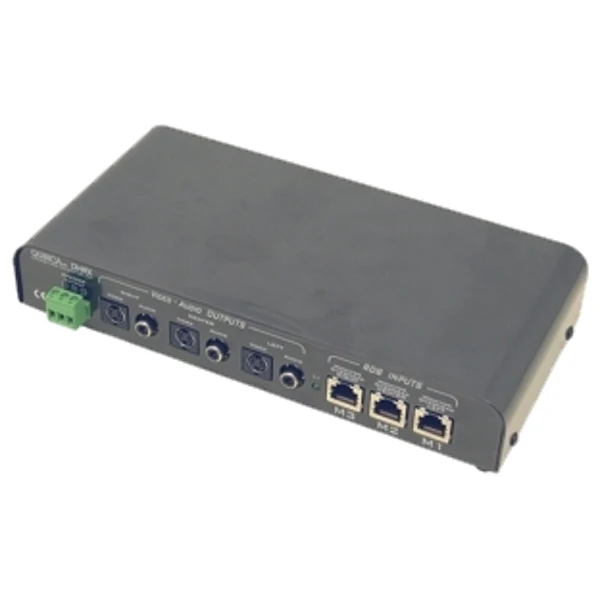
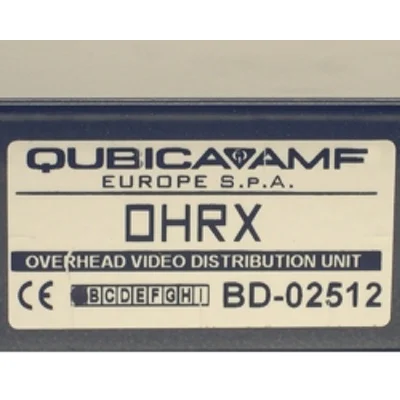
The different OHRX units are the audio, video and data interfaces to the overhead monitors. OHRX units receive power, audio-video signal and data directly from the RDB into the M1, M2 and M3 input connectors from their respective connectors on the RDB. The connection is made using the colored Cat.5 UTP cables provided by Qubica.
M1 Cable is Red, M2 Cable is Green and M3 Cable is Blue. Qubica provides cable 100ft - 30.5m long for connection between RDB and monitor interface. If the installation requires longer cables please contact Qubica.
NOTE: The RDB to OHRX connection is made with standard Cat.5 cables, but the signals running on them are NOT standard network signals, DOT NOT CONNECT THE RDB M1, M2 AND M3 PORTS TO A NETWORK HUB.
L1 LED on the OHRX unit signal the status of the XCOM communication with the RDB. The LED, under normal circumstances, flashes. If during normal operations the LED is off or constantly on there could be a problem with the RDB, in this case check the RDB unit’s L2 LED status. Other problems can concern the M2-Green cable or the OHRX interface itself.
Whatever the cause, when the L2 LED is off there might be no image or sound on the lanes. Different video standards are supported by different OHRX models.
OHRX: For standard TV, Plasma, LCD monitor or video projectors with NTSC S-Video input, equipped with speakers.
Connectors on the OHRX interface:
- Three S-Video connectors for upper left, upper center and upper right monitors.
- Three RCA connectors for non-amplified audio output, one for each monitor.