
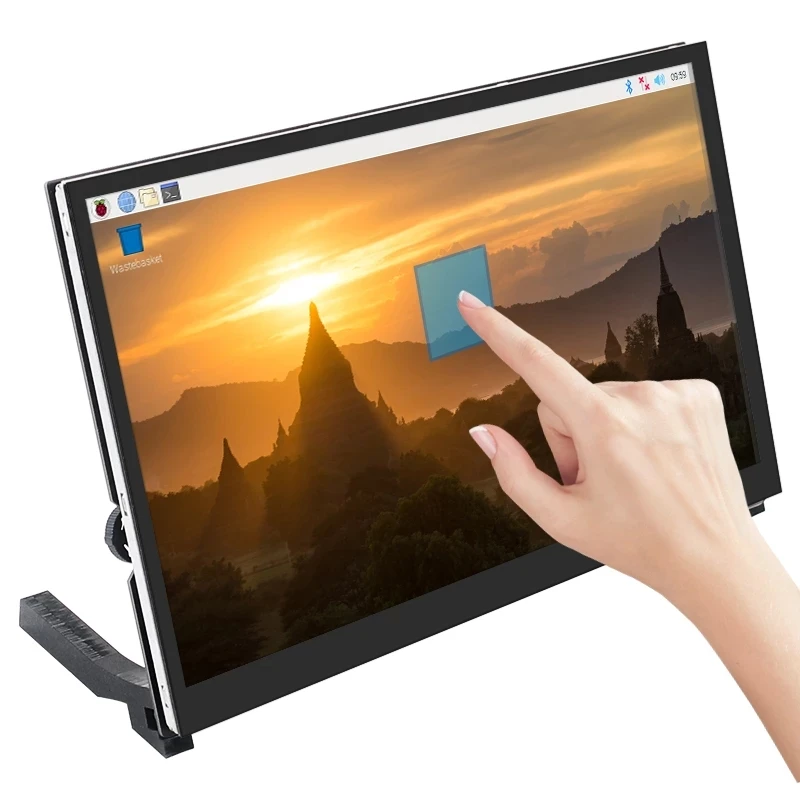
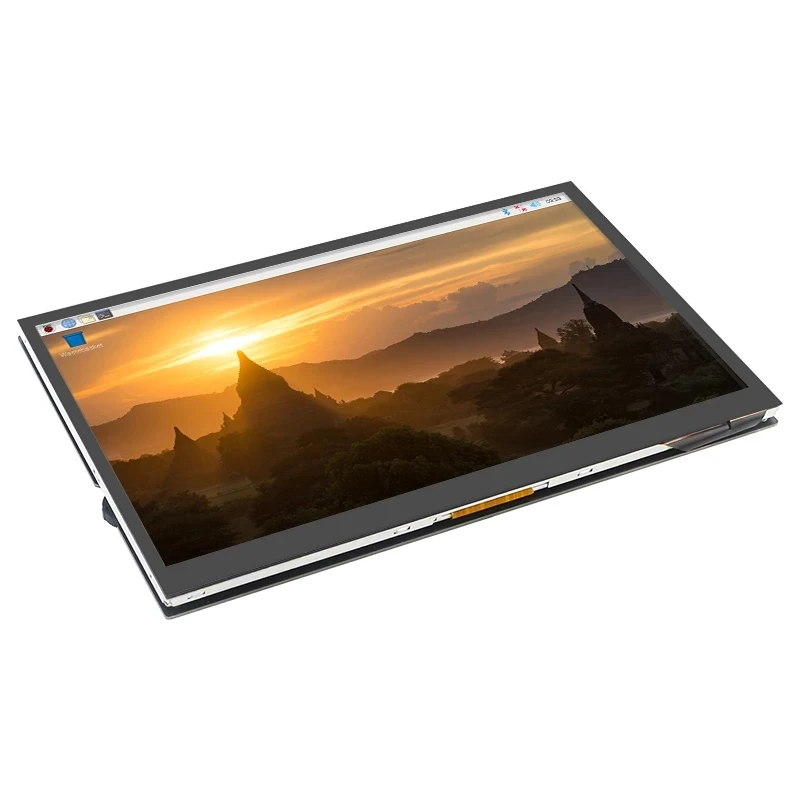
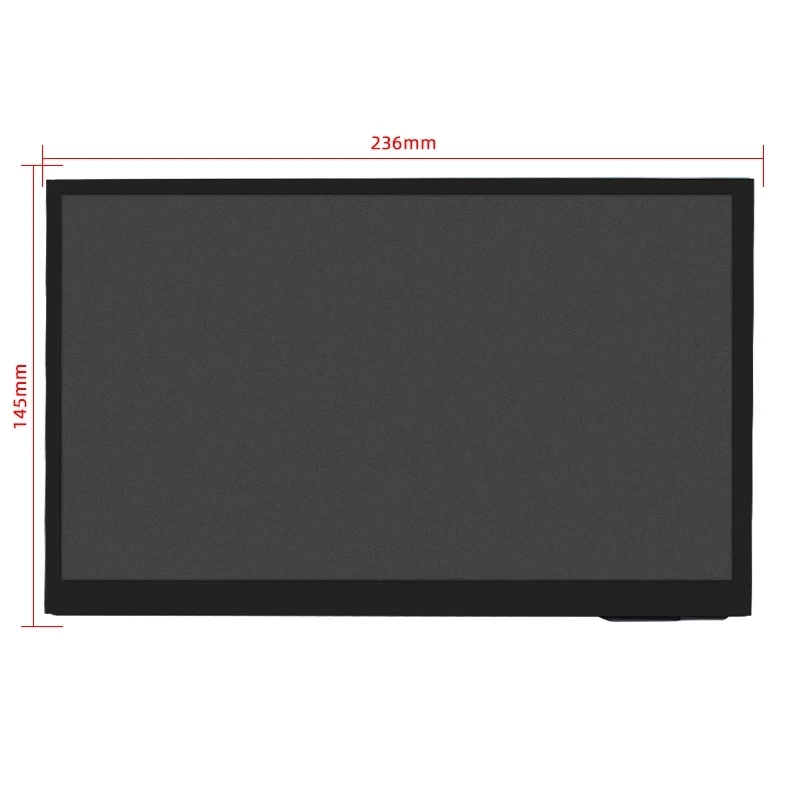
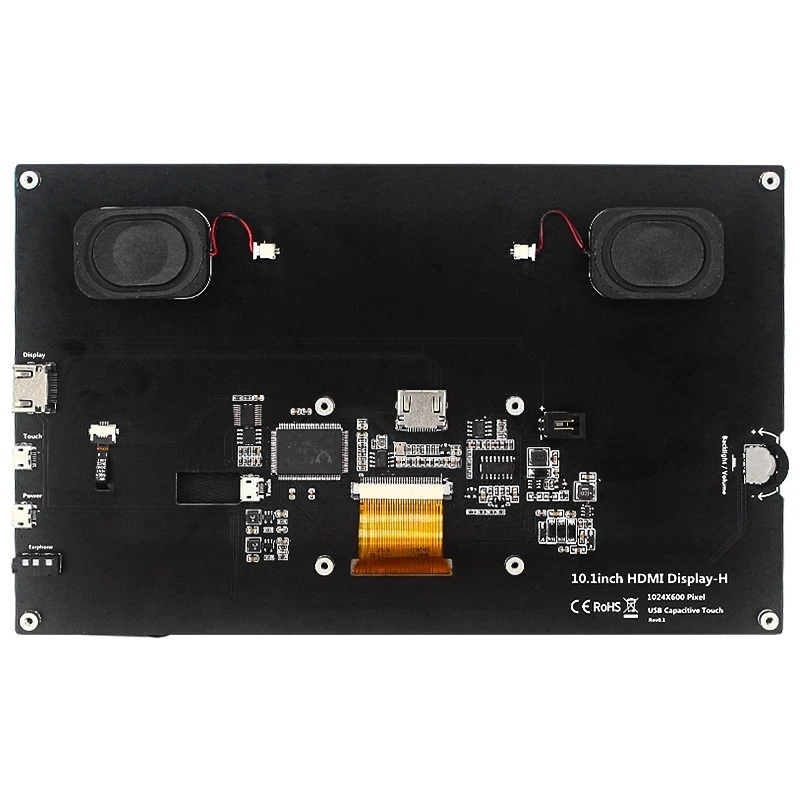
LTIOT 10.1 inch Raspberry PI 4B touch screen IPS Capacitive LCD 1024x600 display with speaker stand monitor Raspberry PI 4
- Category: Touch Screen Monitors >>>
- Supplier: Shenzhen Lonten Technology Co. Limited
Share on (1600301326786):
Product Overview
Description
10.1 inch Raspberry Pi 4 LCD IPS Capacitive Touch Screen 1024x600 Display with Speacker Holder Monitor for Raspberry Pi 4B/3B+
Introduction
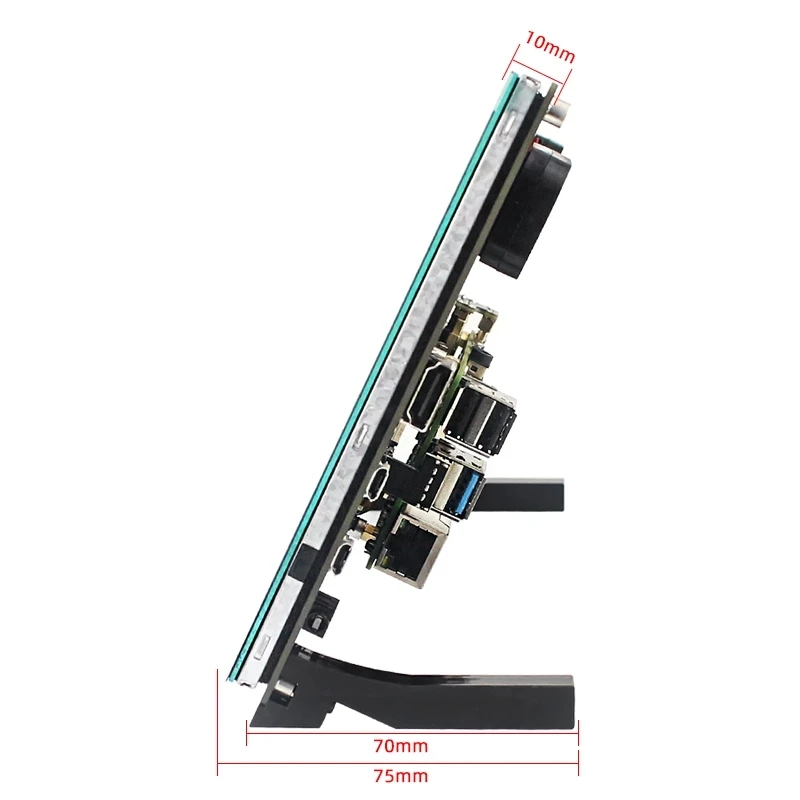
This is the new version 10.1 inch 1024x600 touch screen for Raspberrry Pi and PC/miniPC. It is the IPS screen , with built-in
speaker&3.5mm audio interface. And there 2 pcs holder feet for using it more convenient.
IPS full Angle Display
1. The viewing Angle is large
2. True color
3. Dynamic picture quality is excellent
4. Energy saving and environmental protection
1024X600 HD Vision
Resolution for HD 1024X600 dot matrix
Tempered Glass Touch Panel
Hardness up to 6H, more durable and more scratch resistant
External Audio Output Interface
1. Built - in 2 pcs speaker
2. 3.5mm external audio interface
Used as a mini PC Monitor
1. Support raspberry Pi, Banana Pi, BB Black and other mainstream development board
2. Support Raspbian, Kali Linux, ubuntu,RetroPie systems, single touch plug and play without driver.
(If you use for other system , we can not make sure can work)
Used as a Computer Display
Support win10/win8/win7 system, support five-point touch plug and play driver
Specifications
1. Size : 10 inch
2. Pixel : 1024x600
3. Screen type : IPS
4. Vdieo output : HDMI-compatible
5. Audio outpur : 2xspeaker & 3.5mm audio
6. Function key : Backlight&Volume adjust
7. Touch type : Capacitive touch
8. Holder : 2 holder feet
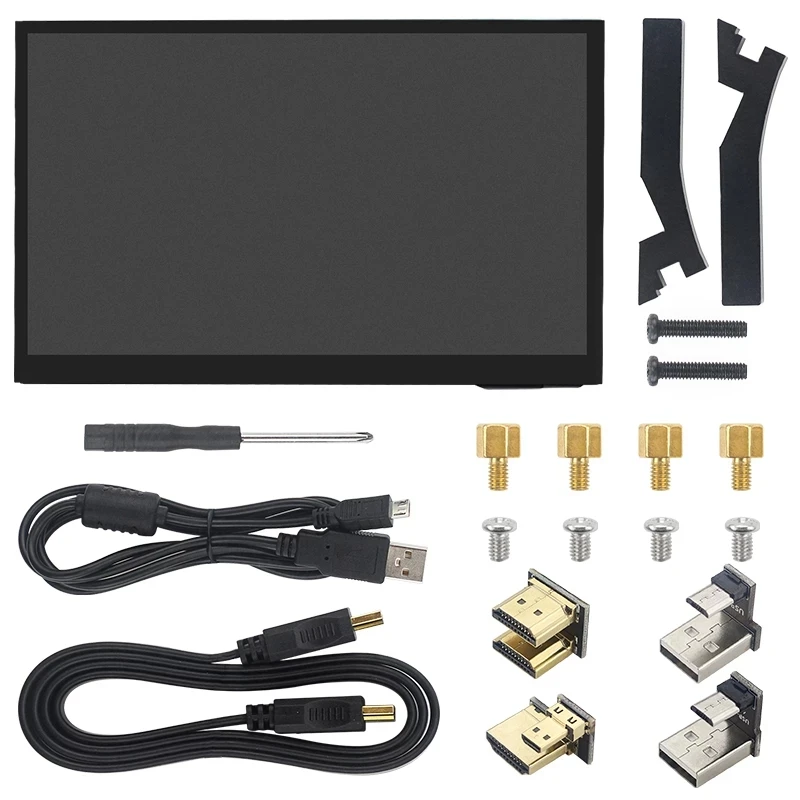
Packing List
1 x 10.1 inch IPS Touch Screen
2 x Holder Feet
1 x HDMI-compatible to Micro HDMI-compatible Cable
1 x HDMI-compatible to HDMI-compatible Cable
1 x HDMI-compatible to Micro HDMI-compatible Conterter
1 x HDMI-compatible to HDMI-compatible Conterter
2 x USB to Micro USB Converter
1 x Screwdriver
1 set x Screws and Nuts
(not include Raspberry Pi board)Use for Raspberry Pi
Step 1.
Download and install the Raspberry Pi OS/Ubuntu/Kail Kail/Retropie official system
Step 2.
Open the “config.txt” file in the root directory of SD card on the computer, Add the following at the end of the file, save and
exit.
hdmi-compatible_force_edid_audio=1
max_usb_current=1
hdmi-compatible_force_hotplug=1
config_hdmi-compatible_boost=7
hdmi-compatible_group=2
hdmi-compatible_mode=87
hdmi-compatible_drive=2
display_rotate=0
hdmi-compatible_cvt 1024 600 60 6 0 0 0
Step3.
Run Raspberry Pi :
Insert it into the SD card slot on the back of the raspberry pi and connect the HDMI-compatible interface and touch interface of
the display screen to raspberry pie, connect the power supply of raspberry pi,
and start the Raspberry Pi to display and touch normally..
Use for Computer
This LCD can be used as the HDMI-compatible touch monitor of Windows computer, only need to connect HDMI-compatible interface and
TOUCH interface, can normally display and support up to five points touch.
Use for PC
This LCD can be used as the HDMI-compatible touch monitor of Windows computer, only need to connect HDMI-compatible interface and
TOUCH interface, can normally display and support up to five points touch.
Note :
Not include Raspberry Pi Board!
Introduction
This is the new version 10.1 inch 1024x600 touch screen for Raspberrry Pi and PC/miniPC. It is the IPS screen , with built-in
speaker&3.5mm audio interface. And there 2 pcs holder feet for using it more convenient.
IPS full Angle Display
1. The viewing Angle is large
2. True color
3. Dynamic picture quality is excellent
4. Energy saving and environmental protection
1024X600 HD Vision
Resolution for HD 1024X600 dot matrix
Tempered Glass Touch Panel
Hardness up to 6H, more durable and more scratch resistant
External Audio Output Interface
1. Built - in 2 pcs speaker
2. 3.5mm external audio interface
Used as a mini PC Monitor
1. Support raspberry Pi, Banana Pi, BB Black and other mainstream development board
2. Support Raspbian, Kali Linux, ubuntu,RetroPie systems, single touch plug and play without driver.
(If you use for other system , we can not make sure can work)
Used as a Computer Display
Support win10/win8/win7 system, support five-point touch plug and play driver
Specifications
1. Size : 10 inch
2. Pixel : 1024x600
3. Screen type : IPS
4. Vdieo output : HDMI-compatible
5. Audio outpur : 2xspeaker & 3.5mm audio
6. Function key : Backlight&Volume adjust
7. Touch type : Capacitive touch
8. Holder : 2 holder feet
Packing List
1 x 10.1 inch IPS Touch Screen
2 x Holder Feet
1 x HDMI-compatible to Micro HDMI-compatible Cable
1 x HDMI-compatible to HDMI-compatible Cable
1 x HDMI-compatible to Micro HDMI-compatible Conterter
1 x HDMI-compatible to HDMI-compatible Conterter
2 x USB to Micro USB Converter
1 x Screwdriver
1 set x Screws and Nuts
(not include Raspberry Pi board)Use for Raspberry Pi
Step 1.
Download and install the Raspberry Pi OS/Ubuntu/Kail Kail/Retropie official system
Step 2.
Open the “config.txt” file in the root directory of SD card on the computer, Add the following at the end of the file, save and
exit.
hdmi-compatible_force_edid_audio=1
max_usb_current=1
hdmi-compatible_force_hotplug=1
config_hdmi-compatible_boost=7
hdmi-compatible_group=2
hdmi-compatible_mode=87
hdmi-compatible_drive=2
display_rotate=0
hdmi-compatible_cvt 1024 600 60 6 0 0 0
Step3.
Run Raspberry Pi :
Insert it into the SD card slot on the back of the raspberry pi and connect the HDMI-compatible interface and touch interface of
the display screen to raspberry pie, connect the power supply of raspberry pi,
and start the Raspberry Pi to display and touch normally..
Use for Computer
This LCD can be used as the HDMI-compatible touch monitor of Windows computer, only need to connect HDMI-compatible interface and
TOUCH interface, can normally display and support up to five points touch.
Use for PC
This LCD can be used as the HDMI-compatible touch monitor of Windows computer, only need to connect HDMI-compatible interface and
TOUCH interface, can normally display and support up to five points touch.
Note :
Not include Raspberry Pi Board!

We Recommend


New Arrivals
New products from manufacturers at wholesale prices







