

Portable Live Streaming Kit Audio Interface Mixer Console Support Multi Channel Mixing
- Category: >>>
- Supplier: Shenzhen Hayner-Seek Cross-Border Trading Co. Ltd.
Share on (1600375297422):
Product Overview
Description
Product Description

Semi-Automatic PET Bottle Blowing Machine Bottle Making Machine Bottle Moulding Machine
PET Bottle Making Machine is suitable for producing PET plastic containers and bottles in all shapes.
PET Bottle Making Machine is suitable for producing PET plastic containers and bottles in all shapes.


Appearance Features:
Materials--The whole shell has been specially processed to show the dark matte effect. In the upper part of the panel is an entire
highly reflective mirror. The shell has a comfortable hand feeling , simple and elegant appearance design.
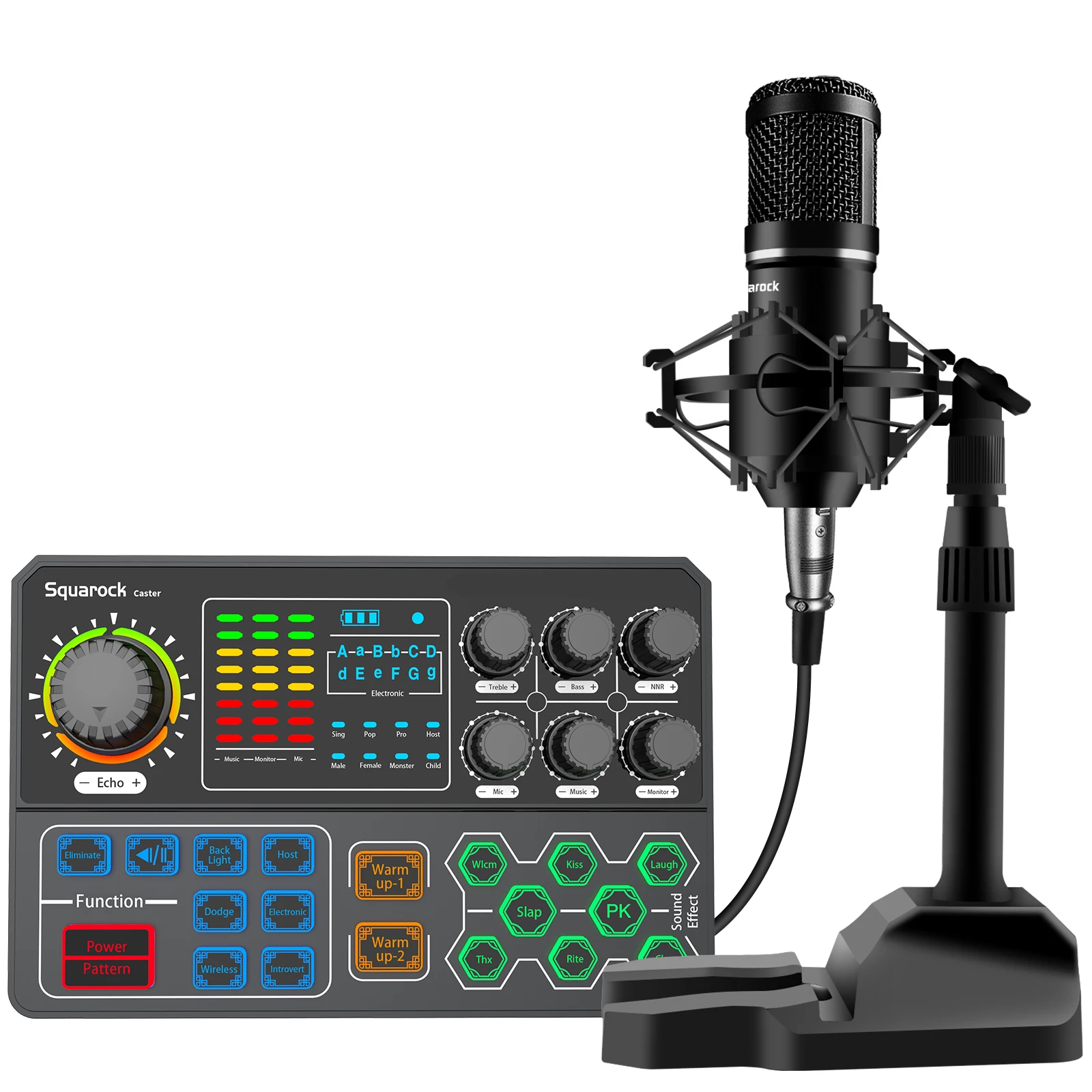
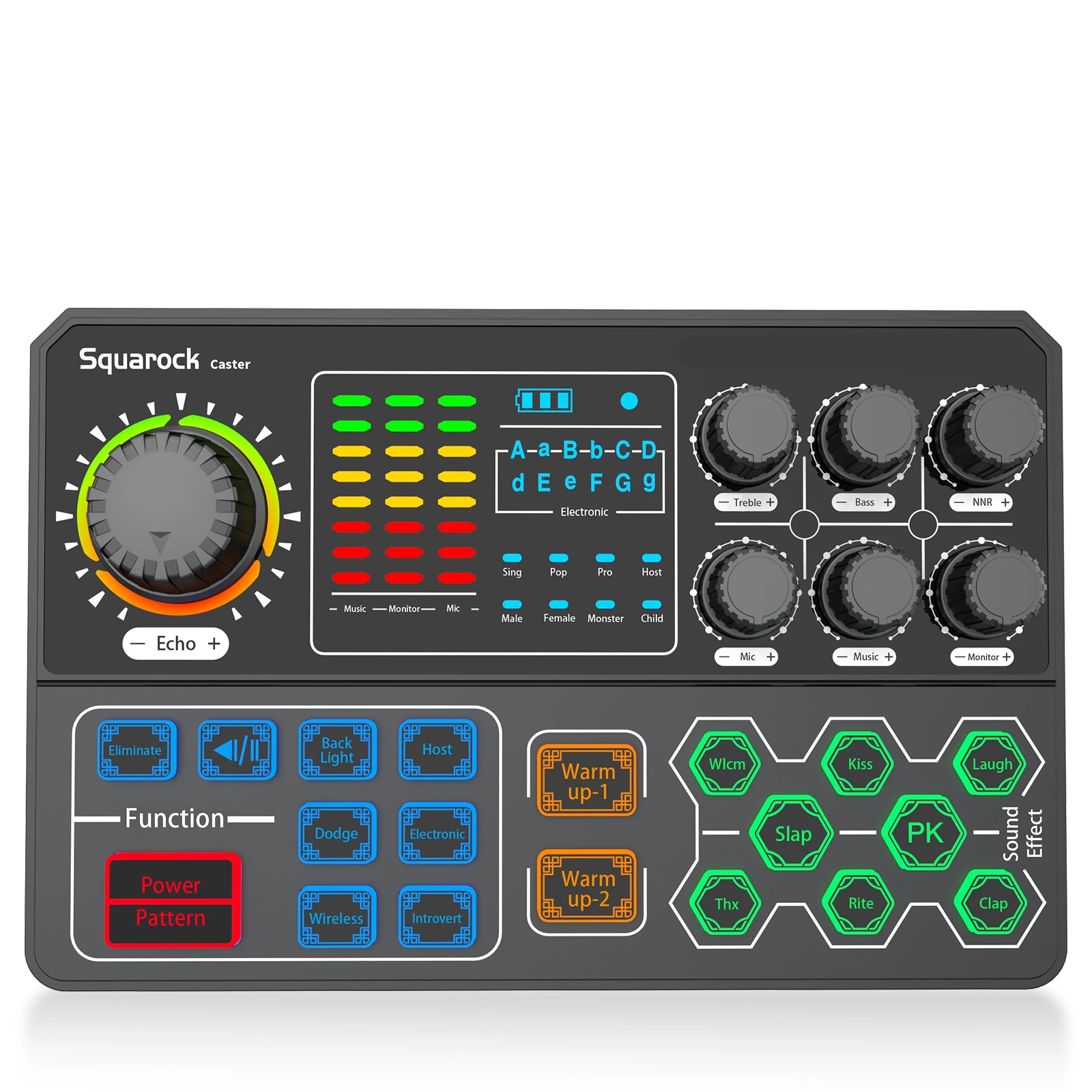
Atmosphere Light--There is a fantastic dynamic rainbow atmosphere lamp around the knob. You can press the button Back Light to
turn on/off the light.
Visual Display--The frequency spectrum is presented in digital form, which is convenient and intuitive.
highly reflective mirror. The shell has a comfortable hand feeling , simple and elegant appearance design.
Atmosphere Light--There is a fantastic dynamic rainbow atmosphere lamp around the knob. You can press the button Back Light to
turn on/off the light.
Visual Display--The frequency spectrum is presented in digital form, which is convenient and intuitive.


Package contents | ||||
Model | P5 | SR-AP502 | ||
Sound Card | 1 | 1 | ||
Condenser microphone | 0 | 1 | ||
Earphone(wired earbuds) | 0 | 1 | ||
Microphone tripod set | 0 | 0 | ||
Microphone stand set | 0 | 1 | ||
Microphone arm set | 0 | 0 | ||
Microphone shock mount | 0 | 1 | ||
XLR cable | 0 | 1 | ||
TRRS cable | 2 | 2 | ||
USB cable | 1 | 1 | ||
Mic spray guard | 0 | 0 | ||
Mic head cover foam | 0 | 1 | ||
Hook & loop | 1 | 2 | ||
User manual | 1 | 1 | ||
Sound Card Description | ||||||
Model number | P5 | Track system | Dual track | |||
Output sampling rate | 44.1KHz | Battery capacity | 1000mAh | |||
Sampling digit | 16bit | Charge | DC 5V, 1A | |||
Output jack | 3.5mm audio, USB | Power rating | 100mA | |||
Input jack | 3.5mm audio, USB,BT, 6.5mm audio | Net weight | 380g | |||
Size | 185*120*35mm | Usage scenario | Live streaming, recording, broadcast, gaming... | |||
Feature function | Adjust Treble&Bass, Adjust echo length, Manual denoise knob, dynamic rainbow atmosphere lamp,Eliminate original voice, simple and elegant appearance design. | |||||
Specification
Microphone Technical Parameters | ||
Model Number: | BM800S | |
Single Unit: | Condenser microphone | |
Directivity: | Cardioid | |
Sensitivity: | -42±3dB(1.5V,680KΩ;0dB=1V/Pa,1khZ) | |
Output Impedance: | Low impedance(<680Ω) | |
Frequency Response: | 50Hz-18KHz | |
Operation Voltage Range: | 1.0V-10V | |
Max. Operation Voltage: | 10V | |
Current Consumption: | <0.5mA | |
S/N Ratio: | More than 70dB | |
Features:
* ALL IN ONE STUDIO MICROPHONE KIT FOR BEGINNER--The package includes: 1* audio interface mixer, 1* microphone, 1* microphone, 1*(XLR-3.5MM) cable, 1* microphone duck palm, 1* foam hood, 1* wired earplugs, 1* charging cable cable. 2*3.5mm TRRS audio cable, 1* user manual. We provide a 12-month warranty. The contents of the set are very complete ,easy for beginners.
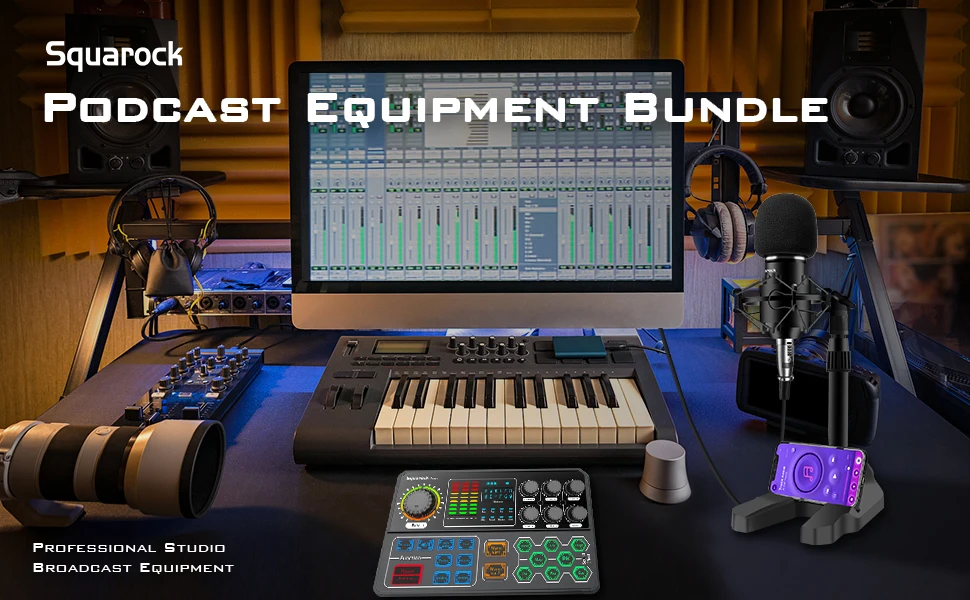
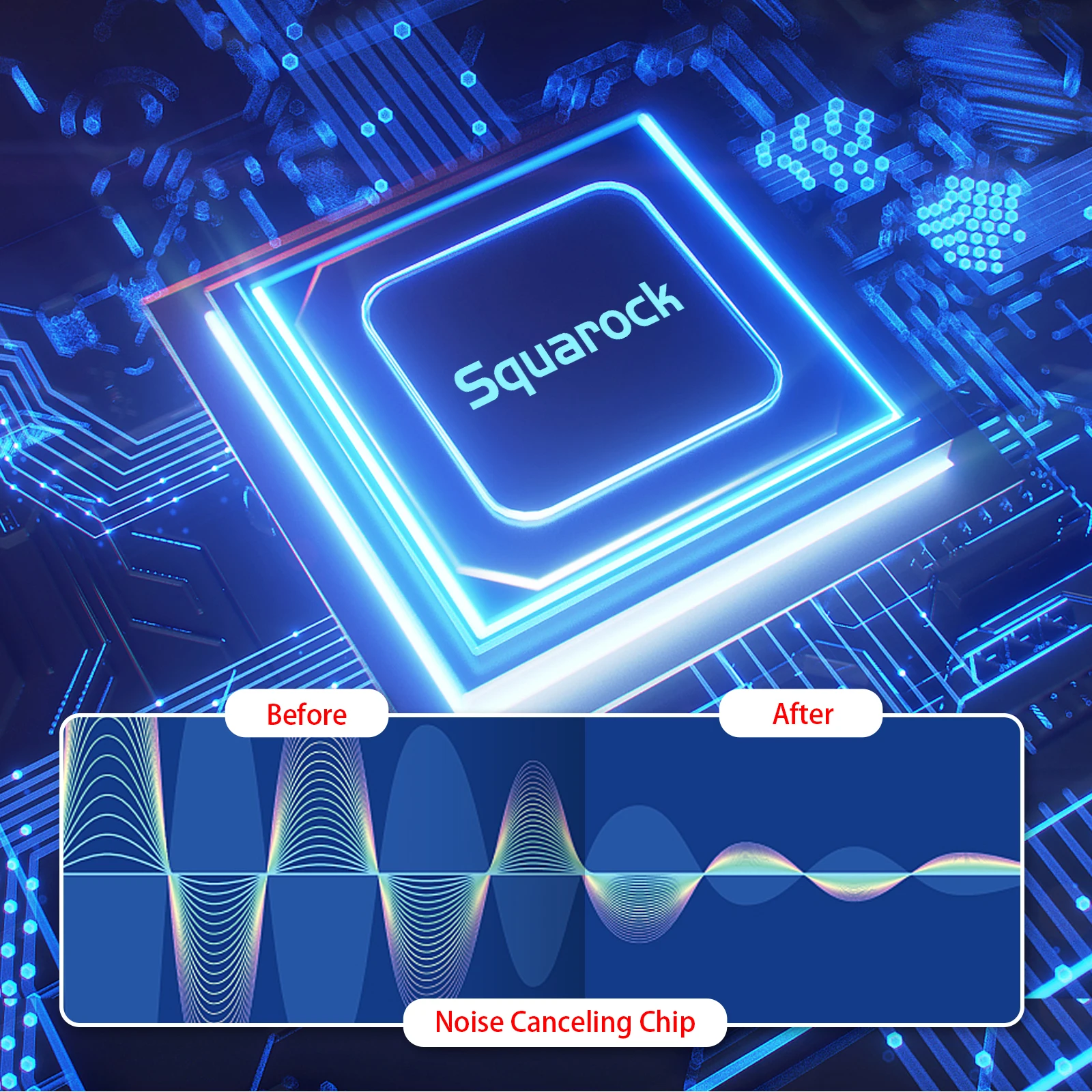
* SPECIAL DESIGN FOR LIVE STREAMING --Squarock sound mixer is designed for live broadcasting and can also be used in most scenarios: broadcasting, games, recordings, etc. It supports simultaneous live broadcast of multiple devices, accompaniment input, microphone input, real-time monitoring, and the noise reduction effect will be better after rotating the NRR knob, and high-quality sound will be produced.
* WIDELY COMPATIBILITY -- Compatible with Windows, iOS, Android, Mac operating systems, Linux, etc. This device can be used for OBS,Audacity, iMovie and other software and smart phones, PC, play stations, interactive smart whiteboard ,etc., without drive, plug and play. 10 sound effects and 9 functions, as well as two modifiable tones (treble, bass), make the audio interface more entertaining and meet more live broadcast needs.
* WIDELY COMPATIBILITY -- Compatible with Windows, iOS, Android, Mac operating systems, Linux, etc. This device can be used for OBS,Audacity, iMovie and other software and smart phones, PC, play stations, interactive smart whiteboard ,etc., without drive, plug and play. 10 sound effects and 9 functions, as well as two modifiable tones (treble, bass), make the audio interface more entertaining and meet more live broadcast needs.
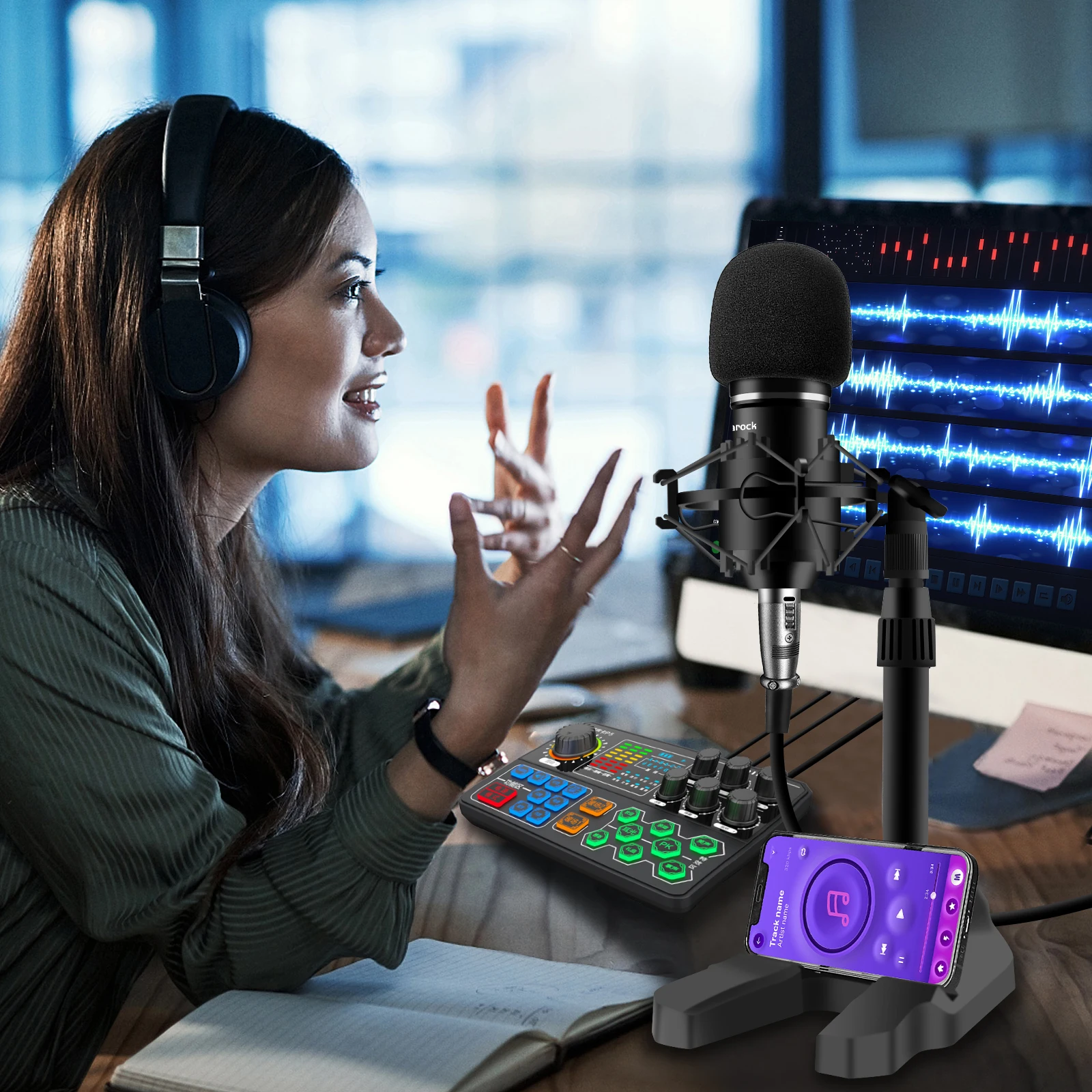
* SPECIAL STRONG MIC SUPPORT -- Compared with other products, the microphone stand set is stronger and more stable. The materials feel good,thick and solid. It can stretch up and down, rotate left and right, and adjust it to the direction required for live broadcast. The microphone shock mount makes the microphone stable and will not shake during live broadcast or recording. A mobile phone can also be placed on the duck foot base for easy access.
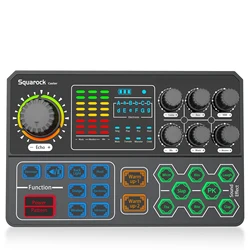
* PRETTY APPEARANCE SOUND MIXER--The light at the large ECHO knob is as gorgeous as a rainbow, and the lighting effects of the equipment will bring you a full sense of atmosphere. The light effect can be turned off through the button in the function area. The carbon-plated black plastic shell upgrades the feel of the device, and the unique contrast between the matte surface and the mirror surface increases the visual impact and reflects the high-level sense of the device.
* PRETTY APPEARANCE SOUND MIXER--The light at the large ECHO knob is as gorgeous as a rainbow, and the lighting effects of the equipment will bring you a full sense of atmosphere. The light effect can be turned off through the button in the function area. The carbon-plated black plastic shell upgrades the feel of the device, and the unique contrast between the matte surface and the mirror surface increases the visual impact and reflects the high-level sense of the device.
Packing & Delivery


Support drop shipping
We can supply intead of sending a box. Link our product to your website, when cusomer place the order from you. Then you place the order to us, we will send the parcel to buyer directly.

Company Profile

FAQ
1. Press the "POWER" button for 3 seconds to turmn on or turn off the sound card.
2. Charge the sound card before use. Low volume or poor sound quality indicates that sound card power is insufficient. Please don't charge while using the sound card, because current will cause interference.
3. When using the sound card, all interfaces need to be fully plugged in. If the mobile phone has a phone case, please remove the case to avoid the shell against the plug.
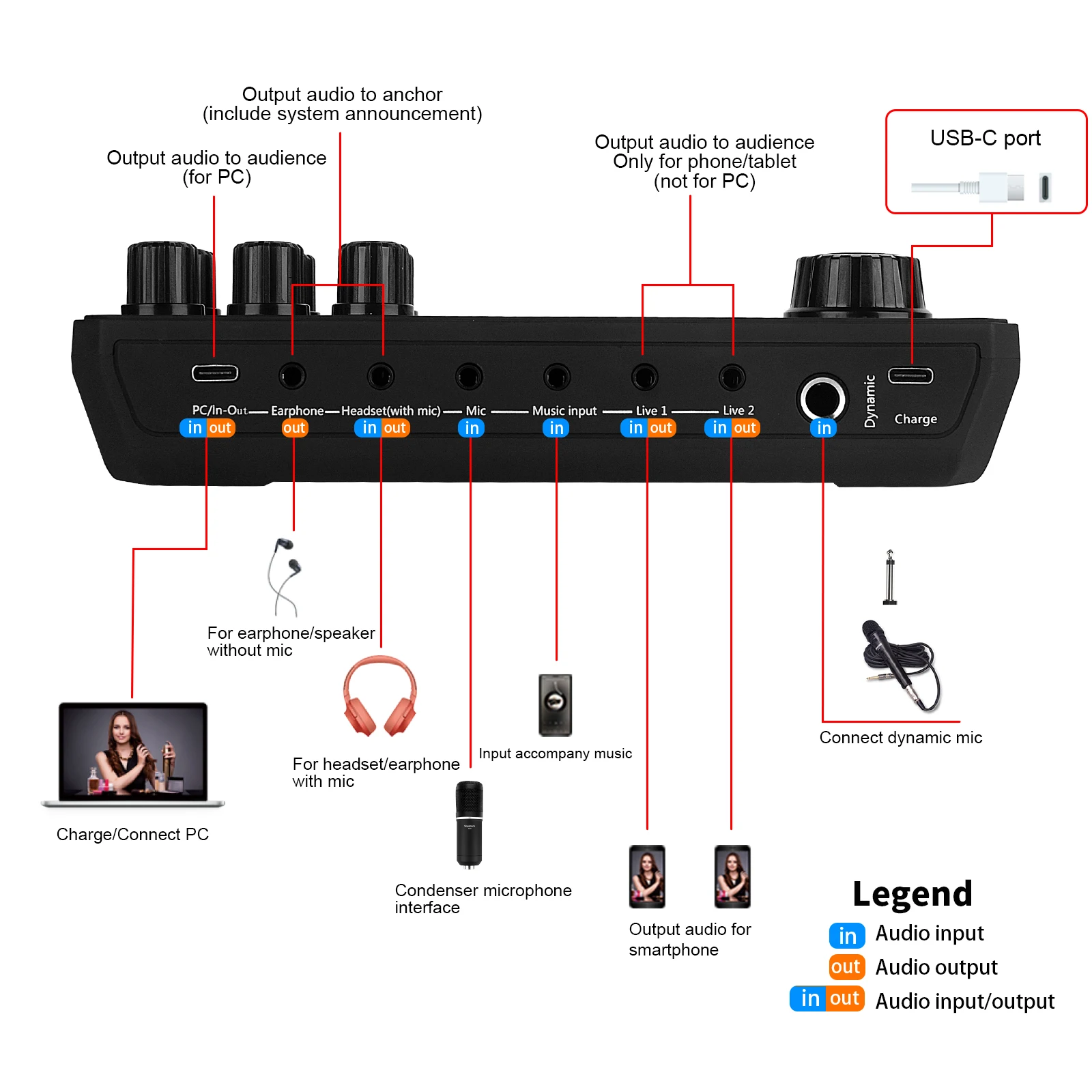
4. When using the computer/laptop for live broadcast or accompaniment, directly connect the computer USB interface and the sound card charging interface with the charging cable. Don't use the live ports to connect computer or laptop. The computer will automatically identify and install the sound card driver (there will be a display in the lower right corner of the computer). If the computer does not recognize the sound card driver, please check if the interface and cable connected is correct.
5. If you hear heavy sound or noise when use an iPhone to live broadcast, please try to turn off the volume of the phone. You can adjust the volume from the sound mixer card.
6.The BT function can only support accompaniment devices with BT. You can also use accompaniment cable to connect the accompaniment devices.
7. When listening to the live broadcast effect with a mobile phone, remember that the phone used for listening should not be too close to the live broadcast mobile phone.There will be signal interference and howling.
8. Please turn down the volume of the microphone to reduce the noise sound. If the sensitivity of the microphone is high,
there might be a noise sound or harsh sound from the sound card. 9. It is not recommended to use an external speaker for
computer live broadcasting. because the sound from the speaker may be recorded by the microphone again, resulting in double tone. It is recommended to unplug the speaker and use headphones during live broadcasting on computer.
10. The "Monitor" interface is for earphone the "Headset" interface is for earphone headset with mic. To make sure that you use the right port, please try both earphone/ headphone port if there is noise sound or interference sound from one port.
2. Charge the sound card before use. Low volume or poor sound quality indicates that sound card power is insufficient. Please don't charge while using the sound card, because current will cause interference.
3. When using the sound card, all interfaces need to be fully plugged in. If the mobile phone has a phone case, please remove the case to avoid the shell against the plug.
4. When using the computer/laptop for live broadcast or accompaniment, directly connect the computer USB interface and the sound card charging interface with the charging cable. Don't use the live ports to connect computer or laptop. The computer will automatically identify and install the sound card driver (there will be a display in the lower right corner of the computer). If the computer does not recognize the sound card driver, please check if the interface and cable connected is correct.
5. If you hear heavy sound or noise when use an iPhone to live broadcast, please try to turn off the volume of the phone. You can adjust the volume from the sound mixer card.
6.The BT function can only support accompaniment devices with BT. You can also use accompaniment cable to connect the accompaniment devices.
7. When listening to the live broadcast effect with a mobile phone, remember that the phone used for listening should not be too close to the live broadcast mobile phone.There will be signal interference and howling.
8. Please turn down the volume of the microphone to reduce the noise sound. If the sensitivity of the microphone is high,
there might be a noise sound or harsh sound from the sound card. 9. It is not recommended to use an external speaker for
computer live broadcasting. because the sound from the speaker may be recorded by the microphone again, resulting in double tone. It is recommended to unplug the speaker and use headphones during live broadcasting on computer.
10. The "Monitor" interface is for earphone the "Headset" interface is for earphone headset with mic. To make sure that you use the right port, please try both earphone/ headphone port if there is noise sound or interference sound from one port.
We Recommend







New Arrivals
New products from manufacturers at wholesale prices






