
Yinuo Link Mini size 300M 4G industrial router For IOT/M2M/Gateway
- Category: >>>
- Supplier: Shenzhen Yinuo-Link Co. Ltd.
Share on (1600412402836):
Product Overview
Description
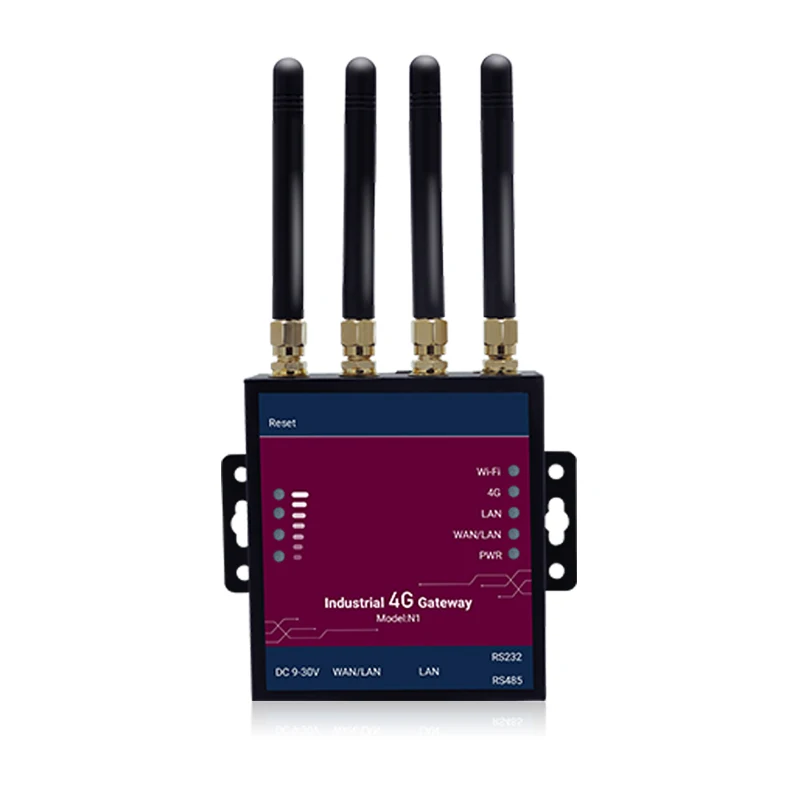
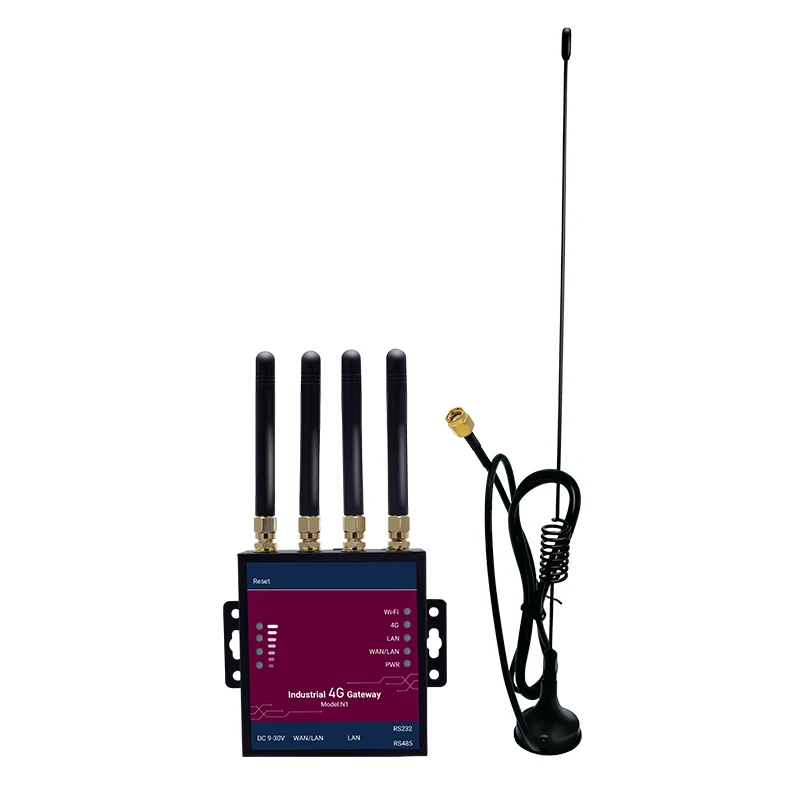
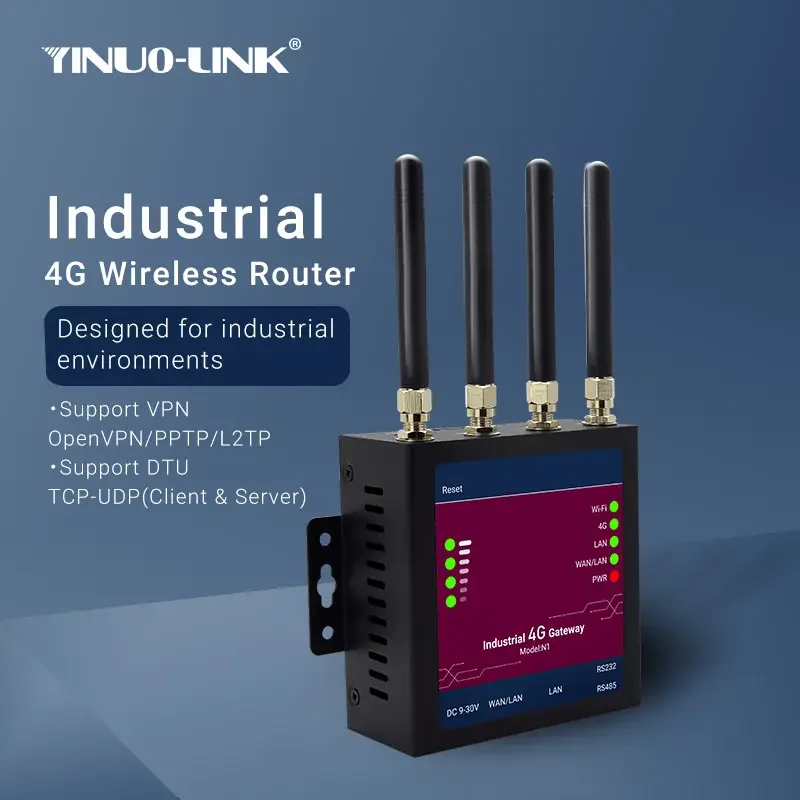
N1 Industrial 4G Wireless Router
Designed for industrial environments
· Support LTE/WCDMA/GSM mobile communication protocol, support advanced LTE Cat4 technology.
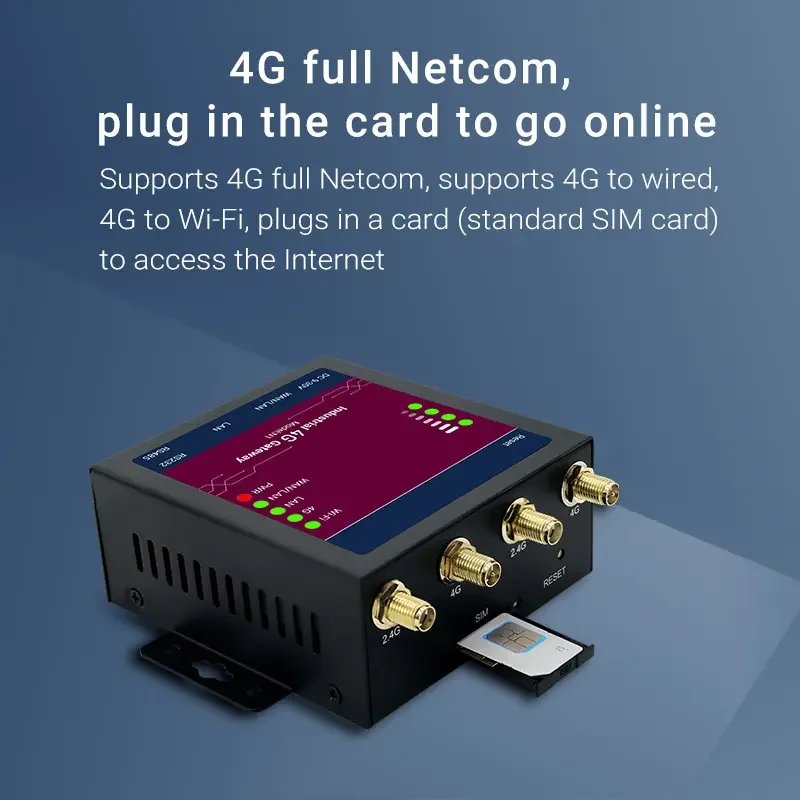
· Support 4G full Netcom, you can connect to the Internet by inserting a card (Standard card).
· Adapt to harsh industrial-grade working environments at temperatures ranging from -30°C to +75°C.
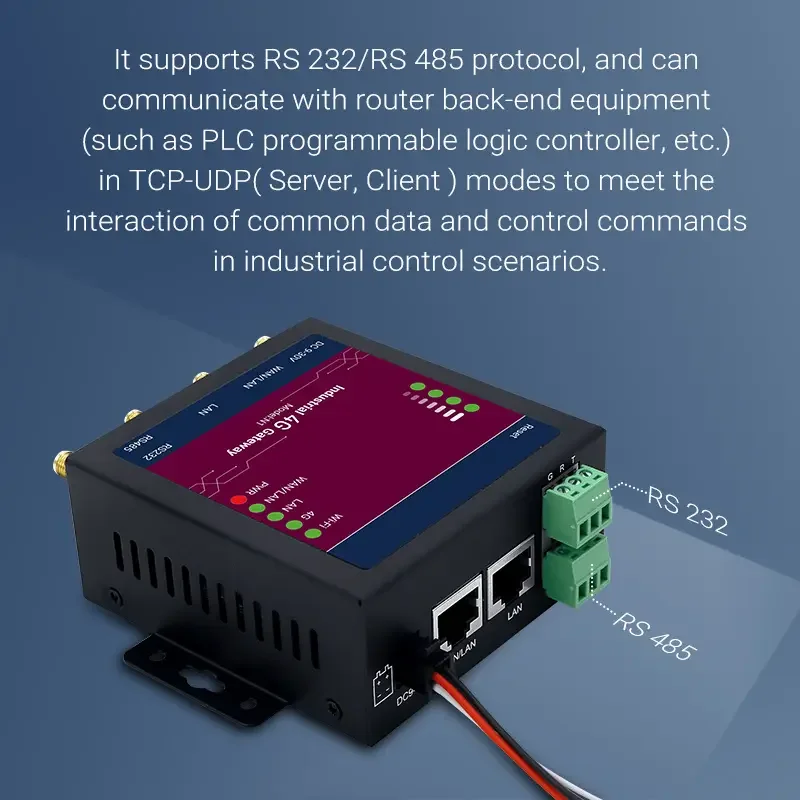
· Support RS232/RS485 standard communication serial protocol.
· Support to turn on 2.4GHz Wi-Fi to provide wireless access to peripheral devices.
· Support wide voltage 9-36V design.
· Standard wall-mounted installation, easy maintenance.
· Industrial design, compact size, multiple connection interface.
· PoE(Passive): Passive PoE over spare pairs. Possibility to power up through LAN port, not compatible with IEEE802.3af, 802.3at and 802.3bt standards.
· Support VPN: Open VPN/PPTP/L2TP.
· Support DTU: TCP-UDP( Server, Client ).
· Support 4G full Netcom, you can connect to the Internet by inserting a card (Standard card).
· Adapt to harsh industrial-grade working environments at temperatures ranging from -30°C to +75°C.
· Support RS232/RS485 standard communication serial protocol.
· Support to turn on 2.4GHz Wi-Fi to provide wireless access to peripheral devices.
· Support wide voltage 9-36V design.
· Standard wall-mounted installation, easy maintenance.
· Industrial design, compact size, multiple connection interface.
· PoE(Passive): Passive PoE over spare pairs. Possibility to power up through LAN port, not compatible with IEEE802.3af, 802.3at and 802.3bt standards.
· Support VPN: Open VPN/PPTP/L2TP.
· Support DTU: TCP-UDP( Server, Client ).
| Hardware |
| RAM: DDR2:128MB |
| FLASH: Default 16MB |
| Interface |
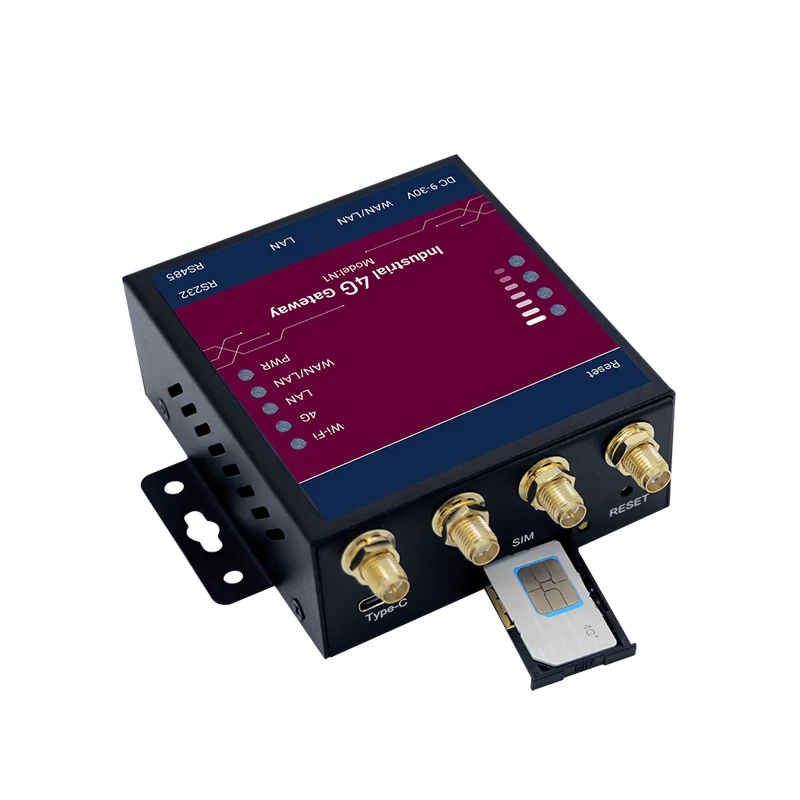
| Ethernet Port: 2*10/100Mbps Fast Ethernet Port,WAN/LAN |
| Industrial Serial Interface: RS485 x 1 Industrial terminal; RS485 Signal:A,B,G; ESD Protection:8KV |
| Reset button: Pinhole type reset button |
| SIM card holder: Drawer-type card holder |
| Wi-Fi: 802.11b/g/n:300Mbps |
| Grounding terminal: Support |
| WiFi |
| Transmitting Power: 802.11b: 16dBm ±2dBm(11Mbps) 802.11g:15dBm ±2dBm(54Mbps) 802.11n 2.4GHz:13dBm ±2dBm(HT20 MCS7) 802.11n 2.4GHz:13dBm ±2dBm(HT40 MCS7) |
Power Supply |
| Max. Power: < 8W Power Interface: 4 PIN Vehicle-mounted locking terminal Standby Power: 100mA 24V(HSPA+network) Working Power: 150mA 24V(HSAP+network) Peak power: 180mA 24V(HSPA+network) |
| Software Specifications Network Type: Support LTE,WCDMA(HSPA+),EDGE,GPRS LAN protocol: Support ARP, Ethernet WAN protocol: Support Static IP, DHCP, PPPoE IP routing: Static routing Firewall: Stateful Packet Inspection (SPI), DoS attack defense, Multicast filter/Ping probe packet, Access Control List(ACL), NAT, PAT, DMZ, port mapping, and virtual server Embedded watchdog: Device runs self-detection, auto recovers from malfunctions Link Detection Embedded: Sends heartbeat packets to detect, auto redials when disconnected Mechanical Characteristics Mounting method: Din-Rail mounted, Wall-mounted Shell: Metal Structure Product Size: 70X80X30mm Packing Size: 180X145X55mm Protection class: IP30 |
Other Ambient temperature and humidity: Operating temperature: -40°C ~ 75°C Storage temperature: -40°C ~ 100°C Ambient Humidity: 10% to 90% RH non-condensing Storage Humidity: 5% to 90% RH non-condensing LED: PWR, SYS/WiFi/4G/4G Signal Strength Indicators |

FAQ
Q1. What should I do if I cannot access the web management page?
a.If the computer is set to a static IP address, change its settings to obtain an IP address automatically.
b. Make sure //192.168.100.1 is correctly entered in the web browser.
c. Use another web browser (the browser is recommended to use Google) and try again.
d. Reboot your router and try again.
e. Disable and enable the active network adapter in use.
Q2. What should I do if I cannot access the internet?
a. Check the LAN connection, Open a web browser and enter //192.168.100.1, check your SIM card is recognized, and confirm that the signal is above 16 (16 is the value of the data link established).
b. If the SIM card is recognized and the signal is above 16, confirm whether traffic management is enabled and the traffic has reached the set value.
c. Confirm whether the SIM card is an IoT card and the SIM card is not bound.
d. Please set APN for private network card, nonprivate network does not need to set APN, if you set it, please close.
e. Check whether you can access the Internet on your mobile phone.
f. If the above is confirmed, please contact the device manufacturer.
Q3. How do I restore the router to its factory default settings?
With the router powered on, press and hold the RESET button(about 5S)on the rear panel of the router and then release the button, the Wi-Fi light off until the Wi-Fi light solid on, and the reset is complete.
Q4. What should I do if I forget my web management page password?
RESET.
Q5. What should I do if I forget my wireless network password?
RESET.
a. Check the LAN connection, Open a web browser and enter //192.168.100.1, check your SIM card is recognized, and confirm that the signal is above 16 (16 is the value of the data link established).
b. If the SIM card is recognized and the signal is above 16, confirm whether traffic management is enabled and the traffic has reached the set value.
c. Confirm whether the SIM card is an IoT card and the SIM card is not bound.
d. Please set APN for private network card, nonprivate network does not need to set APN, if you set it, please close.
e. Check whether you can access the Internet on your mobile phone.
f. If the above is confirmed, please contact the device manufacturer.
Q3. How do I restore the router to its factory default settings?
With the router powered on, press and hold the RESET button(about 5S)on the rear panel of the router and then release the button, the Wi-Fi light off until the Wi-Fi light solid on, and the reset is complete.
Q4. What should I do if I forget my web management page password?
RESET.
Q5. What should I do if I forget my wireless network password?
RESET.
We Recommend







New Arrivals
New products from manufacturers at wholesale prices






