
DACAI 7' TFT UART LCD Module DC80480B070_05CF_RTC Industrial serial screen for industrial display PLC
- Category: >>>
- Supplier: Guangzhou Dacai Optoelectronic Technology Co. Ltd.
Share on (1600438798487):
Product Overview
Description
Product Description
Product Description
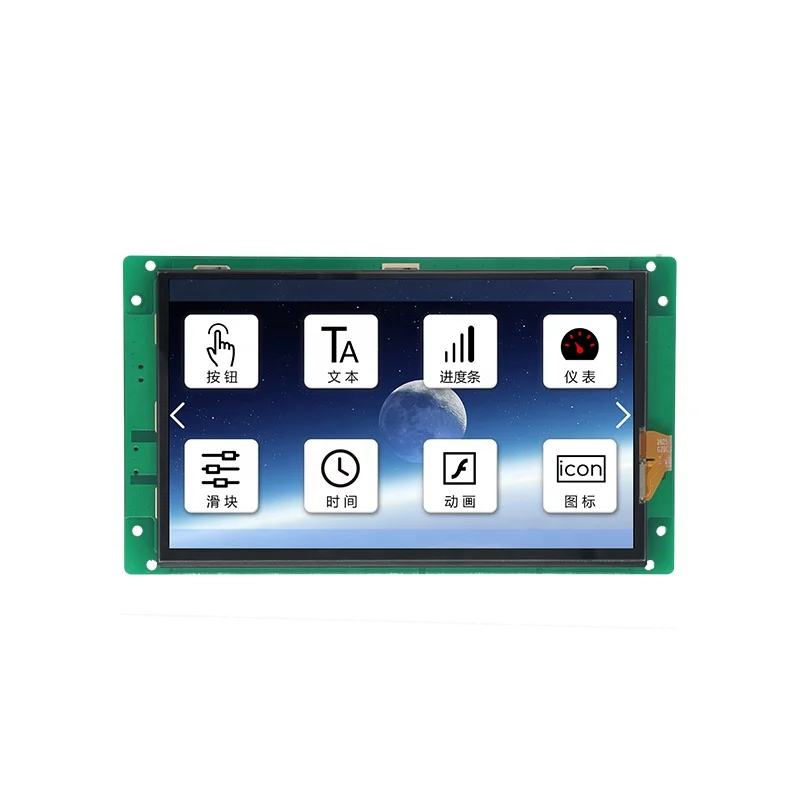
DC80480B070_05CF_RTC is a 7 inch capacitive touch interface screen with 800*480 resolution.(The package will not contain speaker and battery,due to international air express policy,thanks for understanding.)


LCD Display | |
Display Type | TFT LCD |
Backlight Tube | LED |
Brightness(cd/m²) | 250 |
Backlight Life(H) | >20,000 |
Contrast Ratio | 500:1 |
Viewing(L/R/T/B) | 70/70/50/70 |
Product Specification | |
Product Model | DC80480B070_05TF_RTC (RS232,resistive touch) DC80480B070_05CF_RTC (RS232,capacitive touch) DC80480B070_05NW_RTC (RS232,non-touch) |
Product Series | Basic Series |
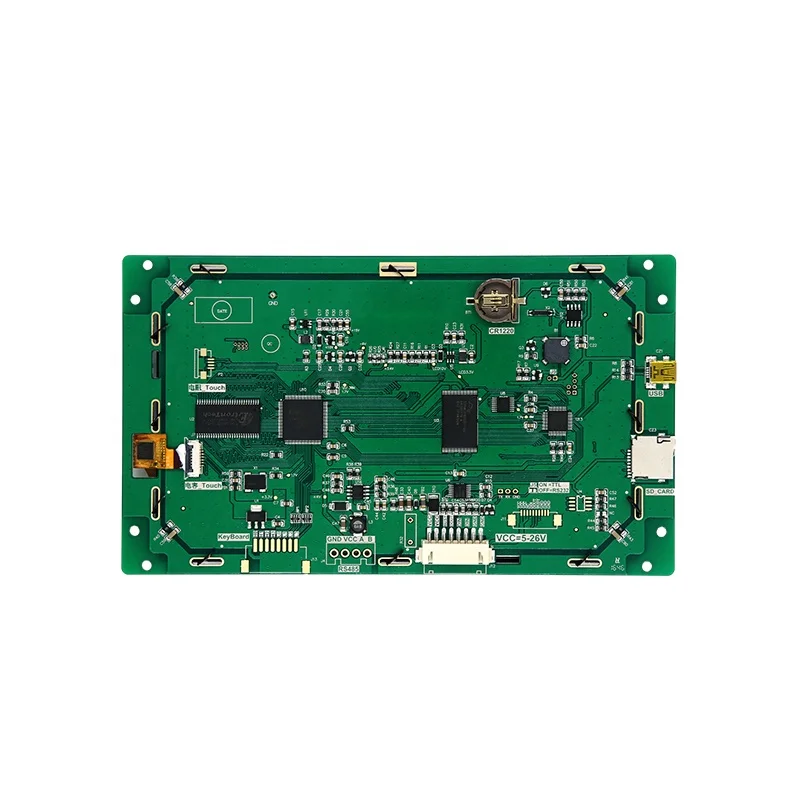
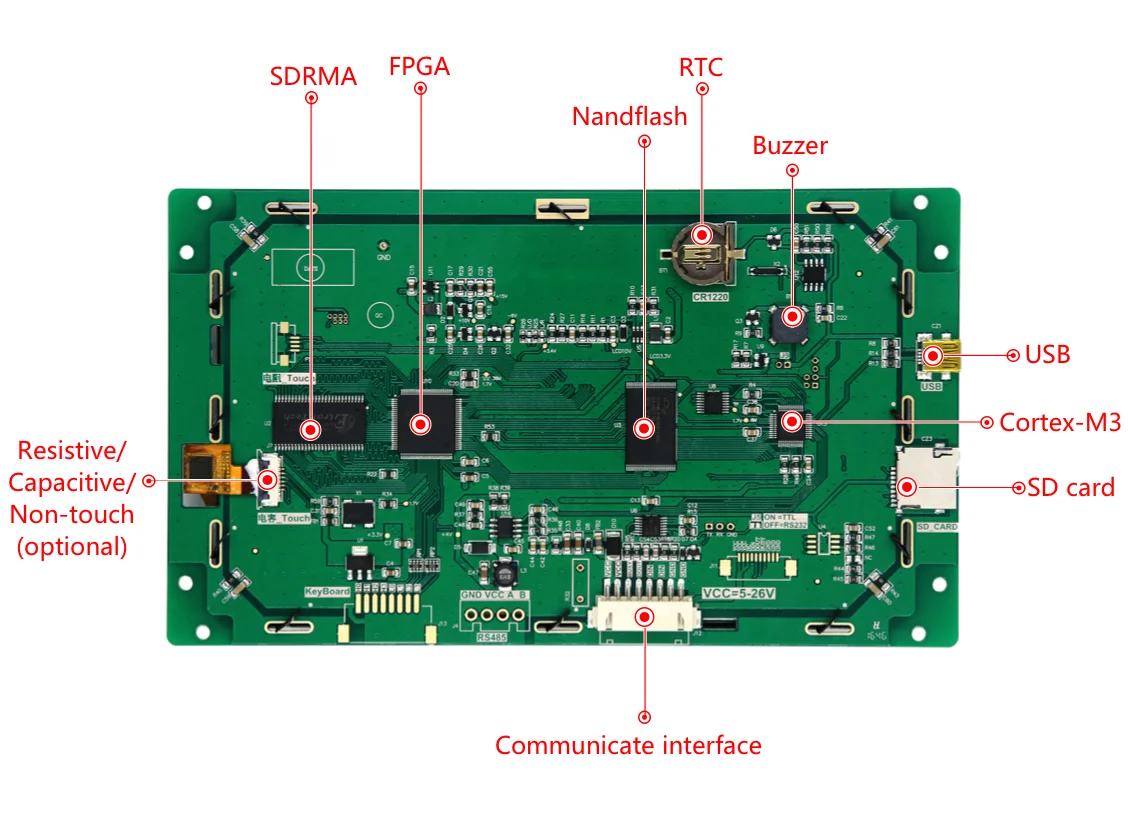
Processor | Cortex-M3 + FPGA dual core architecture |
Operation System | No operating system,can run once power on. |
Protocol Type | Default Dacai configuration insructionsets, can upgrade firmware to support MODBUS RTU protocol |
Size | 7.0 inch |
Resolution | 800*480 |
Installation Display | Support 0°/90°/180°/270°rotate display |
Memory Space | 1Gbit |
Font Library | Built-in 10MB font, including any size dot matrix ASCII, GBK, GB2312, UNICODE font, can customize any computer font display |
Image Storage | Supports image storage of any size, accumulating and storing about 137 full-screen images |
Color | 65K colour,16-bit RGB |
Voltage | 5-26V(error±0.2V) |
Power Consumption | Brightest backlight: 686mA@5V; off backlight: 168mA@5V |
Communicate Interface | RS232/TTL(default 232 level) |
Communicate Baudrate | RS232:1200~1Mbps,typical Braudrate115200bps |
Interface Specification | XH2.54-8P |
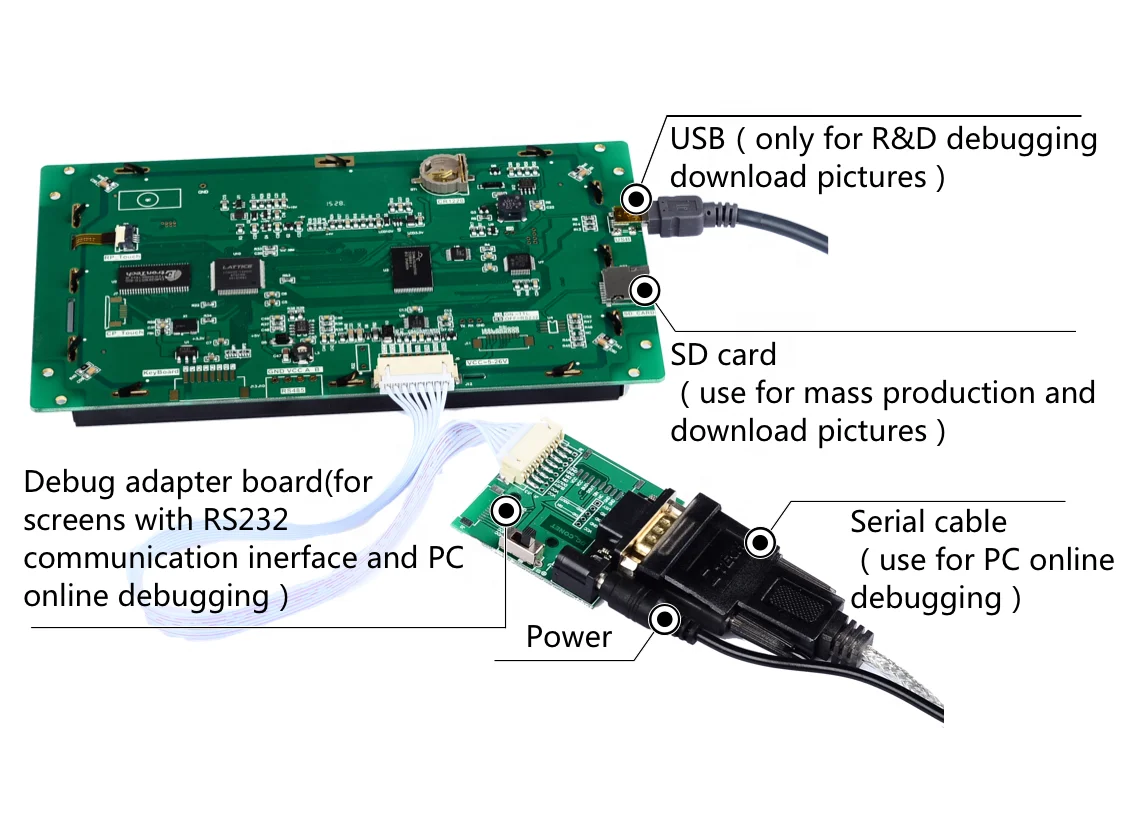
Image Download | Support MiniUSB/SD card/UART download, R & D recommended USB download, production batch recommendation SD download |
Real-time RTC | support clock,countdown,timer,etc.function |
Active Area of Displaying(AA) | L×W = 155.0mm×87.2mm |
Product Dimension(L*W*H) | L×W×H = 190.0mm×110.2mm×19.9mm |
Host computer software | VisualTFT® |
AV Input | Not supported |
Audio Playing | Not supported |
Video Playing | Not supported |
WIFI | Not supported |
Three Anti-paint Process | None |
Software Visual TFT
Software Visual TFT
Visual TFT is a powerful serial port screen development and debugging software independently developed by our company, which is embedded with the first domestic exclusive "virtual serial port screen". After the user creates a new project, import the designed artwork picture, and then configure the buttons and other controls in each screen. After the simulation is correct, finally download the entire project to the serial screen.
Common functions of the software are as follows:
(1) The IDE environment is user-friendly and the interface is beautiful and generous; built-in font generator and Lua script compiler;
(2) The software integrates vector graphics such as commonly used icons, buttons and keyboards to reduce the difficulty of art;
(3) The screen supports common operation functions such as image zoom, text editing and element copy;
(4) After the project is compiled, a unique ID is assigned to each screen, picture and control;
(5) Built-in command debugging assistant, convenient for PC to directly debug the serial port screen, and quickly grasp the command operation;
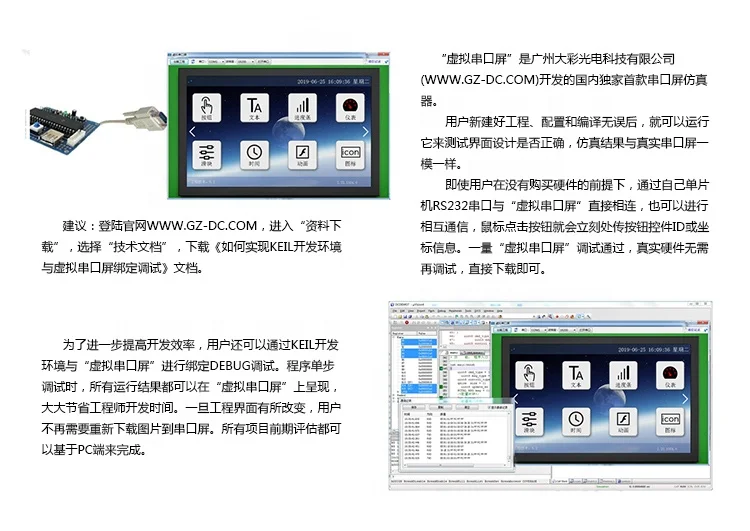
(6) Embedded "virtual serial screen" analog emulator, directly bound to KEIL debugging, there is no need to download the picture every time the project picture changes;
(7) Support binary file burning, mass production is more convenient and safe;
(8) Customize special PC software functions according to user needs;

Development trilogy
(1) Prepare art materials
Arrange the artists to design the pictures required for the product, such as the startup screen, text background, button icons, and prompt boxes.
(2) Use the supporting VisualTFT software for screen editing, control configuration and picture download
Firstly, use the VisualTFT software of the matching host computer to perform interface layout and control configuration of the pre-designed artwork pictures, and then run the "virtual serial screen" for simulation. Finally, you can use USB/SD/UART/U disk/WIFI (depending on different Model hardware configuration) Download the entire project to the serial port screen internal memory. The PC software will assign a unique ID number to each screen, picture and control in the project.
(3) The user MCU monitors and sends the corresponding serial port command to control the screen display
After the project is downloaded to the screen, once a button on the screen is pressed, the user's MCU serial port will receive the button ID information or coordinate value uploaded on the screen. By parsing the ID number, the user can obtain the screen position and functional attributes of the current button, so that it can control the actions of related peripherals or update the display of the screen.
For non-touch products, the user MCU does not need to monitor the information uploaded by the button ID, and only needs to send relevant instructions to switch screens and display text and pictures.
What is a virtual serial port screen
"Virtual serial screen" is the first domestic exclusive serial screen emulator developed by Guangzhou Dacai Optoelectronics Technology Co., Ltd. (www.gz-dc.com). After the user installs the VisualTFT software of the upper computer, it can be run and used. The simulation result of the virtual serial port screen is exactly the same as the real serial port screen. Therefore, there is no need to purchase hardware during the preliminary evaluation of R&D. You can communicate with each other through the RS232 serial port of your own microcontroller. The button control information will be uploaded immediately after the mouse clicks on the button. Once the developer passes the debugging, the real hardware does not need to be debugged.

Keil and virtual serial port screen binding debugging
In order to further improve the development efficiency, users can also bind and debug through the Keil development environment and the "virtual serial screen". When the program is debugged in a single step, all running results can be displayed on the "virtual serial port screen", which greatly saves the engineer's development time. Once the project interface is changed, users no longer need to re-download pictures to the serial port screen, and all project preliminary evaluations are available It is done on the PC side.

About Us


Core competence

We Recommend







New Arrivals
New products from manufacturers at wholesale prices






