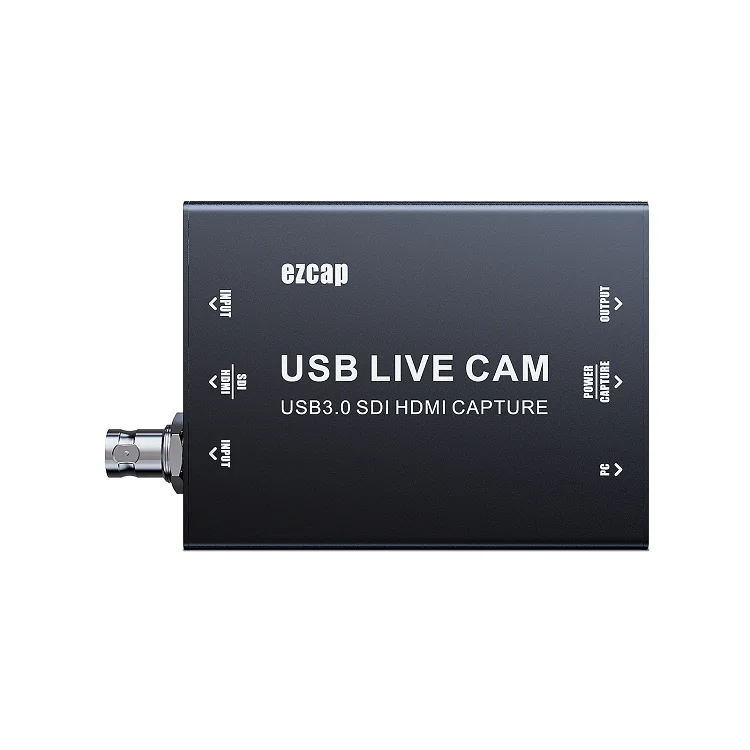
ezcap327 USB LIVE CAM 4K SDI HDMI to USB Type C Video Capture
- Category: >>>
- Supplier: Shenzhen Forward Video Technology Co. Limited
Share on (1600501668387):
Product Overview
Description
ezcap327 USB LIVE CAM 4K SDI HDMI to USB Type-C Video Capture

Why Need USB Cam Live SDI
DLSR cameras offer many benefits over traditional webcameras.
Image sensor: Pixels are large and capture more light and detail.
Low light(ISO range): With overall features like sensor size, magepixel count, color science, low light performance is leagues ahead of a webcam.
Lenses: DSLR lenses can be changed. Increasing zoom, better low light imaging, shallow depth of field, and background blur are all acheavable with different lenses.
Connectivity: DSLR cameras feature many different connectivity options: USB, Wi-Fi and Bluetooth for wireless image sharing, HDMI for video streaming, and SD card recording for editing.
Megapixels: A high megapixel - image resolution - count increases fine detail and sharpness.
Color science: Camera manufacturers invest heavily in their color science. This is how the sensor and ISP process and interpret colors.
Dynamic range: Dynamic range is the difference between the brightest and darkest parts of the image a camera can capture. The highter dynamic range, the more lifelike colors will appear without crushing shadows or clipping highlights.
Manual control: Every element of the image is tunable. Exposure, ISO, focus, etc.

3G-SDI up to 1080p60, HDMI up to 2160p30
SDI: Serial Digital Interface. It's a broadcast-grade HD digital input and ouput port. It is widely used in professional cameras, medical fields and radio and television fields. The SDI interface uses coaxial cable, and BNC interface is used as the cable standard. Effective distance is 100 meters. Compared with HDMI, the SDI self-locking design is more stable and reliable, not easy to fall off, and will not cause signal interruption due to human factors, which is particularly important for live broadcasting; the transmission distance is longer, generally SDI can reach 100 meters, while HDMI only 30 meters.

Easy Connection and Quick Start
Easy connection, just connect USB to computer, and connect SDI or HDMI video source to Input, and connect Output to monitor or TV-Set, open your software, start your live streaming after simple settings.


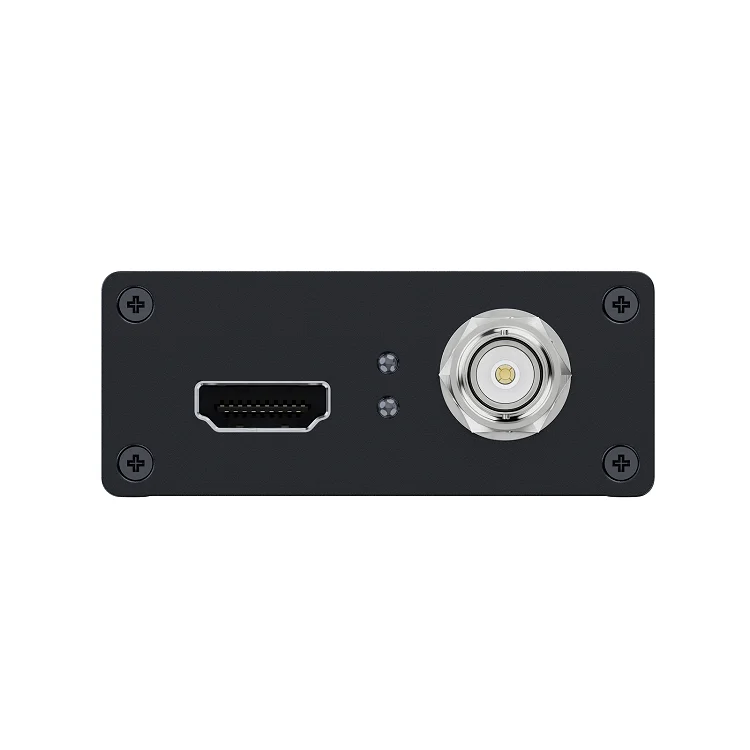
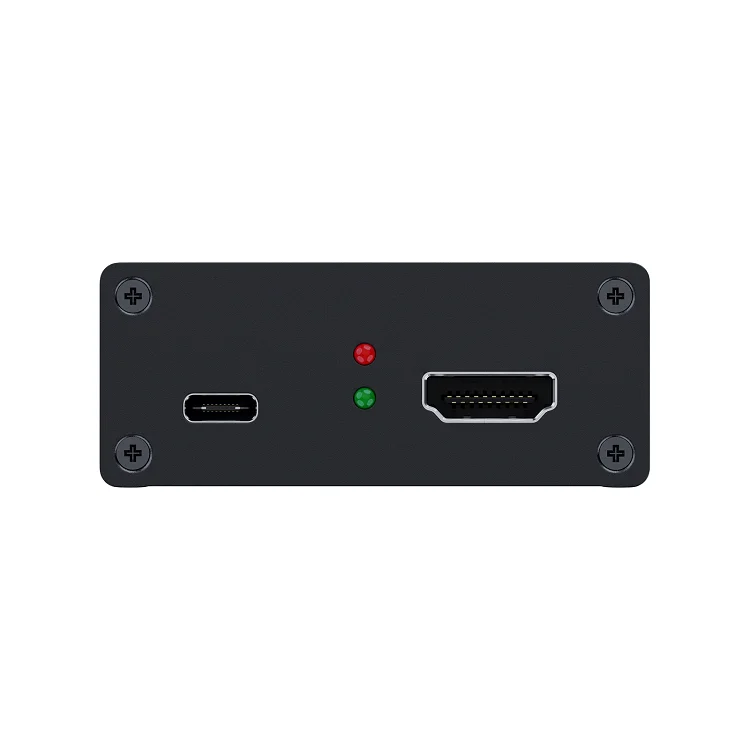
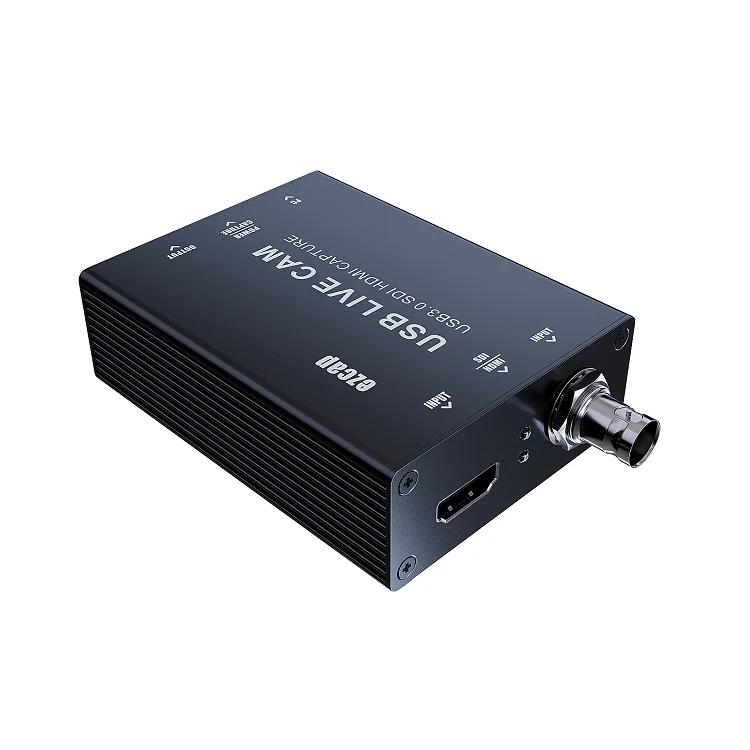
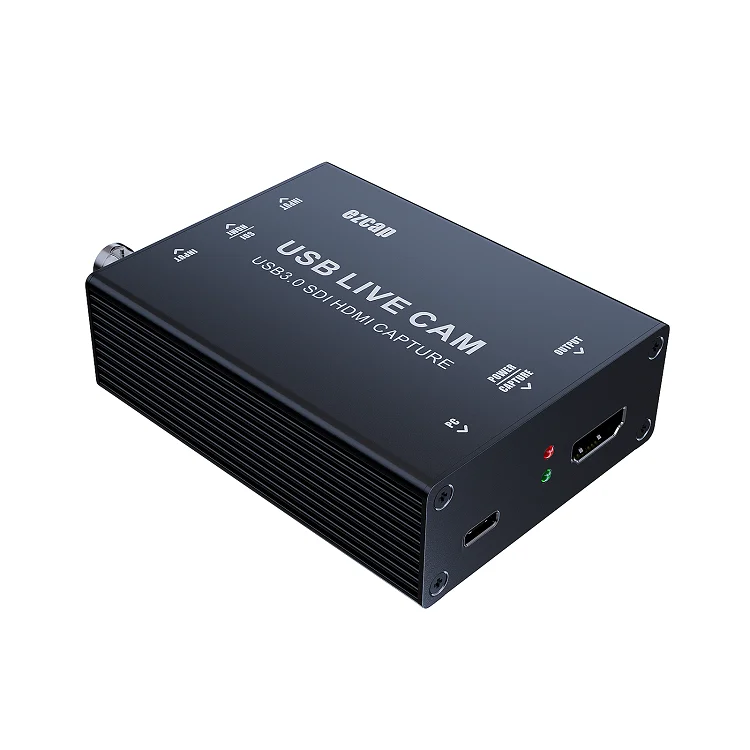
1, PC: USB 3.0 Type C port, connect to your computer
2, POWER: Red LED Indicator, when the power is on
3, CAPTURE: Green LED Indicator, when software (e.g. OBS) detected the capture card.
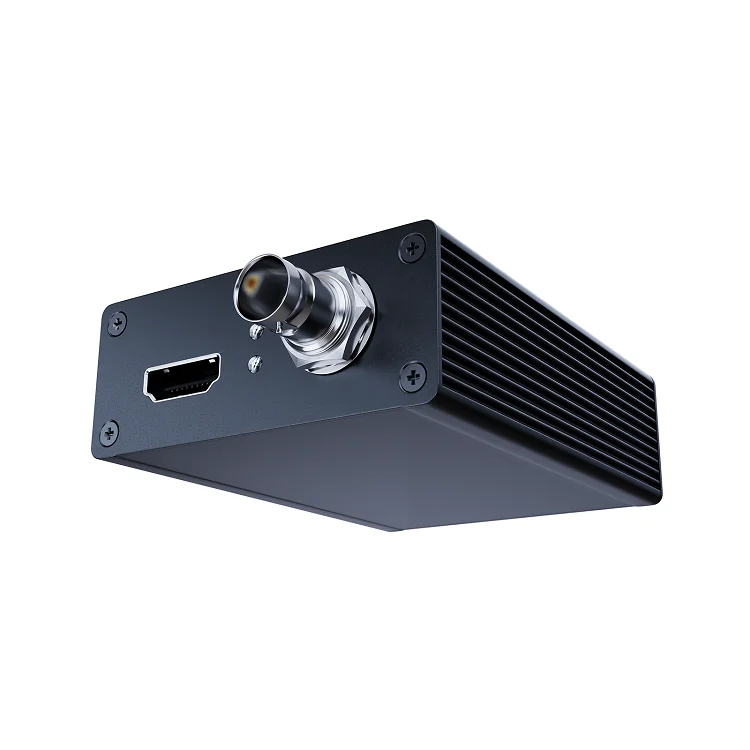
4, OUTPUT: HDMI output port, connect to TV.
5, INPUT: HDMI input port, connect to game console or other video source
6, SDI:Blue LED Indicator, input signal to SDI input port
7, HDMI:Blue LED Indicator, input signal to HDMI input port
8, INPUT: SDI input port, connect to camera or other video source
Note: It is not recommended to connect HDMI signal and SDI signal at the same time, if they are connected at the same time, SDI signal will be given priority by default.
SPECIFICATIONS
- Interface: USB 3.1
- Video Input: SDI, HDMI
- Audio Input: SDI, HDMI
- Video Output: HDMI
- Audio Output: HDMI
- Applicable Connection: Camera, Medical device ...
- Max. Pass-Through: 1080p60 for SDI input, 1080p120 and 2160p30 for HDMI input.
- Max. Device Output: NV12: 2160p30/1080p120/1440p60-only for HDMI input, 1080p60, 720p60. YUY2: 1080p60, 1440p50, 720p60. XRGB: 1080p30, 720p60.
- Max. Capture: SDI: 1080p60. HDMI: 2160p30, 1080p120, 1440p60.
- LED status indicator: SDI input, HDMI input, Power, Working
- Software Compatibility: OBS Studio (Windows, OS X), OBS Broadcast (Windows, Mac OS X),Adobe Flash Media Live Encoder (Windows, OS X), Real Producer Plus (Windows), QuickTime Broadcaster (OS X), QuickTime Player (OS X), Windows Media Encoder (Windows), Potplayer (Windows), Xsplit Broadcaster (Windows, OS X), VLC (Windows, OS X, Linux), Wirecast (Windows, OS X), vMix (Windows), AMCAP, and etc.
- System Requirement:
Windows 10 x 64
Laptop:
For 4Kp30 or 1080p120 recording: Intel Core i7-7700HQ or above, NVIDIA GeForce GTX1050 Ti or above, 8 GB RAM.
For 1080p60 recording: Intel Core i7-4810MQ, NVIDIA GeForce GTX 870M or above, 8 GB RAM.
Desktop:
For 4Kp30 or 1080p120 recording:Intel Core i5-6XXX / AMD, Ryzen 3 XXX or above, NVIDIA GTX 1060 / AMD RX 5700 or above, 8 GB RAM.
For 1080p60 recording:Intel Core i7-3770 recommended, NVIDIA GeForce GTX 650 / AMD Radeon R7 250X or above, 4 GB RAM.
Mac OS High Sierra 10.15 and above.
For 4Kp30 or 1080p120 recording:
iMac 2019: 3.2GHz 6-core Intel Core i7, Radeon Pro 555X with 2GB of GDDR5 memory, 16GB of 2400MHz DDR4 memory.
MacBook Pro 2018: 2.6GHz 6-core Intel Core i7, Radeon Pro 560X with 4GB of GDDR5 memory or above, 16GB of 2400MHz DDR4 memory.
- Package Contents: ezcap327 USB Cam Live, USB Type-C to A cable, USB Type-C to C cable, Manual
- Dimensions: 105 x 66 x 27 mm
Interface | Type-C USB3.0 Gen1 |
Input | HDMI 1.4 or 3GSDI |
Output(Pass-Through) | HDMI 1.4 |
Audio Input | HDMI,SDI |
Max. Recording Resolution(HDMI) | 1080p120, 2160p30, 1440p60 |
Max. Recording Resolution(SDI) | 1080p60 |
Supported Resolution(HDMI) | 2160p, 1440p, 1080p, 720p |
Supported Resolution(SDI) | 1080p, 720p |
The video format options depend on resolution, the max FPS depends on both resolution and video format:

Camera Tips
The tips will ensure the best experience and image quality when using a camera with ezcap327 USB CAM LIVE. These are general tips and may not apply directly to the camera you are using.
1, Disable AUTO SHUTOFF: Most cameras will automatically turn off to prevent battery drain. For video calls, the camera needs to stay on indefinitely. Automatic power shutoff settings are most often found in the power settings of the camera.
2, Clean HDMI OUTPUT: Cameras output graphical user interface elements such as battery levels and resolution settings. THis can be disabled by goting into HDMI menu of camera and disableing HDMI info display, or by pressing the info button on your camera multiple times.
3, Use an AC ADAPTER: Most cameras cannot operate and charge at the same time. An AC adapter or dummy battery must be used to trick the camera into thinking it it running or battery power indefinitely.
4, Set to MOVIE MODE: Look for the Movie Mode option, typically indicated by a film camera icon on a camera's mode dial.
FEATURES
- 1080p60 SDI input.
- 2160p30 HDMI input and output.
- Capture and live up to 2160p30, 1440p60 and 1080p120.
- Output video format: NV12, YUY2, XRGB and P010.
- UVC technology, manual driver installation is not needed.
- Supports most of third party video capture and live software.
- Includes own capture and live software: ezcap Link
- USB 3.1 super fast interface.

We Recommend







New Arrivals
New products from manufacturers at wholesale prices