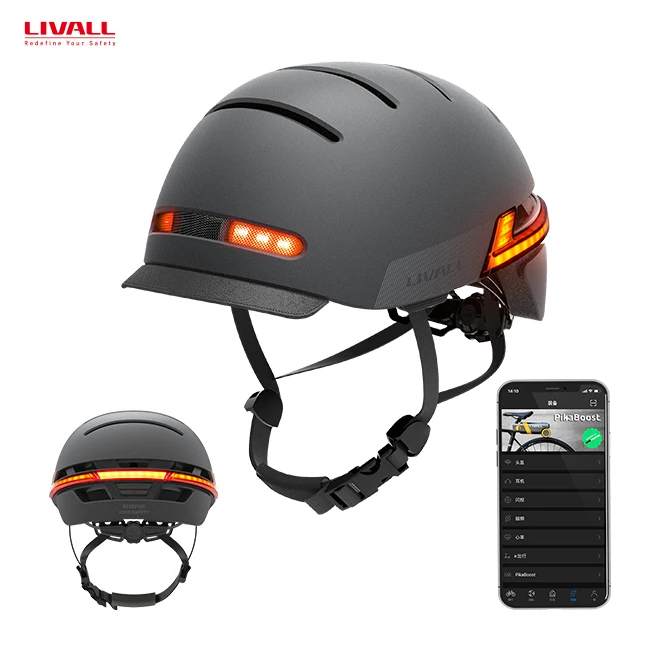
LIVALL cycle riders abs shell helmet smart bluetooth helmet for men bicycle LIVALL Riding APP with camera function
- Category: >>>
- Supplier: LIVALL Tech Co. Ltd.
Share on (1600511400335):
Product Overview
Description
 VR
VR
Welcome to our store with LIVALL and Smart4U brands, Smart4u can be customized, you can contact us directly for your needs
Product Description

Color | Black, grey |
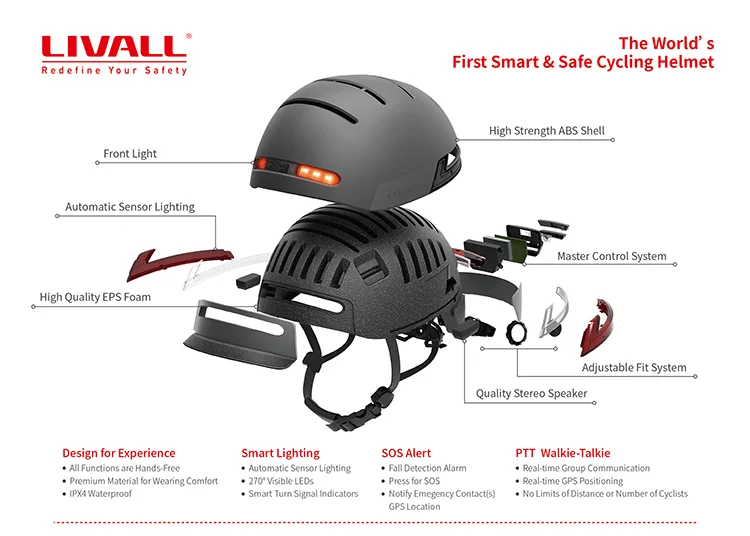
Normal Function | hands- free operation smart lighting fall detection press for sos one-click answer PTT walkie-talkie voice navigation |
New Function | one-click voice command front led light break warning lights anti-loss alarm auto off |
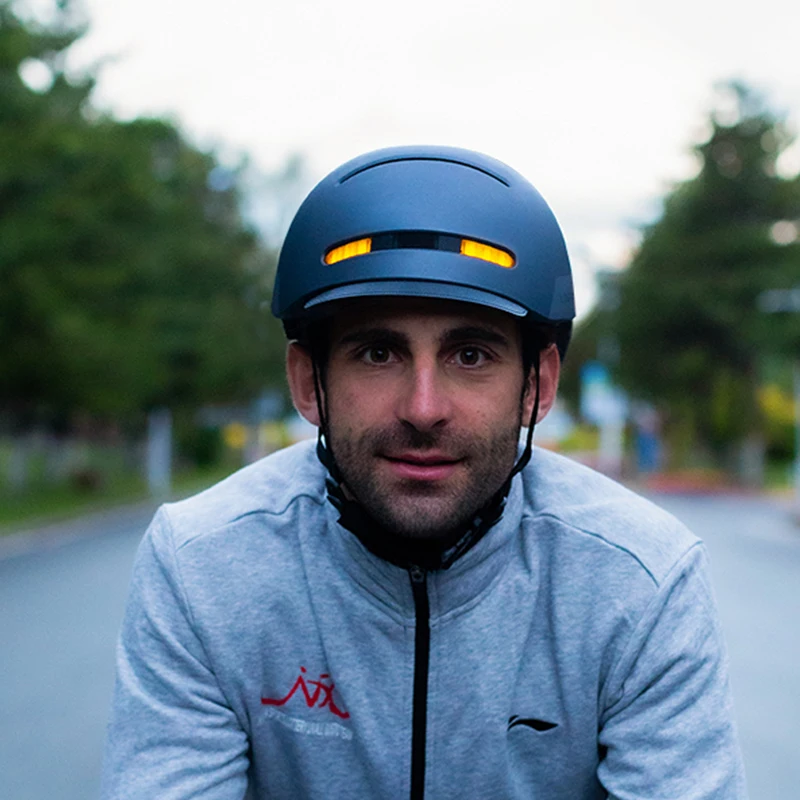
1. Fore lights/Break alarm light
2. Automatic power off/Anti-loss alarm
3. Automatic Sensor Lighting/Turn Signal
4. Phone call/Music/Voice navigation/Walie-talkie (by LIVALL app)
5. Fall detection/Press for SOS Alert (By LIVALL app)
2. Automatic power off/Anti-loss alarm
3. Automatic Sensor Lighting/Turn Signal
4. Phone call/Music/Voice navigation/Walie-talkie (by LIVALL app)
5. Fall detection/Press for SOS Alert (By LIVALL app)


Auto On/Off Anti-Loss Alarm
The helmet will be turn off automatically when the helmet is disconnected with phone and keep quiescence for 15 minutes.The helmet will automatically turn on when it moves. When the helmet is connected with phone and the distance between helmet and phone exceeds 15 meters, both of helmet and phone will alarm to remind users.
Smart Lighting
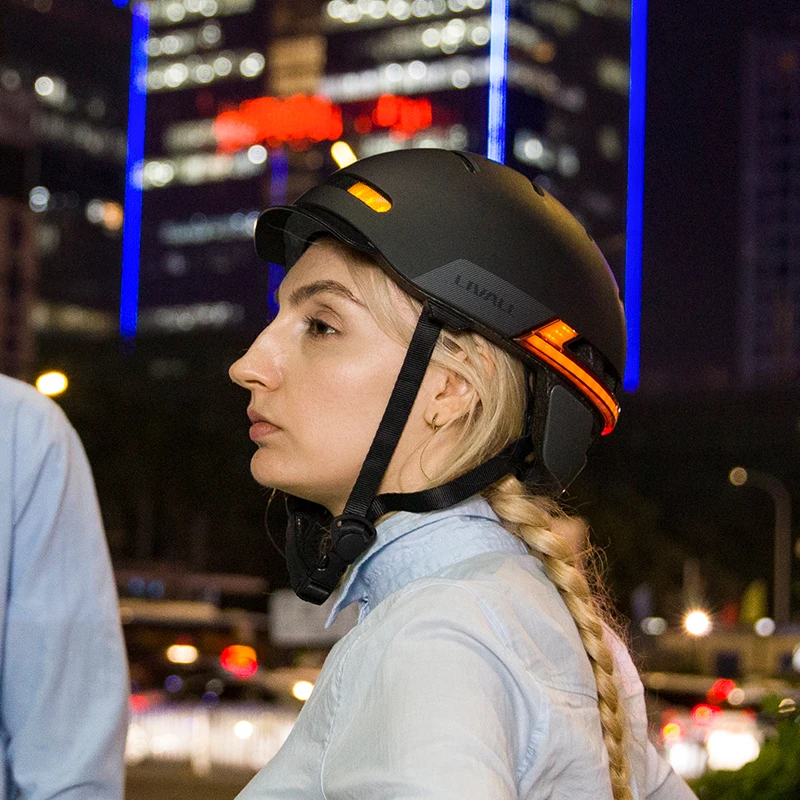
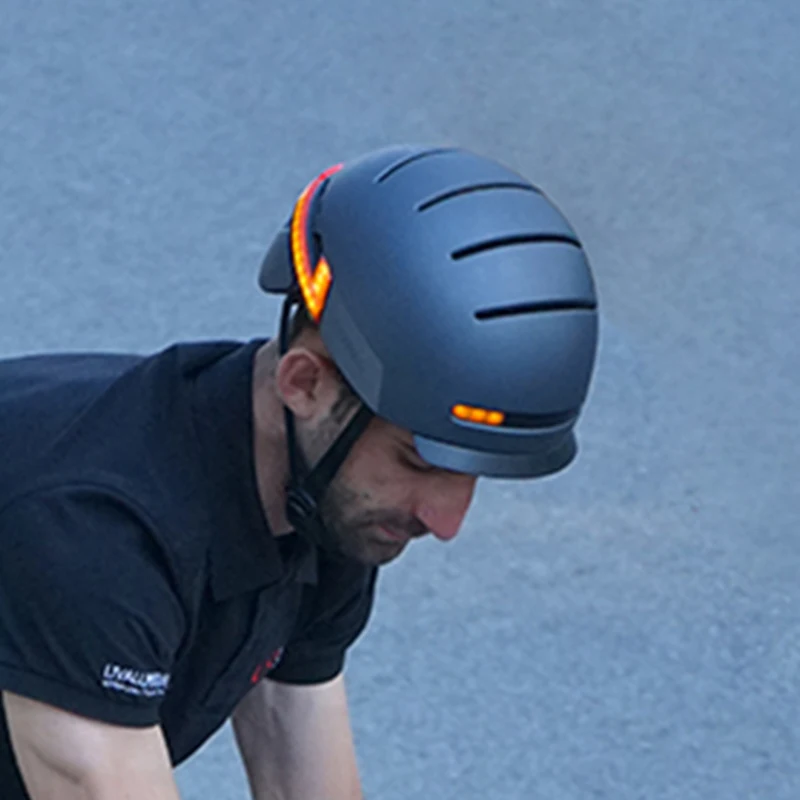
Automatic Sensor Lighting / Turn Signals
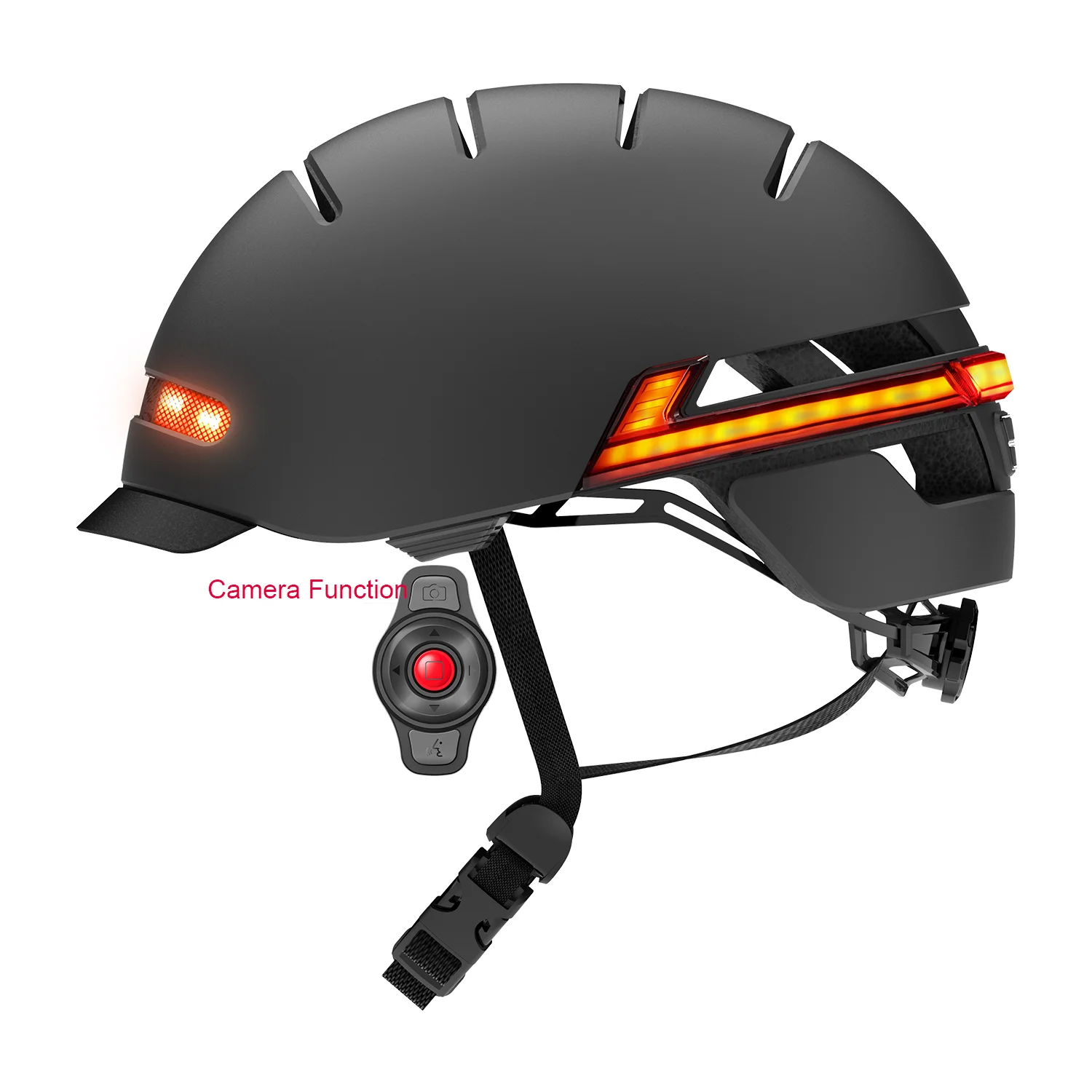
Smart lighting integrates adaptive technology to ensure your visibility in dark condition. Operate LED turn signals via handlebar
remote control.
remote control.
Hands-Free Operations
All LIVALL functions are designed to be used hands-free to ensure user safety remains the number one priority.
Press for SOS
If in distress, press the red button on the remote for 5 seconds and your emergency contacts will receive an alert message with
your GPS location.
your GPS location.
Fall Detection
In the event of an accident, the emergency system will kick in automatically and send your GPS location to your emergency
contacts.
contacts.

PTT Walkie-Talkie
Answer phone calls using the remote control and enjoy clear sound both ways with the helmets in-built Bluetooth speakers and
wind-proof microphone.
Easily communicate with your fellow cyclists using the Walkie-Talkie function when riding in a group..
wind-proof microphone.
Easily communicate with your fellow cyclists using the Walkie-Talkie function when riding in a group..

Listen to GPS voice navigation via the built-in speaker with your connected smartphone.

LIVAL Wholesale Small Order
LIVALL and nice to meet you.
We got more than 170 patents and more than 20 awards such as ISPO, iF GOLD AWARD. All of our products pass CE, FCC, EN 1078, CPSC 1203, ROHS
For small orders, you can place an order directly
Recommend Products
Company Profile
About Us
LIVALL TECH Co., Ltd established in 2014 and released the world's first smart safety cycling helmet in February 2015. This full- feature helmet was equipped with genuinely smart features which make the rider safer while cycling.

Features of this helmet include smart safety lighting, turn-signals, Bluetooth hands-free phone calls, Walkie-Talkie, music playback through your smartphone connection and SOS Alert function. Notably, LIVALL was the first brand to announce and apply turn signals and accident SOS alert. These important innovations were made 2 to 3 years before any other brand in the world.

Our Advantages


LIVALL got more than 170+ patents and more than 20+ awards such as ISPO, iF GOLD AWARD. All of LIVALL products pass CE, FCC, EN1078, CPSC1203, ROHS.
LIVALL, Redefine your Safety!
LIVALL, Redefine your Safety!


FAQ
1.How do I answer my phone calls and make a phone call?
You can take incoming call by pressing the Confirmation button once during your riding.
You can make a phone call by continually pressing the the Confirmation button twice to dial out the phone number you made in the
last time.
2. How can I work with the walkie talkie (intercom) function?
To use the walkie talkie function properly, you should insure that you connect the bling jet, turn on message broadcast in the
shortcut menu, add friends in your group and operate LIVALL APP with foreground status. Then you can go to shortcut menu to click
the “Bling Jet Talking” submenu and set up a new talking objective or group. After you select your intercom friend, return to the
homepage. Click the Start button to start riding and hold the intercom key on the bling jet to start a intercom conversation.
3. How can I modify the light settings?
After you successfully connect and register LIVALL APP, you can find the “Light” submenu in the shortcut menu. There are 5 modes
of light settings.
4. How do I change the language prompt instructions of the helmet?
For language switch, you first hold "+" key, then press "-" key for one click. When you hear English voice message instruction,
you can switch English version.
5. What should I do if my Android smart phone could not connect the devices after first successful connection?
You should check your Bluetooth status on your smart phone. If it is off, you should switch off LIVALL APP first. You switch on
the Bluetooth and then restart LIVALL APP.
If the Bluetooth is on, unbind all the originally connected devices and bind the devices again.
6. What should I do when I could not charge or turn on the smart helmet normally?
If you could not charge or turn on the helmet as usual, please take the following steps to fix the problems. During the charging,
please plug in and pull out USB line (charging line) from the USB interface (port) on the helmet for several times. After the
practices of plug-in and pulling out, you press on the power on/off button for at least 3 seconds and then you will hear the power
on voice message. The plug-in and pulling-out practices serve to reset the power-on function.Please note that the practices should
be made in charging state.
7. What configuration for smart phones is applicable for LIVALL APP?
To use LIVALL APP normally, the operation system version for your smart phone must be Android 4.3 above or ios 7.0.4 above. The APP also requires Bluetooth 4.0
8. What kind of materials is LIVALL’s smart helmet made?
For the outer part, we improved high strength PC material of 1mm thickness. For the inner part, we use a special kind of foam
called EPS, which is imported from the US, to make the helmet comfortable to wear. The helmet’s streamlined design not only
reduces air resistance, but also keeps the helmet cool. The smart helmet has passed all the required safety tests.
9.Where can I download LIVALL APP?
For iOS operation system, you could download it freely on the APP Store. For Android operation system, you could download it
freely on Google Play.
You can also download it freely on our official website (//livall.com).
10.How to control the LIVALL smart helmet indicators?
Once the smart helmet and remote controller are connected via the Riding App, you can click the turn left (<-) or turn right (->)
button on the remote to make the indicator blink three times in the chosen direction.
11.Can I use your remote to answer the phone call? What can the remote be used for?
The remote can be used for answering and making phone calls. You can click the Confirmation button (middle button) on the remote
to answer an incoming call and double click the Confirmation button to make an phone call for the last dialing-out number on your
smart phone. The remote can be operated for light-turning signal, walkie-talkie, music playing (pause, song switch), and photo
taking except for answering the phone call.
You can take incoming call by pressing the Confirmation button once during your riding.
You can make a phone call by continually pressing the the Confirmation button twice to dial out the phone number you made in the
last time.
2. How can I work with the walkie talkie (intercom) function?
To use the walkie talkie function properly, you should insure that you connect the bling jet, turn on message broadcast in the
shortcut menu, add friends in your group and operate LIVALL APP with foreground status. Then you can go to shortcut menu to click
the “Bling Jet Talking” submenu and set up a new talking objective or group. After you select your intercom friend, return to the
homepage. Click the Start button to start riding and hold the intercom key on the bling jet to start a intercom conversation.
3. How can I modify the light settings?
After you successfully connect and register LIVALL APP, you can find the “Light” submenu in the shortcut menu. There are 5 modes
of light settings.
4. How do I change the language prompt instructions of the helmet?
For language switch, you first hold "+" key, then press "-" key for one click. When you hear English voice message instruction,
you can switch English version.
5. What should I do if my Android smart phone could not connect the devices after first successful connection?
You should check your Bluetooth status on your smart phone. If it is off, you should switch off LIVALL APP first. You switch on
the Bluetooth and then restart LIVALL APP.
If the Bluetooth is on, unbind all the originally connected devices and bind the devices again.
6. What should I do when I could not charge or turn on the smart helmet normally?
If you could not charge or turn on the helmet as usual, please take the following steps to fix the problems. During the charging,
please plug in and pull out USB line (charging line) from the USB interface (port) on the helmet for several times. After the
practices of plug-in and pulling out, you press on the power on/off button for at least 3 seconds and then you will hear the power
on voice message. The plug-in and pulling-out practices serve to reset the power-on function.Please note that the practices should
be made in charging state.
7. What configuration for smart phones is applicable for LIVALL APP?
To use LIVALL APP normally, the operation system version for your smart phone must be Android 4.3 above or ios 7.0.4 above. The APP also requires Bluetooth 4.0
8. What kind of materials is LIVALL’s smart helmet made?
For the outer part, we improved high strength PC material of 1mm thickness. For the inner part, we use a special kind of foam
called EPS, which is imported from the US, to make the helmet comfortable to wear. The helmet’s streamlined design not only
reduces air resistance, but also keeps the helmet cool. The smart helmet has passed all the required safety tests.
9.Where can I download LIVALL APP?
For iOS operation system, you could download it freely on the APP Store. For Android operation system, you could download it
freely on Google Play.
You can also download it freely on our official website (//livall.com).
10.How to control the LIVALL smart helmet indicators?
Once the smart helmet and remote controller are connected via the Riding App, you can click the turn left (<-) or turn right (->)
button on the remote to make the indicator blink three times in the chosen direction.
11.Can I use your remote to answer the phone call? What can the remote be used for?
The remote can be used for answering and making phone calls. You can click the Confirmation button (middle button) on the remote
to answer an incoming call and double click the Confirmation button to make an phone call for the last dialing-out number on your
smart phone. The remote can be operated for light-turning signal, walkie-talkie, music playing (pause, song switch), and photo
taking except for answering the phone call.

We Recommend
New Arrivals
New products from manufacturers at wholesale prices