
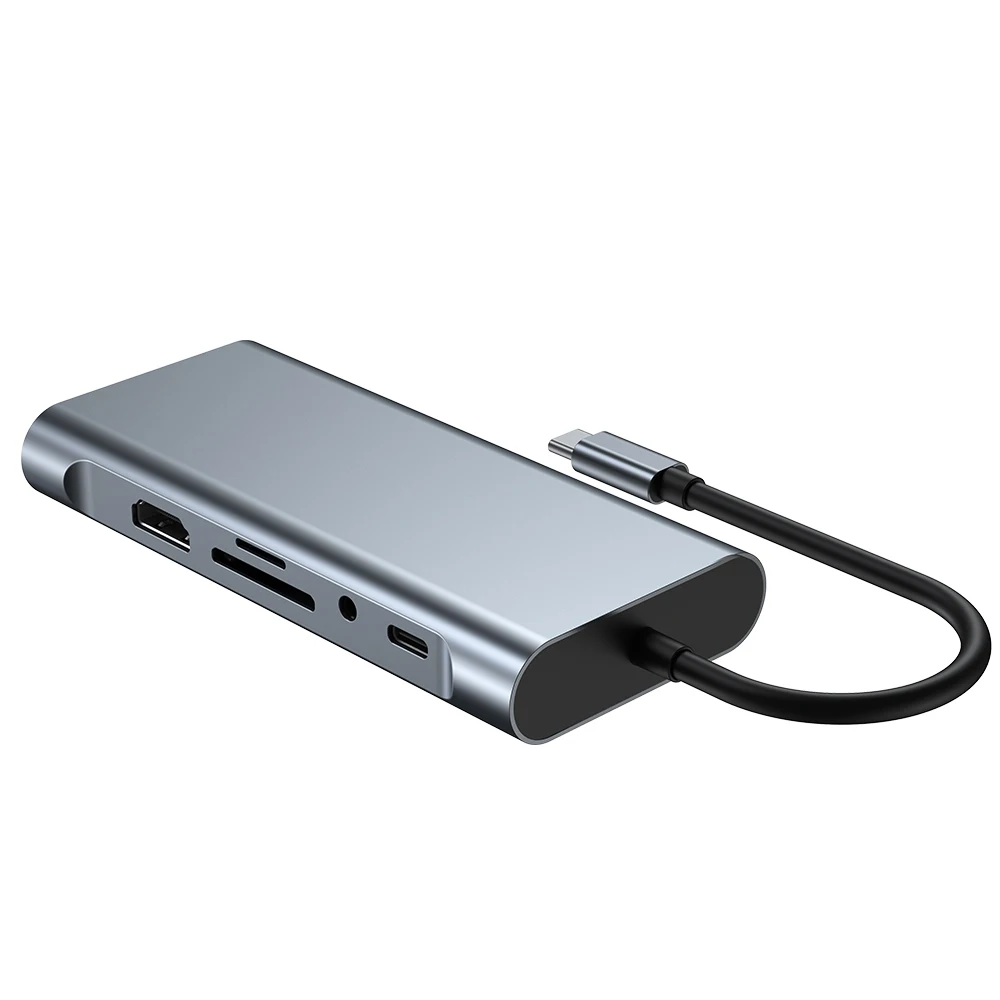
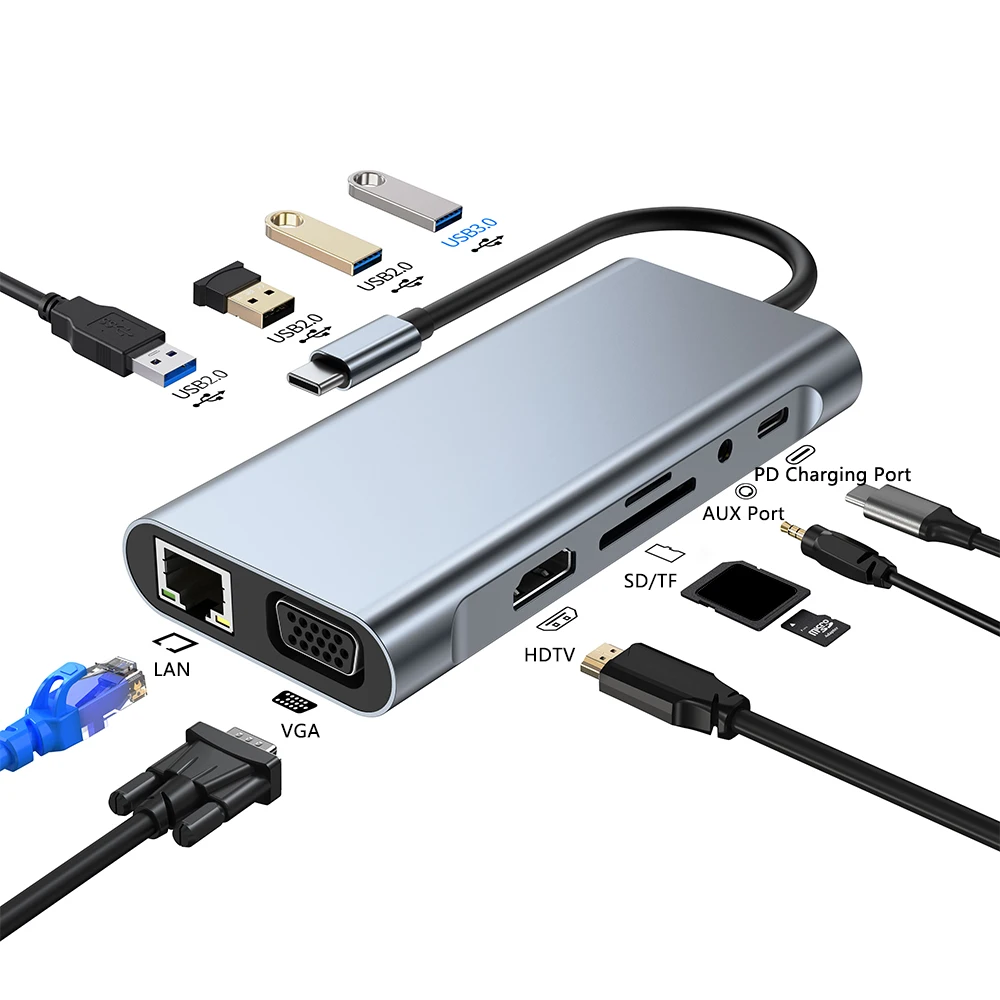
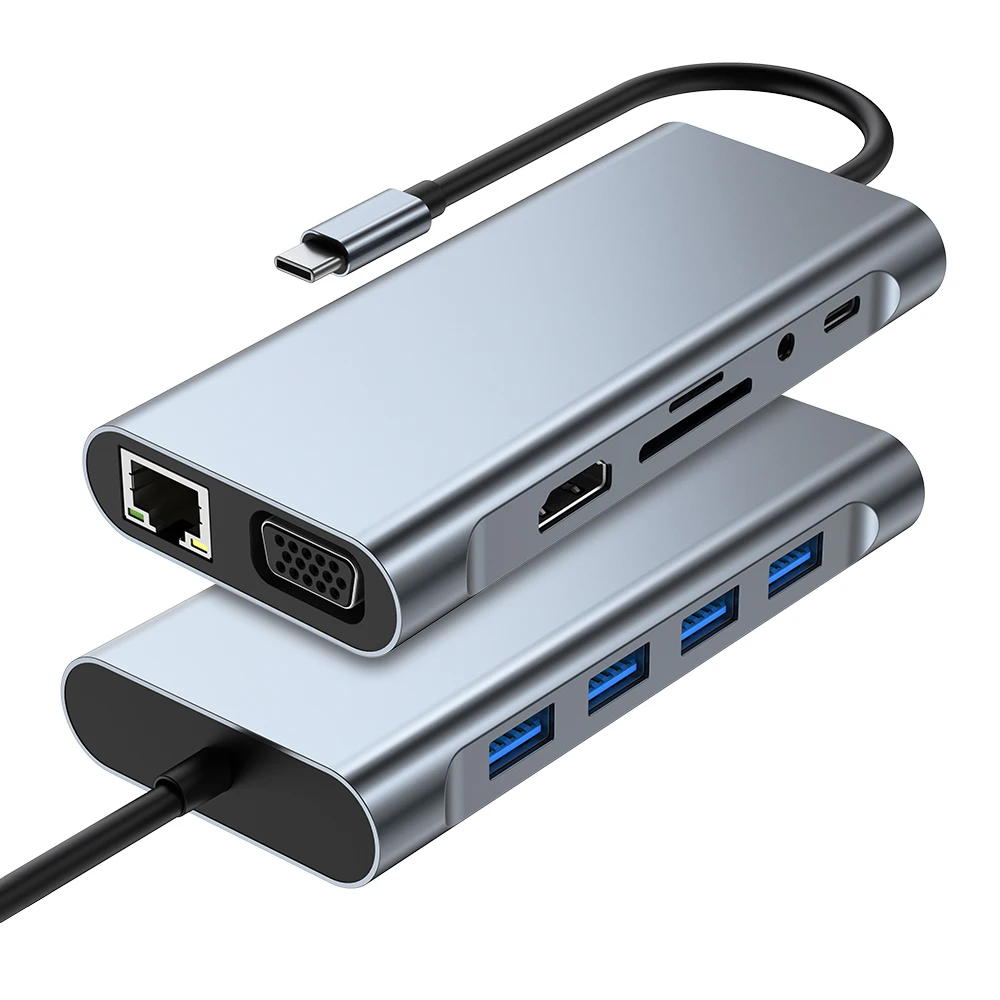
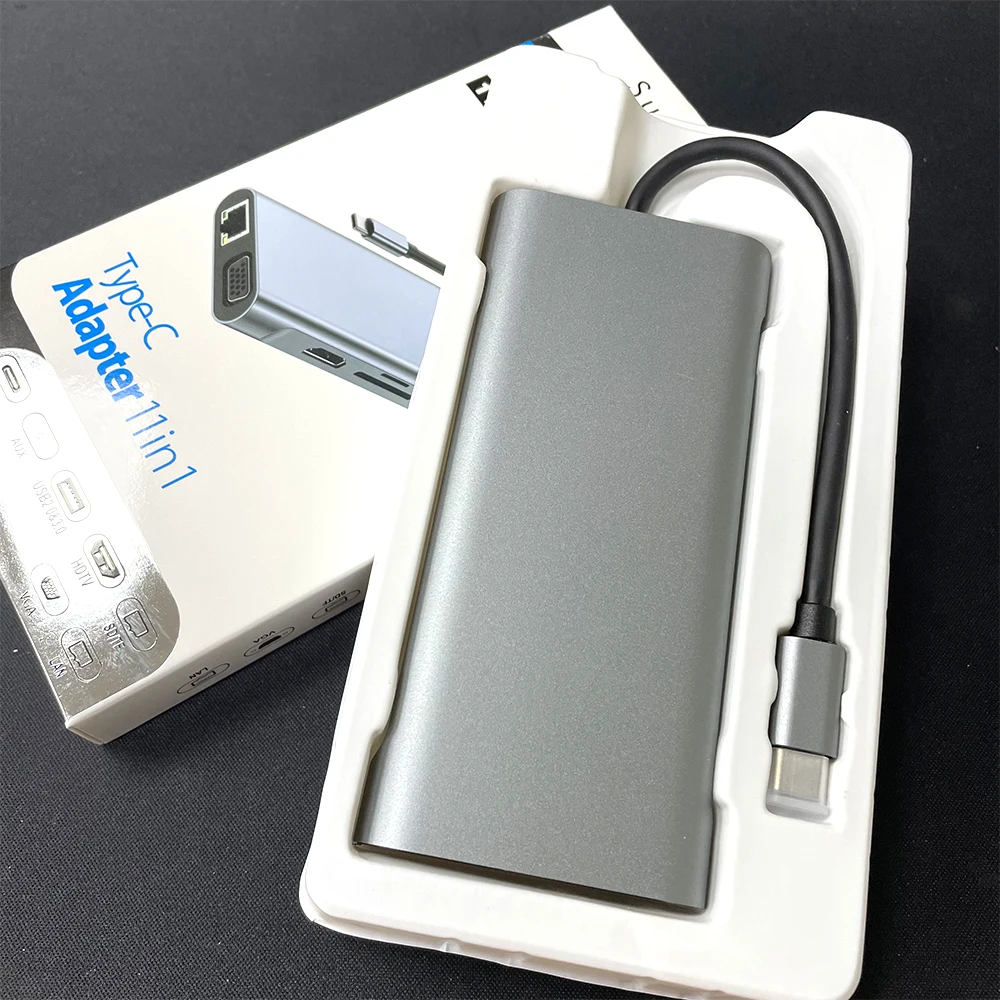
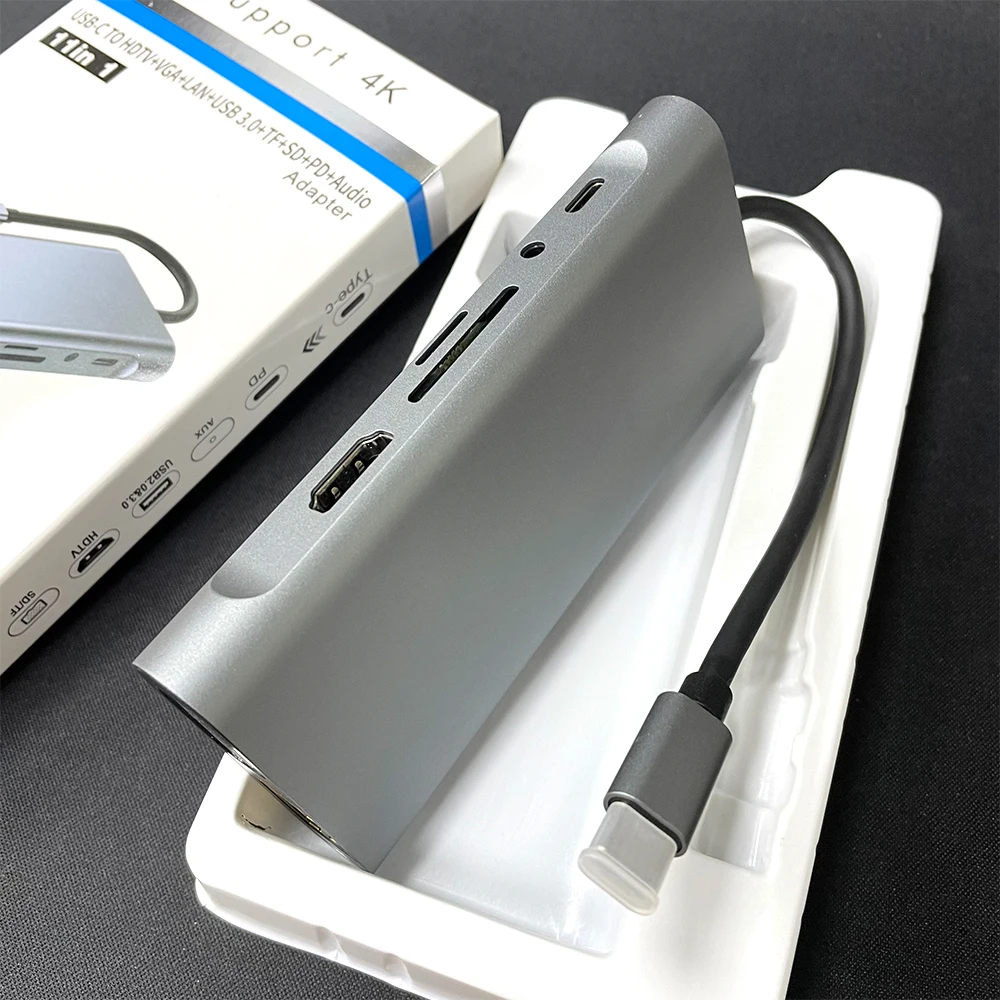
USB C Hub 11 in 1 Adapter with 4K USB C to HDTV 1 VGA Ethernet 87W PD USB3.0/2.0 SD/TF Card Reader USB C Dock
- Category: >>>
- Supplier: Shenzhen Wanzhongke Technology Co. Ltd.
Share on (1600522787154):
Product Overview
Description
Products Description
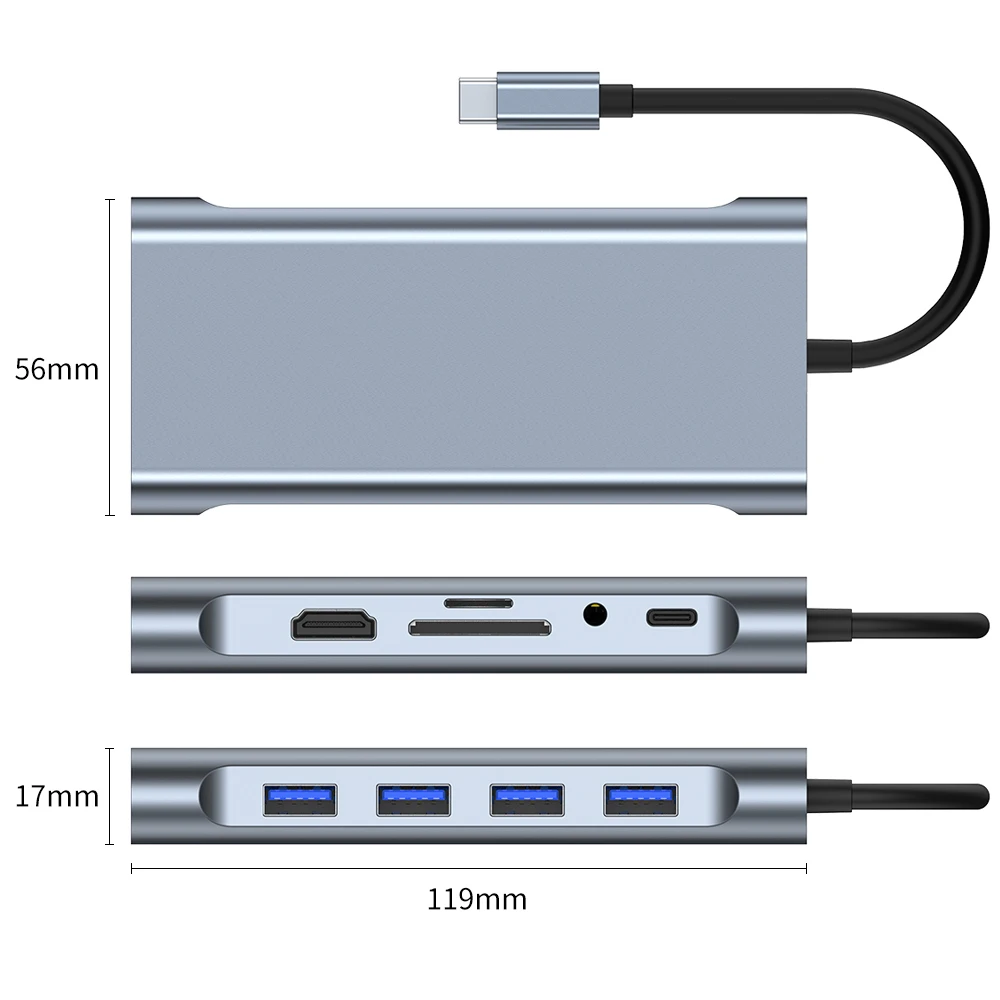
Item Product | 11 in 1 USB C Docking Station |
Color | Grey |
Product interface | USB C to 1*HDTV+1*VGA+1*TF+1*SD+1*USB3.0+3*USB2.0+1*PD+1*LAN+1*AUX |
Product Packaging | Box |
Product weight | 91g |
Support | OEM, ODM |
Product Add LOGO | MOQ 200 PCS / each extra pay 0.05 USD |
Packaging Add LOGO | MOQ 1000 PCS / each additional 0.1 USD |
Factory | Yes. It's in both Shenzhen and Dongguan |

【Massive USB C Hub】
7-in-1 USB C Hub Pro includes Ethernet Port, Type C PD3.0 charging port, 1 USB 3.0 Ports, 2 USB 2.0 Ports, 1 HDTV video output with 4K resolution, 1 VGA, Extremely compact and sleek design.
【Ultra HD 4K output & two displays】
mirror or extend your screen with the USB C adapter HDTV Port and directly stream 4K UHD or full HD 1080P video to HDTV/VGA(1080P), monitors, or projectors for a cinema-like visual feast. Wins system supports two displays.
【High-speed charging】
Support PD charging up to 87W. This usb-c hub provides one Type-C pass through Female port by which you could securely charge your laptop while connecting multiple peripherals for data transferring and worry-free power storage. Support system: Wins/MacS/PadOS/Linuxs (Note: the USB-C PD charging port is only applicable to USB C ports with PD Protocol).
【Effortless Data Transfer & Network Connection】
1 3.0 USB ports support transmission speed rates of up to 5 Gbps. Two USB 2.0 ports,support data transfer at up to 480Mbps.Gigabit Ethernet port supports 10/100/1000Mbps network speeds, anywhere and in just a flash.
7-in-1 USB C Hub Pro includes Ethernet Port, Type C PD3.0 charging port, 1 USB 3.0 Ports, 2 USB 2.0 Ports, 1 HDTV video output with 4K resolution, 1 VGA, Extremely compact and sleek design.
【Ultra HD 4K output & two displays】
mirror or extend your screen with the USB C adapter HDTV Port and directly stream 4K UHD or full HD 1080P video to HDTV/VGA(1080P), monitors, or projectors for a cinema-like visual feast. Wins system supports two displays.
【High-speed charging】
Support PD charging up to 87W. This usb-c hub provides one Type-C pass through Female port by which you could securely charge your laptop while connecting multiple peripherals for data transferring and worry-free power storage. Support system: Wins/MacS/PadOS/Linuxs (Note: the USB-C PD charging port is only applicable to USB C ports with PD Protocol).
【Effortless Data Transfer & Network Connection】
1 3.0 USB ports support transmission speed rates of up to 5 Gbps. Two USB 2.0 ports,support data transfer at up to 480Mbps.Gigabit Ethernet port supports 10/100/1000Mbps network speeds, anywhere and in just a flash.

A Sweet Assistant in Your Life
VanZKe is specialized in providing kinds of USB C hub for working or living. With the purpose of creating a better life, we are dedicated to providing high-quality and functional products that make life simple and more convenient. Your satisfaction is our top priority.\t
VanZKe is specialized in providing kinds of USB C hub for working or living. With the purpose of creating a better life, we are dedicated to providing high-quality and functional products that make life simple and more convenient. Your satisfaction is our top priority.\t
Quick and Easy Using Guidance:
Q1:How to set the Mirror Mode, Extend Mode or More?
For Windows 10
Click Windows Menu > Setting > System > Display > Multiple displays, choose
Duplicate these displays, Extend these displays or others you want
For MacS
To Set mirror Mode
Mirror display is default on macS as your pen display is connected.
Choose A menu > System Preferences > click Displays and then select the
Arrangement tab to make sure the Mirror Displays checkbox is selected.
To set Extend Mode
Choose A menu > System Preferences > click Displays and then select the
Arrangement tab to unselect the Mirror Displays checkbox, and thereafter you will
enter the Extend mode, where the display with a white bar is the primary display.
As is shown below, the small screen is your MaBook, while the large one is the pen
display. To change your primary display, you will need to drag the white bar toanother display.
You can also rearrange the displays and relocate the menu as you desire.
Q2: Why does the USB port working but the HDTV port doesn’t ?
Please check whether your computer supports DP Alt Mode video
Output/HDTV function or not. Some computers only with the function of data
Transmission. If you are not sure, we here can check for you.
When the current exceeds 1.5 A., the computer will start the Self-Protection function.
Disable the prompt (current overload)when pop up and restart your laptop and connect the PD before plugin any other port.
* Standard USB ports not recommended for charging USB devices.
* To ensure a stable connection, please connect the power adapter for the laptop before using the printer/hard drive/SSD or other power consumption required products.
Q1:How to set the Mirror Mode, Extend Mode or More?
For Windows 10
Click Windows Menu > Setting > System > Display > Multiple displays, choose
Duplicate these displays, Extend these displays or others you want
For MacS
To Set mirror Mode
Mirror display is default on macS as your pen display is connected.
Choose A menu > System Preferences > click Displays and then select the
Arrangement tab to make sure the Mirror Displays checkbox is selected.
To set Extend Mode
Choose A menu > System Preferences > click Displays and then select the
Arrangement tab to unselect the Mirror Displays checkbox, and thereafter you will
enter the Extend mode, where the display with a white bar is the primary display.
As is shown below, the small screen is your MaBook, while the large one is the pen
display. To change your primary display, you will need to drag the white bar toanother display.
You can also rearrange the displays and relocate the menu as you desire.
Q2: Why does the USB port working but the HDTV port doesn’t ?
Please check whether your computer supports DP Alt Mode video
Output/HDTV function or not. Some computers only with the function of data
Transmission. If you are not sure, we here can check for you.
When the current exceeds 1.5 A., the computer will start the Self-Protection function.
Disable the prompt (current overload)when pop up and restart your laptop and connect the PD before plugin any other port.
* Standard USB ports not recommended for charging USB devices.
* To ensure a stable connection, please connect the power adapter for the laptop before using the printer/hard drive/SSD or other power consumption required products.
Manufacturing Technique


Certifications


FAQ
Q1: Are you manufacturer?
A: Yes, VanZKe is a professional brand manufacturer for mobile phone accessories with many years experience. We always try our best to offer good quality products at the most competitive prices.
Q2: How long can i get the goods?
A: The delivery time depends on the shipment and your area , but we will send it as soon as possible after receive your payment.
Q3: Do you offer free samples?
A GOOD Review = A Free Sample
Please write a good review if you like the Products, we will offer you some free samples on your next order if you write a good review on the earlier order.(Random sample)
Q4: Can you do our designs with our logos?
A: Of course, we offer OEM/ODM service. Sample order can add for free, bulk order may need make mold, contact me online to know more.
Q5: How can I get your price list ?
A: Please contact with me, I will send you the price list as soon as possible.
Q6: What kind of payment methods do you accept?
A: Credit Card, Online Bank Payment, T/T, Pay Later, Wechat, Alipay and so on.
Q7: Can I visit your company and factory in China?
A: Sure. We are happy to receive you in Shenzhen, China and show you around our workplaces.
Q8:Is there a warranty?
A:All products are provided with 6 month warranty except human Damage
A: Yes, VanZKe is a professional brand manufacturer for mobile phone accessories with many years experience. We always try our best to offer good quality products at the most competitive prices.
Q2: How long can i get the goods?
A: The delivery time depends on the shipment and your area , but we will send it as soon as possible after receive your payment.
Q3: Do you offer free samples?
A GOOD Review = A Free Sample
Please write a good review if you like the Products, we will offer you some free samples on your next order if you write a good review on the earlier order.(Random sample)
Q4: Can you do our designs with our logos?
A: Of course, we offer OEM/ODM service. Sample order can add for free, bulk order may need make mold, contact me online to know more.
Q5: How can I get your price list ?
A: Please contact with me, I will send you the price list as soon as possible.
Q6: What kind of payment methods do you accept?
A: Credit Card, Online Bank Payment, T/T, Pay Later, Wechat, Alipay and so on.
Q7: Can I visit your company and factory in China?
A: Sure. We are happy to receive you in Shenzhen, China and show you around our workplaces.
Q8:Is there a warranty?
A:All products are provided with 6 month warranty except human Damage
We Recommend







New Arrivals
New products from manufacturers at wholesale prices






