
Hot Sale Universal Smart Vehicle Front Windshield Head up Speedometer Display Obd2 Mileage Car Hud Display M3
- Category: >>>
- Supplier: Shenzhen Ruiqiwei Technology Co. Ltd.
Share on (1600566673774):
Product Overview
Description
Products Description

Product introduction:
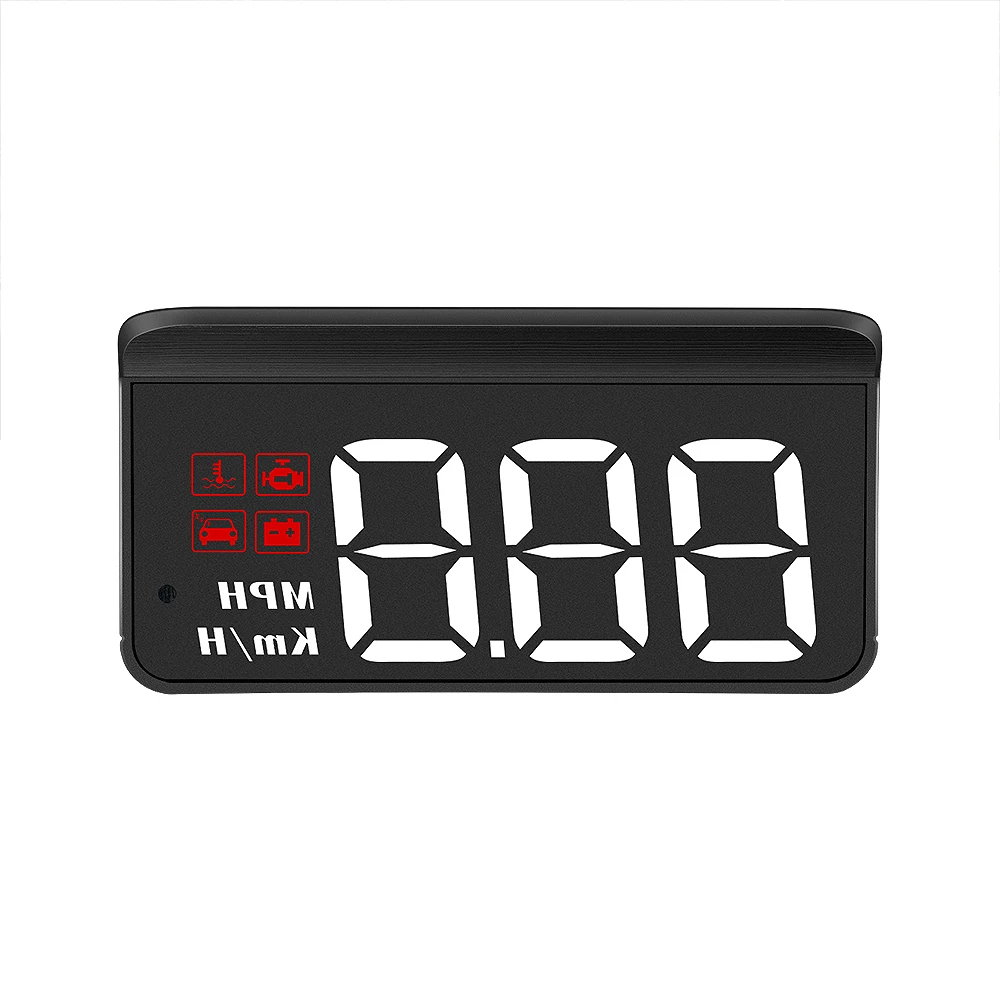
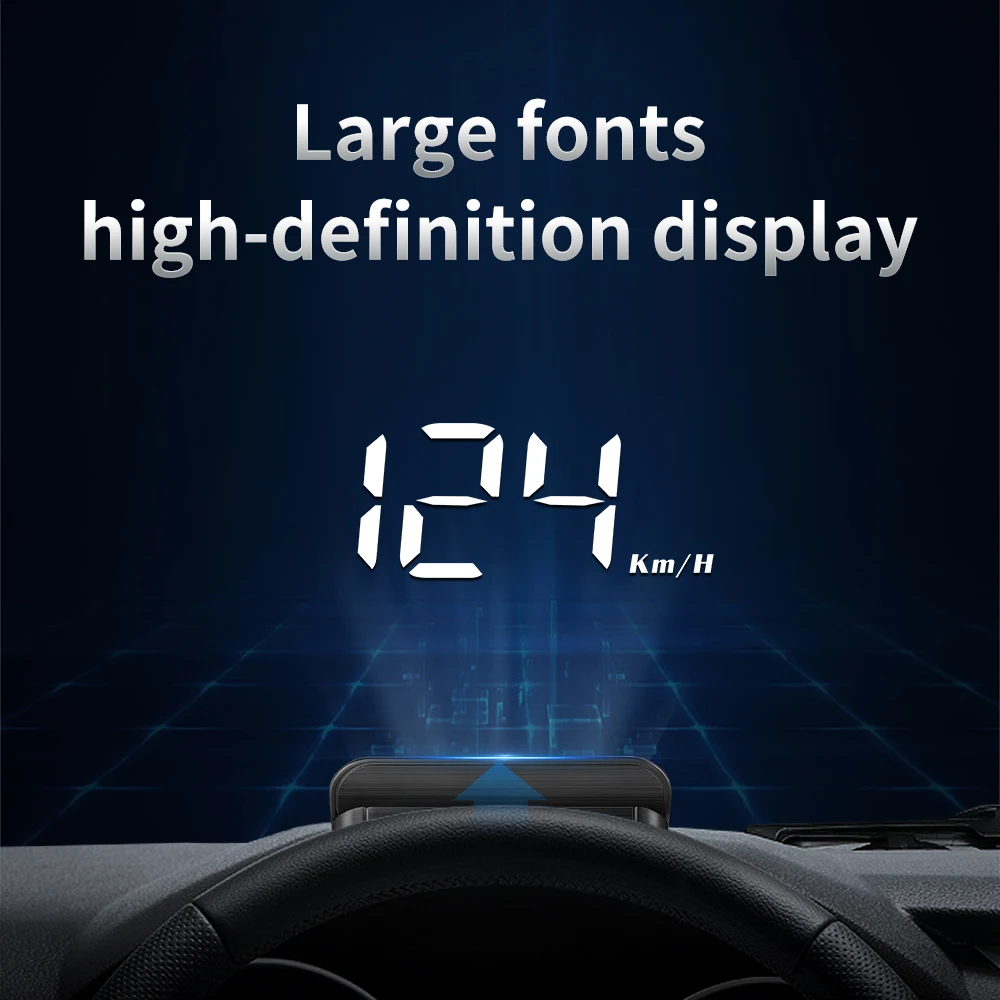
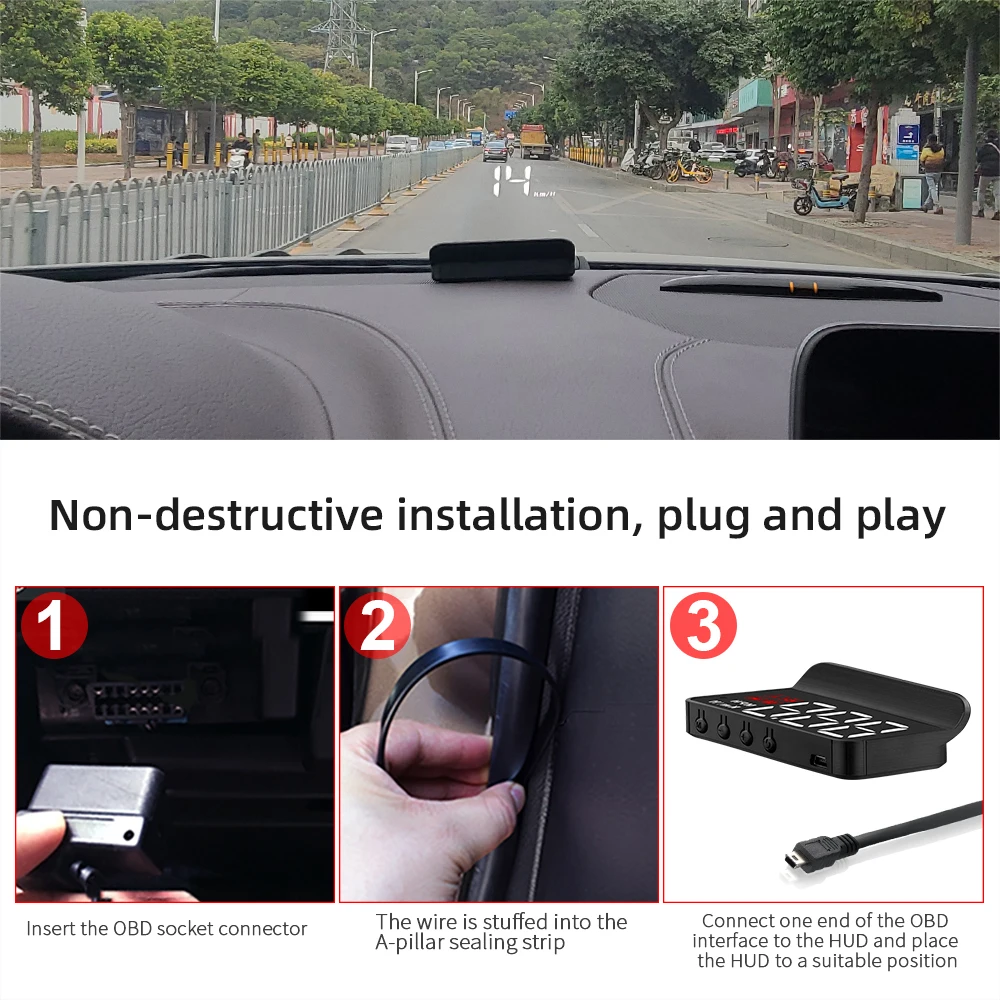
HUD short for head up display. It displays driving datas on the front windshield such as speed,water temperature,voltage,single mileage etc; to avoid drivers unsafety because of watching the instrument while driving.Drivers can read the driving information instantly , and can always keep the best state on the way with HUD.
Product Parameters
Model | M3 |
System | OBD2 |
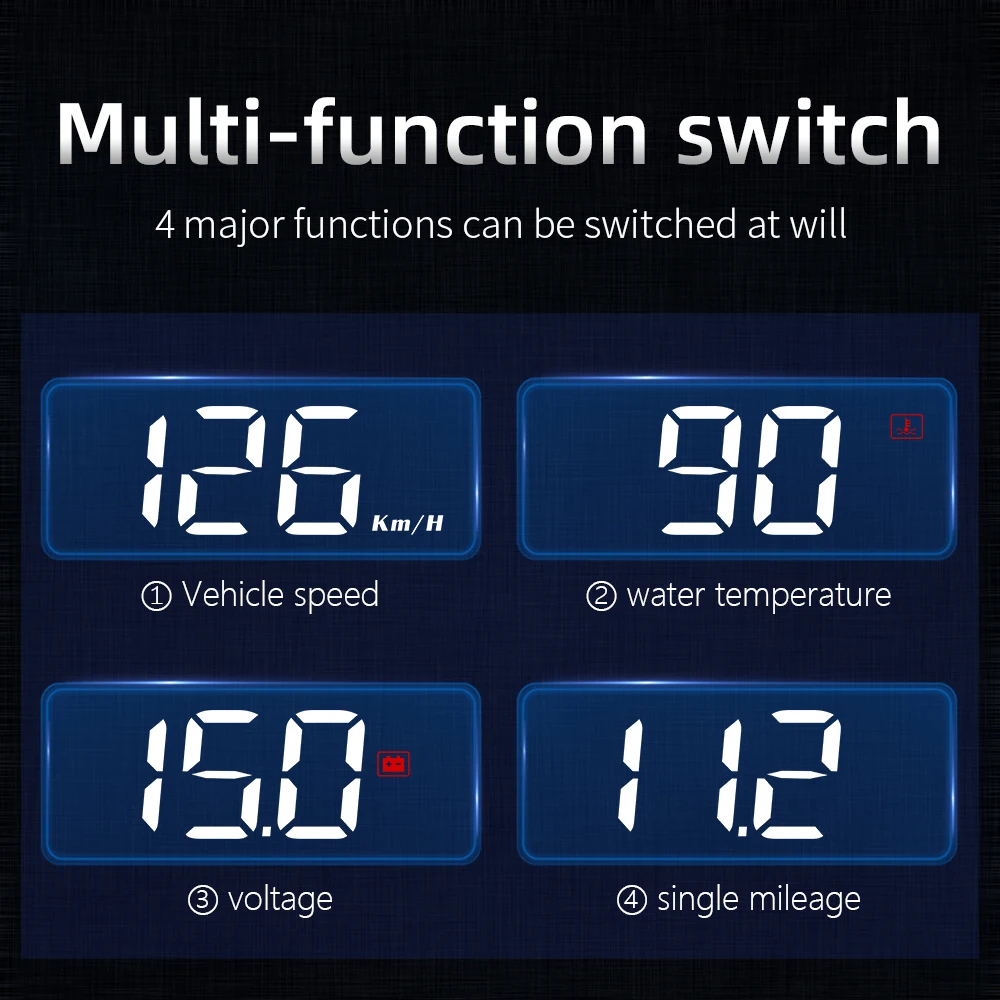
Function | Speed, water temperature, voltage, single mileage |
Alarm | Overspeed, water temperature, voltage, fatigue driving reminder, fault |
Screen size | 3.5inch |
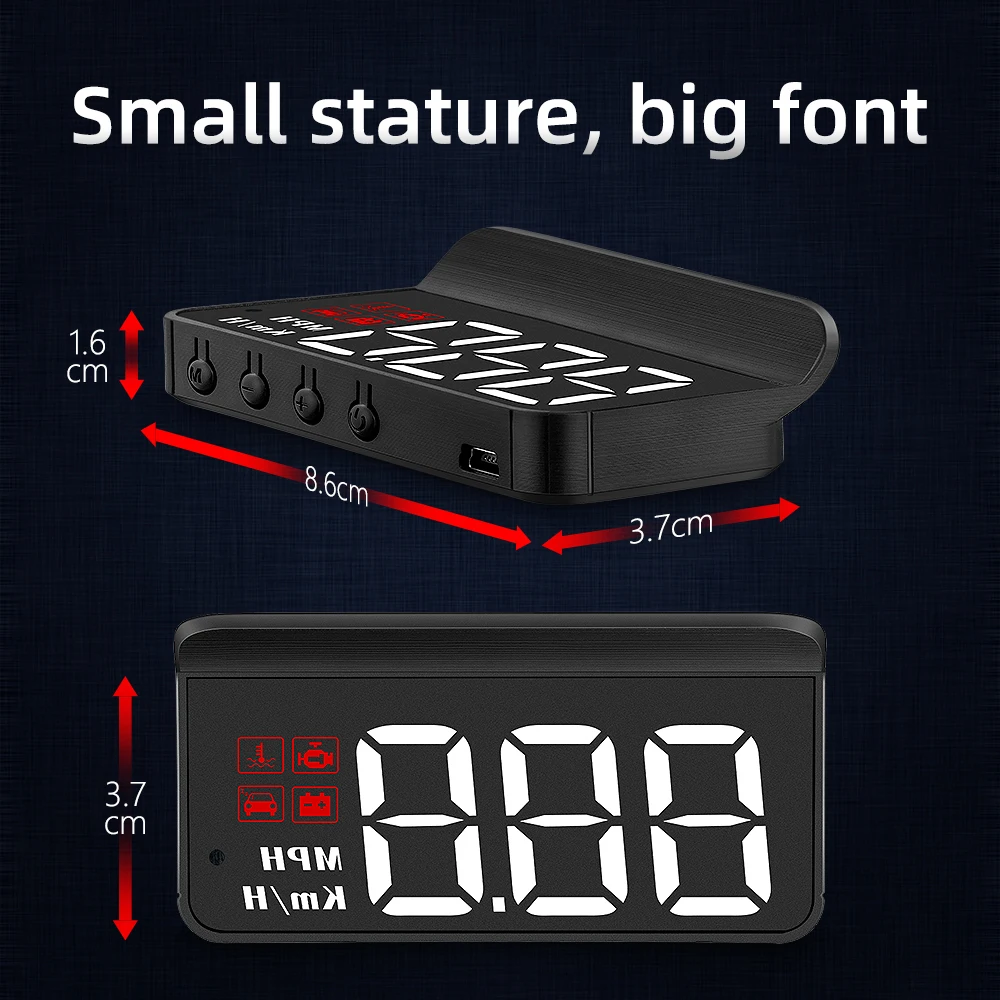
Product Size | 86x37x16mm |
Product Box size | 4.4x8.7x5cm |
Weight of the whole set | 153g |
Packing quantity | 50pcs |
Packing box size | 45.8x30.4x27.6cm |
N.W of Packing box | 7.65kg |
G.W of Packing box | 8.3kg |

Product Function:
1.Multi function: Speed, Water temperature, Voltage
2.Engine icon, Water temperature icon
3.Voltage icon, Fatigue driving icon
4.Light sensor:HUD can automatically adjust the brightness according to the environment
5.Speed unit: MPH- mile, KM/H- kilometer
2.Engine icon, Water temperature icon
3.Voltage icon, Fatigue driving icon
4.Light sensor:HUD can automatically adjust the brightness according to the environment
5.Speed unit: MPH- mile, KM/H- kilometer

Button Functions
Short press (1 second)
Long press 5s until the display image comes
1.Short Press
To switch voltage, water temperature,vehicle speed,enter into menu setting to switch menu options or parameter values
Long Press
To enter into menu settings (see instructions for Menu 1-12) and press 5 seconds to save and exit
2.Short Press
Menu - and parameter value -
Long Press
To turn on and off the buzzer(default choice is buzzer on,you can freely choose to turn on or off)
3.Short Press
Menu + and parameters value +
Long Press
Long press till the screen is all on, and the fault code is eliminated, long press again to exit
4.Power switch
Long press for 5s to turn off,again to turn on
5.OBD connection port
Long press 5s until the display image comes
1.Short Press
To switch voltage, water temperature,vehicle speed,enter into menu setting to switch menu options or parameter values
Long Press
To enter into menu settings (see instructions for Menu 1-12) and press 5 seconds to save and exit
2.Short Press
Menu - and parameter value -
Long Press
To turn on and off the buzzer(default choice is buzzer on,you can freely choose to turn on or off)
3.Short Press
Menu + and parameters value +
Long Press
Long press till the screen is all on, and the fault code is eliminated, long press again to exit
4.Power switch
Long press for 5s to turn off,again to turn on
5.OBD connection port
Restore setting(Two ways):
Method one:Unplug the power supply,long press 'M' button and hold until all of the LED lights on while Plug the power again.
Method two:Long press 'M' button to enter into setting mode and adjust the value of 0 to 1 in Menu 12. Long press again to save and exit.
Fault code clearance:
Long press '+' button and hold until all of the LED lights on, long press again to exit
Turn off/on the buzzer
Long press and hold the ‘-’ button to turn off the buzzer, again to turn on.
The car are with Automatic start/stop system or Gas-electric hybrid vehicle
Long press “M” button to enter into setting mode and adjust the value of Turn-off Voltage to 1 in Menu 10. Long press again to save and exit.
Method one:Unplug the power supply,long press 'M' button and hold until all of the LED lights on while Plug the power again.
Method two:Long press 'M' button to enter into setting mode and adjust the value of 0 to 1 in Menu 12. Long press again to save and exit.
Fault code clearance:
Long press '+' button and hold until all of the LED lights on, long press again to exit
Turn off/on the buzzer
Long press and hold the ‘-’ button to turn off the buzzer, again to turn on.
The car are with Automatic start/stop system or Gas-electric hybrid vehicle
Long press “M” button to enter into setting mode and adjust the value of Turn-off Voltage to 1 in Menu 10. Long press again to save and exit.
Menu Setting
Please watch the reflective image on the windshield for operation when setting.Long press and hold the 'M' button to enter into setting menus (1-12). The menu is displayed 1,use the '+' button to increase the menu options,short press '+' or '-' button to adjust the parameter value, short press 'M' button to return to the menu, long press 'M' button to save and exit.
Menu | Function | Range | Explanation | Default value | Setting screen |
1 | Speed | 50-150 | Adjust the parameter value when there is an error between HUD and dashboard. Ex:dashboard displays 100 KM, HUD displays 105 KM. Please adjust the parameter value to 102.(107-5) | 107 | 107 |
2 | RPM Alarm | 10-75 | Alarm works when RPM reaches 7500 | 75 | 75 |
3 | Over speed alarm | 30-250 | Overspeed alarm is 150KM / H,users can freely set this value | 150 | 150 |
4 | Water temperature alarm | 50-150 | High water temperature alarm is 120℃ | 120 | 120 |
5 | Voltage alarm | 0-15.0 | Low voltage alarm is 10V | 10.0 | 100 |
6 | Fatigue Driving Reminder | 1.0-8.0 | Fatigue driving reminder is 4 hours | 4.0 | 4.0 |
7 | Brightness level | 0-11 | 0-automatic photosensitive mode 1-11 is manual adjustment | 0 | 0 |
8 | Speed unit | 0-1 | 0=KM 1=MPH | 0 | 0 |
9 | Water temperature unit | 0-1 | 0=℃ 1=℉ | 0 | 0 |
10 | Turn-off Voltage | 0-15.0 | If HUD cannot auto turn off,please set the voltage at 13.2V,if your car is gas-electric hybrid or start-stop system,please delay the value to 1V | 0 | 0 |
11 | Turn off time | 5-300 | The default shutdown time is 20s | 20 | 20 |
12 | Factory reset | 0-1 | The default value is 0. After adjusting to 1, long press‘M’ key for 3s to save and exit. | 0 | 0 |
Please note:
Please disconnect the HUD if you don’t drive for more than a week.Generally speaking car battery’s standby time is 1 month,we kindly suggest you to unplug the OBD device when the car is not used for a long time due to different vehicle conditions.
OBD Troubleshooting:
1.The screen without any display, and no power
Please do these operations: If OBD cable is tight enough,pull the OBD cable out several times. Try another car to test.
2.When HUD power on,HUD only shows the car voltage and be automatic power off after 30 seconds driving.
HUD is only available for cars with OBD2 and EOBD agreement(European:manufactured after 2003, Other region: after 2007)
HUD Products don’t support JOBD and OBDI,if your car is these agreement(manufactured before 2008),please replace with other cars that comply with OBD2 interface.
3.Wrong operation lead to crashes
A.If your car equip with other OBD devices (parking sensor, TPMS monitor,car window closer,ELM27)
B.If your car had been modified(central control navigation,electronic throttle controller,speed cruise,refresh the computer system,One-click start-up,keyless entry,remote startup)will cause a crash,unplug other OBD devices and do the factory settings (more details please refer to the menu table), unplug the one-point two-wire and use the HUD alone or replace with other cars.
4. Inaccurate speed
In the case of power-on,long press the 'M' button in to enter into menu option,menu displays 1,parameter displays 107.Fine tuning of the values according to the difference between HUD and car instrument(Example:the instrument displays 100 KM but HUD displays 105KM,then calculation should be default value 107-5=102.Long press the 'M' button to save your adjustment and exit.
5. The cars are with Automatic start/stop system and Hybrid electric vehicle
After the car starts and stops automatically, the engine stops running. The HUD shuts down after 20 seconds. The turn off voltage can be adjusted to 1V in Menu 10.
6.HUD can not auto power off(RPM or Speed not at 0)
When HUD is power on,long press the button in to enter into menu,set the voltage from 0 to 13.2V or 13.5V(Menu 10).HUD will turn off after 3 minutes.
7.HUD will automatically restart
Indicates that the car voltage is higher than the starting voltage 13.2 volts,what you should do is to set voltage to 13.6-13.8V(Menu).HUD will automatically on when voltage is higher than 13.2v.
Please do these operations: If OBD cable is tight enough,pull the OBD cable out several times. Try another car to test.
2.When HUD power on,HUD only shows the car voltage and be automatic power off after 30 seconds driving.
HUD is only available for cars with OBD2 and EOBD agreement(European:manufactured after 2003, Other region: after 2007)
HUD Products don’t support JOBD and OBDI,if your car is these agreement(manufactured before 2008),please replace with other cars that comply with OBD2 interface.
3.Wrong operation lead to crashes
A.If your car equip with other OBD devices (parking sensor, TPMS monitor,car window closer,ELM27)
B.If your car had been modified(central control navigation,electronic throttle controller,speed cruise,refresh the computer system,One-click start-up,keyless entry,remote startup)will cause a crash,unplug other OBD devices and do the factory settings (more details please refer to the menu table), unplug the one-point two-wire and use the HUD alone or replace with other cars.
4. Inaccurate speed
In the case of power-on,long press the 'M' button in to enter into menu option,menu displays 1,parameter displays 107.Fine tuning of the values according to the difference between HUD and car instrument(Example:the instrument displays 100 KM but HUD displays 105KM,then calculation should be default value 107-5=102.Long press the 'M' button to save your adjustment and exit.
5. The cars are with Automatic start/stop system and Hybrid electric vehicle
After the car starts and stops automatically, the engine stops running. The HUD shuts down after 20 seconds. The turn off voltage can be adjusted to 1V in Menu 10.
6.HUD can not auto power off(RPM or Speed not at 0)
When HUD is power on,long press the button in to enter into menu,set the voltage from 0 to 13.2V or 13.5V(Menu 10).HUD will turn off after 3 minutes.
7.HUD will automatically restart
Indicates that the car voltage is higher than the starting voltage 13.2 volts,what you should do is to set voltage to 13.6-13.8V(Menu).HUD will automatically on when voltage is higher than 13.2v.
Product Certificates


Recommend Products
Company Profile

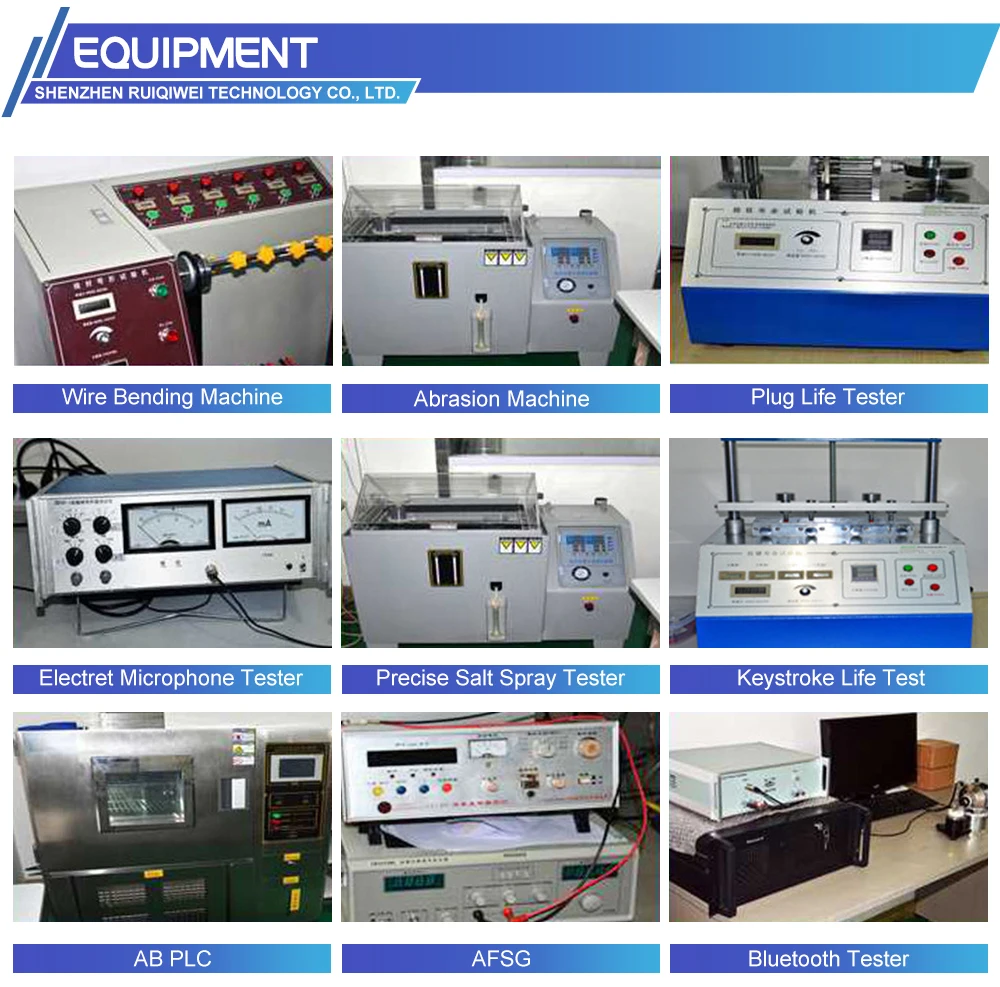
Production Process

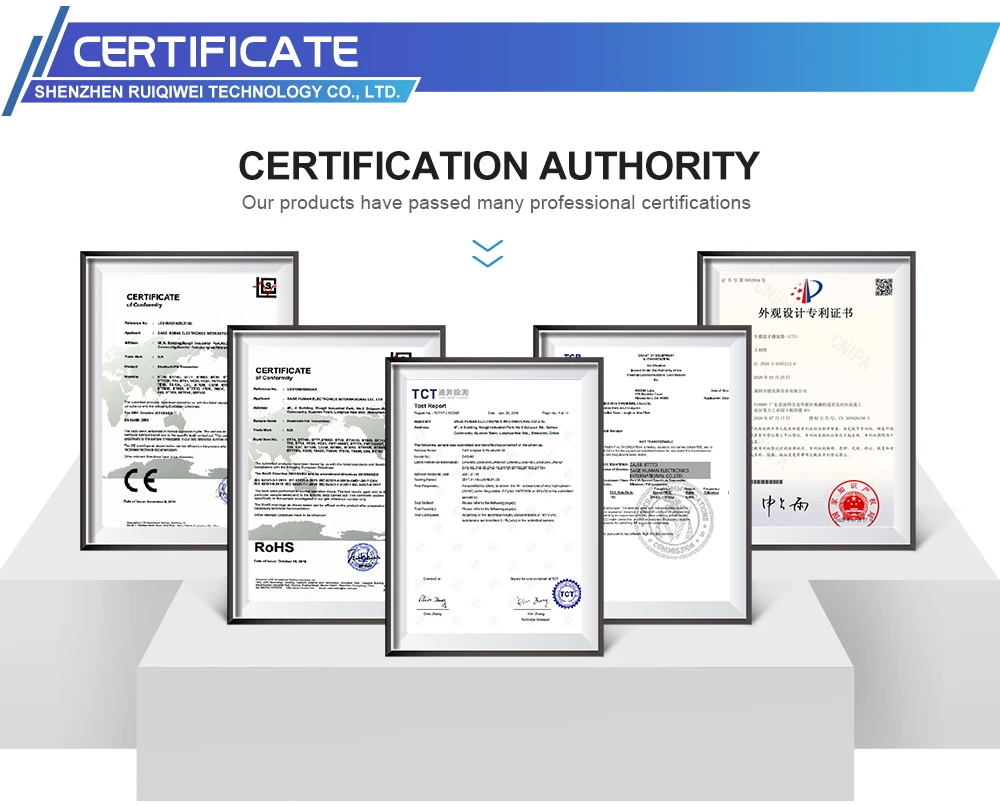
Certifications
Packaging&Shipping

FAQ

Q1: What advantages do your factory have?
A: RUIQIWEI is a professional manufacturer in auto electrical and electronic accessories with over 10 years’ manufacturing experience. We always try our best to offer good quality products at the most competitive prices.
Q2: What is your payments terms?
A: We accept PayPal, T/T and L/C.
Q3: Do you offer free samples?
A: Sample fee can be refunded in your first bulk order.
Q4: What is your terms of delivery?
A: We accept EXW, FOB, CIF etc.
Q5: How can I get your price list?
A: Please contact with me, I will send you the price list as soon as possible.
Q6. What can I do if I have more questions?
A: Please send us your detailed enquiry. We will reply you ASAP.
Q7: What's your warranty policy?
A: Our warranty period is 12-month. All of our products are tested before delivery, Low RMA rate due to our strict quality control and quality assurance.
Q8: How much the shipping cost?
A: Please contact us, providing your address and the quantities you want to order, so that we can check the most affordable shipping cost for you.
A: RUIQIWEI is a professional manufacturer in auto electrical and electronic accessories with over 10 years’ manufacturing experience. We always try our best to offer good quality products at the most competitive prices.
Q2: What is your payments terms?
A: We accept PayPal, T/T and L/C.
Q3: Do you offer free samples?
A: Sample fee can be refunded in your first bulk order.
Q4: What is your terms of delivery?
A: We accept EXW, FOB, CIF etc.
Q5: How can I get your price list?
A: Please contact with me, I will send you the price list as soon as possible.
Q6. What can I do if I have more questions?
A: Please send us your detailed enquiry. We will reply you ASAP.
Q7: What's your warranty policy?
A: Our warranty period is 12-month. All of our products are tested before delivery, Low RMA rate due to our strict quality control and quality assurance.
Q8: How much the shipping cost?
A: Please contact us, providing your address and the quantities you want to order, so that we can check the most affordable shipping cost for you.
We Recommend







New Arrivals
New products from manufacturers at wholesale prices






