
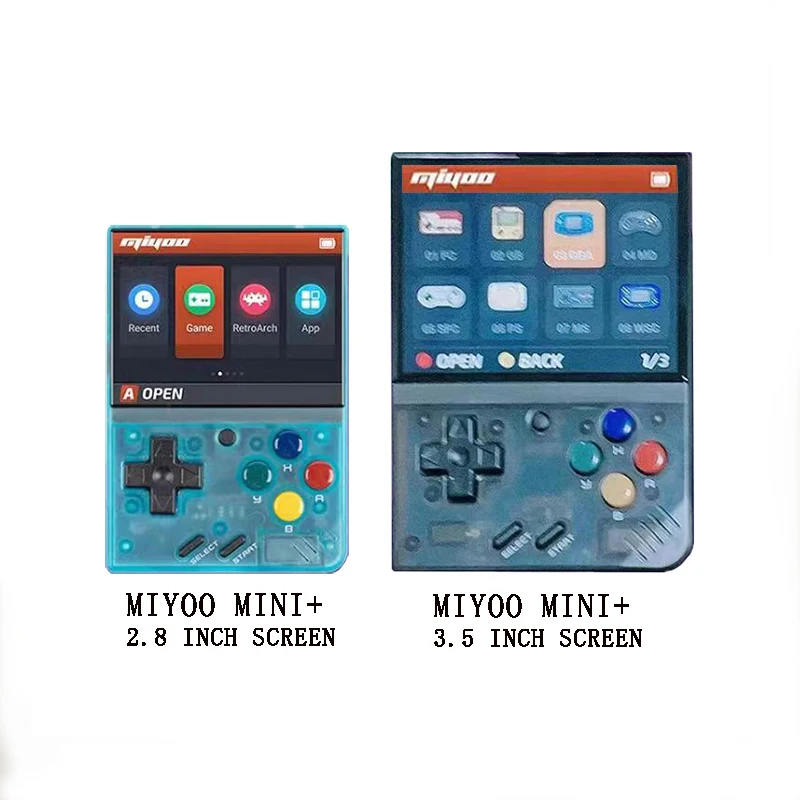
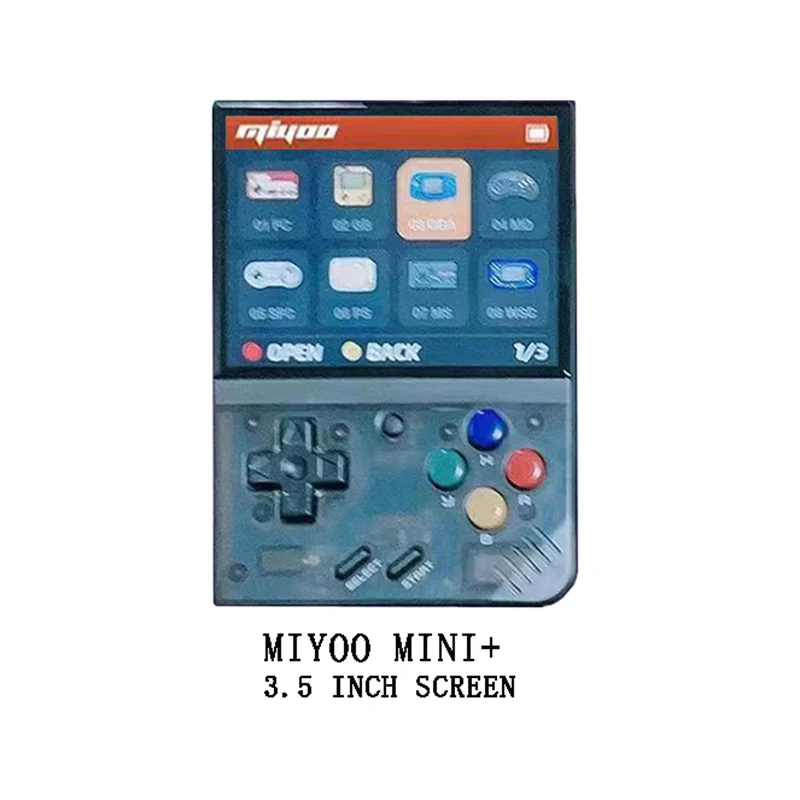

Wholesale Price Miyoo Mini V2 Newest Plus Portable Game Console 3.5 Inch Hd Screen Video Game Console Handheld Gaming Emulator
- Category: >>>
- Supplier: Shenzhen Jiuzhen Trading Co. Ltd.
Share on (1600745966341):
Product Overview
Description

In Stock 128GB Miyoo Mini V2 Plus Portable Retro Handheld Game Console Ips Screen Video Game Consoles Classic Gaming Miyoo Mini V2 Plus 128gb
Miyoo V2 ++
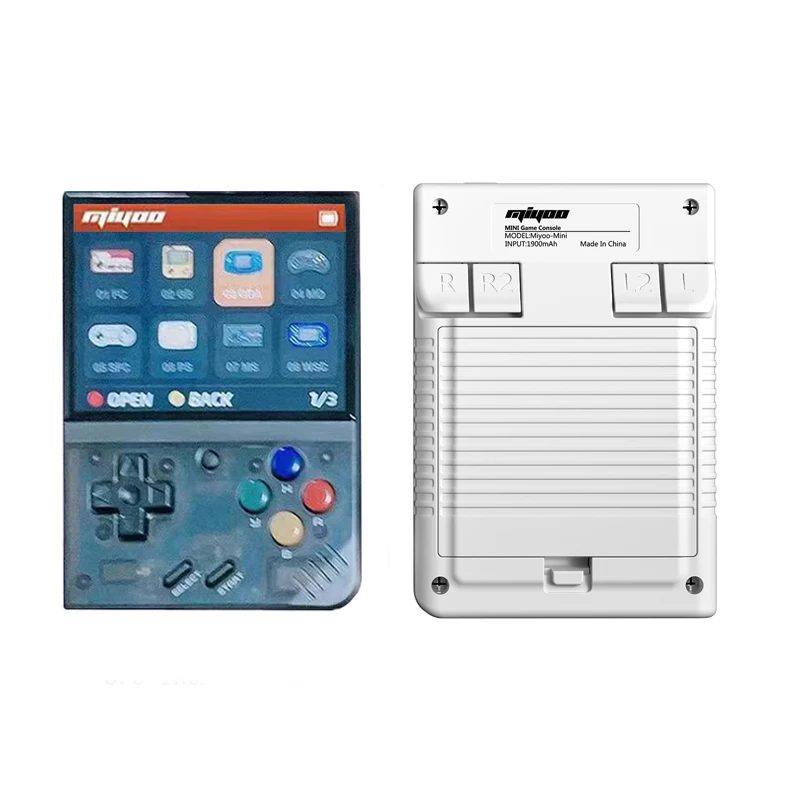
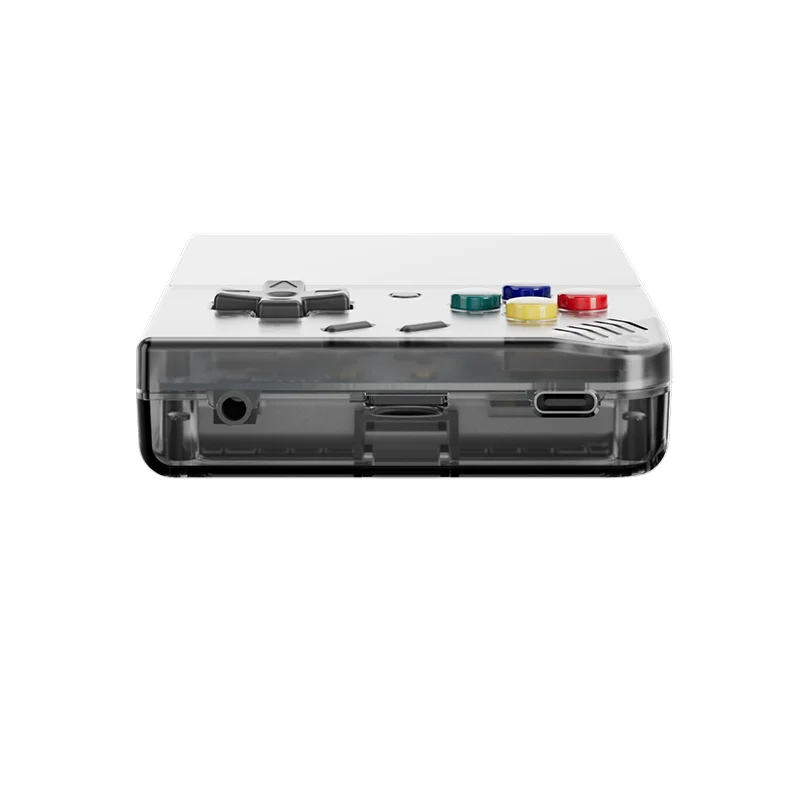
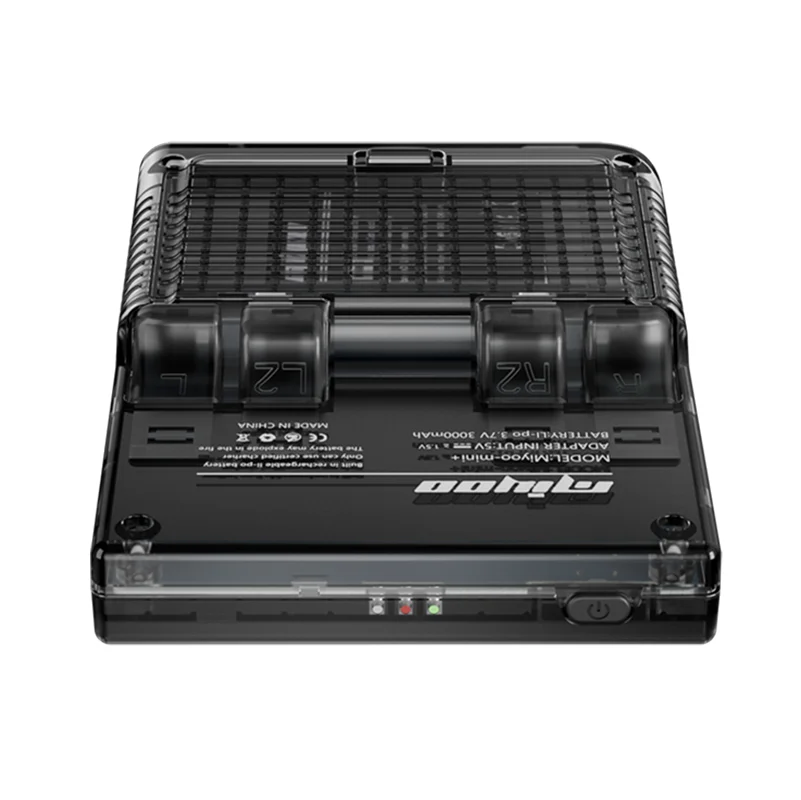
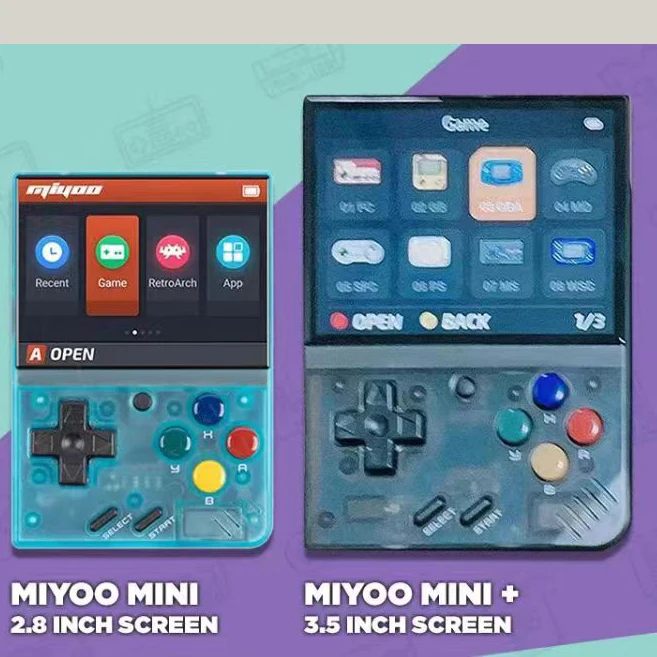
Model: Miyoo Mini V2 + (Plus)
Screen Size: 3.5-inch IPS Screen 640x480
Sensor: Vibration Motor
Color :Retro Grey , White, Black ,Purple
Operating System: Linux
CPU:ARM Cortex-A7 dual-core 1.2G
Specifications:108mmX78.5mmX22.3mm
Weight: 120 g/Pcs
Storage Expansion:32GB MicroSD (TF) Card Supports a Maximum Expansion Of 128GB
Power:3.7V 3000mAh / 5V Charging interface supports IA
Standard Configuration:Game Console x1, USB Type-C Data Cable x1, Card Reader x1, Manual x1.
Question answering :
Start using
1. Insert the TF card that has been installed with the game into the TF card slot;
2. Charge the equipment to ensure normal startup;
3. Start Up: press the power key for 1 seconds.
How to install games?
1. Take the TF card out of the machine,insert the card reader to connect to
the computer,
and copy the "Game ROM" to the folder of the corresponding game type in the TF card;
2. Insert the TF card into the TF card slot,Press [MENU] to open the MENU, and select "Refresh ROM".
On-off
Boot: long press the power supply for 1 seconds
Shutdown: press the power supply for 3 seconds to open the shutdown menu, and press [A] to shut down.
Idle mode, sleep mode,and wake up
60 seconds no operation enters the idle mode, and the screen becomes dark;
In idle mode, press any button to wake up;
No operation for 5 minutes or short press the power key to enter the sleep mode, close the screen and sound,
and automatically shut down after 10 minutes without operation after entering the sleep mode,
You can set the sleep time or disable sleep in the settings options;
In sleep mode, press the power key to wake up.
Firmware Upgrade
1. Shutdown status.
2. Place the Mirror file in the root directory of the TF card,
Insert the TF card slot and connect the charging line to enter the charging mode, and the nautomatically
start up and upgrade.
Do not power off during the upgrade.
Start using
In the game catalog, select a game and press[A]Start the game.
Exit the game
In the game, Press [MENU] to open the MENU, select the "Exit" option, and press [A] to Exit the game.
Save or read game progress
In the game, Press [MENU] to open the MENU, select the "Save" or "Load" option,
press the direction key [LEFT, RIGHT] to select the recording position, press [A] to
save or read the current progress.A game can save up to 10 records.
Set
Press the arrow key [UP,DOWN] to select the setting items: screen brightness,
volume, sleep time, which can be modified by the direction key [LEFT, RIGHT];
Select setting items: Language, key mapping,
System Restore, etc., and press [A] to enter the corresponding setting page.
Pay attention to the following security precautions when using it
Do not spray any liquid on the machine body to avoid damage caused by liquid entering the machine;
Do not modify, repair or disassemble the product;
Do not use any diluent or volatile liquid to clean this product;
Avoid exposure to high temperature or direct contact with flame.
Start using
1. Insert the TF card that has been installed with the game into the TF card slot;
2. Charge the equipment to ensure normal startup;
3. Start Up: press the power key for 1 seconds.
How to install games?
1. Take the TF card out of the machine,insert the card reader to connect to
the computer,
and copy the "Game ROM" to the folder of the corresponding game type in the TF card;
2. Insert the TF card into the TF card slot,Press [MENU] to open the MENU, and select "Refresh ROM".
On-off
Boot: long press the power supply for 1 seconds
Shutdown: press the power supply for 3 seconds to open the shutdown menu, and press [A] to shut down.
Idle mode, sleep mode,and wake up
60 seconds no operation enters the idle mode, and the screen becomes dark;
In idle mode, press any button to wake up;
No operation for 5 minutes or short press the power key to enter the sleep mode, close the screen and sound,
and automatically shut down after 10 minutes without operation after entering the sleep mode,
You can set the sleep time or disable sleep in the settings options;
In sleep mode, press the power key to wake up.
Firmware Upgrade
1. Shutdown status.
2. Place the Mirror file in the root directory of the TF card,
Insert the TF card slot and connect the charging line to enter the charging mode, and the nautomatically
start up and upgrade.
Do not power off during the upgrade.
Start using
In the game catalog, select a game and press[A]Start the game.
Exit the game
In the game, Press [MENU] to open the MENU, select the "Exit" option, and press [A] to Exit the game.
Save or read game progress
In the game, Press [MENU] to open the MENU, select the "Save" or "Load" option,
press the direction key [LEFT, RIGHT] to select the recording position, press [A] to
save or read the current progress.A game can save up to 10 records.
Set
Press the arrow key [UP,DOWN] to select the setting items: screen brightness,
volume, sleep time, which can be modified by the direction key [LEFT, RIGHT];
Select setting items: Language, key mapping,
System Restore, etc., and press [A] to enter the corresponding setting page.
Pay attention to the following security precautions when using it
Do not spray any liquid on the machine body to avoid damage caused by liquid entering the machine;
Do not modify, repair or disassemble the product;
Do not use any diluent or volatile liquid to clean this product;
Avoid exposure to high temperature or direct contact with flame.


1:Can we distributor your product?
---Yes, you are warmly welcomed to be our distributor.
2:What's your warranty policy?
---We provide 12-Months warranty on all of our products, which means during the warranty
period, we’ll replace or repair the defective items if with quality problems.
3:Why choose us?
---We have Mold factory, injection machine, silk screen machine, assembly line, we can make the hole products in our side for ODM,
---Yes, you are warmly welcomed to be our distributor.
2:What's your warranty policy?
---We provide 12-Months warranty on all of our products, which means during the warranty
period, we’ll replace or repair the defective items if with quality problems.
3:Why choose us?
---We have Mold factory, injection machine, silk screen machine, assembly line, we can make the hole products in our side for ODM,
If you have any idea for new product, we can help you to realize . Providing low MOQ(MOQ>=1), inventory products can be delivered within 7days, Overseas warehouse&drop shipping
4:Which payment would be acceptable?
---Normally, we support online payment-Alibaba pay, to protect the buyer's funds, when the buyer confirms the acceptance of goods quality is no problem, the funds will be transferred to the seller's account, absolute security.
5:How Can I order?
---You can send us inquiry
---Click "Start Order" and pay directly!
(Input quantity, choose your country, then you can see total price, including the product price and freight)
Please do write your Name, Address, Zip code and Phone number for delivery!
6:Is your freight correct?
---Basically, the freight is the same as shown in the front desk. If you have any questions or need to send them to your forwarder, please confirm with us first.
4:Which payment would be acceptable?
---Normally, we support online payment-Alibaba pay, to protect the buyer's funds, when the buyer confirms the acceptance of goods quality is no problem, the funds will be transferred to the seller's account, absolute security.
5:How Can I order?
---You can send us inquiry
---Click "Start Order" and pay directly!
(Input quantity, choose your country, then you can see total price, including the product price and freight)
Please do write your Name, Address, Zip code and Phone number for delivery!
6:Is your freight correct?
---Basically, the freight is the same as shown in the front desk. If you have any questions or need to send them to your forwarder, please confirm with us first.

We Recommend







New Arrivals
New products from manufacturers at wholesale prices






