
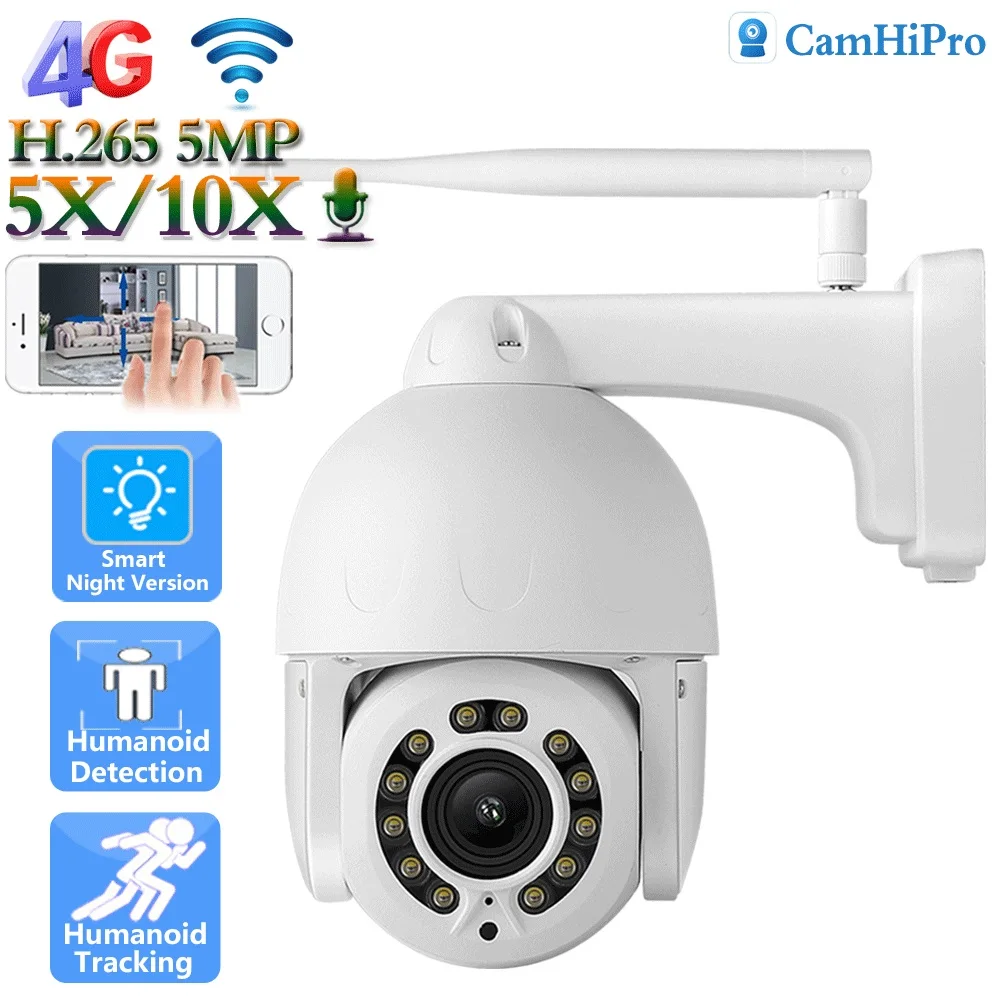
5MP 8MP 4K 4G WIFI Network Camera 10X Zooming Auto Tracking Wireless IP Camera
- Category: >>>
- Supplier: Shenzhen CBE Information Technology Limited Company
Share on (1600764423512):
Product Overview
Description
Product Description
Specification
Brand Name | CBE |
Warranty | 2 years |
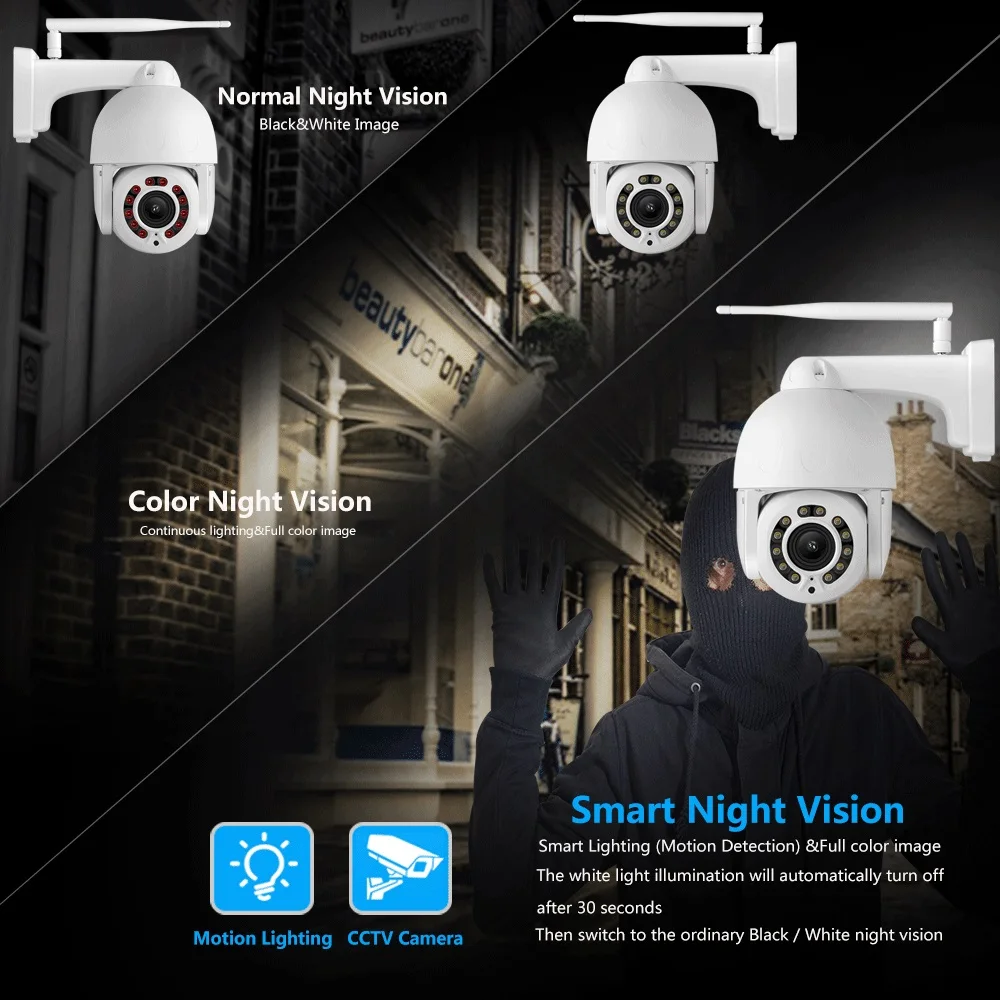
Special Features | Human Motion Tracking, NIGHT VISION, Motion Detection, Waterproof / Weatherproof, Built-in Siren, PAN-TILT, Two-way Audio |
Sensor | CMOS |
Style | Dome Camera |
Function | Two-way Audio, PAN-TILT, Alarm I/O, RESET, Built-in Mic, NIGHT VISION, Waterproof / Weatherproof, Wide Angle, Built-in Siren, Vandal-proof |
Video Compression Format | H.265 |
Data Storage Options | Micro SD card |
Application | Outdoor |
Customized support | Online technical support, Customized logo, Software reengineering, OEM, ODM |
Product name | security camera system |
AI Functions | Human Detection+Auto tracking |
Viewing Angle | 355 degress |
Power Consumption(W) | 9W |
Sensor Brand | SONY |
Power Supply(V) | DC12V 1-2A |
IR Distance | 80-100m |
Optical Zoom | 5X / 10X |
Night vision | IR-CUT Automatic Switchover |
APP | CamHi CamHi Pro |
How to use?
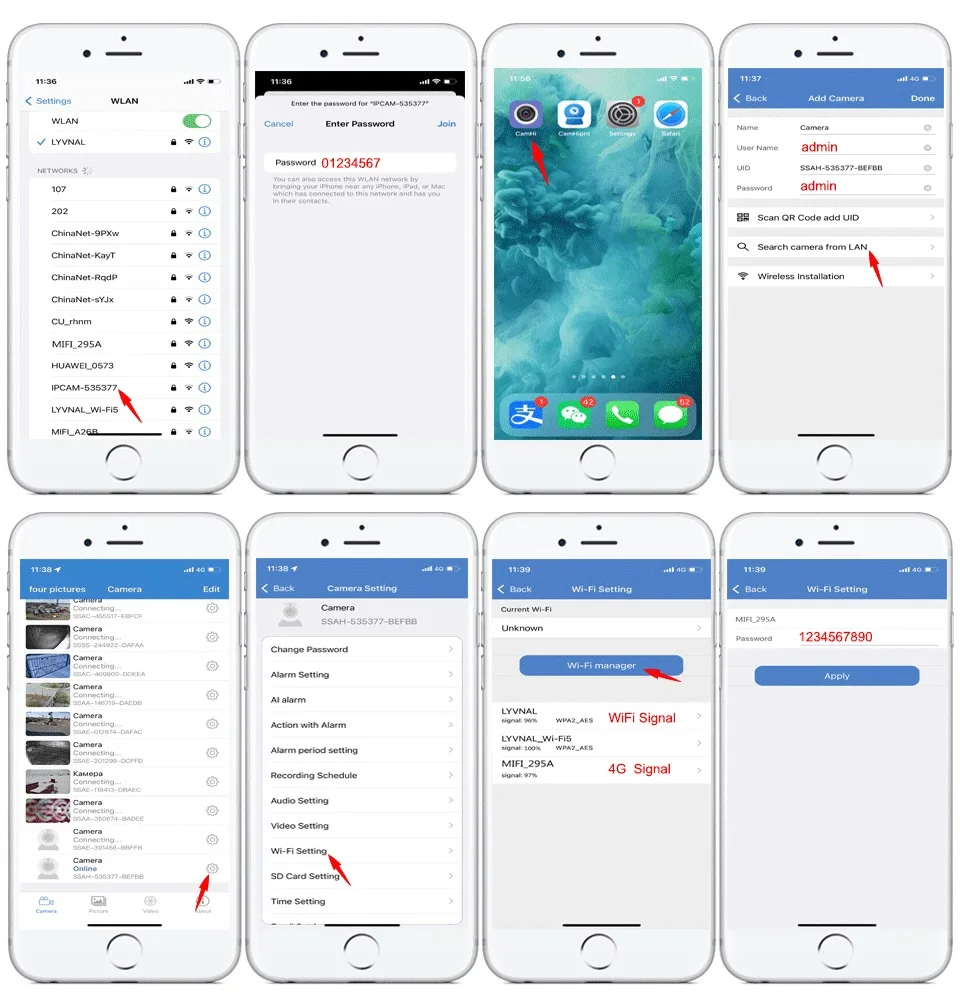
1:Go to your phone "settings"--WLAN,Search WiFi signal.Choose the wifi hotspot"ipcam-xxx",erery camera's hotspot is not the same.
2:Connect your phone to the camera's IPCAM-XXX hotspot. Password01234567.Let the phone and camera on the same wireless LAN
3:Open the App“Camhi"or"Camhipro.Add Camera.
4:Select"Search Camera From LAN".You will find the camera's UID,add it ,usename and password:admin.
5:When the camera shows online in LAN.Click the camera setting button. Enter "WIFI setting".
6:Click "wifi manager". Select your wifi signal. Enter your WiFi password.,if you need use 4G signal .choose the signal
"MIFI_XXXX",password:1234567890.Camera connection successfully !
2:Connect your phone to the camera's IPCAM-XXX hotspot. Password01234567.Let the phone and camera on the same wireless LAN
3:Open the App“Camhi"or"Camhipro.Add Camera.
4:Select"Search Camera From LAN".You will find the camera's UID,add it ,usename and password:admin.
5:When the camera shows online in LAN.Click the camera setting button. Enter "WIFI setting".
6:Click "wifi manager". Select your wifi signal. Enter your WiFi password.,if you need use 4G signal .choose the signal
"MIFI_XXXX",password:1234567890.Camera connection successfully !


Company Profile
We are professional designer and manufacturer of security cameras

FAQ
Q:What should I do if I forgot the camera password?
If you forget your password. You can use the "search tool" to search the camera IP address on the LAN. And restore the password. Or hold down the reset button on the tail of the camera for about 10 seconds. Restore the camera to the factory value.
Q:What micro card do I use?
This camera supports up to 256GB micro SD cards with FAT32 format and Class 10 read & write speed.We recommend using 128GB
Q:How to calculate the SD card storage time?
According to the default bit rate (6144 Kbps), 64GB SD can continue to store for about 7 days. 128GB is about 12 days.. However, the bit rate of the IP camera changes from the speed of the network and the meticulousness of the screen. So we oftenrecommend using alarm storage. In this way, the SD card can continue to store it longer.
Q:Can the 4G version use the family WiFi signal?
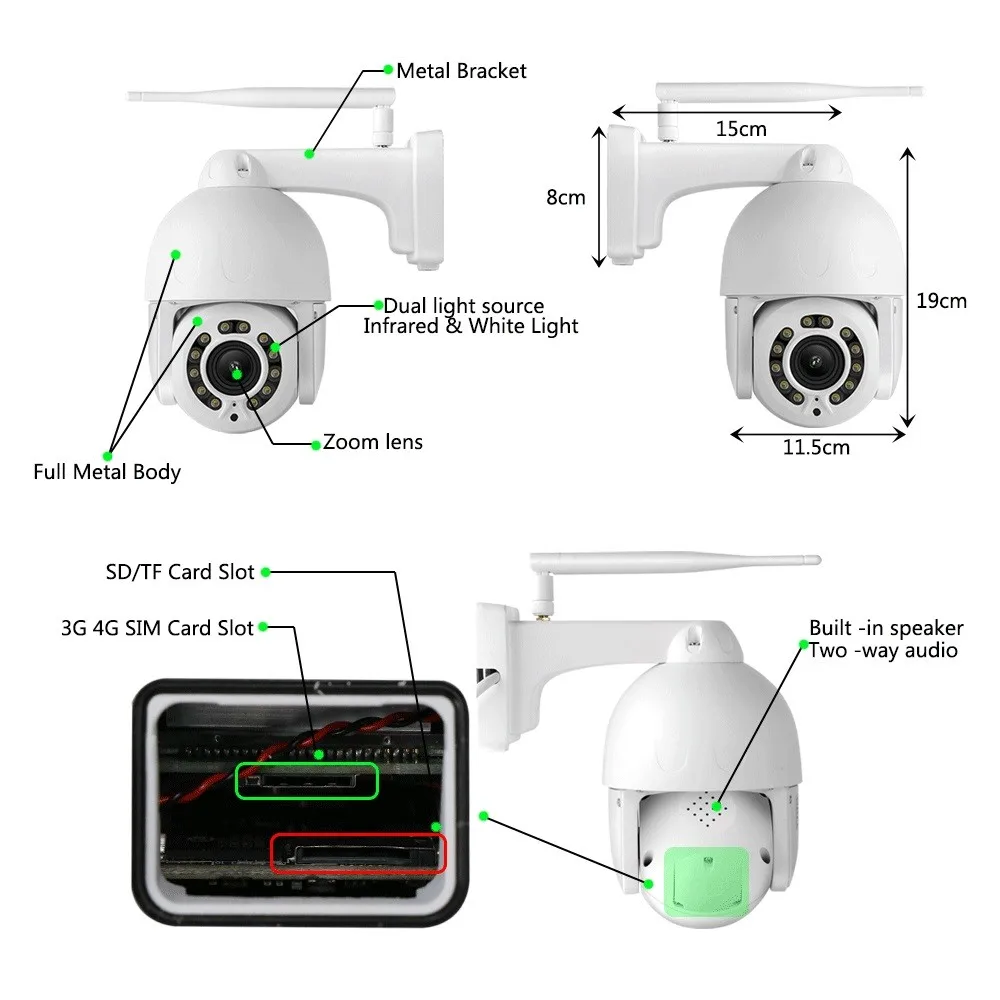
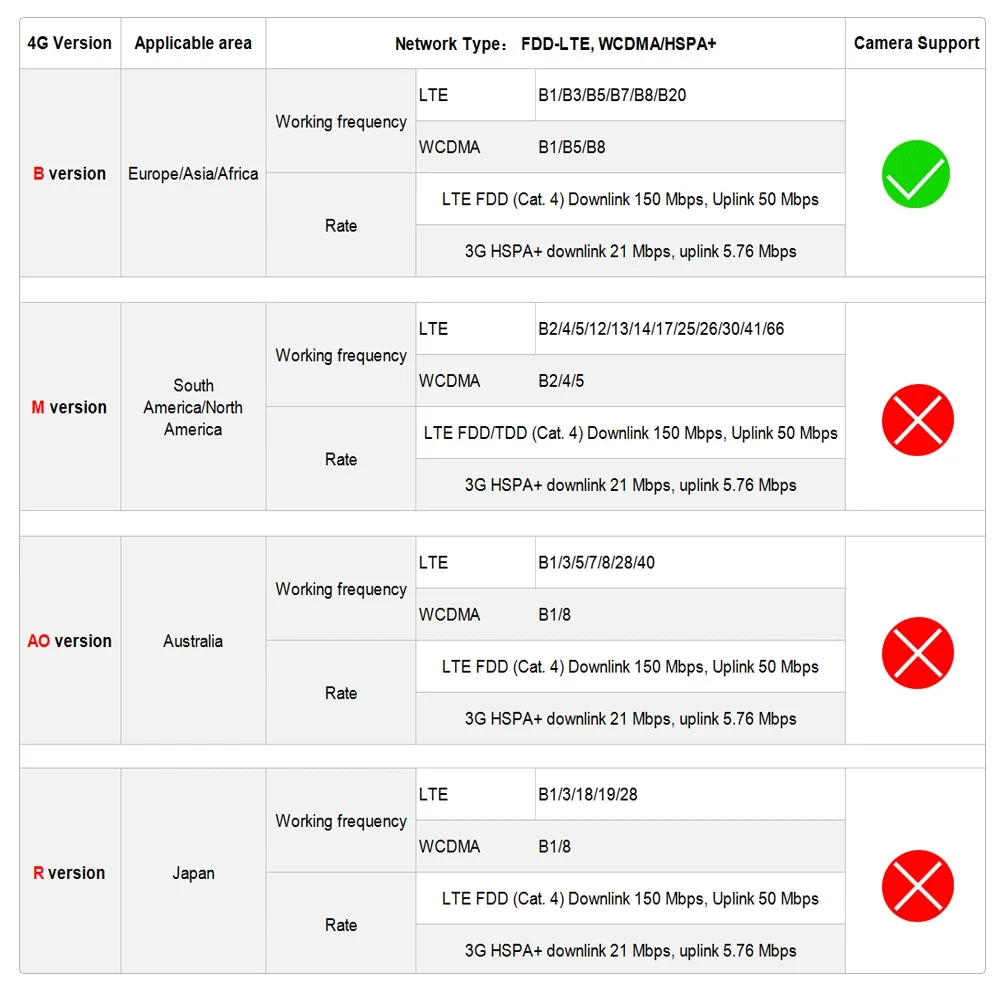
Of course. Our 4G version is three -purpose. It can use wired. Wifi or 4G signal
Q:Why do I use 4G version for the first time, Can't find the hotspot of ipcam-xxxx?
Because before the camera leaves the factory. We tested 4G signals. And help you bind the camera to the 4G signal. As long as the camera is connected to a wireless signal once. Or the camera connects to the network cable. IPCAM-XXXX hotspot will disappear
Q:Can 4G signals be used as hot spots for other WIFI devices?
Yes. The 4G signal itself is a wireless network. Your camera is also connected to it. Other WiFi cameras or mobile phones can also access the network by connecting this 4G signal. The prerequisite is that the SIM card has been installed.
Q:When the camera using 4G signal. Can it connect NVR?
Generally cannot be used. Unless your NVR is wireless NVR. NVR can also connect to the 4G signal wirelessly.
If you forget your password. You can use the "search tool" to search the camera IP address on the LAN. And restore the password. Or hold down the reset button on the tail of the camera for about 10 seconds. Restore the camera to the factory value.
Q:What micro card do I use?
This camera supports up to 256GB micro SD cards with FAT32 format and Class 10 read & write speed.We recommend using 128GB
Q:How to calculate the SD card storage time?
According to the default bit rate (6144 Kbps), 64GB SD can continue to store for about 7 days. 128GB is about 12 days.. However, the bit rate of the IP camera changes from the speed of the network and the meticulousness of the screen. So we oftenrecommend using alarm storage. In this way, the SD card can continue to store it longer.
Q:Can the 4G version use the family WiFi signal?
Of course. Our 4G version is three -purpose. It can use wired. Wifi or 4G signal
Q:Why do I use 4G version for the first time, Can't find the hotspot of ipcam-xxxx?
Because before the camera leaves the factory. We tested 4G signals. And help you bind the camera to the 4G signal. As long as the camera is connected to a wireless signal once. Or the camera connects to the network cable. IPCAM-XXXX hotspot will disappear
Q:What would happen if I used the reset button?
If you use the reset button. The camera will return to the factory value: the password will return to Admin. The WiFi signal or 4G signal that the camera has been bound will be cleared. You need to reset it.
If you use the reset button. The camera will return to the factory value: the password will return to Admin. The WiFi signal or 4G signal that the camera has been bound will be cleared. You need to reset it.
Q:Can 4G signals be used as hot spots for other WIFI devices?
Yes. The 4G signal itself is a wireless network. Your camera is also connected to it. Other WiFi cameras or mobile phones can also access the network by connecting this 4G signal. The prerequisite is that the SIM card has been installed.
Q:When the camera using 4G signal. Can it connect NVR?
Generally cannot be used. Unless your NVR is wireless NVR. NVR can also connect to the 4G signal wirelessly.
Payment & Delivery&Service


We Recommend







New Arrivals
New products from manufacturers at wholesale prices






