
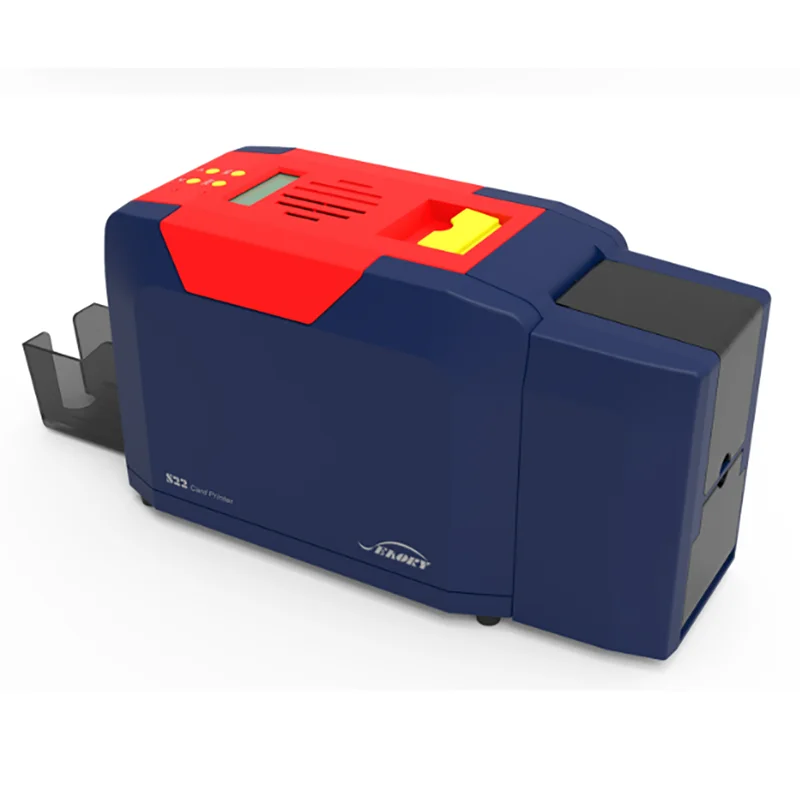
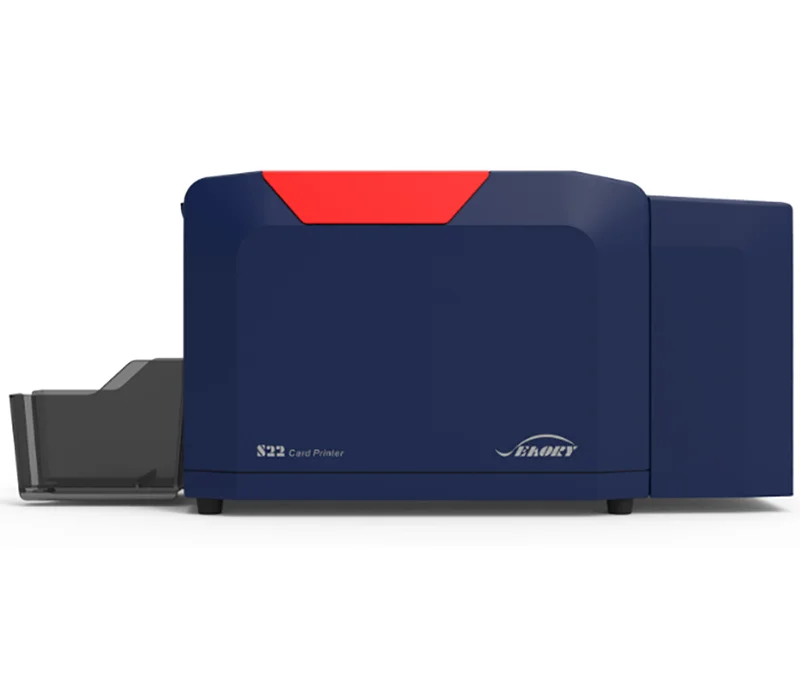
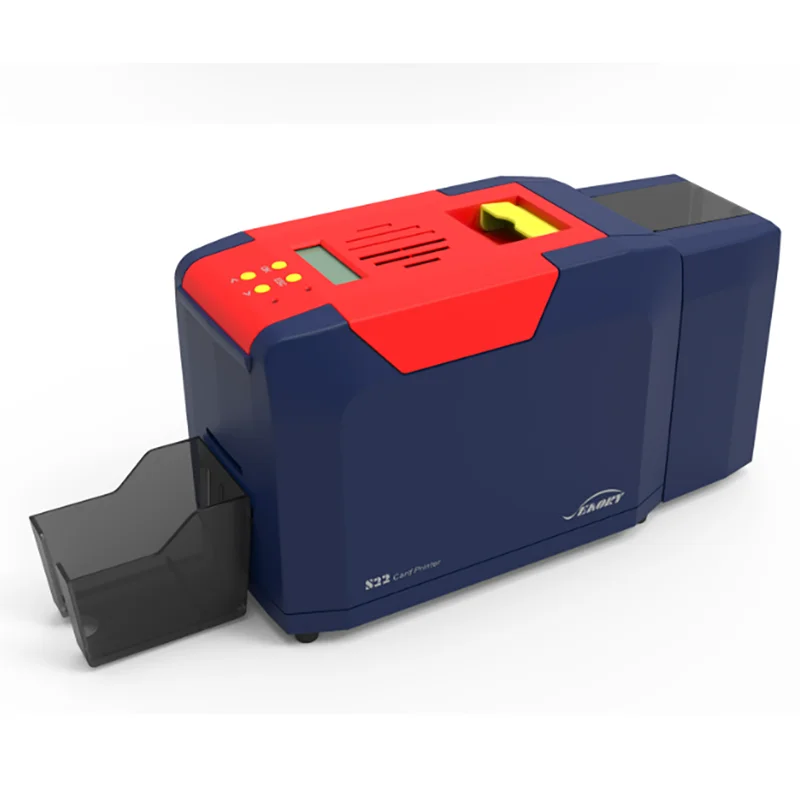
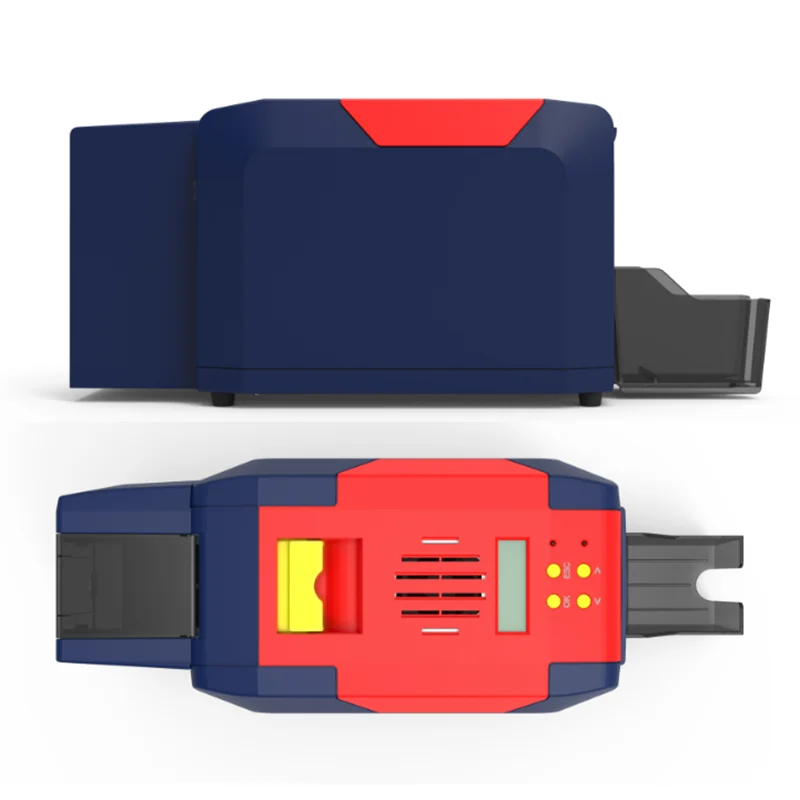
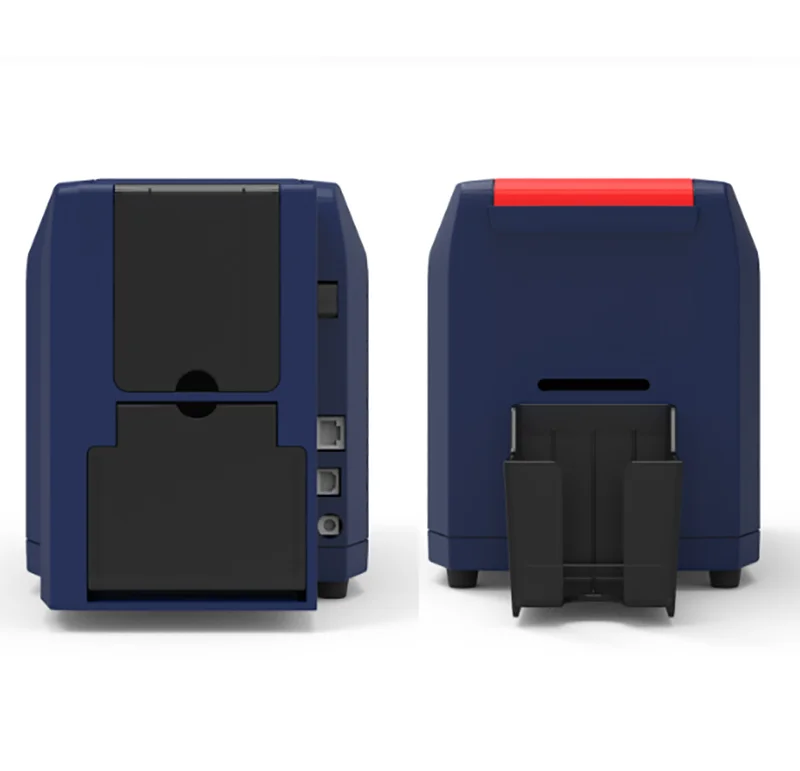
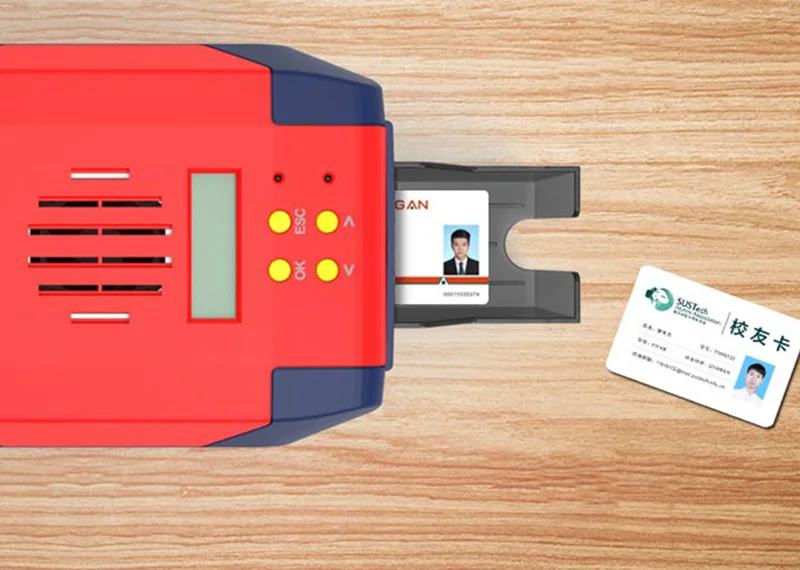
Настольный двухсторонний принтер для печати карт
- Category: >>>
- Supplier: Shenzhen Mingwah Aohan Internet Of Thing Technology Corporation Ltd.
Share on (1600833008041):
Product Overview
Description
The Seaory S22 is a fast, compact PVC ID card printer ideal for card printing offices of all kinds. This is an ideal solution for printing student ID cards, government ID credentials, employee ID cards, membership cards and customer loyalty cards.

S22 Desktop Dual-sided Card Printer
Dye Sublimation Direct-to-card Card printer
Defaulted print resolution: 300 dpi × 300 dpi
300 dpi × 600 dpi, 300 dpi × 1200 dpi print resolution optional
LCM control panel Support Multi-languages,128MB Memory
Available to set the direction of card input & output, Dual-side printing, Alarm for no cards and defective card slot
Body size: 383(L) × 174(W) × 208(H)mm ; N.W: 6.8 Kg
Defaulted print resolution: 300 dpi × 300 dpi
300 dpi × 600 dpi, 300 dpi × 1200 dpi print resolution optional
LCM control panel Support Multi-languages,128MB Memory
Available to set the direction of card input & output, Dual-side printing, Alarm for no cards and defective card slot
Body size: 383(L) × 174(W) × 208(H)mm ; N.W: 6.8 Kg

High quality , High efficiency
Monochrome printing :3~5s per card (Single-sided) / 7~12s per card (Dual-sided)
Full-color(YMCKO) printing :20s per card(Single-sided) /42s per card (Dual-sided)
Print dimension is ISO CR80(53.98mmx85.6mm) standard card
Input hopper capacity is 100pcs cards
Output hopper capacity is 50pcs cards
Defective card slot capacity is 30pcs cards
Full-color(YMCKO) printing :20s per card(Single-sided) /42s per card (Dual-sided)
Print dimension is ISO CR80(53.98mmx85.6mm) standard card
Input hopper capacity is 100pcs cards
Output hopper capacity is 50pcs cards
Defective card slot capacity is 30pcs cards

Creative design
Keep improving
Keep improving
Driver: support Windows XP/7/8/10/11, Windows Server 2003/2008/2012/2016,Linux, Android
Card design software: ICARDE, support Windows XP/7/8/10/11
Concise design, friendly operation, powerful function
Databases connection available, completely independent intellectual property rights
Card design software: ICARDE, support Windows XP/7/8/10/11
Concise design, friendly operation, powerful function
Databases connection available, completely independent intellectual property rights

Designed for large quantity & low cost printing
Black Monochrome Ribbon: 100m×60mm/200m×60mm, around 1,000/2,000 prints/roll
Gold, Silver, White, Red, Blue Monochrome Ribbons:100m×60mm,around 1,000 prints/roll
YMCKO ribbon full panel: 100 / 300 prints/roll
1/2 ymcKO ribbon: 450 prints/roll
1/2 ymcKOKO ribbon: 250 prints/roll
KO, 500 prints/roll
UV Ultraviolet Security Ribbon: 100m×60mm, around 1,000 prints/roll
Gold, Silver, White, Red, Blue Monochrome Ribbons:100m×60mm,around 1,000 prints/roll
YMCKO ribbon full panel: 100 / 300 prints/roll
1/2 ymcKO ribbon: 450 prints/roll
1/2 ymcKOKO ribbon: 250 prints/roll
KO, 500 prints/roll
UV Ultraviolet Security Ribbon: 100m×60mm, around 1,000 prints/roll

Variety of card encoding module
Magnetic stripe card encoding module: Support ISO7811 Hi-co/Low-co, 3-Track read & write
Dual interface chip card reading and writing module:
Support CPU card (ISO 7816, T=1 & T=0)
4 SAM slots (same as SIM card size complied with GSM 11.11)
Support contactless CPU card (ISO14443 TYPE A/B),PC/SC
Contactless ID card encoding module : Support 125KHz (Specified chip type)
UHF Chip card encoding module: Support EPC C1 GEN2/ ISO 18000 -6C Air interface protocol standard
Dual interface chip card reading and writing module:
Support CPU card (ISO 7816, T=1 & T=0)
4 SAM slots (same as SIM card size complied with GSM 11.11)
Support contactless CPU card (ISO14443 TYPE A/B),PC/SC
Contactless ID card encoding module : Support 125KHz (Specified chip type)
UHF Chip card encoding module: Support EPC C1 GEN2/ ISO 18000 -6C Air interface protocol standard
Specification
Model Number | S22 / Desktop Dual-sided Card Printer |
Specifications | 383 × 174 × 208 (mm), 6.8Kg |
Interfaces | USB & Ethernet |
Input / Output Capacity | 100 cards / 50 cards |
Print Speed | Monochrome printing: 3~5 s per card(single-sided) / 7~12 s per card(dual-sided); |
Full-color(YMCKO) printing: 20 s per card(single-sided) / 42 s per card(dual-sided). | |
Card Material | PVC / Composite PVC / Other material upon request and validation |
Power | AC 100~240V, 50/60 Hz, DC 24-25.5V, 2.7 A |
Print Dimension | ISO CR80 (53.98mm×85.60mm), edge-to-edge printing |
Print Resolution | 300dpi × 300dpi(300 dpi × 600 dpi, 300 dpi × 1200 dpi print resolution optional) |
Memory | 128MB |
Print Method | Dye sublimation (Direct-to-card) |
Card Thickness | 0.3-1.05mm |
LCM Display | Chinese: 8 characters per line, 2 lines / English: 16 characters per line, 4 lines / Multi-language |
Operation System | Support Windows XP/7/8/10/11, Windows Server 2003/2008/2012/2016;Linux;Android; |
Support NeoKylin,Kylin, UOS and other made-in-china operating system | |
Operating Condition | 1. Regular running temp.: 15℃-30℃(59-86℉), 20%~65% RH non-condensing |
2. Lowest / Highest running temp.: 0℃(32℉) / 40℃(104℉), 20%~65% RH non-condensing | |
Storage Condition | Temp.: -5℃-70℃(23-158℉), 20%~70% RH non-condensing |
Certificates | CCC, FCC, CE, ROHS, BIS |

Packing & Delivery


383 × 174 × 208 (mm), 6.8Kg
With respect to warranty conditions and restrictive clauses, please refer to the Warranty Card enclosed in the printer
package.Thanks for choosing Seaory S Series card printer, to start a successful cooperation between us. A variety of high quality personalization of identification cards, visa cards, and membership cards etc. can be realized through simply operation of these card printers. You shall make sure that printer consumables you bought are from original manufacturer.
package.Thanks for choosing Seaory S Series card printer, to start a successful cooperation between us. A variety of high quality personalization of identification cards, visa cards, and membership cards etc. can be realized through simply operation of these card printers. You shall make sure that printer consumables you bought are from original manufacturer.
FAQ
Fault codes | Fault name | Reason | Solution |
CODE:43 | Ribbon missing | Ribbon uninstalled | Install ribbon according to operating manual |
CODE:46 | Ribbon out | Replace a new ribbon | Replace a new ribbon according to operating manual |
CODE:5F | Card out | Place some cards | Place some cards according to operating manual |
CODE:21 | Printer cover is open | Top cover of the printer is not closed | Close the printer cover |
CODE:22 | Reject box open | Reject box is open | Close reject box |
CODE:23 | Reject box full | Reject box is full | Take out defective cards |
CODE:51 | Card feed error | Thickness of card feeding entrance setting is wrong | Adjust the feed card thickness according to the operation manual |
CODE:11 | Card jam | Unusual card jam | Clean the card moving roller regularly according the to operation manual |
CODE:44 | Ribbon unsupport | Ribbon chip unsupport | Check the ribbon details by the driver or LCM,and contact the local distributor |
Q1:When card printer no action
* Verify that the card printer driver is installed correctly
* Check power and USB cable connections
* Check ribbons and cards
* Print test picture
* Check power and USB cable connections
* Check ribbons and cards
* Print test picture
Q2:When print out the blank card
* Check ribbons and cards
* Please reset the card printer’s parameters by driver (Print option - Tool - Position Calibrate - Reset to factory default ) Or
adjust the L,T and S value
* Try to print again after adjust
* Check whether the printing card is CR-80 standard
* Please reset the card printer’s parameters by driver (Print option - Tool - Position Calibrate - Reset to factory default ) Or
adjust the L,T and S value
* Try to print again after adjust
* Check whether the printing card is CR-80 standard
Q3:When partial or error printing
* Check the card printer’s setting
* Check the cable and ribbon
* Make sure the cleaning roller is clean
* Check the card is clean or not
* Check the print head
* Check the cable and ribbon
* Make sure the cleaning roller is clean
* Check the card is clean or not
* Check the print head
Q4:When the printed card has a defect
* The card surface is not clean
* Please clean the card printer by cleaning card
* Print head is not clean or damaged, need to wipe cleaning or replace
* Check whether the cleaning roller need to replace
* Please clean the card printer by cleaning card
* Print head is not clean or damaged, need to wipe cleaning or replace
* Check whether the cleaning roller need to replace
Q5:When the printed card appears with a white line
* Check whether the ribbon is proper installed
* Check whether the print head is not clean or damaged
* Check whether the print head is not clean or damaged
Q6:When the printed card appears white vertical or color lines
* Print head maybe was damaged
Q7:When the printed card appears blurry image
* Check whether the ribbon is proper installed
* Check whether the cleaning roller or print head is not clean
* Check whether the printing card is CR-80 standard
* Check whether the cleaning roller or print head is not clean
* Check whether the printing card is CR-80 standard
We Recommend







New Arrivals
New products from manufacturers at wholesale prices






