
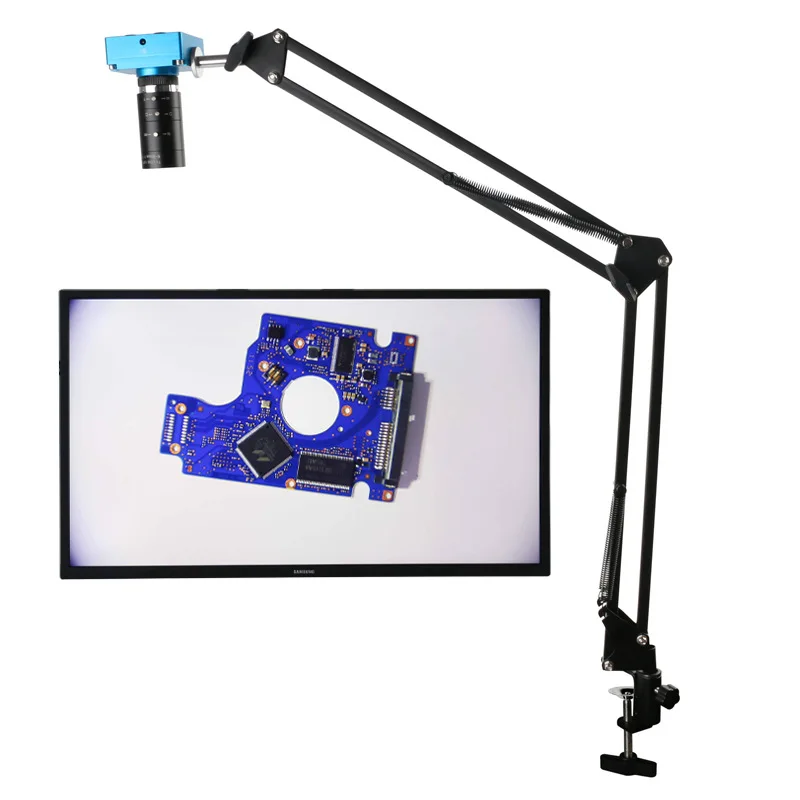
48MP 2K 1080P USB Camera Zoom C Mount Lens Remote Industrial Video Microscope For Digital Image Acquisition
- Category: >>>
- Supplier: Henan Tianchi Cryogenic Machinery Equipment Manufacturing Co. Ltd.
Share on (1600835888628):
Product Overview
Description
Product Description
HD Microscope
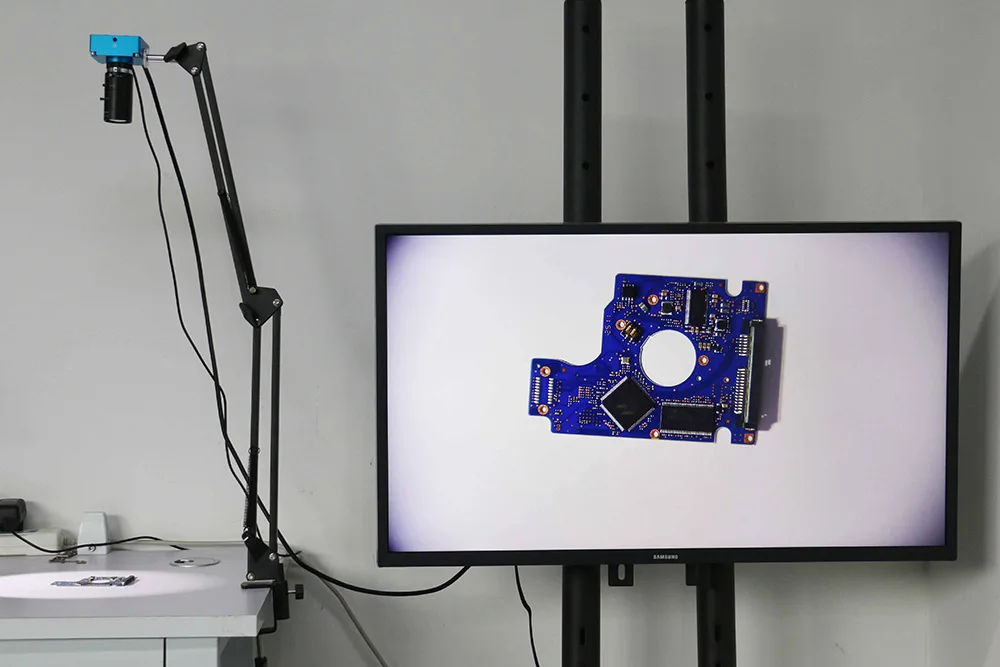
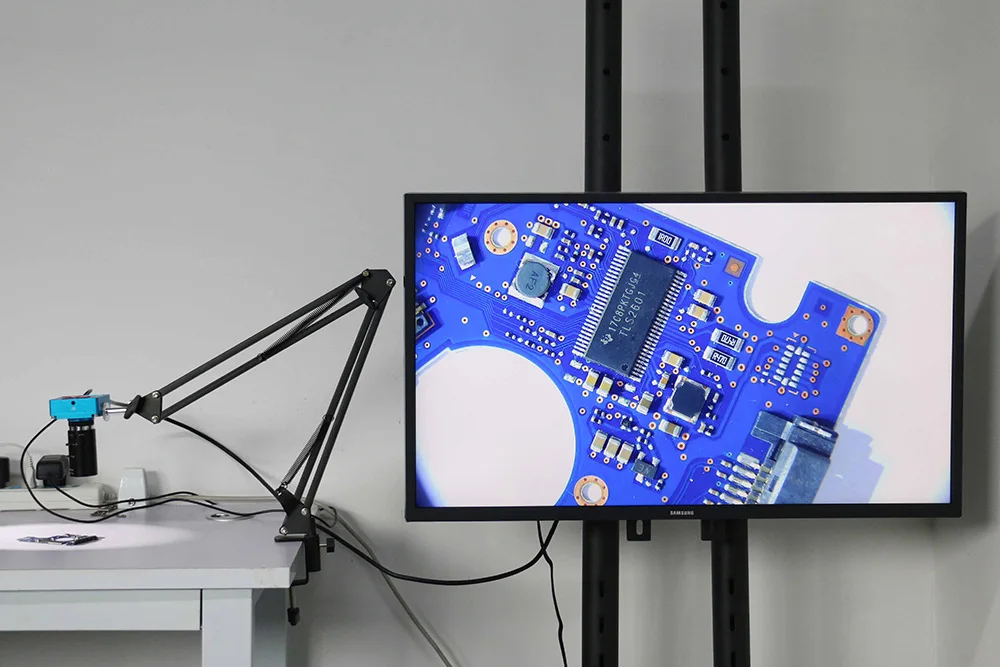
We recommend adding lighting when in use. There are better display effects. The camera has only one HDIM port, and it can only be connected to an HDIM monitor. You can use TF to store pictures and videos. The camera cannot be connected to the PC.
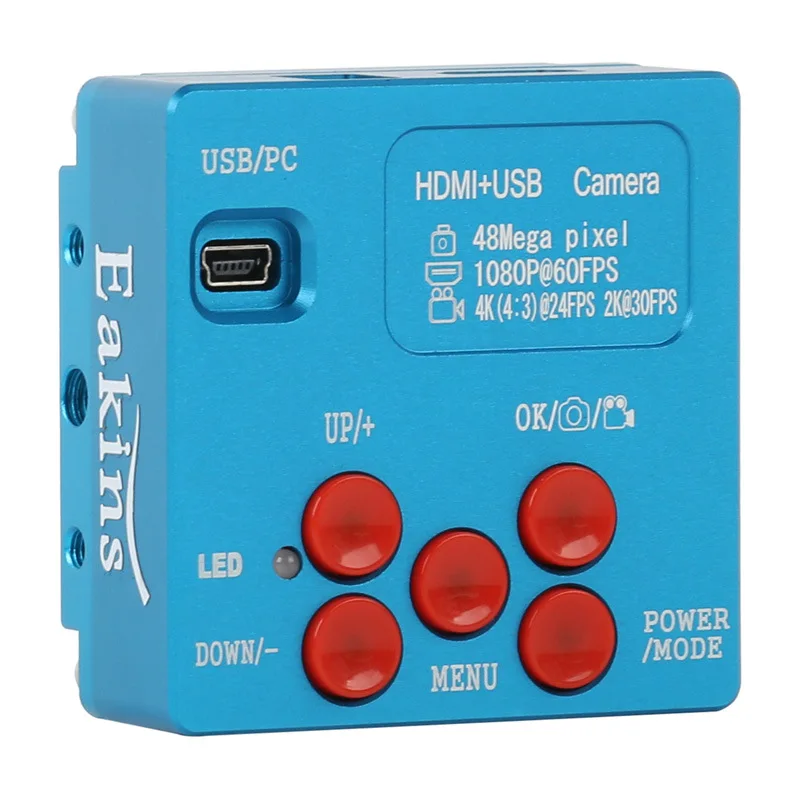
Camera parameters:
Picture pixel: 9280X5220 48M
Grid lines: 8 horizontal lines, 8 vertical lines
Video frame rate: 4K (4:3)@24fps/2K@30fps/1080P@60fps
TF card: 4GB (up to 128GB)
CMOS incense burner: SONY 1/2.33 inch
Crossing Lines: Overlap or Cancel
CMOS pixel: 1.33um x 1.33um
Lens interface: Standard C
Color Setting: Automatic
Power: 5V-12V/1A
White balance: automatic/one key calibration/manual
Size: 64x64x32mm
EV: Automatic/Manual
Camera mode: HDIM output 1080P@60 FPS
Working temperature: 0-70℃
USB/PC interface:
1. Connect the camera to the computer with a USB cable, then turn on the power,
If there is an SD card in the camera, you will enter the USB disk mode, and you can preview the pictures/videos in the camera SD card or copy them to the computer.
2. If there is no SD card in the camera, you will enter PC-CAM mode to view pictures directly from the computer, no driver is needed here.
Note: The DC/12V interface is suitable for cameras with 5V-12V/1A input power adapters, and unsuitable adapters cannot be used, otherwise the camera will be burned out, then
HDIM interface: connect the camera to the monitor through the HDIM interface,
Please use 16:9 widescreen.
Power/Mode:
The camera is plugged in, please press and hold the button for 3 seconds
Power off, then short press for 1 second to power on. Open
If you hear a ticking sound with the red light on, it means success. after booting
Short press for 1 second to switch to video mode, press 1 again
Seconds to switch to picture/video playback mode, press again
Go back to camera mode.
menu:
Short press the button for 1 second to enter the menu setting page. use
Up/Down button to select related function, then press OK button
Enter submenu.
a) Chinese/English setting: Use the Up/Down button to select, then press the OK button to confirm;
b) Gridline setting: Press UP/DOWN to select the line, then press OK button to enter, press UP/DOWN to turn on/off 10 gridline rulers, turn on/off 8 gridlines, direction, position of each line , color or width, and press OK to change the direction, position, color or width of the line. Press the MENU key again to return to the previous menu.
c) Exposure setting: press UP / DOWN to select auto/manual exposure mode, then press OK to confirm;
d) EV setting: In automatic exposure mode, input to select +-0.3/0.7/1.0/1.3/1.7/2.0 exposure value as needed;
e) White balance setting: After entering, you can choose automatic, manual or one-key calibration mode. If there may be color deviation when changing the lamp, you can put a white paper and select one-key calibration to calibrate the color. You can also manually adjust the red and green values for special purposes.
f) Color setting: You can choose color or white/black mode according to your needs;
g) Optical frequency setting: 50Hz / 60Hz can be selected according to needs;
h) Intensity setting: intensity/standard/soft options;
i) Contrast setting: set high/medium/low options as needed;
j) Video size: 3K 2fps / 1080P60fps / 720P60fps options can be used according to needs;
k) Mirror function: optional vertical/horizontal mirror function;
l) Format: before storing photos, can be used for new cards or even damaged cards;
m) Restore default settings: restore all settings to original default settings;
n) System information: it is the original software version, please press the MENU button to exit;
Determine/capture/log:
In camera mode, short press the "OK" button to take a photo;
mode, short press to start or stop recording; in MENU mode,
Confirm button for on/off and vertical/horizontal changes of lines,
Position adjustments, and line color/width changes.
UP/+: In camera mode, short press this button to increase EV.
DOWN/-: In camera mode, short press this button to decrease EV.
6-60mm manual iris lens.
Image format: 1/3"
Focal length: 6-60MM
Aperture: F1.6
Mounting Type: CS Type
Viewing angle: 44.8° - 4.6°
Minimum photographic distance: 0.2
Designed for 1/3" CCD cameras, the bracket is CS type.
As a replacement part for CCTV camera security systems.
Comes with a cover that protects the lens well
Product List:
1 x microscope camera
1 x power adapter
1 x HDIM cable
1 x 4GB TF card
1 x USB cable
1 x 6-60mm lens
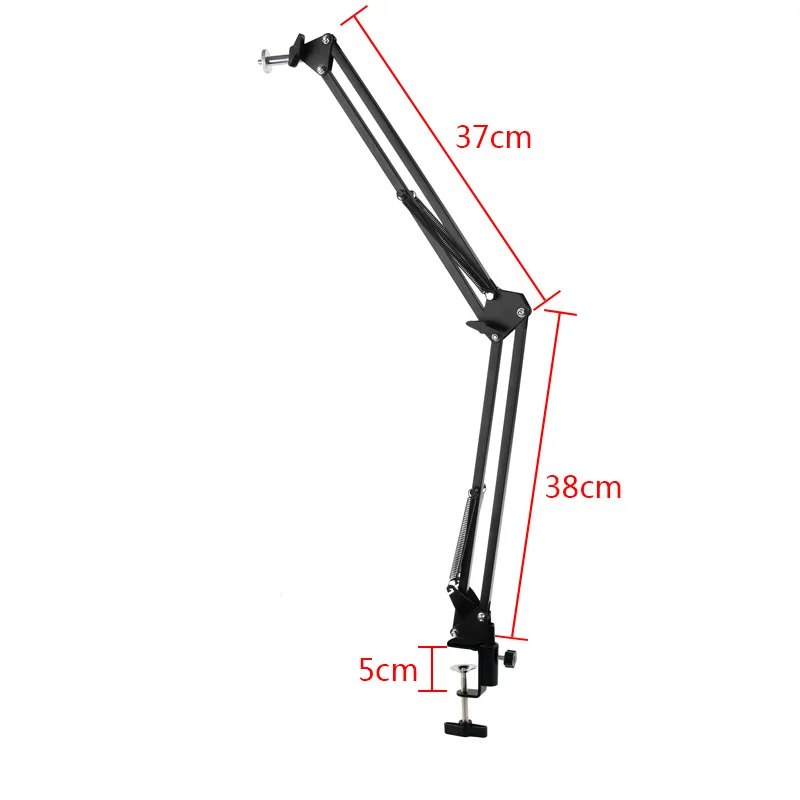
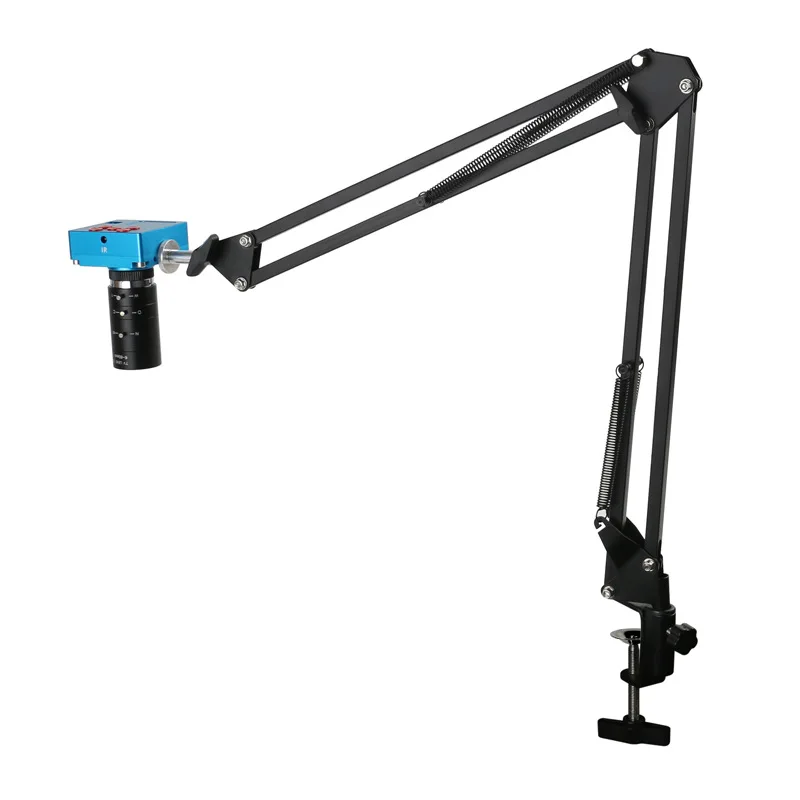
1 x 37cmx37cm stand
Camera parameters:
Picture pixel: 9280X5220 48M
Grid lines: 8 horizontal lines, 8 vertical lines
Video frame rate: 4K (4:3)@24fps/2K@30fps/1080P@60fps
TF card: 4GB (up to 128GB)
CMOS incense burner: SONY 1/2.33 inch
Crossing Lines: Overlap or Cancel
CMOS pixel: 1.33um x 1.33um
Lens interface: Standard C
Color Setting: Automatic
Power: 5V-12V/1A
White balance: automatic/one key calibration/manual
Size: 64x64x32mm
EV: Automatic/Manual
Camera mode: HDIM output 1080P@60 FPS
Working temperature: 0-70℃
USB/PC interface:
1. Connect the camera to the computer with a USB cable, then turn on the power,
If there is an SD card in the camera, you will enter the USB disk mode, and you can preview the pictures/videos in the camera SD card or copy them to the computer.
2. If there is no SD card in the camera, you will enter PC-CAM mode to view pictures directly from the computer, no driver is needed here.
Note: The DC/12V interface is suitable for cameras with 5V-12V/1A input power adapters, and unsuitable adapters cannot be used, otherwise the camera will be burned out, then
HDIM interface: connect the camera to the monitor through the HDIM interface,
Please use 16:9 widescreen.
Power/Mode:
The camera is plugged in, please press and hold the button for 3 seconds
Power off, then short press for 1 second to power on. Open
If you hear a ticking sound with the red light on, it means success. after booting
Short press for 1 second to switch to video mode, press 1 again
Seconds to switch to picture/video playback mode, press again
Go back to camera mode.
menu:
Short press the button for 1 second to enter the menu setting page. use
Up/Down button to select related function, then press OK button
Enter submenu.
a) Chinese/English setting: Use the Up/Down button to select, then press the OK button to confirm;
b) Gridline setting: Press UP/DOWN to select the line, then press OK button to enter, press UP/DOWN to turn on/off 10 gridline rulers, turn on/off 8 gridlines, direction, position of each line , color or width, and press OK to change the direction, position, color or width of the line. Press the MENU key again to return to the previous menu.
c) Exposure setting: press UP / DOWN to select auto/manual exposure mode, then press OK to confirm;
d) EV setting: In automatic exposure mode, input to select +-0.3/0.7/1.0/1.3/1.7/2.0 exposure value as needed;
e) White balance setting: After entering, you can choose automatic, manual or one-key calibration mode. If there may be color deviation when changing the lamp, you can put a white paper and select one-key calibration to calibrate the color. You can also manually adjust the red and green values for special purposes.
f) Color setting: You can choose color or white/black mode according to your needs;
g) Optical frequency setting: 50Hz / 60Hz can be selected according to needs;
h) Intensity setting: intensity/standard/soft options;
i) Contrast setting: set high/medium/low options as needed;
j) Video size: 3K 2fps / 1080P60fps / 720P60fps options can be used according to needs;
k) Mirror function: optional vertical/horizontal mirror function;
l) Format: before storing photos, can be used for new cards or even damaged cards;
m) Restore default settings: restore all settings to original default settings;
n) System information: it is the original software version, please press the MENU button to exit;
Determine/capture/log:
In camera mode, short press the "OK" button to take a photo;
mode, short press to start or stop recording; in MENU mode,
Confirm button for on/off and vertical/horizontal changes of lines,
Position adjustments, and line color/width changes.
UP/+: In camera mode, short press this button to increase EV.
DOWN/-: In camera mode, short press this button to decrease EV.
6-60mm manual iris lens.
Image format: 1/3"
Focal length: 6-60MM
Aperture: F1.6
Mounting Type: CS Type
Viewing angle: 44.8° - 4.6°
Minimum photographic distance: 0.2
Designed for 1/3" CCD cameras, the bracket is CS type.
As a replacement part for CCTV camera security systems.
Comes with a cover that protects the lens well
Product List:
1 x microscope camera
1 x power adapter
1 x HDIM cable
1 x 4GB TF card
1 x USB cable
1 x 6-60mm lens
1 x 37cmx37cm stand
Specification
item | value |
Warranty | 3 years |
Customized support | OEM, ODM |
Place of Origin | China |
Henan | |
Brand Name | |
Model Number | |
Theory | Video Microscope |
Drawtube | Monocular |
Company Profile
Henan Tianchi Cryogenic Machinery Equipment Manufacturing Co., Ltd. has advanced production liquid nitrogen biological container technology of the modern enterprise, the production of products, widely used in livestock breeding livestock semen frozen storage; medical industry such as human organs, skin, blood, cryopreservation of cells; biological engineering, industrial cooling assembly, cold treatment of metallic materials, low-temperature superconductors, such as crushing and field.
Our Companies large-scale and variety, as many as models complete, low prices.
As early as the beginning of the business, we put forward the "quality, integrity, truth-seeking, innovative" business purposes, in the development process, forming a good atmosphere is "Everyone has a goal, everyone has the responsibility, everyone heavy quality". We strictly in accordance with the national standard "GB/T5458 liquid nitrogen biological container" organization of production, to ensure that each product 100% of the qualified, and has achieved IS09001:2008 quality management system certification. We all employees with rigorous attitude, scientific management, so that products are exported to all over the world, exports to Thailand, Vietnam, North Korea, South Korea, Australia, Ukraine, Mexico and other places.
Our Companies large-scale and variety, as many as models complete, low prices.
As early as the beginning of the business, we put forward the "quality, integrity, truth-seeking, innovative" business purposes, in the development process, forming a good atmosphere is "Everyone has a goal, everyone has the responsibility, everyone heavy quality". We strictly in accordance with the national standard "GB/T5458 liquid nitrogen biological container" organization of production, to ensure that each product 100% of the qualified, and has achieved IS09001:2008 quality management system certification. We all employees with rigorous attitude, scientific management, so that products are exported to all over the world, exports to Thailand, Vietnam, North Korea, South Korea, Australia, Ukraine, Mexico and other places.
FAQ
1. who are we?
We are based in Henan, China, start from 2018,sell to Domestic Market(30.00%),South Asia(20.00%),Southeast Asia(17.00%),Eastern Asia(3.00%),North America(3.00%),South America(3.00%),Oceania(3.00%),Western Europe(3.00%),Southern Europe(3.00%),Central America(3.00%),Northern Europe(3.00%),Africa(3.00%),Eastern Europe(3.00%),Mid East(3.00%). There are total about 101-200 people in our office.
2. how can we guarantee quality?
Always a pre-production sample before mass production;
Always final Inspection before shipment;
3.what can you buy from us?
Liquid Nitrogen Tank/Self-pressurized Liquid Nitrogen Container/Stem Cell Liquid Nitrogen Cryostorage Tank/Ice Maker Machine/Animal Ultrasound Machine
4. why should you buy from us not from other suppliers?
Henan Tianchi Cryogenic Machinery Equipment Manufacturing Co., Ltd. is a professional manufacturer of liquid nitrogen containers, which are widely used in livestock and poultry breeding, animal semen refrigeration, laboratory, scientific research so on.
5. what services can we provide?
Accepted Delivery Terms: FOB,CFR,CIF,EXW,Express Delivery;
Accepted Payment Currency:USD,CNY;
Accepted Payment Type: T/T,L/C,Credit Card,PayPal,Western Union,Cash;
Language Spoken:English,Chinese
We are based in Henan, China, start from 2018,sell to Domestic Market(30.00%),South Asia(20.00%),Southeast Asia(17.00%),Eastern Asia(3.00%),North America(3.00%),South America(3.00%),Oceania(3.00%),Western Europe(3.00%),Southern Europe(3.00%),Central America(3.00%),Northern Europe(3.00%),Africa(3.00%),Eastern Europe(3.00%),Mid East(3.00%). There are total about 101-200 people in our office.
2. how can we guarantee quality?
Always a pre-production sample before mass production;
Always final Inspection before shipment;
3.what can you buy from us?
Liquid Nitrogen Tank/Self-pressurized Liquid Nitrogen Container/Stem Cell Liquid Nitrogen Cryostorage Tank/Ice Maker Machine/Animal Ultrasound Machine
4. why should you buy from us not from other suppliers?
Henan Tianchi Cryogenic Machinery Equipment Manufacturing Co., Ltd. is a professional manufacturer of liquid nitrogen containers, which are widely used in livestock and poultry breeding, animal semen refrigeration, laboratory, scientific research so on.
5. what services can we provide?
Accepted Delivery Terms: FOB,CFR,CIF,EXW,Express Delivery;
Accepted Payment Currency:USD,CNY;
Accepted Payment Type: T/T,L/C,Credit Card,PayPal,Western Union,Cash;
Language Spoken:English,Chinese
We Recommend







New Arrivals
New products from manufacturers at wholesale prices






