
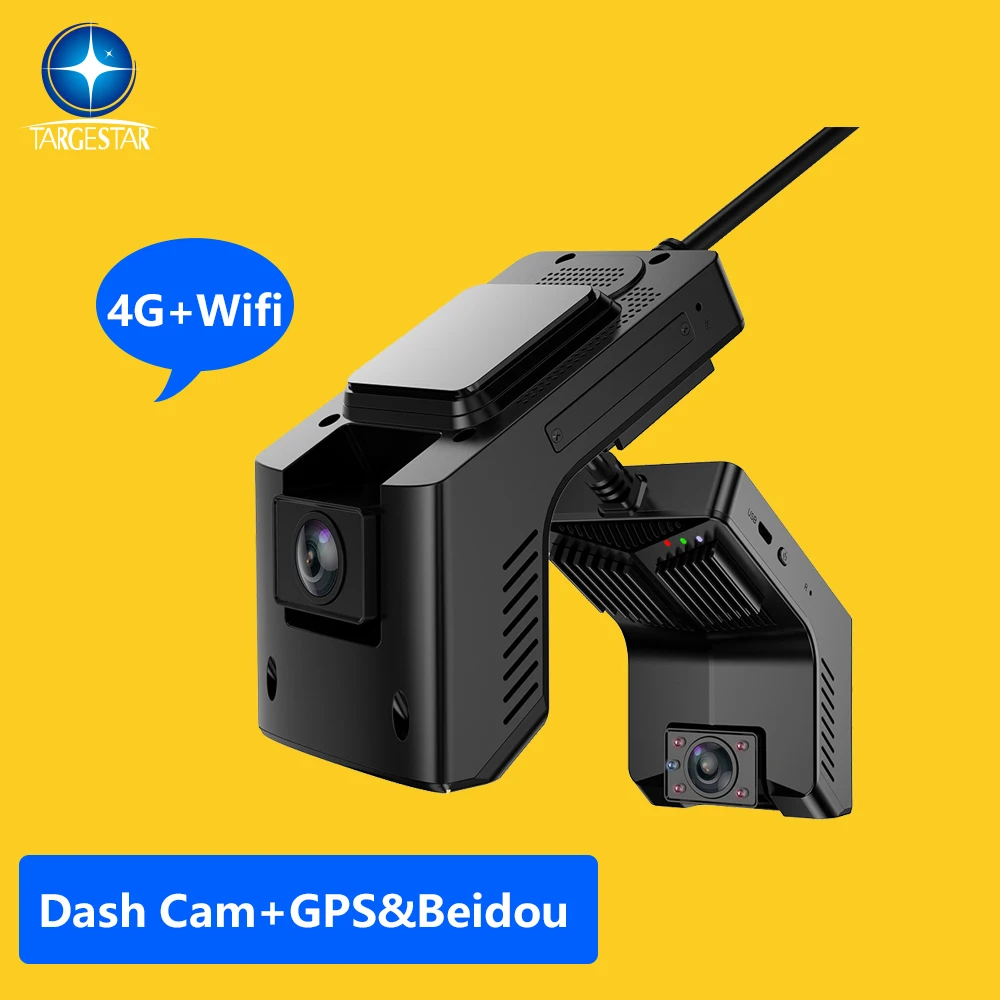
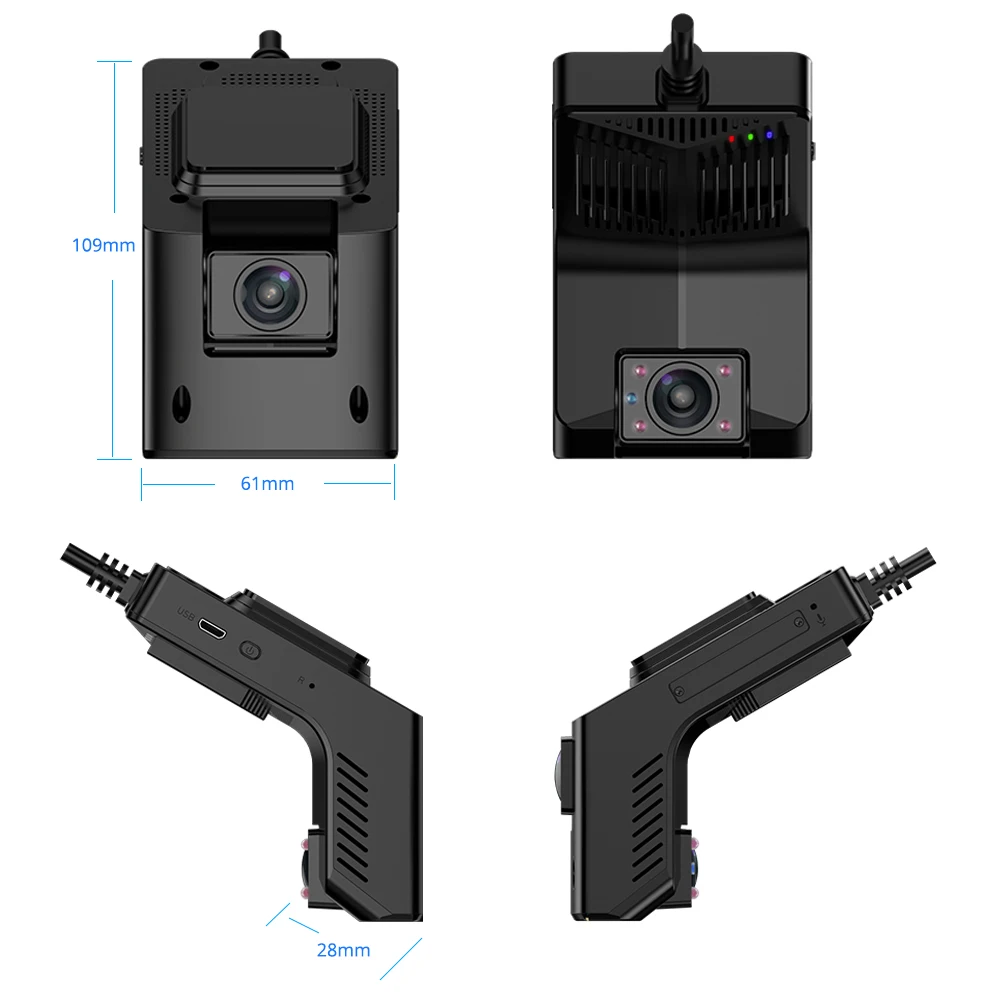
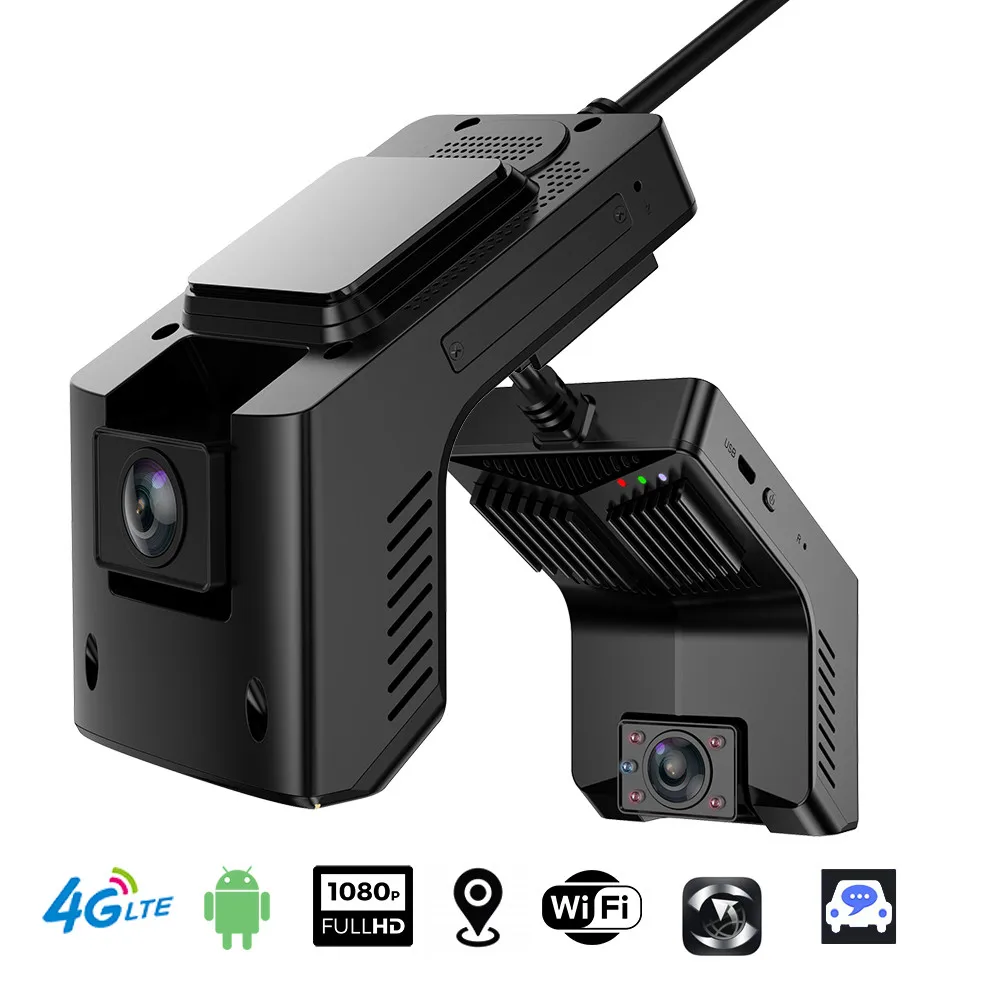
Smart ADAS DMS Car Black Box Video Recorder Auto Electronic Accessories Wide Angle Logistics Vehicle Car DVR WiFi Dash Cam
- Category: >>>
- Supplier: Huizhou Great-Will Industrial Co. Ltd.
Share on (1600846268982):
Product Overview
Description
Products Description


Remote Monitor | Support Mobile APP and PC remote monitor, and vehicle fleet management |
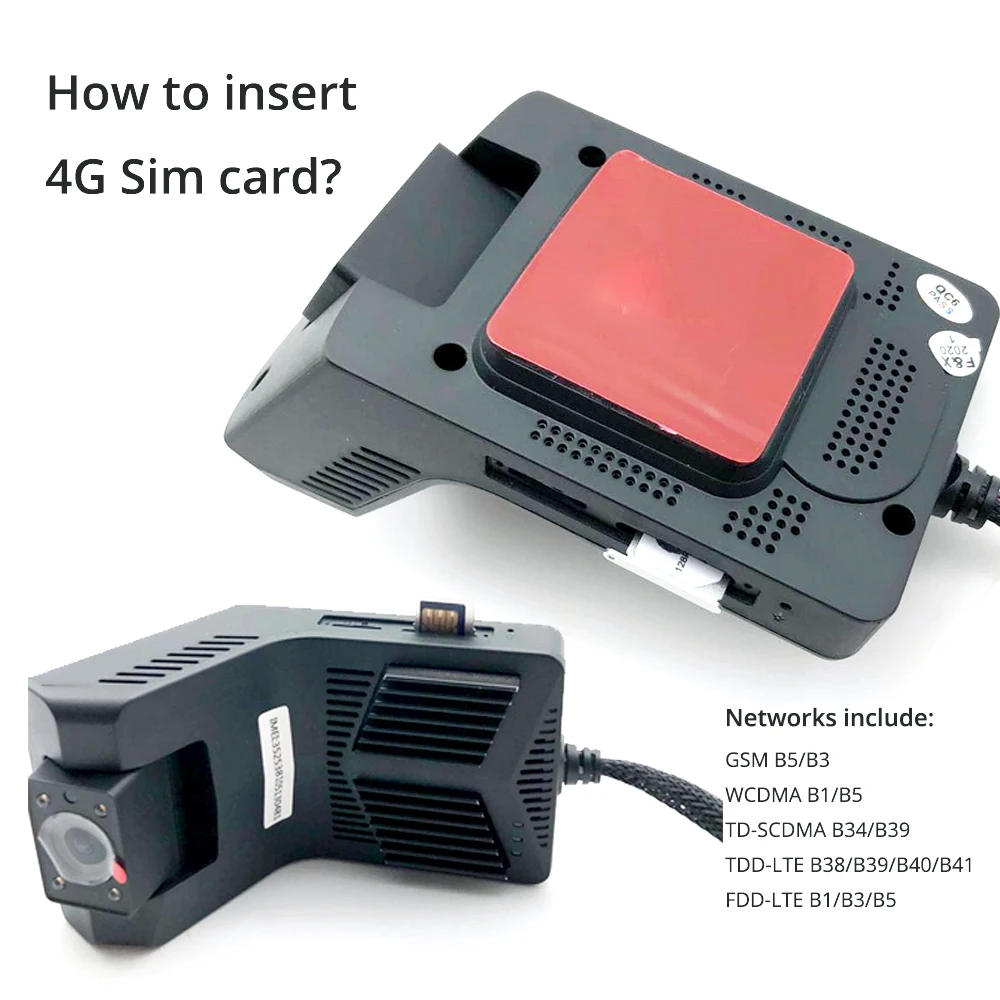
Network Bands | 2G GSM B5/B3 3G WCDMA B1/B5 4G TD-SCDMA B34/B39 4G TDD-LTE B38/B39/B40/B41 FDD-LTE B1/B3/B5 (B4 band is optional) |
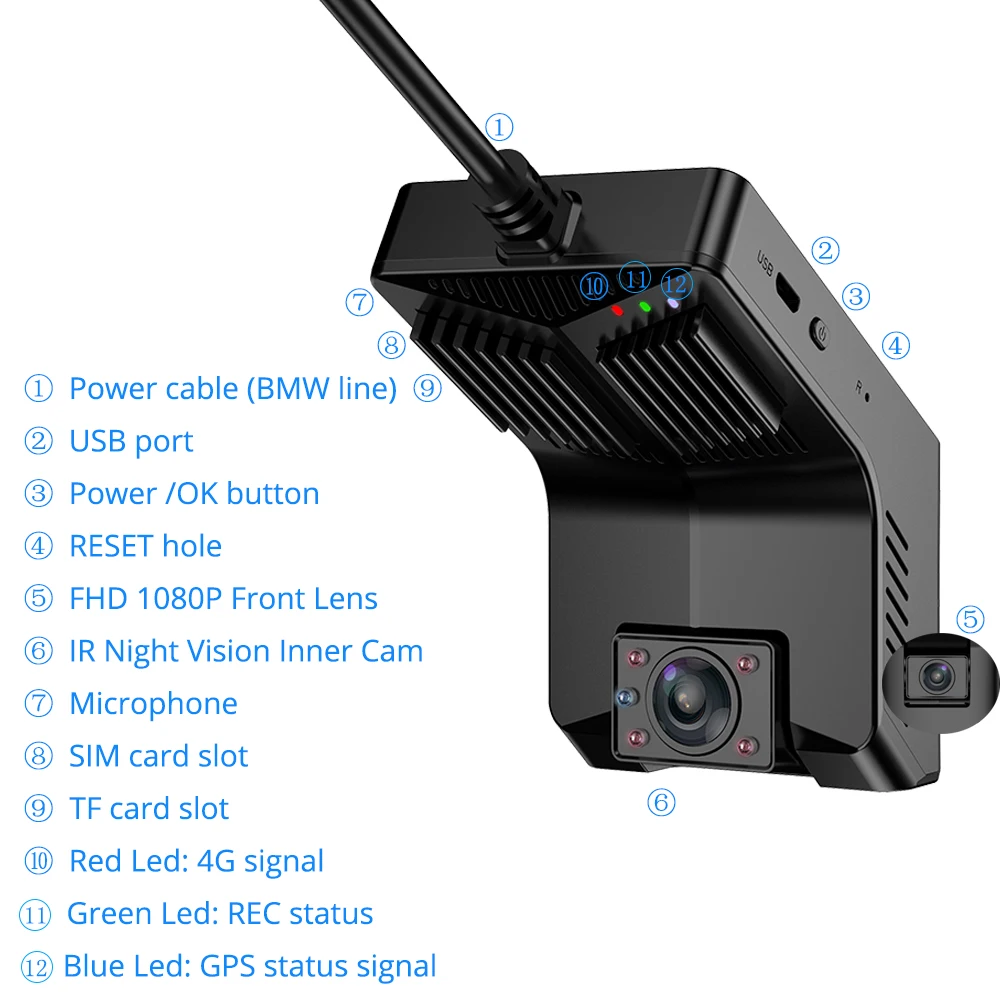
Front camera | GC2053 (1080P); 4glass 150° wide angle ; H.264 code; MIPI interface |
Inside camera | GC1064 (720P); 4glass+IR(850); 4glass 130° wide angle MIPI interface |
IR night vision | Support Infrared light |
ADAS | Support LDWS, FVWS (this is optional and default is closed) |
DMS | Support, while the default factory setting is colosed for this function |
Storage Temperature | -30~+80°C |

GPS+Beidou Positioning Ways
Dual systems receive satellite signals simultaneously, compared to single system units.
More than double the positioning speed and accuracy.
More than double the positioning speed and accuracy.
Ultra Wide Angle Cameras AHD
Equipped with dual cameras and built-in ultra wide angle camera. The camera has 1080P pixels in front and 720P pixels inside.
Front camera has an angle of 140 degrees, interior camera has an angle of 120 degrees.
Bidirectional Call
Compared to one-way calls, this device has more convenient two-way calls, The platform can communicate with people in the car anytime and anywhere.
Parking Monitoring
The device has gravity sensing, which can be used when a vehicle collides or when someone steals a parked vehicle.
The device will sense and the front camera and interior camera will capture and send an alarm message to the platform.
The device will sense and the front camera and interior camera will capture and send an alarm message to the platform.
Remote Real-time LIve
The device has 4Gwifi hotspots, and in places with signals, the app can perform remote real-time live streaming.
You can watch real-time videos inside and in front of the car, check the status of the vehicle, and save this live video.
Loop Video Playback
Video playback can be performed on the platform.
The device recording will be covered in a loop, and of course, locked videos will not be covered.
How long a video can be played back depends on the size of your device's memory card.
The device recording will be covered in a loop, and of course, locked videos will not be covered.
How long a video can be played back depends on the size of your device's memory card.


Certifications

FAQ
1. Why can't MDVR product terminals go online on the GPS monitoring platform?
● Check whether the SIM card is in arrears and whether the Internet access function is activated
● Check whether the GPRS antenna of the device is connected correctly and whether the signal is normal
● Check whether the online parameters of the device are configured correctly
2. Why can't the MDVR product terminal be positioned on the GPS monitoring platform?
● Check whether the GPS antenna of the device is in good contact, whether the location is correct, and whether the signal is normal. It is recommended to place it in a place with a strong signal. Note that some car glass shielding film will block the GPS signal
● Whether the device has an antenna open circuit/short circuit alarm, and whether the antenna voltage is normal
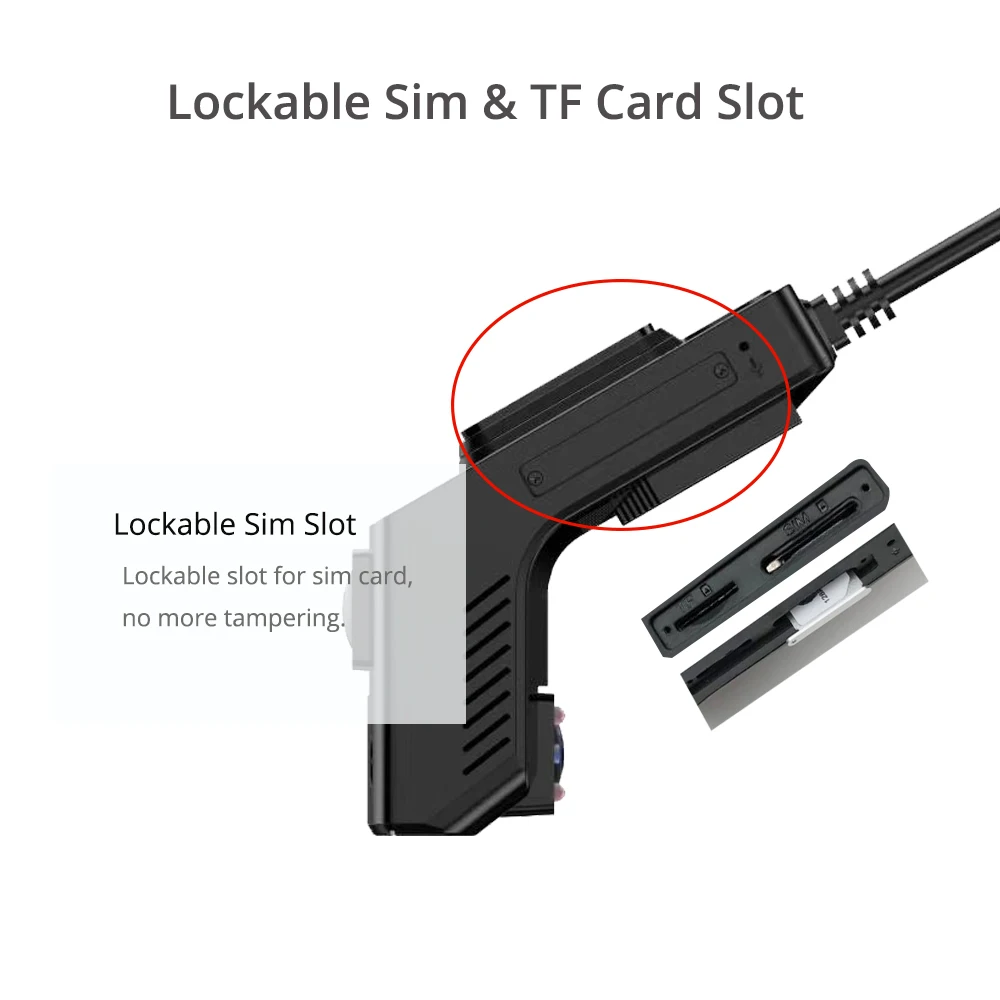
3. How to choose the SIM card in the MDVR product terminal, and what functions need to be activated?
● The built-in wireless communication module of the terminal is divided into WCDMA/EVDO/TD-LTE. The corresponding module settings are different, and the modules supported by different device numbers are also different, so please ensure that the communication module of the device corresponds to the SIM card. Never use a telecom SIM card on a WCDMA device
● The SIM card used by the device needs to have sufficient traffic, and the size of the traffic package depends on the real-time preview video time. In order to facilitate the remote maintenance and debugging of the equipment later, it is recommended to turn on the phone and SMS functions
4. What should I do if the indicator light on the front panel of the MDVR product terminal is abnormal?
● Check whether the input power of the device is normal and whether the device is powered on normally
● If there is no electricity, please check whether the power cord wiring is correct and whether the fuse of the power cord is in good condition
● If any indicator light is off, please check whether the corresponding part is functioning normally. For example SD card indicator light is off, please check whether the device is recognized and formatted. BDS/GPS light is off, please check the antenna and positioning module for abnormalities
5. How to solve the problem that there is no video file in the storage medium of the MDVR device?
● The storage medium (SD card, hard disk) is not found, check whether there is a storage device installed, whether the contact is intact, whether the storage device can read data normally on the computer, and whether the storage device is compatible with the video terminal
● The storage device is not formatted, and the storage device needs to be formatted in the computer or video recorder before it can record normally
● The recording mode setting is wrong. This machine has three modes: timer recording, power-on recording, and alarm recording. Make sure your recording mode matches your work tasks; the device defaults to power-on recording. If your working mode is scheduled recording, Check the timing recording time period set by the device
● Whether the host is normal, check whether the host is turned on and enters normal work
● If the video is lost, check whether the camera has a video signal input to the host, and check whether there is a video image on the preview screen of the host (the default mode of the host is preview open)
6. How to solve the problem that there are images in the playback video, but the vehicle is moving but there is no track?
● The GPS antenna is not connected or the antenna is not connected properly
● The GPS antenna is placed indoors or inside the metal plate of the car body and other environments that are not conducive to receiving GPS (bad weather, tall buildings around, etc.), it is recommended to install it on the left and right corners of the windshield of the vehicle
● Whether the computer playing the video is connected to the Internet, if not connected to the Internet, the map information cannot be loaded, so the trajectory update cannot occur
7. How to solve the problem that the platform device is online, but the video content cannot be requested?
● Check whether the camera has images locally
● Check if you are using a 3G communication card
● Check whether the SIP port is set correctly
8. How to solve intermittent video and intermittent speed curve?
● The device restarts repeatedly, caused by unstable voltage or short circuit
● ACC flameout
● Alarm recording is enabled (alarm recording cannot be overwritten), detailed settings refer to the video terminal user manual
● Check whether the GPRS antenna of the device is connected correctly and whether the signal is normal
● Check whether the online parameters of the device are configured correctly
2. Why can't the MDVR product terminal be positioned on the GPS monitoring platform?
● Check whether the GPS antenna of the device is in good contact, whether the location is correct, and whether the signal is normal. It is recommended to place it in a place with a strong signal. Note that some car glass shielding film will block the GPS signal
● Whether the device has an antenna open circuit/short circuit alarm, and whether the antenna voltage is normal
3. How to choose the SIM card in the MDVR product terminal, and what functions need to be activated?
● The built-in wireless communication module of the terminal is divided into WCDMA/EVDO/TD-LTE. The corresponding module settings are different, and the modules supported by different device numbers are also different, so please ensure that the communication module of the device corresponds to the SIM card. Never use a telecom SIM card on a WCDMA device
● The SIM card used by the device needs to have sufficient traffic, and the size of the traffic package depends on the real-time preview video time. In order to facilitate the remote maintenance and debugging of the equipment later, it is recommended to turn on the phone and SMS functions
4. What should I do if the indicator light on the front panel of the MDVR product terminal is abnormal?
● Check whether the input power of the device is normal and whether the device is powered on normally
● If there is no electricity, please check whether the power cord wiring is correct and whether the fuse of the power cord is in good condition
● If any indicator light is off, please check whether the corresponding part is functioning normally. For example SD card indicator light is off, please check whether the device is recognized and formatted. BDS/GPS light is off, please check the antenna and positioning module for abnormalities
5. How to solve the problem that there is no video file in the storage medium of the MDVR device?
● The storage medium (SD card, hard disk) is not found, check whether there is a storage device installed, whether the contact is intact, whether the storage device can read data normally on the computer, and whether the storage device is compatible with the video terminal
● The storage device is not formatted, and the storage device needs to be formatted in the computer or video recorder before it can record normally
● The recording mode setting is wrong. This machine has three modes: timer recording, power-on recording, and alarm recording. Make sure your recording mode matches your work tasks; the device defaults to power-on recording. If your working mode is scheduled recording, Check the timing recording time period set by the device
● Whether the host is normal, check whether the host is turned on and enters normal work
● If the video is lost, check whether the camera has a video signal input to the host, and check whether there is a video image on the preview screen of the host (the default mode of the host is preview open)
6. How to solve the problem that there are images in the playback video, but the vehicle is moving but there is no track?
● The GPS antenna is not connected or the antenna is not connected properly
● The GPS antenna is placed indoors or inside the metal plate of the car body and other environments that are not conducive to receiving GPS (bad weather, tall buildings around, etc.), it is recommended to install it on the left and right corners of the windshield of the vehicle
● Whether the computer playing the video is connected to the Internet, if not connected to the Internet, the map information cannot be loaded, so the trajectory update cannot occur
7. How to solve the problem that the platform device is online, but the video content cannot be requested?
● Check whether the camera has images locally
● Check if you are using a 3G communication card
● Check whether the SIP port is set correctly
8. How to solve intermittent video and intermittent speed curve?
● The device restarts repeatedly, caused by unstable voltage or short circuit
● ACC flameout
● Alarm recording is enabled (alarm recording cannot be overwritten), detailed settings refer to the video terminal user manual
We Recommend


New Arrivals
New products from manufacturers at wholesale prices







