
Y7 Fast dual band AC1200 Wi Fi Nano Router With L2TP/PPTP
- Category: >>>
- Supplier: Shenzhen Yinuo-Link Co. Ltd.
Share on (1600922288972):
Product Overview
Description
Product Features
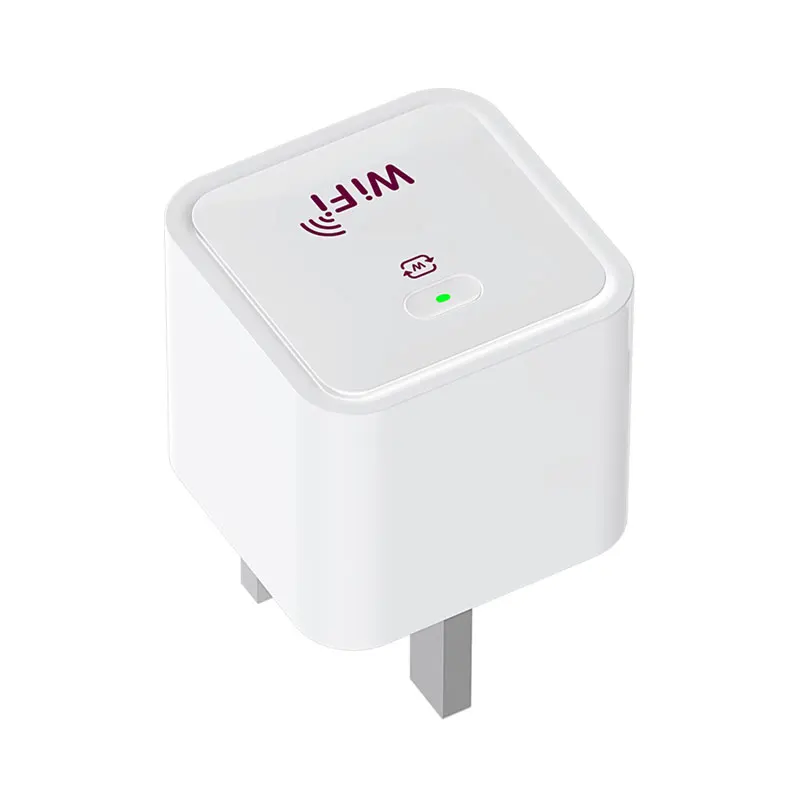
Y7 AC1200 Wi-Fi Nano Router
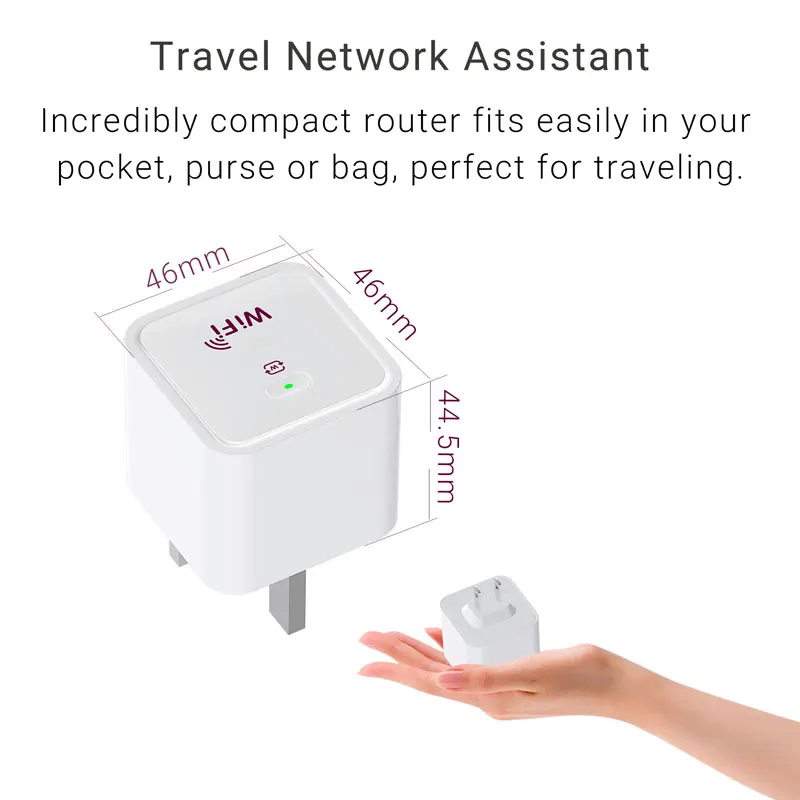
· Travel Size Design: Incredibly compact router fits easily in your pocket, purse or bag, perfect for traveling.
· Transforms any internet connection into a private AC1200 dual-band Wi-Fi network.
· Fast dual-band AC1200 speed: 2.4GHz(300Mbps) and 5GHz(867Mbps) . Dual bands allow for more device to be connected to your personal network and provide reliable Wi-Fi access so you can enjoy what you love with interruptions.
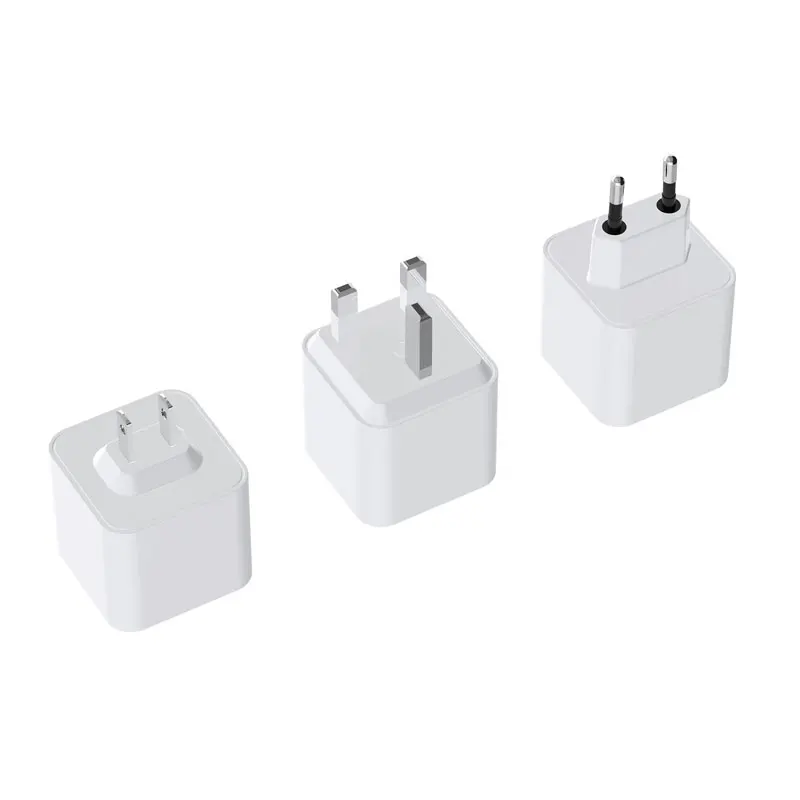
· Integrated Design: A built-in antenna and a built-in power supply are integrated in design, with an AC adapter no longer
required.
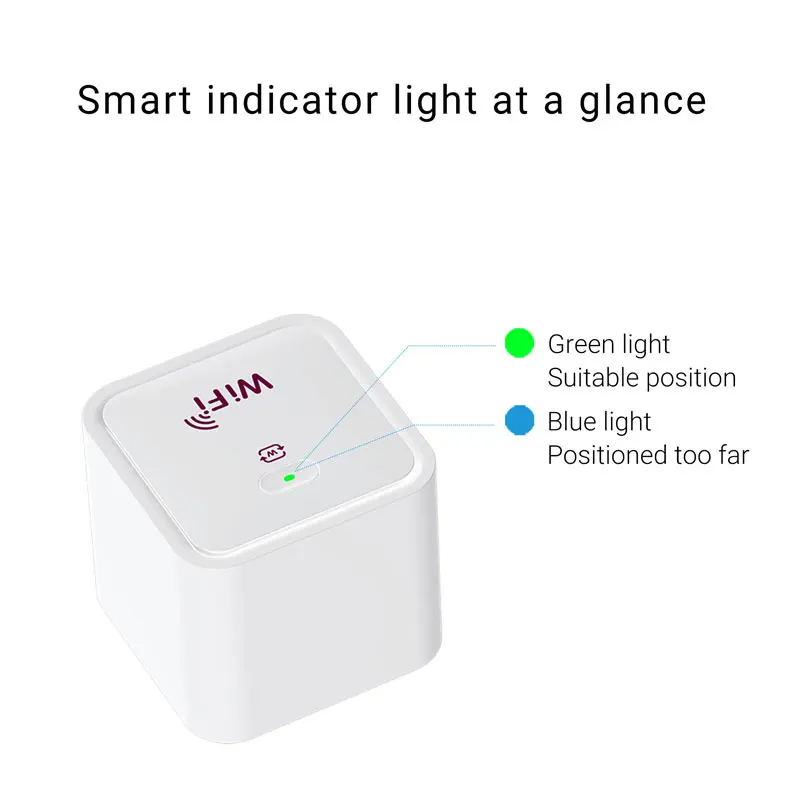
· PC Materials: Made of fireproof PC materials by high-precision molding technology with its surface polished to be like a mirror, the product looks exquisite and brilliant. The crystal-clear indicator light not only indicates instant connection clearly, but also adds to the high-tech beauty of the product appearance.
· Easy Setup: Set up your router in minutes.
· Support VPN: L2TP, PPTP
· Multiple Wi-Fi Modes for Any Situation: Router, Access Point, Client, Repeater, Bridge, WISP. Whether you need a private Wi-Fi network while away or something to boost your Wi-Fi at home, the device has a mode for you.
· Transforms any internet connection into a private AC1200 dual-band Wi-Fi network.
· Fast dual-band AC1200 speed: 2.4GHz(300Mbps) and 5GHz(867Mbps) . Dual bands allow for more device to be connected to your personal network and provide reliable Wi-Fi access so you can enjoy what you love with interruptions.
· Integrated Design: A built-in antenna and a built-in power supply are integrated in design, with an AC adapter no longer
required.
· PC Materials: Made of fireproof PC materials by high-precision molding technology with its surface polished to be like a mirror, the product looks exquisite and brilliant. The crystal-clear indicator light not only indicates instant connection clearly, but also adds to the high-tech beauty of the product appearance.
· Easy Setup: Set up your router in minutes.
· Support VPN: L2TP, PPTP
· Multiple Wi-Fi Modes for Any Situation: Router, Access Point, Client, Repeater, Bridge, WISP. Whether you need a private Wi-Fi network while away or something to boost your Wi-Fi at home, the device has a mode for you.

Portable and compact
design. You can put it in your pocket,
handbag and take it with you, sharing
Internet access wherever you go. The
built-in adapter makes it perfect for
travelers, students, and anyone else
living life on the go.


Multiple Operating Modes Ideal for Home and Travel Use
To meet the wireless needs of almost any situation you might encounter, the Y7 features AP Router, Access Point, Repeater, Bridge,Client and AP Client RouterModes. Whether you need a private Wi-Fi network while away or something to boost your Wi-Fi at home,the device has a mode for you.

Connect to a hotel's Ethernet to instantly
create a private wireless network and share internet access to all your Wi-Fi devices.

Connect to an outdoor WISP Access Point,
enjoy a private Wi-Fi hotspot for your devices
in public areas.

Create a wireless network for Wi-Fi enabled devices.


Extend existing Wi-Fi to improve signal strength and maximize coverage.

Boost existing Wi-Fi to improve signal strength.
Specification
CPU: MT7628+MT7613B | Ethernet Port: 1*100Mbps Ethernet ports |
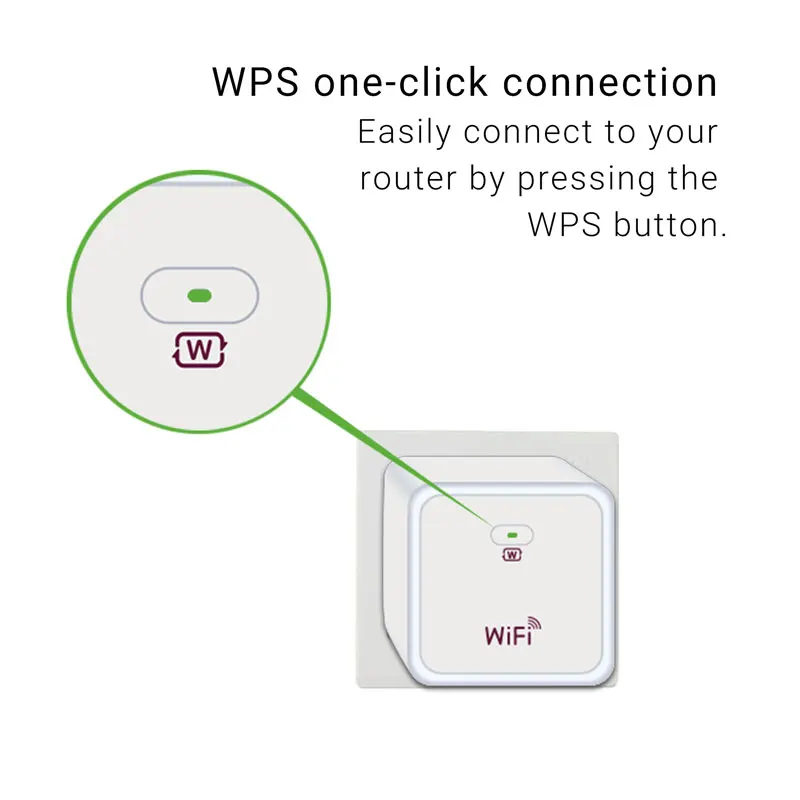
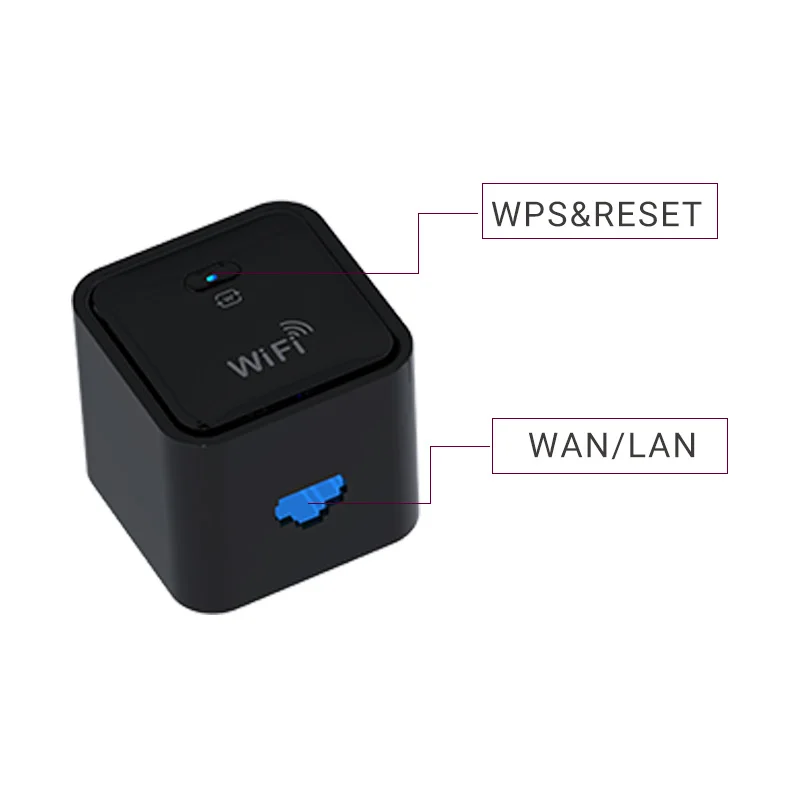
Button: WPS & Reset | Antenna: Internal antenna |
Signal Rate: 2.4GHz 300 Mbps, 5GHz 867 Mbps | Wireless Function: Enable/Disable Wireless Radio, Wireless Statistics ,wireless hiding Software |
Frequency: 2.4 GHz and 5 GHz | Product Dimesions: 46X46X81.5mm |
Company Profile

YINUO-LINK is a network communication equipment provider that specializes in independent R&D, autonomous manufacturing and agentless marketing. Founded in 2012, YINUO-LINK is committed to providing the world with the most efficient LAN connection and Internet access services and offering high-quality, highly cost-effective equipment solutions in response to the public’s growing demand for Internet use in terms of daily life, work and entertainment.
Our products cover Our products cover wireless LAN, broadband access, Ethernet, and power-line communications. In
addition to the existing fields such as transmission, switching, and routing, YINUO-LINK is vigorously extending its product line to wireless image transmission, smart home, cloud computing, edge computing, data storage, industrial Internet, etc. with a view to providing more users with systematic equipment, solutions, and integrated services.
We are committed to providing our customers with professional services and cost-effective products. With this belief, we will continue to improve our services to meet the needs of different customers. You will not regret working with YINUO-LINK. Let’s work together to bring more convenience and communication channels to the world.
Our products cover Our products cover wireless LAN, broadband access, Ethernet, and power-line communications. In
addition to the existing fields such as transmission, switching, and routing, YINUO-LINK is vigorously extending its product line to wireless image transmission, smart home, cloud computing, edge computing, data storage, industrial Internet, etc. with a view to providing more users with systematic equipment, solutions, and integrated services.
We are committed to providing our customers with professional services and cost-effective products. With this belief, we will continue to improve our services to meet the needs of different customers. You will not regret working with YINUO-LINK. Let’s work together to bring more convenience and communication channels to the world.
FAQ
Q1. What should I do if I can't access the web management page?
a. Reboot your router and try again.
b. If the computer is set to a static IP, change its settings to obtain an IP address automatically.
c. Enter //192.168.100.1 in the web browser.
d. Use another web browser and try again.
e. Disable and enable the network adapter in use.
Q2. What should I do if I can't access the internet?
a. Power off your modem for about 5 minutes, then power it on and check the internet. If your modem has more than one Ethernet port, keep other ports unconnected.
b. Check if the internet is working normally by connecting a computer directly to the modem via an Ethernet cable. If it is not, contact us.
Q3. What should I do if I forget my wireless password?
a. If you have not changed the default wireless password, it can be found on the
bottom of the router.
b. Connect a computer directly to the router using an Ethernet cable. Log in to the router's web management page at
//192.168.100.1, and go to the Wireless page to retrieve or reset your wireless password.
Q4. What should I do if I forget my web management page password?
a. Press and hold the Reset button on the back for about 5 seconds until the Power LED turn off. Then visit //192.168.100.1 to create a new login password.
Q5. What should I do if my wireless signal is unstable or too weak?
a. It may be caused by too much interference.
b. Set your wireless channel to a different one.
c. Choose a location with less obstacles that may block the signal between the travel router and the host AP. An open corridor or a spacious location is ideal.
d. Move the router to a new location away from Bluetooth devices and other household electronics, such as cordless phones, microwaves, and baby monitors, tominimize signal interference.
e. In Range Extender mode, the ideal location to place the router is halfway between your host AP and the Wi-Fi dead zone. If that is not possible, place the router closer to your host AP to ensure stable performance.
a. Reboot your router and try again.
b. If the computer is set to a static IP, change its settings to obtain an IP address automatically.
c. Enter //192.168.100.1 in the web browser.
d. Use another web browser and try again.
e. Disable and enable the network adapter in use.
Q2. What should I do if I can't access the internet?
a. Power off your modem for about 5 minutes, then power it on and check the internet. If your modem has more than one Ethernet port, keep other ports unconnected.
b. Check if the internet is working normally by connecting a computer directly to the modem via an Ethernet cable. If it is not, contact us.
Q3. What should I do if I forget my wireless password?
a. If you have not changed the default wireless password, it can be found on the
bottom of the router.
b. Connect a computer directly to the router using an Ethernet cable. Log in to the router's web management page at
//192.168.100.1, and go to the Wireless page to retrieve or reset your wireless password.
Q4. What should I do if I forget my web management page password?
a. Press and hold the Reset button on the back for about 5 seconds until the Power LED turn off. Then visit //192.168.100.1 to create a new login password.
Q5. What should I do if my wireless signal is unstable or too weak?
a. It may be caused by too much interference.
b. Set your wireless channel to a different one.
c. Choose a location with less obstacles that may block the signal between the travel router and the host AP. An open corridor or a spacious location is ideal.
d. Move the router to a new location away from Bluetooth devices and other household electronics, such as cordless phones, microwaves, and baby monitors, tominimize signal interference.
e. In Range Extender mode, the ideal location to place the router is halfway between your host AP and the Wi-Fi dead zone. If that is not possible, place the router closer to your host AP to ensure stable performance.
We Recommend







New Arrivals
New products from manufacturers at wholesale prices






