
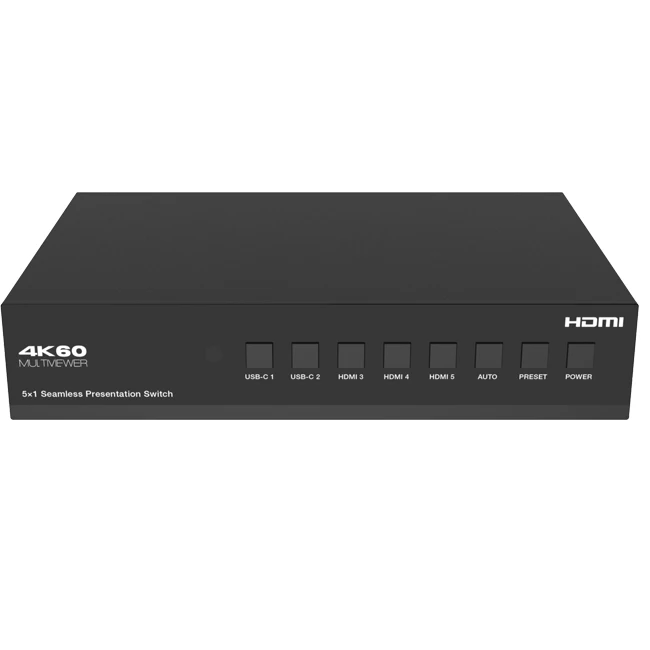
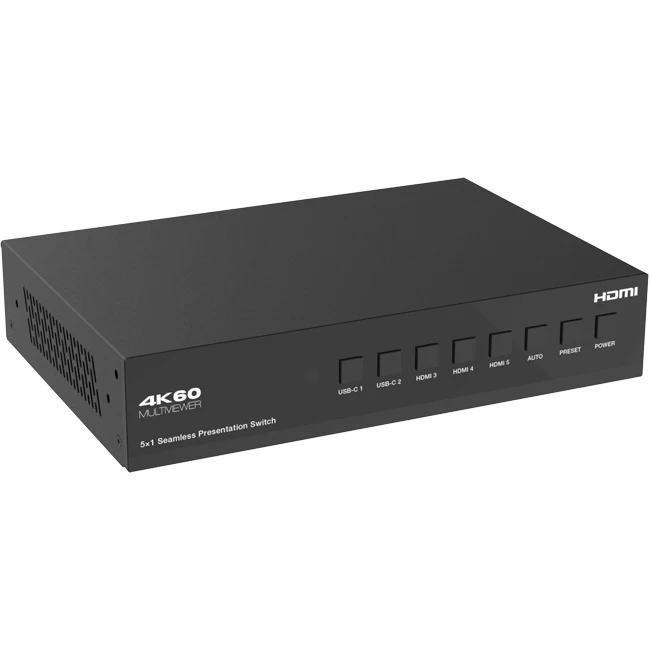
5x1 HDMI/USB C 4K60 Seamless Presentation Switch with HDBaseT 3.0 70m Out
- Category: >>>
- Supplier: Wanying Kaifeng Electronic Co. Ltd.
Share on (1600946309368):
Product Overview
Description
5x1 HDMI/USB-C 4K60 Seamless Presentation Switch with HDBaseT 3.0 70m Out
1. Introduction
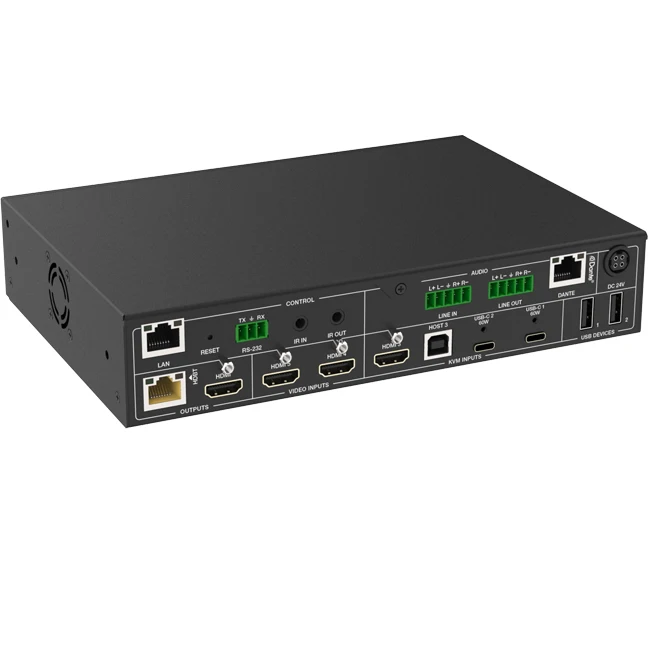
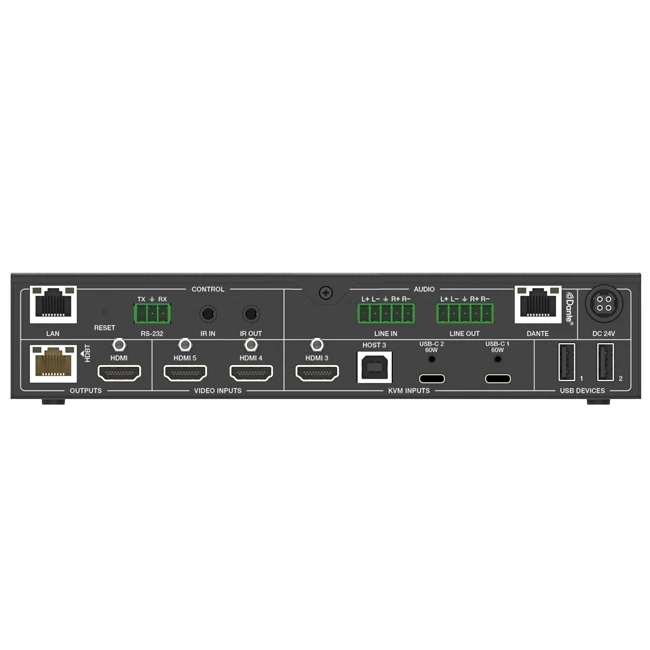
This 5x1 seamless presentation switch features 3 HDMI inputs, 2 USB-C inputs (DP Alt mode,
USB 2.0, 100M Ethernet and 60W charging), 1 HDMI output and 1 HDBT mirrored output.
HDBT supports standard PoE power supply, and can extend uncompressed signal up to a
distance of 230ft/70m (4K@30Hz 4:4:4) or 131ft/40m (4K@60Hz 4:4:4) via a single CAT6A
(F/FTP) cable. This 5x1 seamless presentation switch output supports single full screen or
various multiview display modes (Single/PIP/PBP/Triple/Quad). This product supports USB
2.0 local KVM switching and local Hub/HDBT USB pass-through function (from TX to RX). It
also supports bi-directional RS-232 and IR control signal pass-through function.
This presentation switch is featured with 1 analog audio input, 1 analog audio output, and
Dante 2x2 audio input and output. It built-in 3x3 audio matrix with independent audio EQ/
volume/delay adjustment.
2. Features
1)HDMI 2.0b, HDCP 2.2 and DP 1.2 compliant
2) Support 18Gbps video bandwidth
3) Support video resolution up to 4K@60Hz 4:4:4
4) Uncompressed 4K60 over HDBT 3.0 up to 132ft/40m via single CAT6A (F/FTP) cable
5) Uncompressed 1080P&4K30 over HDBT 3.0 up to 230ft/70m via single CAT6A (F/FTP)
cable
6) Up to 5 categories of multiview display modes: Single/PIP/PBP/Triple/Quad
7) Support 5x1 seamless switching (single screen) and fast switching (multiview) function
8) Input: 2x USB-C, 3x HDMI, 1x Analog audio, 1x Dante 2ch
9) Output: 1x HDMI and 1x HDBT mirrored, 1x Analog audio, 1x Dante 2ch
10) HDMI and HDBaseT (PoE) outputs (Mirrored)
11)Dante 2x2 audio input and output
12)USB-C supports DisplayPort Alt mode for A/V, USB 2.0, 100M Ethernet and 60W charging
13)Local USB 2.0 KVM switching and extending USB 2.0 over HDBT 3.0
14)Signal input supports manual switching and automatic switching modes
15)Support analog/Dante audio embedding, analog/Dante audio de-embedding output
16)CEC/RS-232 control external devices ON/OFF
17)Advanced EDID management
18) Flexible control via front panel buttons, IR remote, RS-232, TCP/IP or Web GUI
19)Support standard PoE power supply (TX_PSE, RX_PD) HDMI 2.0b, HDCP 2.2 and DP 1.2 compliant
20)Support 18Gbps video bandwidth
21) Support video resolution up to 4K@60Hz 4:4:4
22)Uncompressed 4K60 over HDBT 3.0 up to 132ft/40m via single CAT6A (F/FTP) cable
23)Uncompressed 1080P&4K30 over HDBT 3.0 up to 230ft/70m via single CAT6A (F/FTP)
cable
24)Up to 5 categories of multiview display modes: Single/PIP/PBP/Triple/Quad
25)Support 5x1 seamless switching (single screen) and fast switching (multiview) function
26)Input: 2x USB-C, 3x HDMI, 1x Analog audio, 1x Dante 2ch
27)Output: 1x HDMI and 1x HDBT mirrored, 1x Analog audio, 1x Dante 2ch
28)HDMI and HDBaseT (PoE) outputs (Mirrored)
29)Dante 2x2 audio input and output
30)USB-C supports DisplayPort Alt mode for A/V, USB 2.0, 100M Ethernet and 60W charging
31)Local USB 2.0 KVM switching and extending USB 2.0 over HDBT 3.0
32)Signal input supports manual switching and automatic switching modes
33)Support analog/Dante audio embedding, analog/Dante audio de-embedding output
34)CEC/RS-232 control external devices ON/OFF
35)Advanced EDID management
36)Flexible control via front panel buttons, IR remote, RS-232, TCP/IP or Web GUI
37)Support standard PoE power supply (TX_PSE, RX_PD)
3. Package Contents
1 x 5x1 Seamless Presentation Switch
1 x HDBaseT Receiver
1 x IR Blaster Cable (1.5 meters)
1 x IR Wideband Receiver Cable (1.5 meters)
2 x 3pin-3.5mm Phoenix Connector (male)
3 x 5pin-3.5mm Phoenix Connector (male)
4 x Mounting Ear
8 x Machine Screw
1 x 24V/8A Desktop Power Supply & 1 x AC Power Cord (1.5 meters)
1 x IR Remote
1 x User Manual
4. Specifications
Technical | |
HDMI Compliance | HDMI 2.0 |
HDCP Compliance | HDCP 2.2 and HDCP 1.4 |
DP Version | DP1.2 |
Video Bandwidth | 18 Gbps |
USB Bandwidth | TX USB DEVICES to TX HOST/USB-C: 480Mbps |
Network Bandwidth | 100Mbps |
Input Video Resolution | 480i ~1080p50/60Hz, 4Kx2K@24/30Hz, 4K2K@50Hz/60Hz 4:4:4 |
Output Video Resolution | Auto, 3840x2160p60, 3840x2160p50, 4096x2160p60, |
IR Level | 12Vp-p |
IR Frequency | Wideband 20K-60KHz |
Color Space | Input: 8/10/12-bit, 8-bit (4K60Hz 4:4:4) |
Color Depth | RGB, YCbCr 4:4:4 / 4:2:2, YUV 4:2:0 |
Audio Formats | LPCM 2.0 |
Audio Sample Rate | 48KHz |
Transmission Distance | 1080P&4K30 -- 230ft/70m; 4K60 -- 131ft/40m |
HDR | Input supports HDR, output does not support HDR |
ESD Protection | Human-body Model: |
Transmitter | Input: 3 x HDMI INPUT [Type A, 19-pin female] |
| Receiver | Input: 1 x HDMI IN [Type A, 19-pin female] |
5. Operation Controls and Functions
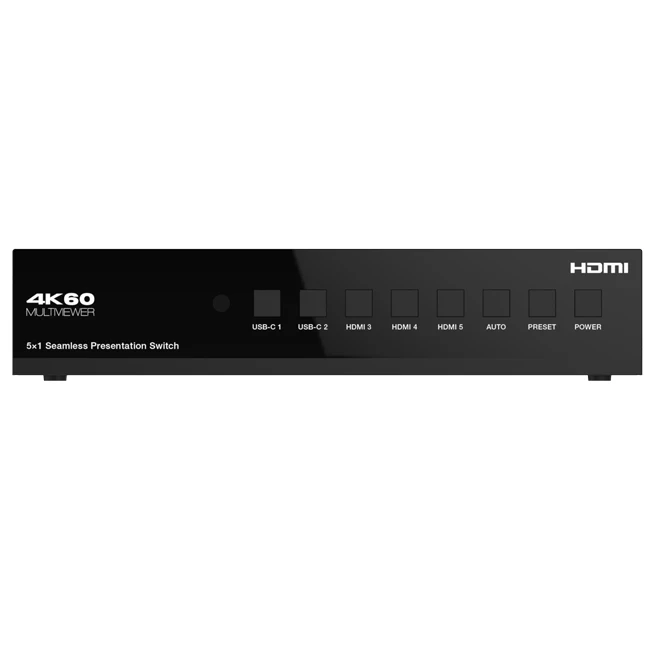
5.1 Front Panel

Number | Name | Function description |
1 | IR | IR signal receiving window, receiving the IR remote signal. |
2 | USB-C 1 / | IR input for remote control of the switcherIn single screen display mode, press the USB-C 1 / USB-C 2 / |
3 |
AUTO button | Press this button to enable/disable the auto switching function. When the auto switching function is enabled, the button light will be on
|
4 | PRESET button | Press this button to cycle through the preset application scenes. The button light will automatically turn off after 1 second each time. The scenes can be preset through the Web GUI. |
5 | POWER | Press and hold this button for 3 seconds, the product will enter standby mode and the button light will be on. In standby mode, short press this button, the product will be turned on and the button light will be off. |
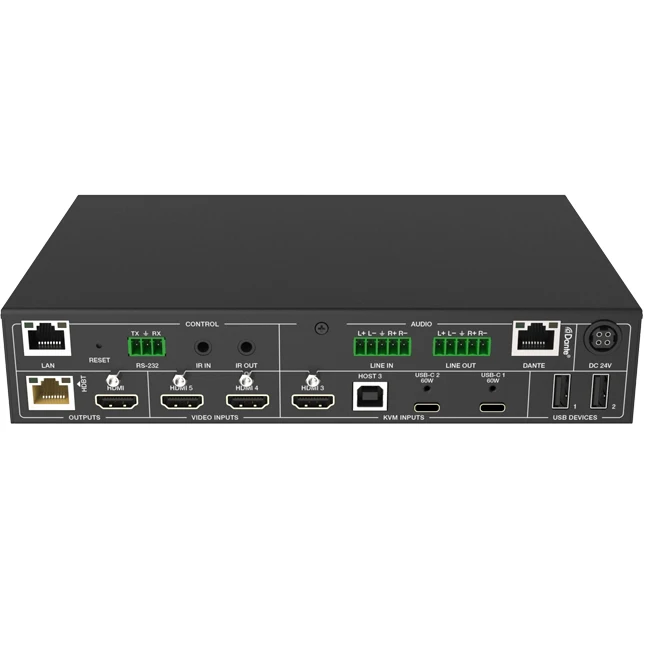
5.2 Rear Panel

Number | Name | Function description |
1 | LAN port | Connect to a router or Switch for USB-C Internet access or Web GUI control. |
2 | RESET button | Press and hold this button for 5 seconds to restore to factory default settings. |
3 | RS232 | RS-232 serial port, used for RS-232 signal pass-through or controlling this product via RS-232 commands. |
4 | IR IN | Connect the IR receiver cable, used for IR signal pass-through or controlling this product via the IR remote. |
5 | IR OUT | Connect the IR blaster cable, the IR signal is from the IR IN port of the HDBaseT Receiver |
6 | LINE IN port | Analog audio input port, supporting balanced/unbalanced audio input, with a maximum support of 2Vrms. Balanced connection method: L+, L -, , R+, RUnbalanced connection method: L+, , R+ |
7 | LINE OUT port | Analog audio output port, supporting balanced audio output (with a maximum support of 2Vrms) and unbalanced audio output (with a maximum support of 1Vrms). Balanced connection method: L+, L -, , R+, RUnbalanced connection method: L+, , R+ |
8 | DANTE port | Dante Network port, connected to the Switch with other Dante receivers. This port supports receiving and transmitting signals |
9 | Power port | Power port, connected to the DC 24V power adapter |
10 | HDBT OUTPUT port | HDBaseT output port, connected to the HDBaseT IN port of the receiver with a CAT6A (F/FTP) cable |
11 | Data Signal Indicator (Yellow) | Light on: HDMI signal input with HDCP. Light flashing: HDMI signal input without HDCP. Light off: No HDMI signal input. |
12 | Link Signal Indicator (Green) | Light on: Transmitter and Receiver are in good connection status. Light flashing: Transmitter and Receiver are in poor connection status. Light off: Transmitter and Receiver are not connected. |
13 | HDMI OUTPUT port | HDMI signal output port, connected to HDMI display device such as TV or monitor with HDMI cable. |
14 | HDMI 3/4/5 VIDEO INPUTS | HDMI signal input ports, connected to HDMI source device such as DVD or Blu-ray player with HDMI cable |
15 | HOST 3 port | USB Host port, connected to PC. |
16 | USB-C 1/2 ports | USB-C signal input port, connected to USB-C signal source device, with the function of 60W charging |
17 | USB DEVICES ports | Two USB extension ports, connected to mouse, keyboard, USB camera or other USB devices |
6. Application Example

Detailed Images


Our Services

Company Information

FAQ
1. Q: How can I get your quotation?
A: Please provide us informations as follows:
1. Item Number & Quantity.
2. Special Specification requirement.
3. Company Profile (Name, Tel, Fax, Address, and Webpage)
4. Any Other Relevant Details.
2. Q: How can I get a sample to check your quality?
A: After price confirmation, you can require for samples to check our quality.
3. Q: Terms of payment?
A: We accept payment as follows:
1).100% TT in advance.
2). 30% T/T deposit, 70% balance before delivery.
4. Q: Can you do OEM?
A: Yes we can.
5. Q: What about delivery time?
A: 1) Samples: within 3 days.
2) Goods: 3-7days usually.
6. Q: Factory Inspection?
A: Any time .
7. Welcome to our factory for inspection.
We Recommend







New Arrivals
New products from manufacturers at wholesale prices






