
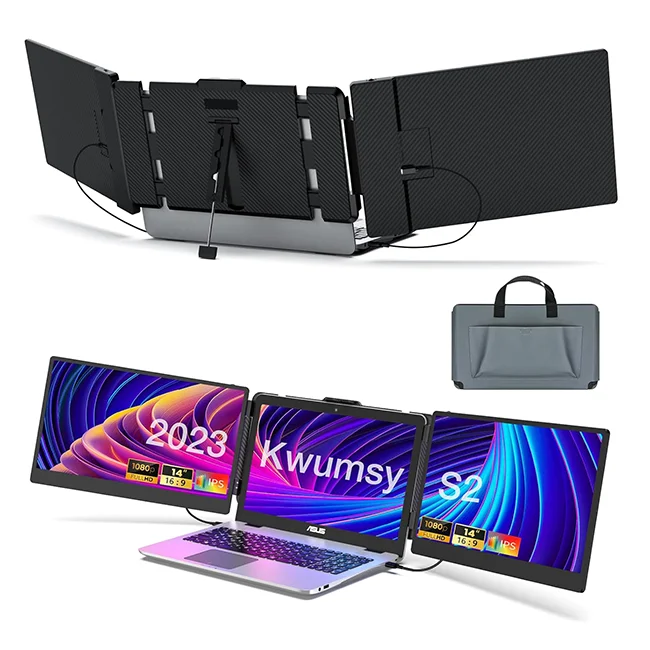
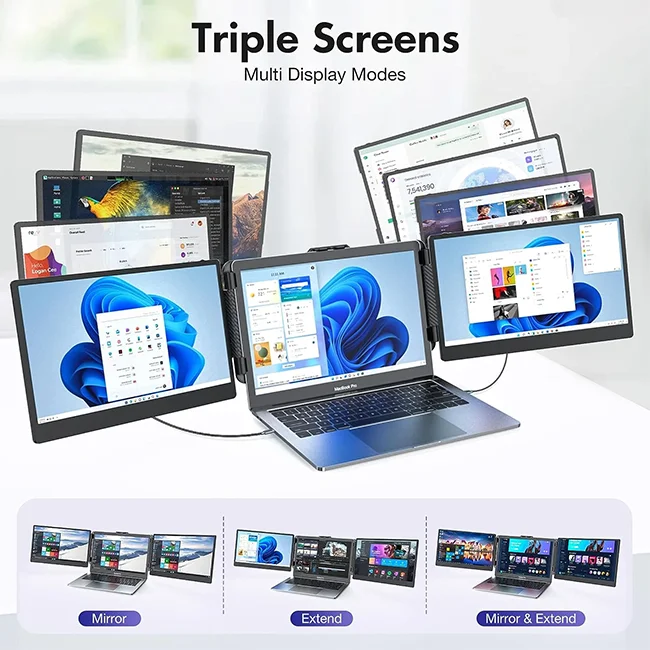
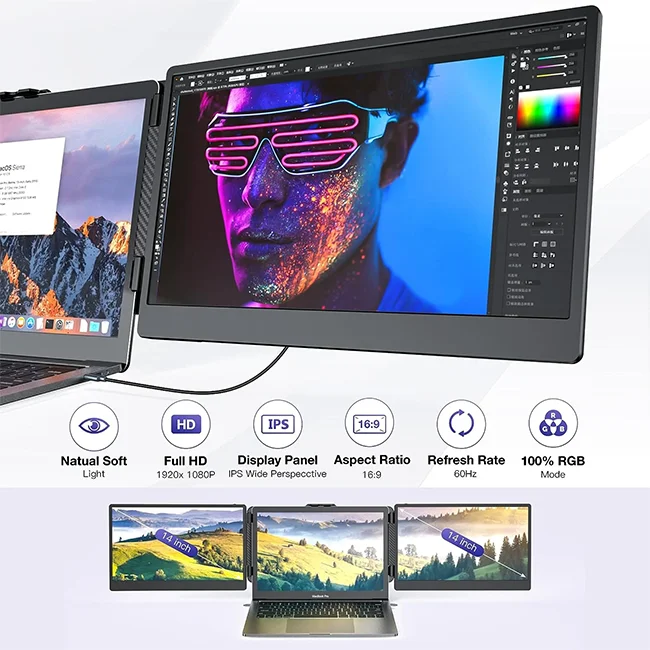
Trending Products 2024 New Arrivals Portable Monitor For Laptop Dual Screen Triple Portable Led Screen Triple Screen Laptop
- Category: >>>
- Supplier: Shenzhen Dingfeng Technology Co. Ltd.
Share on (1600952575471):
Product Overview
Description
Recommend Products
Product Description
Trending Products 2023 New Arrivals Portable Monitor For Laptop Dual Screen Triple Portable Led Screen Triple Screen Laptop
We are accepting OEM ODM orders.
Ready to ship order is available with MOQ even 1pc
Ready to ship orders will be provided with default Neutral product and package
Ready to ship order is available with MOQ even 1pc
Ready to ship orders will be provided with default Neutral product and package
Details Images
FAQ
Frequently Asked Questions
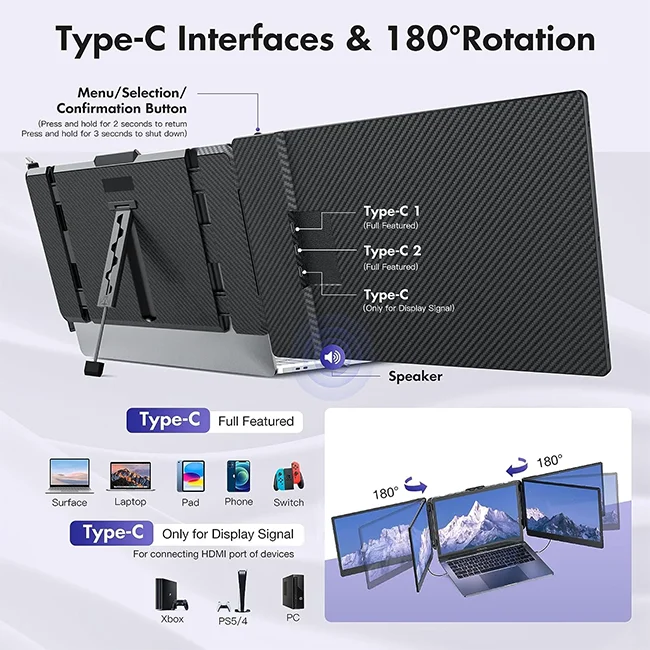
How I Can Know The TYPE-C Interface Of My Laptop Is Full-Featured Or Not Since There Is Not Any Symbol On This Interface?
Normally if the TYPE-C interface has the symbol like “DP”, or the interface is Thunderbolt 3 or Thunderbolt 4, it is full-featured. If not any symbols, please check the introduction of your laptop from user menu or from internet.
My Laptop How Do I Connect To Kwumsy S2?
Please make sure your laptop support 2 video signals transfer so that to make the dual screens of S2 working well. It means your laptop will have 2 full featured Type-C(support video signal and power supply together) interfaces or 1 full featured Type-C & 1 HDMI +1 USB-A interfaces.
HDMI and USB-C to USB-A cables need to be used at the same time.
My Laptop Works With The Kwumsy S2, But Sometimes The Screen Flickers And Disappears, What Should I Do?
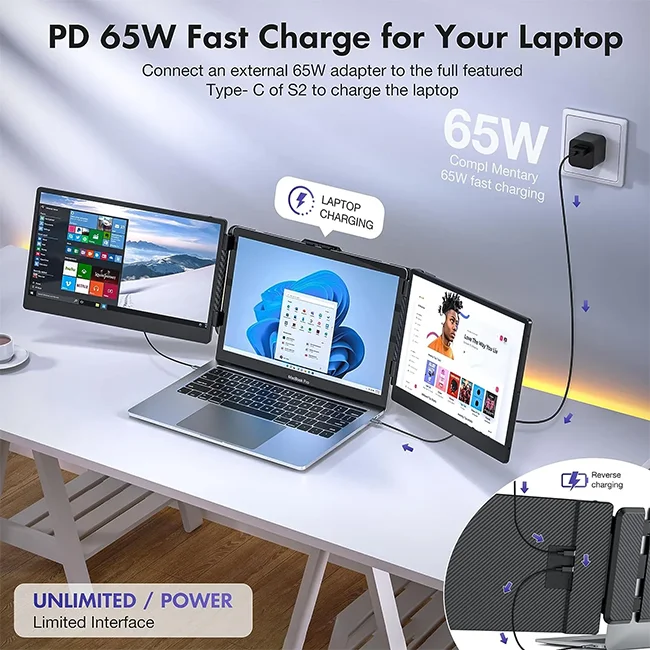
The reason is the power from your laptop interface is not enough or stable for Kwumsy S2. In order to making it working well, please use an adapter (5V/2A or above) to supply the power from outside.
My Laptop Doesn't Have HDMI Or Type-C Port, How To Connect Kwumsy S2?
If your laptop doesn't have HDMI or Type-C interfaces to connect the screen, You can connect via HDMI and USB-A interfaces that are expanded with a HUB, docking station, or multi-port adapter.
2020 M1 And 2022 M2 Chip MacBook Users Notice
2020 M1 and 2022 M2 chip MacBook just can make one screen of S2 to work.
How I Can Know The TYPE-C Interface Of My Laptop Is Full-Featured Or Not Since There Is Not Any Symbol On This Interface?
Normally if the TYPE-C interface has the symbol like “DP”, or the interface is Thunderbolt 3 or Thunderbolt 4, it is full-featured. If not any symbols, please check the introduction of your laptop from user menu or from internet.
My Laptop How Do I Connect To Kwumsy S2?
Please make sure your laptop support 2 video signals transfer so that to make the dual screens of S2 working well. It means your laptop will have 2 full featured Type-C(support video signal and power supply together) interfaces or 1 full featured Type-C & 1 HDMI +1 USB-A interfaces.
HDMI and USB-C to USB-A cables need to be used at the same time.
My Laptop Works With The Kwumsy S2, But Sometimes The Screen Flickers And Disappears, What Should I Do?
The reason is the power from your laptop interface is not enough or stable for Kwumsy S2. In order to making it working well, please use an adapter (5V/2A or above) to supply the power from outside.
My Laptop Doesn't Have HDMI Or Type-C Port, How To Connect Kwumsy S2?
If your laptop doesn't have HDMI or Type-C interfaces to connect the screen, You can connect via HDMI and USB-A interfaces that are expanded with a HUB, docking station, or multi-port adapter.
2020 M1 And 2022 M2 Chip MacBook Users Notice
2020 M1 and 2022 M2 chip MacBook just can make one screen of S2 to work.
Shipping and Payment

We Recommend







New Arrivals
New products from manufacturers at wholesale prices






