
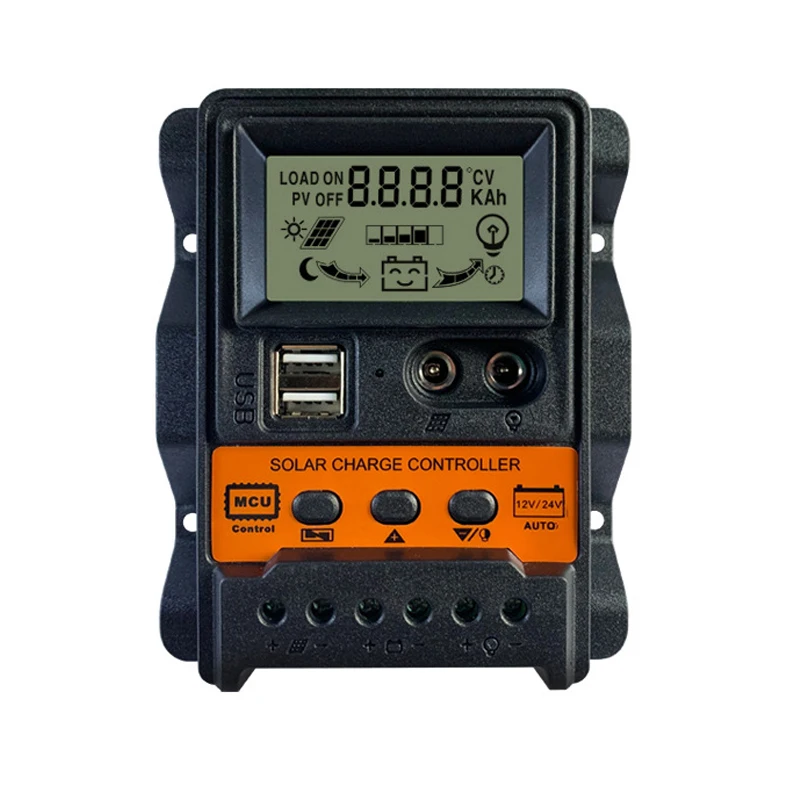
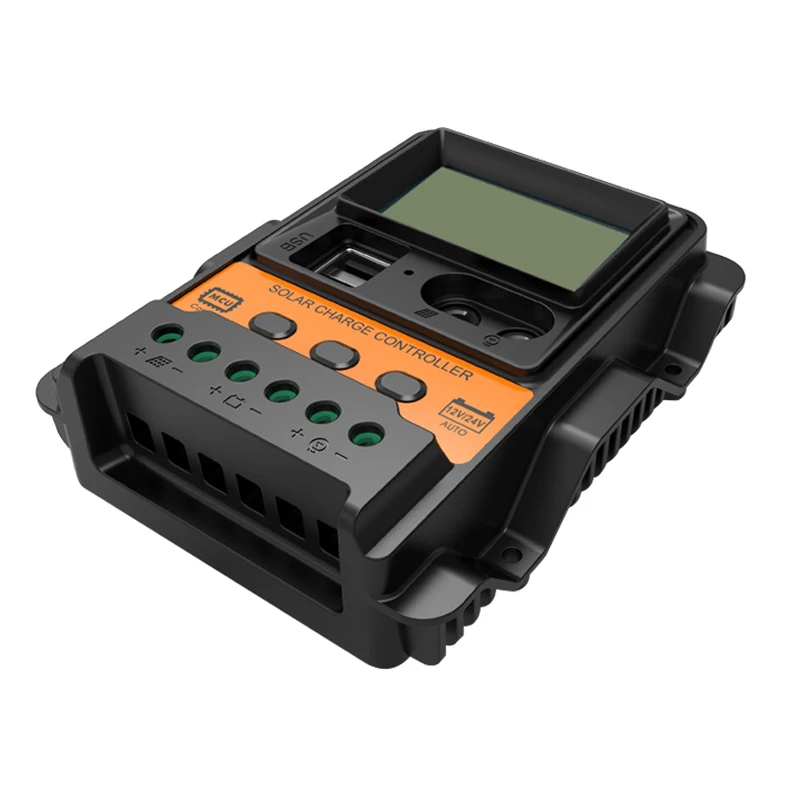
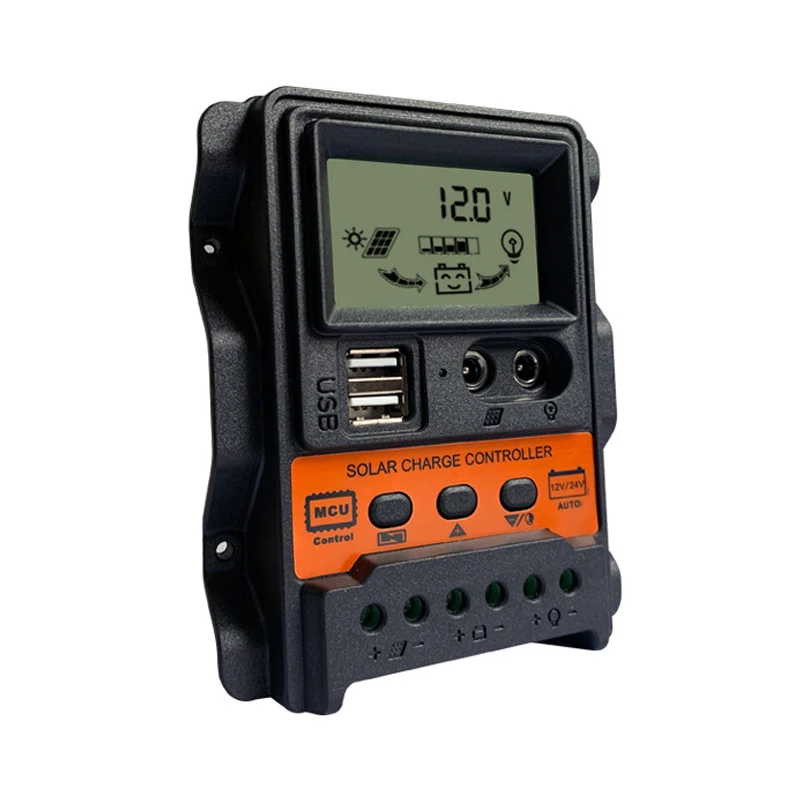
Dual DC Current Display 12V/24V Auto 10A 20A 30A Solar power Charger Solar Controller
- Category: >>>
- Supplier: Shanghai Sdo Energy Technology Co. Ltd.
Share on (1601009302805):
Product Overview
Description

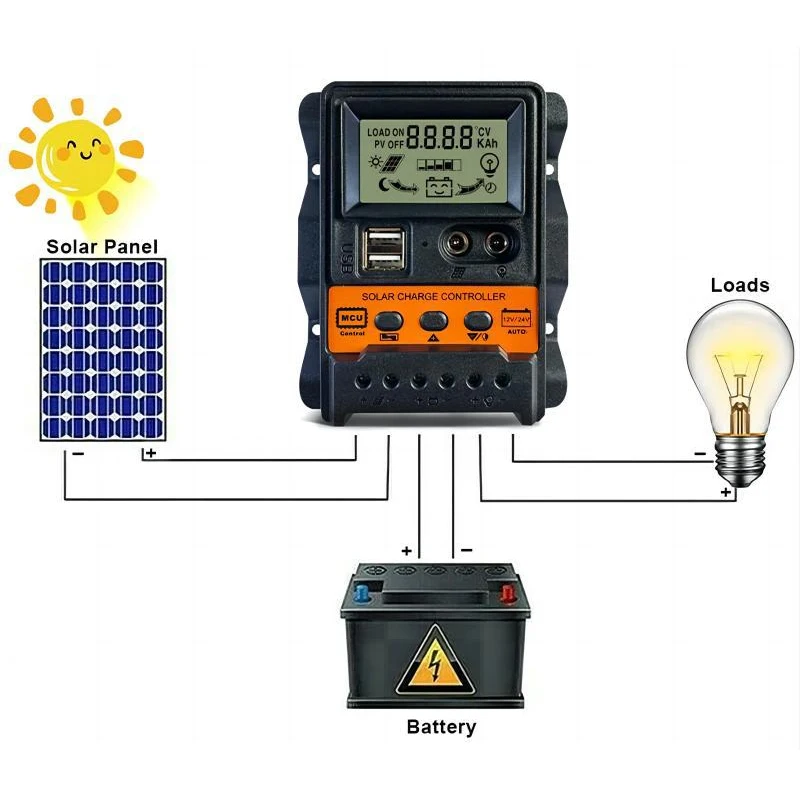
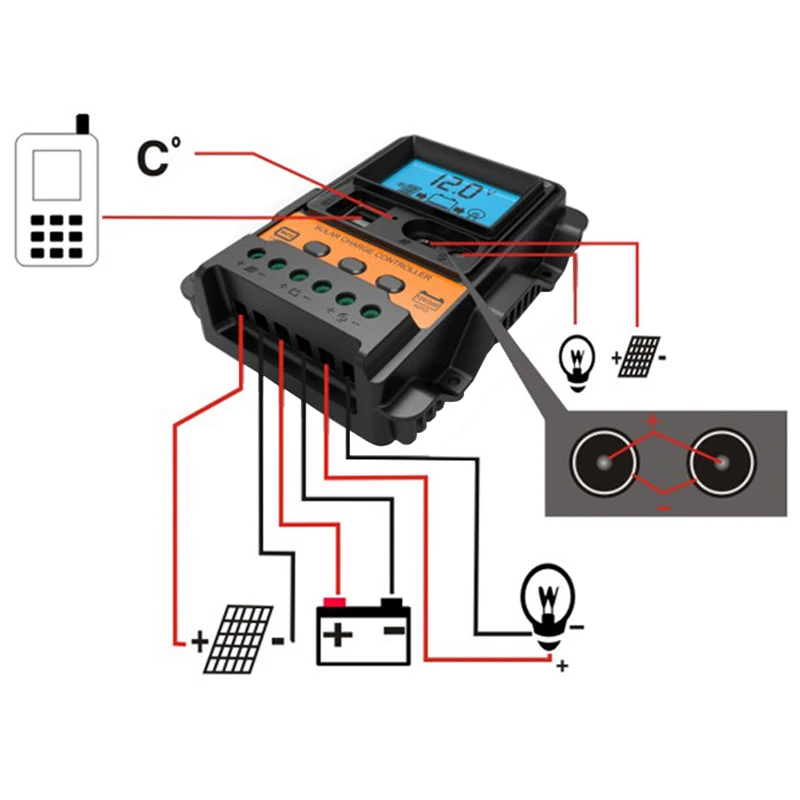
1. Connect the positive and negative terminals of the battery to the controller as shown in the diagram, and the controller will automatically detect the battery voltage.
2. Connect the positive and negative poles of the load to the controller as shown in the diagram, being careful not to connect them in the opposite direction.
3. Connect the solar panel to the controller as shown in the diagram.
2. Connect the positive and negative poles of the load to the controller as shown in the diagram, being careful not to connect them in the opposite direction.
3. Connect the solar panel to the controller as shown in the diagram.
Specification
System Voltage | 12V/24V Adaptive | ||||
Rated charging current | 10A | 20A | 30A | ||
Rated discharge current | 10A | 10A | 10A | ||
System Voltage | 12V | 24V | |
Maximum Solar Voltage | 23V | 46V | |
Increase Charging Voltage | 14.4V | 28.8V | |
Float Charging Voltage | 13.7V (Default, adjustable) | 27.4V (Default, adjustable) | |
Discharge Cut-off Voltage | 10.7V (Default, adjustable) | 21.4V (Default, adjustable) | |
Discharge Recovery Voltage | 12.6V (Default, adjustable) | 25.2V (Default, adjustable) | |
Charging Recovery Voltage | 13V | 26V | |
USB Output | 5V/2.5A*2USB | ||
Standby current | <10mA | ||
Operation Temperature | -35~60℃ | ||
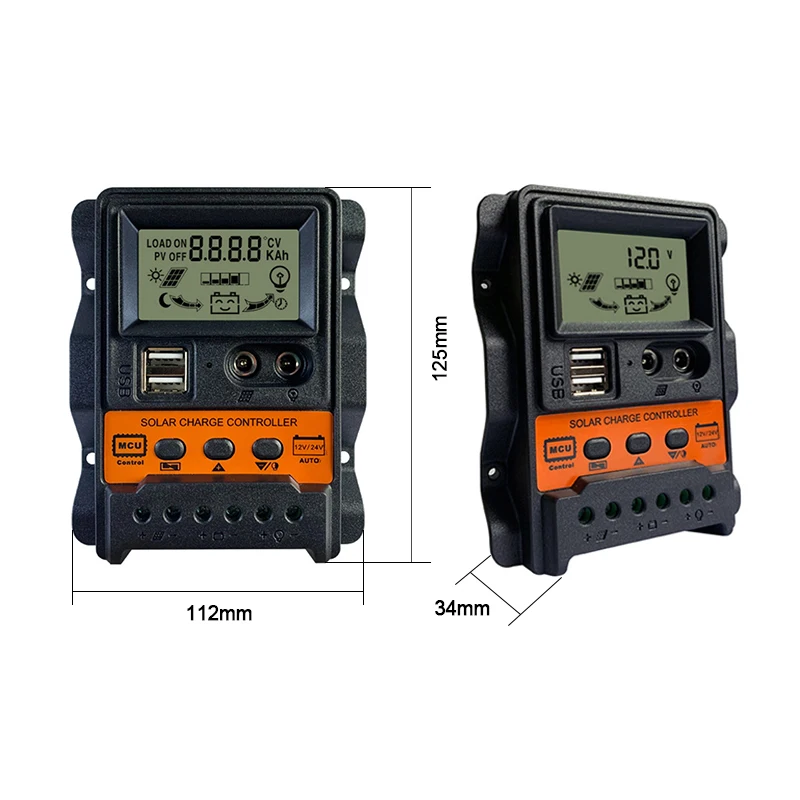
Size / Weight | 125*112*34mm / 179g | ||

Products Description
Suggestions for safe use
1. This controller is 12V24V automatic recognition. When installing for the first time, please ensure that the battery has sufficient voltage so that the controller can recognize the correct battery type.
2. Install the controller as close to the battery as possible to avoid voltage drop caused by excessively long wires, which may affect normal voltage judgment.
3. This controller is only applicable to various lead-acid batteries (including openings, seals, colloids, etc.).
4. This controller can only use solar panels as a charging source. Do not use DC or other power sources as charging sources.
5. When this controller is working, it will generate heat. Please pay attention to installing the controller on a flat and well ventilated surface.
2. Install the controller as close to the battery as possible to avoid voltage drop caused by excessively long wires, which may affect normal voltage judgment.
3. This controller is only applicable to various lead-acid batteries (including openings, seals, colloids, etc.).
4. This controller can only use solar panels as a charging source. Do not use DC or other power sources as charging sources.
5. When this controller is working, it will generate heat. Please pay attention to installing the controller on a flat and well ventilated surface.
Product features
1. Adopting industrial grade main control chip.
2. Large screen LCD display; Charging and discharging current display; Accumulated power generation and discharge quantity inquiry; Temperature display; Light control+delay control; Adjustable charging and discharging parameters; Equipped with power-off memory and other functions
3. Dual USB output, maximum current of 2.5A, supports Apple phone charging.
4. Complete 3-stage charging management
5. Built in overcurrent, short circuit protection, open circuit protection, and reverse connection protection, all of which are self recovery types and do not damage the controller.
6. Anti backflow circuit, ultra-low heat generation.
2. Large screen LCD display; Charging and discharging current display; Accumulated power generation and discharge quantity inquiry; Temperature display; Light control+delay control; Adjustable charging and discharging parameters; Equipped with power-off memory and other functions
3. Dual USB output, maximum current of 2.5A, supports Apple phone charging.
4. Complete 3-stage charging management
5. Built in overcurrent, short circuit protection, open circuit protection, and reverse connection protection, all of which are self recovery types and do not damage the controller.
6. Anti backflow circuit, ultra-low heat generation.

[ Menu ]: Used to switch the parameter display interface, or long press for 3 seconds to enter or exit parameter settings.
[ Up ]: In the parameter setting interface, lightly press once to increase the parameter by one level.
[ Down ]: In the parameter setting interface, lightly press once to downshift the parameter by one level.
[ Up ]: In the parameter setting interface, lightly press once to increase the parameter by one level.
[ Down ]: In the parameter setting interface, lightly press once to downshift the parameter by one level.

Operating instructions
1. Short press the [ Menu ] to cycle through various interfaces and parameters.
2. Browsing to the menu interface that needs to be set, long press the [ Menu ] for 3 seconds to enter manual setting. At this time, the number will flash. After entering the corresponding setting item, short press the [ Up ] and [ Down ] to adjust the desired parameter value. After completion, long press the [ Menu ] for 3 seconds to exit the setting page, and the system will automatically remember the set value.
2. Browsing to the menu interface that needs to be set, long press the [ Menu ] for 3 seconds to enter manual setting. At this time, the number will flash. After entering the corresponding setting item, short press the [ Up ] and [ Down ] to adjust the desired parameter value. After completion, long press the [ Menu ] for 3 seconds to exit the setting page, and the system will automatically remember the set value.
Function Description
1. Discharge recovery voltage: refers to the automatic output when the battery voltage rises to the recovery voltage after discharge protection of the battery
2. Discharge cutoff voltage: Refers to the voltage at which the battery is discharged to turn off the load, protect the battery, and prevent damage caused by over discharge of the battery
3. Load working mode: [24-hour] Load normally open mode (except for battery undervoltage)
[1-15H] Light control+1-15 hours timed to turn off load (automatically turn on lights at night for 1-15 hours before turning off)
[0H] Pure light control mode (turn off lights during the day and turn them on at night)
2. Discharge cutoff voltage: Refers to the voltage at which the battery is discharged to turn off the load, protect the battery, and prevent damage caused by over discharge of the battery
3. Load working mode: [24-hour] Load normally open mode (except for battery undervoltage)
[1-15H] Light control+1-15 hours timed to turn off load (automatically turn on lights at night for 1-15 hours before turning off)
[0H] Pure light control mode (turn off lights during the day and turn them on at night)

Company Information


Packaging&Shipping

We Recommend







New Arrivals
New products from manufacturers at wholesale prices






