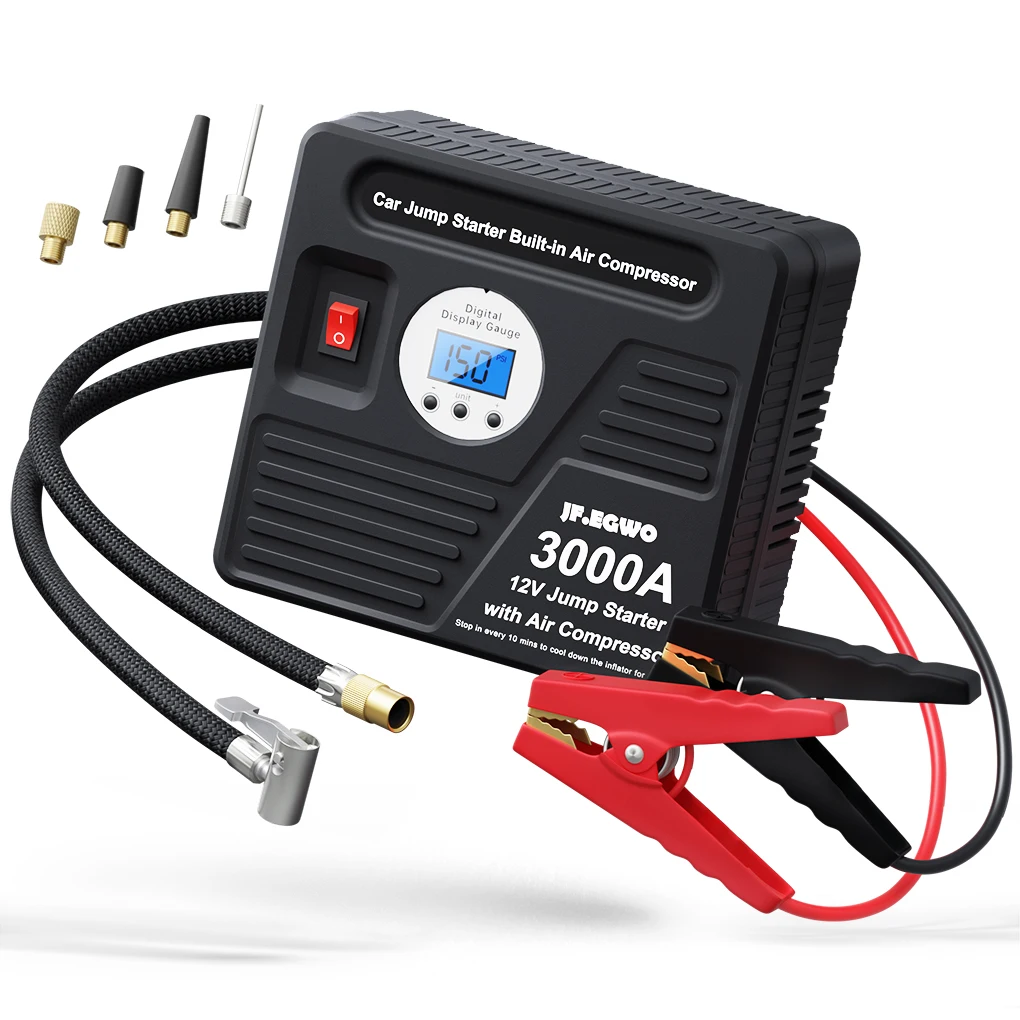
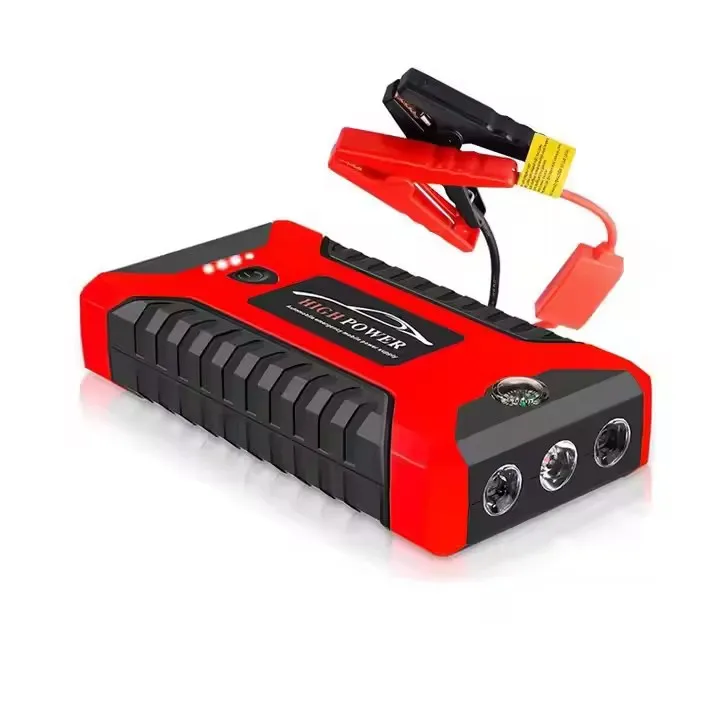
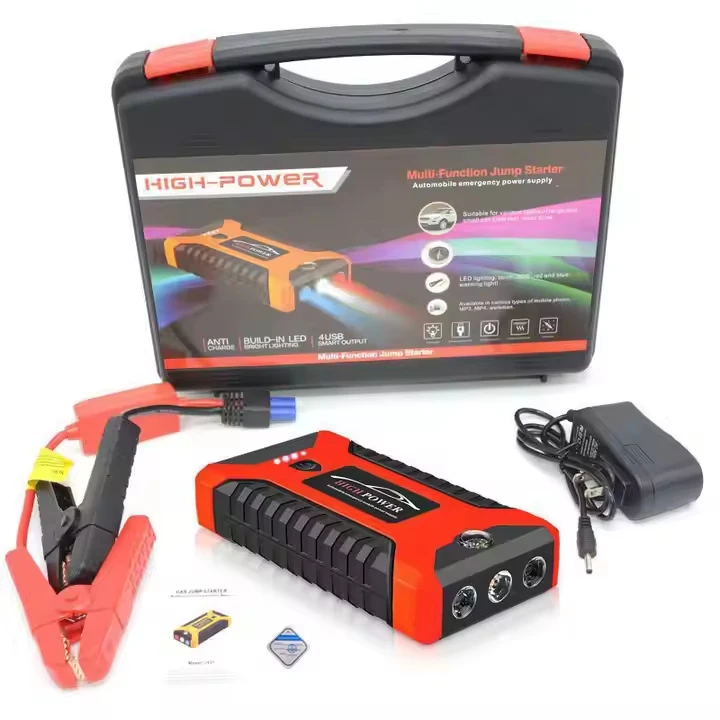
Portable Car Emergency Boosters Power Pack Jump Starters & Air Compressors Emergency Light Jump Starter Power Bank
- Category: >>>
- Supplier: Shenzhen ThinkMax Technology Co. Ltd.
Share on (1601245882343):
Product Overview
Description
Products Description
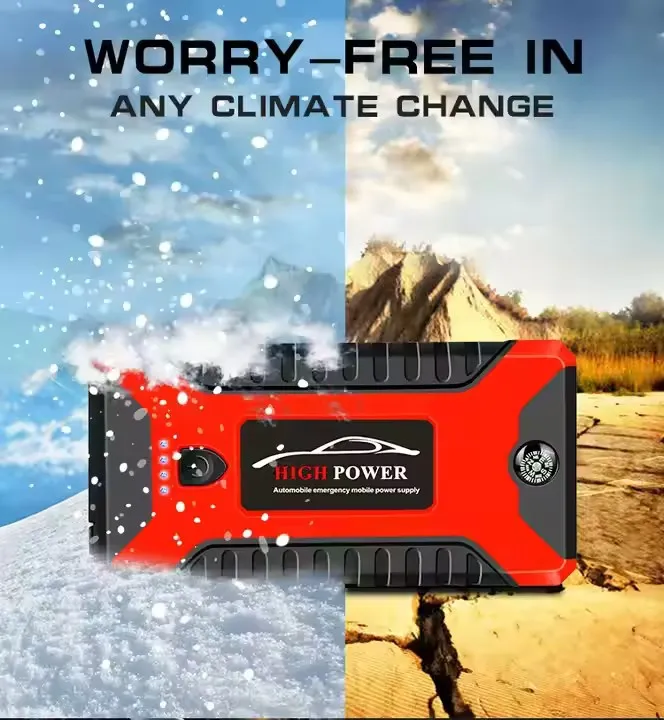
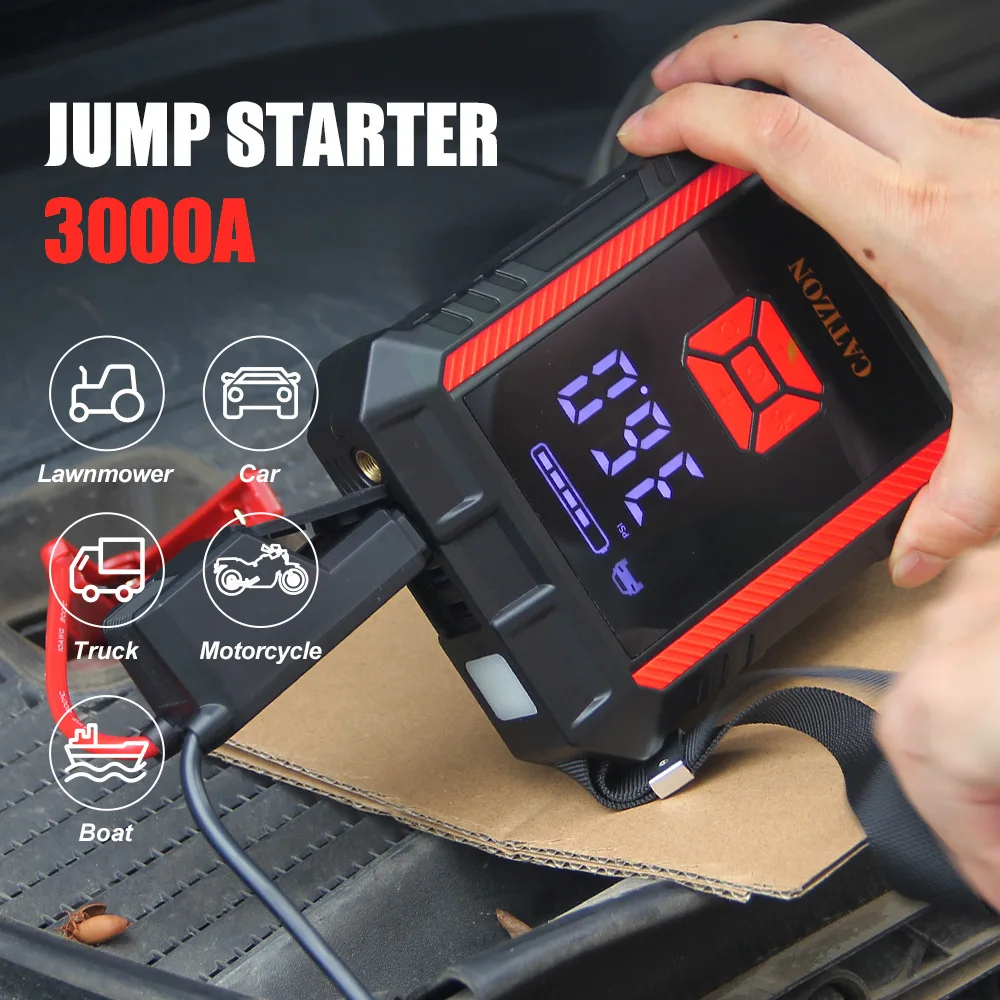
Portable Car Emergency Boosters Power Pack Jump Starters!
➤【 START COMPLETELY DEAD BATTERIES 】 Powerful and safe, press button, the car battery jump starter can instantly start your completely dead or low-voltage car batteries. 600A peak current car jump starter especially for vehicles up to All gas/ 5.0L diesel engine. Start car with confidence every time!
➤【 45W TWO-WAY FAST CHARGING JUMP STARTER 】 With 45W USB-C IN/OUT speed charging technology, the jump start battery pack can be recharged from 0% to 100% within 2 hours, also fast power up your MacBook and laptops. This jump box for car battery standby for about 24 months, always ready to help you.
➤【 BEYOND A JUMP STARTER 】 With USB-C/PD45W, dual USB-A/Quick Charging 3.0 output and 15V/10A DC, this battery jumper starter portable can serve as a 6000mAh battery charger power bank to readily charge tablets, phones, air compressor, car refrigerators and other devices
➤【 ADVANCED DESIGN 】 600 lumens bright LED large lights, 300° wide-angle irradiation, the luminous area is 6-7 times than other portable car jump starter, 4 modes (flashlight/SOS/strobe) for different emergency, light up for 96 hours constantly. Sturdy and durable shell prevents the jump pack from water, dust, drops.
➤【 LARGE DISPLAY 】 LCD intelligent screen, easy to use, this car jumper starter portable can detect and display the operational status, battery level, and possible error in real time, let you know everything of car jumper battery pack at a glance.
➤【 EXCELLENT MULTI-PROTECTION 】 Thanks to 10 types of intelligent battery protection scheme and upgrated heavy-duty jumper cables kit for car, the car battery charger jump starter portable is 100% safe, free you from malfunction concerns like short-circuit or sparks.
➤【 45W TWO-WAY FAST CHARGING JUMP STARTER 】 With 45W USB-C IN/OUT speed charging technology, the jump start battery pack can be recharged from 0% to 100% within 2 hours, also fast power up your MacBook and laptops. This jump box for car battery standby for about 24 months, always ready to help you.
➤【 BEYOND A JUMP STARTER 】 With USB-C/PD45W, dual USB-A/Quick Charging 3.0 output and 15V/10A DC, this battery jumper starter portable can serve as a 6000mAh battery charger power bank to readily charge tablets, phones, air compressor, car refrigerators and other devices
➤【 ADVANCED DESIGN 】 600 lumens bright LED large lights, 300° wide-angle irradiation, the luminous area is 6-7 times than other portable car jump starter, 4 modes (flashlight/SOS/strobe) for different emergency, light up for 96 hours constantly. Sturdy and durable shell prevents the jump pack from water, dust, drops.
➤【 LARGE DISPLAY 】 LCD intelligent screen, easy to use, this car jumper starter portable can detect and display the operational status, battery level, and possible error in real time, let you know everything of car jumper battery pack at a glance.
➤【 EXCELLENT MULTI-PROTECTION 】 Thanks to 10 types of intelligent battery protection scheme and upgrated heavy-duty jumper cables kit for car, the car battery charger jump starter portable is 100% safe, free you from malfunction concerns like short-circuit or sparks.
Battery | Capacity | 8000mha | |
Battery overcharge/over discharge protection voltage | Yes | ||
Usage frequency | 800 cycles of charging and discharging | ||
Charging port | Type-c | ||
Charging parameters | 5V⎓ 2A;9V⎓ 2A(Max) | ||
Electrical machinery | Motor overcurrent protection | 5-10A | |
Motor operating voltage | 12V | ||
Working life | 300-600H | ||
Emergency starting power supply | Instantaneous current | 600A | |
Vehicle displacement limit | 5200mah start 2.0 or less displacement 6000mah start 2.5 or less displacement 8000mah start 4.0 or less displacement 10,000mahstart 6.0 or less displacement | ||
Working temperature | -20 ℃~40 ℃ | ||
Working hours | 30 minutes (single continuous operation for 10-15 minutes) | ||
Work noise | Distance of 1 meter ≤ 10dB | ||

PRODUCT FUNCTIONAL REQUIREMENTS | FUNCTIONAL NOUN | FUNCTIONAL DESCRIPTION | ||||||||||
Power on/off | Click to switch on, no charging, discharging or key operation for 60 seconds and then switch off automatically. | |||||||||||
Emergency car start | The product is automatically activated by the battery clip. Connect the battery clip and start the ignition without pressing the button. | |||||||||||
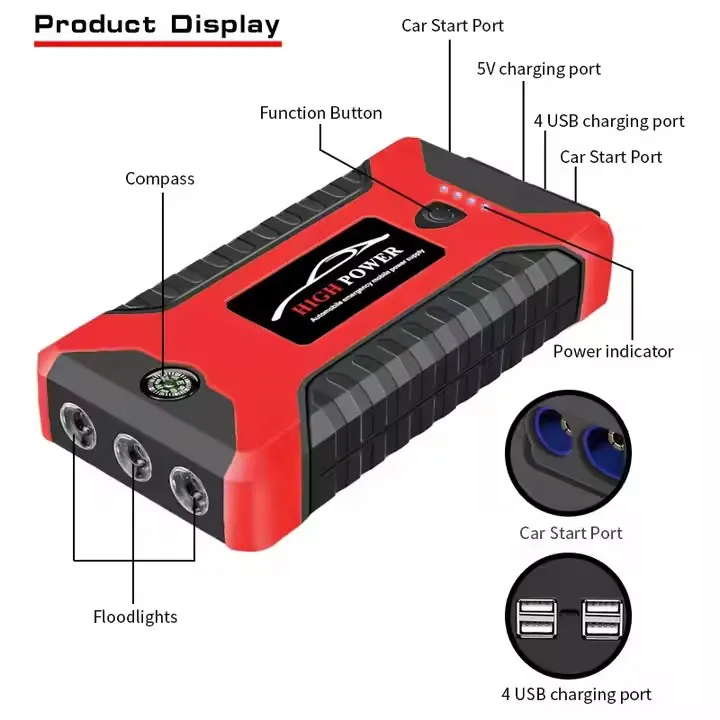
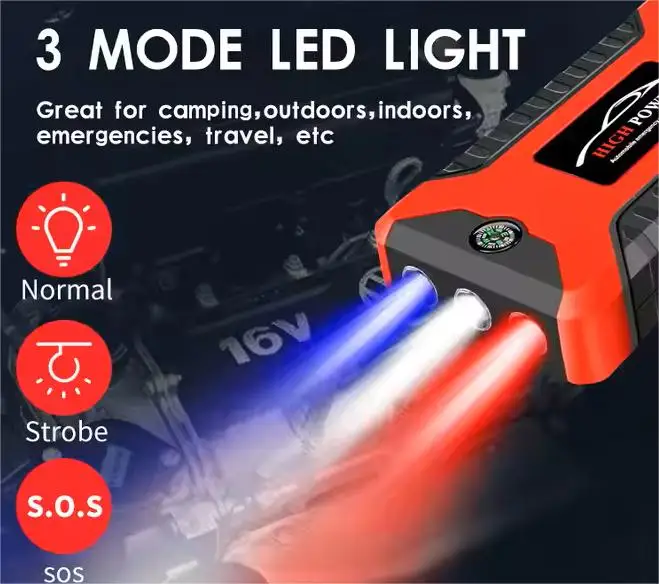
Emergency light | 3 light beads, left and right red and blue light beads, white light in the middle. After switching on the power button long press the power button to turn on the light white light is always on, and then click the torch is always on, click for burst flash, SOS, off LED lights. Quickly double-click the red and blue burst flash, and then double-click to close. | |||||||||||
Battery Indicator | 4 power indicators light up after power on | |||||||||||
TYPE-C Charge | TYPE-C interface, with over-charging protection/over-voltage protection/over-current protection/short-circuit protection The TYPE-C interface has over-charging protection, over-voltage protection, over-current protection, short-circuit protection, and normal charging: 5V⎓ 2A; Connect the TYPE-C charging cable to the power supply and check the other end to the plug to charge the power supply. | |||||||||||
DC Charging | Connect the DC input charger to the DC charging input of the power supply, and plug the other end into the plug to charge. | |||||||||||
USB Discharge | 4 USB-A ports, USB output without protocol Maximum 5V⎓ 2A; Connect the USB cable to the power supply and the other end to the charging port of the electronic product, click the power to switch on the charging. | |||||||||||
Certifications

Why Choose Us
After Service:
1. Any defects that occur within the warranty can be solved by us with free charge, freight not included. Inform us what's the problem you met.
2. We provide resolve methods for you.
Our Advantage :
1. We have experience in trading,o offering a one-step service.
2. Manufacturer supply with high quality and nice price.
3. OEM & ODM offered.
OEM Detail:
1. Custom Sample: We could send you the samples, but the samples are charged. After the order is confirmed, we would pay back the sample fee. Please be rest assured of that. Essentially we sometimes send the samples for free.
2. Custom design: If you have your own design, welcome to send us your samples or pattern, we can do it as customer's requirements.
3. Custom packaging: Usually we pack items as 1 piece/color box, 30-50pcs/packet (one cartoon). We can also pack according to customers' requirements.
4. Custom color/size: We can make the products according to your requirement, no matter what country are you from.
1. Any defects that occur within the warranty can be solved by us with free charge, freight not included. Inform us what's the problem you met.
2. We provide resolve methods for you.
Our Advantage :
1. We have experience in trading,o offering a one-step service.
2. Manufacturer supply with high quality and nice price.
3. OEM & ODM offered.
OEM Detail:
1. Custom Sample: We could send you the samples, but the samples are charged. After the order is confirmed, we would pay back the sample fee. Please be rest assured of that. Essentially we sometimes send the samples for free.
2. Custom design: If you have your own design, welcome to send us your samples or pattern, we can do it as customer's requirements.
3. Custom packaging: Usually we pack items as 1 piece/color box, 30-50pcs/packet (one cartoon). We can also pack according to customers' requirements.
4. Custom color/size: We can make the products according to your requirement, no matter what country are you from.

About Us
Shenzhen ThinkMax Tecnology Co, Ltd . Located in Shenzhen, is of professional and famous company of car accessories. We are determined to make your car cooler and cooler. We can supply ev charger,car inflator, tpms,truck radar,silicone key covers, leather key covers, TPU key covers, carbon fiber key covers, metal car keychains, steering wheel covers, brake covers, car stickers, car wheel caps, and so on. OEM & ODM are welcome. We promise our honorable clients enough supply of goods and high quality finally, we adhere to the principle of " Quality is the first, Honesty is the basis. Good after-sale service creates future market " Your satisfaction is our relentless pursuit. We are sincerely looking forward to establishing long-term cooperation with you.
We accept customized packaging design, customized logo printing, private label and OEM/ODM product development. We will assist you with small MOQ private label and direct consignment services worldwide. We have high-quality products, excellent sales team, perfect service system, innovation marketing concepts, honest entrepreneurial spirit. All friends are welcome to contact us and establish business relations with us. It is our honor to bring you beauty,health and wealth!
In the future, we will make every effort to meet customers' requirements, while pursuing to provide customers with higher value.Come to ThinkMax to find what you love!
We accept customized packaging design, customized logo printing, private label and OEM/ODM product development. We will assist you with small MOQ private label and direct consignment services worldwide. We have high-quality products, excellent sales team, perfect service system, innovation marketing concepts, honest entrepreneurial spirit. All friends are welcome to contact us and establish business relations with us. It is our honor to bring you beauty,health and wealth!
In the future, we will make every effort to meet customers' requirements, while pursuing to provide customers with higher value.Come to ThinkMax to find what you love!


FAQ
Q1: How can we guarantee quality?
Always a pre-production sample before mass production;
Always final Inspection before shipment;
Q2:How long is your delivery time?
A: For small order,it usually takes 7 working days. For OEM order, please check the shipping time with us.
Q3: Are they global version?
A: Yes, our products are universal in all countries worldwide.
Q4: What's your payment terms?
A: Our payment terms is paypal, bank transfer and credit card.
Q5: What's the product warranty policy?
A: All the goods purchased from our company can enjoy one year free warranty.
Q6: How about aftersale support?
A: We provide lifetime Technical Support, our engineer is 24 hours online for technical support.
Always a pre-production sample before mass production;
Always final Inspection before shipment;
Q2:How long is your delivery time?
A: For small order,it usually takes 7 working days. For OEM order, please check the shipping time with us.
Q3: Are they global version?
A: Yes, our products are universal in all countries worldwide.
Q4: What's your payment terms?
A: Our payment terms is paypal, bank transfer and credit card.
Q5: What's the product warranty policy?
A: All the goods purchased from our company can enjoy one year free warranty.
Q6: How about aftersale support?
A: We provide lifetime Technical Support, our engineer is 24 hours online for technical support.

We Recommend
New Arrivals
New products from manufacturers at wholesale prices







