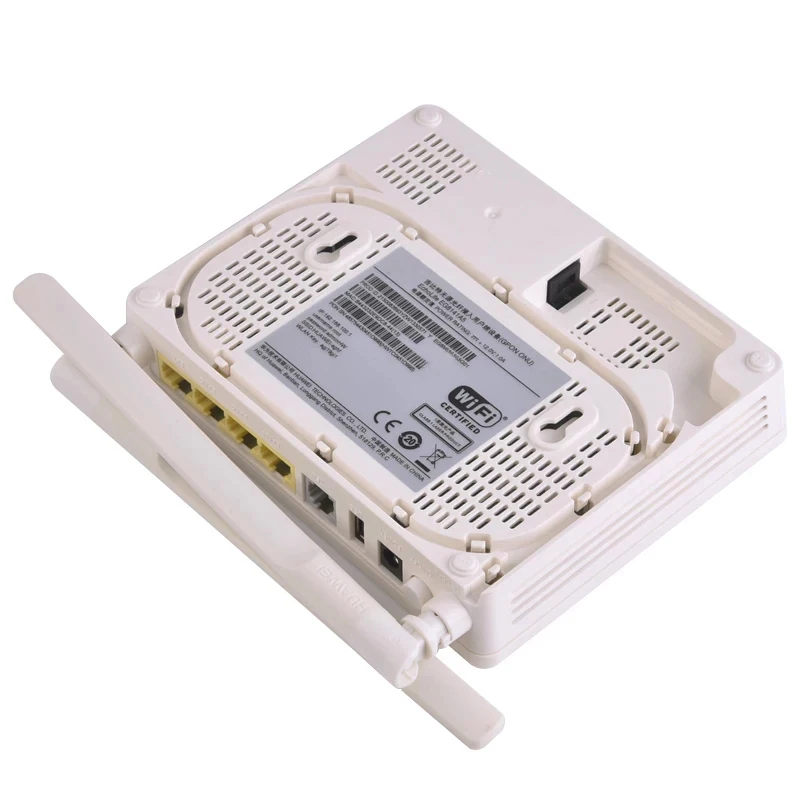
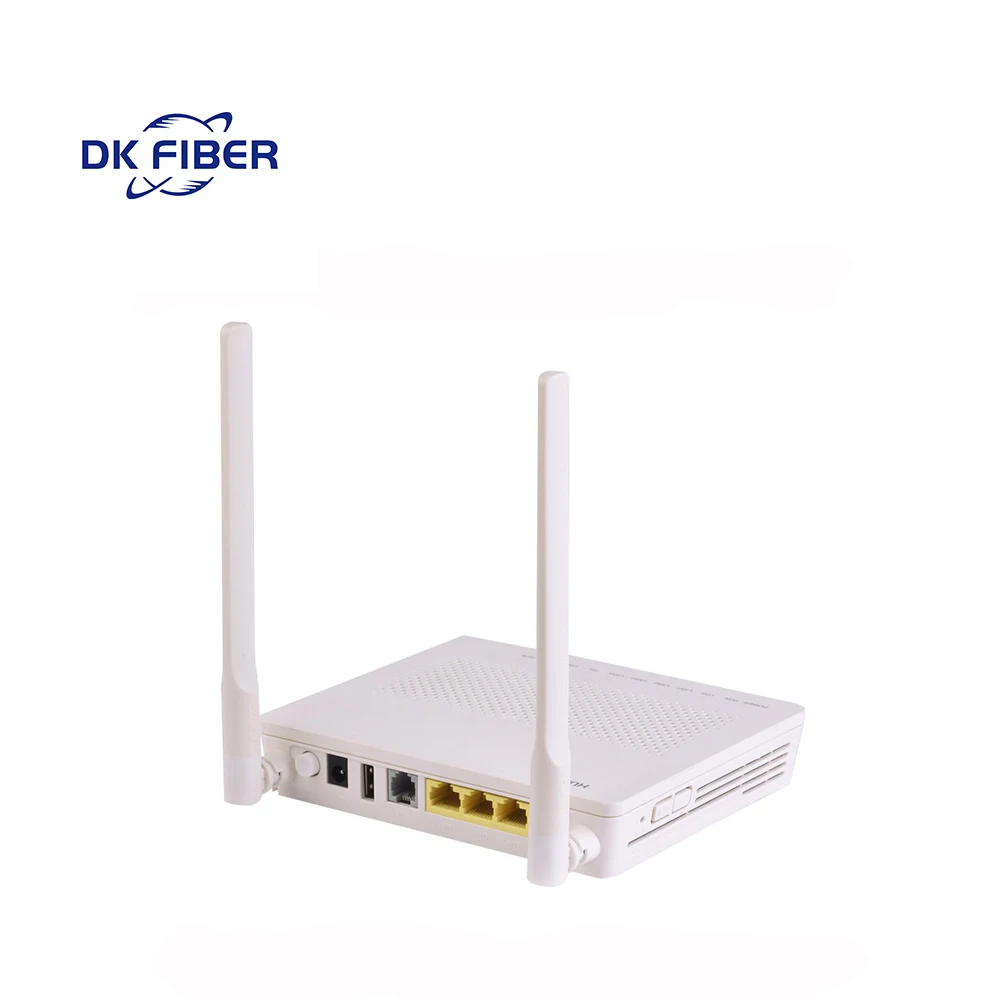
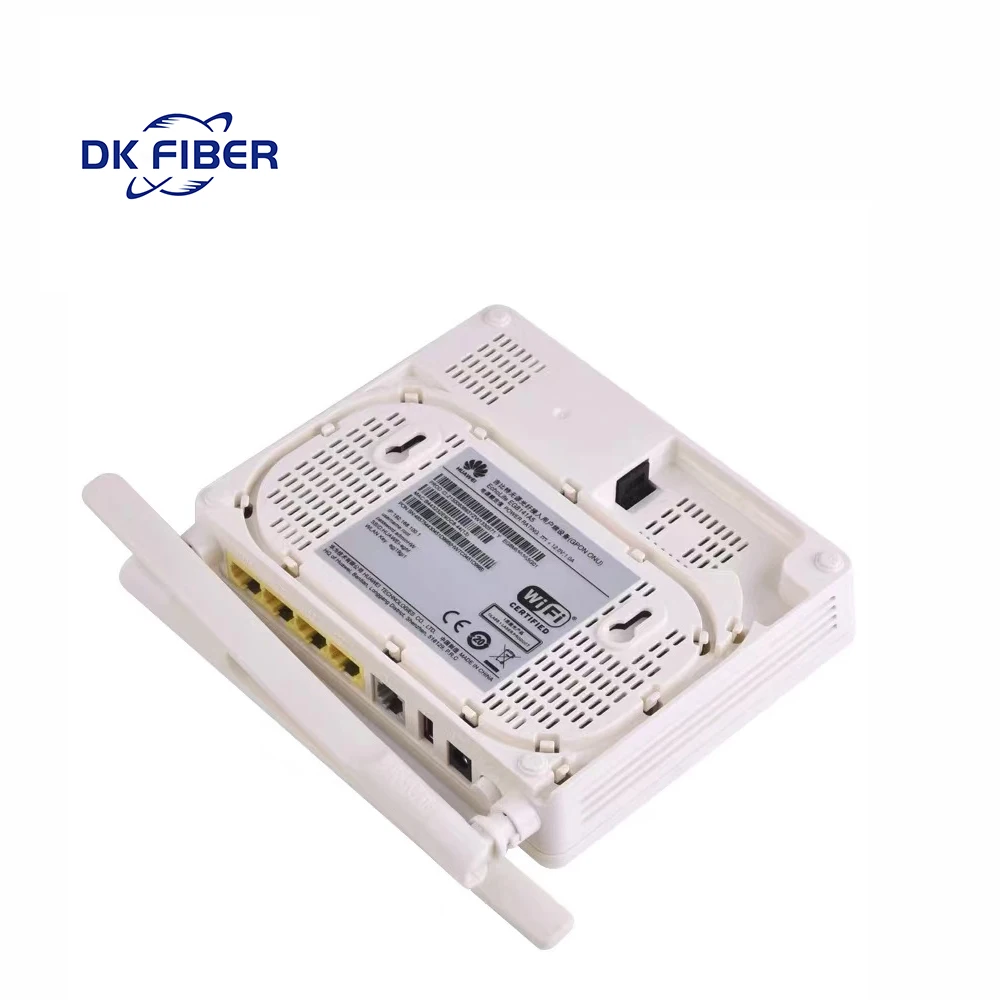
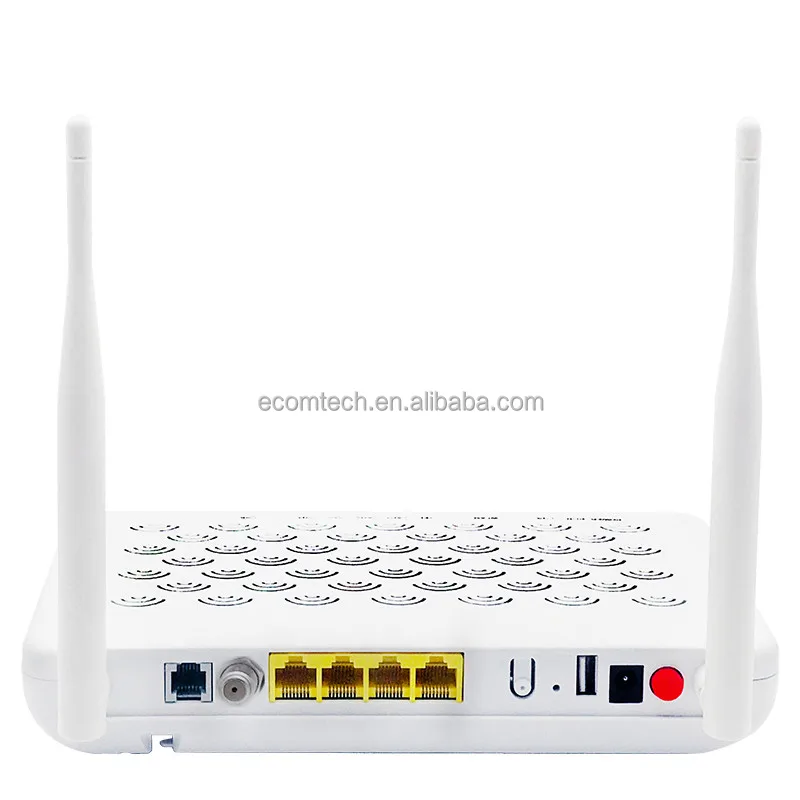
gpon onu gigabit HG8546M EG8141A5 1GE 3FE POTS WIFI gpon xpon onu with english vision
- Category: >>>
- Supplier: Henan DK Fiber Communication Co. Ltd.
Share on (1601280405527):
Product Overview
Description
Product Paramenters
Product | Function | ||||||
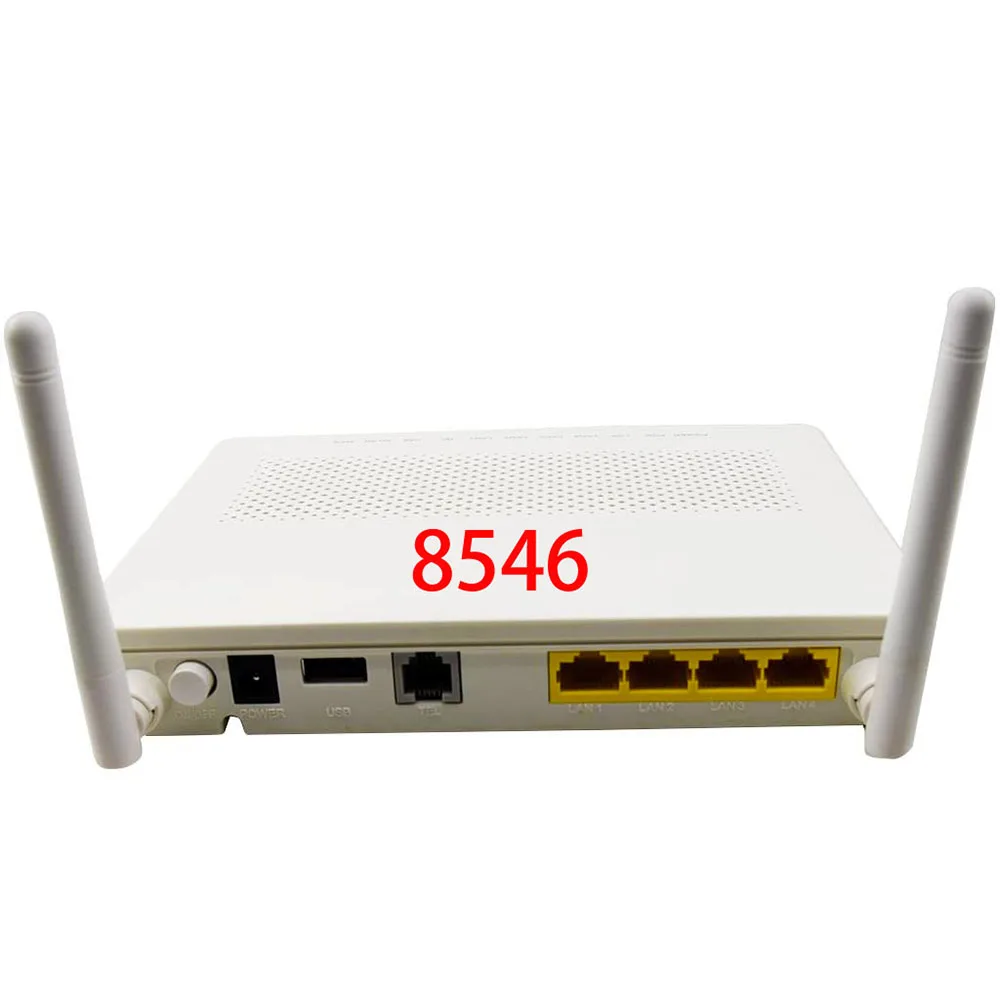
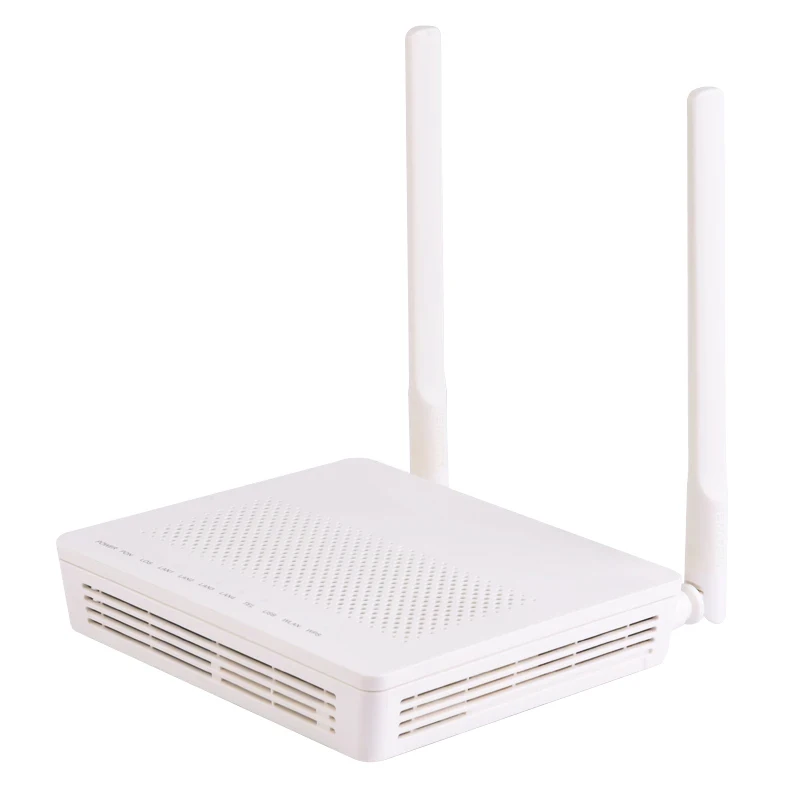
XPON ONU | ● 4 Ethernet ports (1GE+3FE) | ||||||
● 1 POTS port | |||||||
● 2.4 GHz Wi-Fi | |||||||


Note:
* Do not install the ONT outdoors or in an outdoor cabinet.
* The ONT can be mounted onto a wall or placed on a desk. Do not install the ONT in other modes, such as ceiling.
* Keep 10 cm clearance on all sides to ensure adequate ventilation.
* It is recommended that the computer and ONT be put far away from electric appliances that generate strong magnetic or electric fields such as microwave ovens.
* The ONT can be mounted onto a wall or placed on a desk. Do not install the ONT in other modes, such as ceiling.
* Keep 10 cm clearance on all sides to ensure adequate ventilation.
* It is recommended that the computer and ONT be put far away from electric appliances that generate strong magnetic or electric fields such as microwave ovens.
Specification
* Power adapter input: See the nameplate on the adapter.
* System power supply: See the nameplate on the device.
* Ambient temperature: 0ºC to +40ºC
* Ambient humidity: 5%–95% (non-condensing)
* Dimensions (H x W x D): 30 mm x 176 mm x 140 mm (without external antenna and pads)
* Weight: About 180g
* Maximum system power consumption: 7.15 W
* System power supply: See the nameplate on the device.
* Ambient temperature: 0ºC to +40ºC
* Ambient humidity: 5%–95% (non-condensing)
* Dimensions (H x W x D): 30 mm x 176 mm x 140 mm (without external antenna and pads)
* Weight: About 180g
* Maximum system power consumption: 7.15 W
Manufacturing Technique

No. | Item | Description | ||||
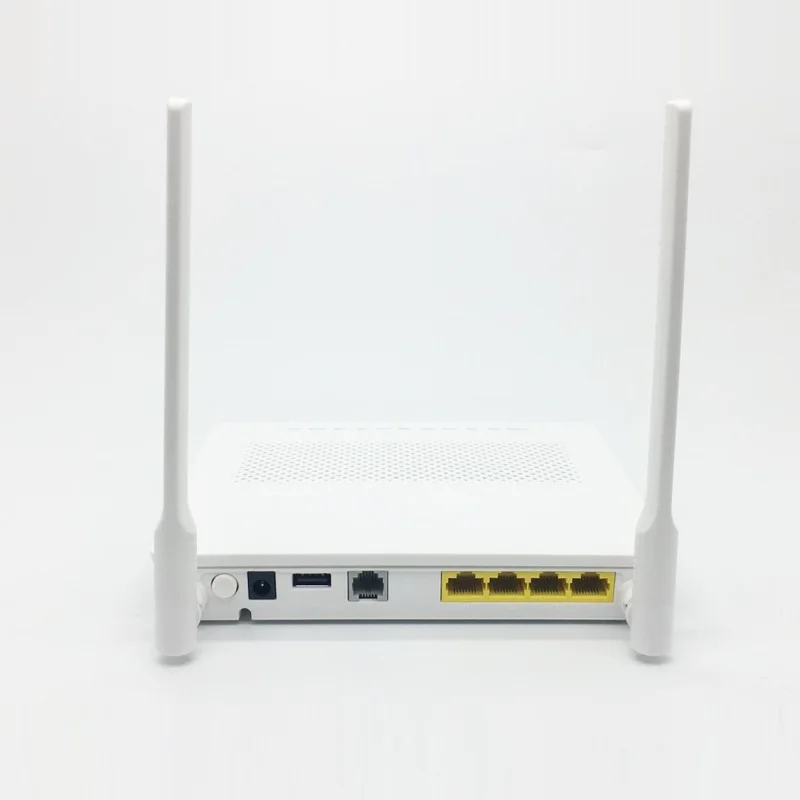
1 | On/Off | Powers the ONT on or off | ||||
2 | Power | Connects to a power adapter | ||||
3 | LAN1-LAN4 | Connects to PCs or IP set-top boxes (STBs). | ||||
4 | TEL | Connects to the port on a telephone or fax machine. | ||||
5 | Optical port | The optical port is equipped with a rubber plug and connected to a fib\u009Eà for upstream transmission. The type of the optical connector connected to the optical port can be SC/APC. | ||||
6 | Reset | Press the button for a short time to reset the device; or press the button for a long time (longer than 10s) to restore the device to the default settings and reset the device. NOTE Reset DK FIBER ONTs with caution. Otherwise, the ONTs may failto access the Internet. If an ONT cannot access the Internet after a reset, contact your Internet service provider. | ||||
7 | WPS | When the WLAN is on, press the WPS button (> 3s) and release the button to start Wi-Fi protected setup (WPS) negotiation. | ||||
8 | WLAN | Used to enable or disable the WLAN function - When the WLAN is disabled, press the WLAN button (> 3s) and release the button to enable the WLAN. - When the WLAN is enabled, press the WLAN button (> 3s) and release the button to disable the WLAN. | ||||
Note:
* The fib\u009Eà connector connected to the optical port on the wall varies depending on actual conditions.
* To ensure normal use of fib\u009EàäȀ make sure that the fib\u009Eà bending radius is larger than 30 mm.
* To ensure normal use of fib\u009EàäȀ make sure that the fib\u009Eà bending radius is larger than 30 mm.
Packing and Shipping

Company Profile


FAQ
Note:
The following web page is only for reference. The actual web page of the product prevails

How do I log in to the DK FIBER ONT web page?
* Wireless login
1. Connect your mobile phone, pad, or PC to the Wi-Fi network of the DK FIBER ONT.
2. Enter the IP address in the address box of a browser and press Enter. On the XPON ONU displayed login page, enter the username
and password. (For details about the IP address, login username, and password, see the product nameplate.) * Wired login
1. Use a network cable to connect a PC to the DK FIBER ONT.
2. Set the IP address of the PC in the same subnet as the web address of the DK FIBER ONT. For example, if the web address of the
DK FIBER ONT is 192.168.100.1 (for the web address of the DK FIBER ONT, see the productnameplate), set the IP address of the PC to 192.168.100.100.
3. Log in to the web configuration page.
a.Open a browser. In the address box, enter the web address (printed on the nameplate of the DK FIBER ONT). Press Enter.
b.Enter the login user name and password (printed on the nameplate of the DK FIBER ONT). Click Log In.
1. Connect your mobile phone, pad, or PC to the Wi-Fi network of the DK FIBER ONT.
2. Enter the IP address in the address box of a browser and press Enter. On the XPON ONU displayed login page, enter the username
and password. (For details about the IP address, login username, and password, see the product nameplate.) * Wired login
1. Use a network cable to connect a PC to the DK FIBER ONT.
2. Set the IP address of the PC in the same subnet as the web address of the DK FIBER ONT. For example, if the web address of the
DK FIBER ONT is 192.168.100.1 (for the web address of the DK FIBER ONT, see the productnameplate), set the IP address of the PC to 192.168.100.100.
3. Log in to the web configuration page.
a.Open a browser. In the address box, enter the web address (printed on the nameplate of the DK FIBER ONT). Press Enter.
b.Enter the login user name and password (printed on the nameplate of the DK FIBER ONT). Click Log In.

How do I change the Wi-Fi password?
1. Log in to the DK FIBER ONT web page using your mobile phone, pad, or PC. For details, see "How do I log in to the DK FIBER ONT web page?" 2. Choose the Advanced configuration > WLAN tab and choose Basic Network Settings.

What can I do if I forget the Wi-Fi password?
1. Log in to the DK FIBER ONT web page using your PC by wired login. For details,see "How do I log in to the DK FIBER ONT web page?"
2. Choose the Advanced configuration > WLAN tab and choose Basic Network Setting
1. Log in to the DK FIBER ONT web page using your PC by wired login. For details,see "How do I log in to the DK FIBER ONT web page?"
2. Choose the Advanced configuration > WLAN tab and choose Basic Network Setting

What can I do if I cannot connect to the Wi-Fi network?
How to improve the Wi-Fi speed of a DK FIBER ONT?
1. Wi-Fi speed relies on the bandwidth provided by the ISP, so the simplest way is to upgrade to faster broadband.
2. Wi-Fi speed is affected by the Wi-Fi signal strength and quality. Ensure that the DK FIBER ONT is far away from interference sources such as TVs, microwave ovens, refrigerators, cordless phones, and Bluetooth devices, and reduce the number of obstacles between the DK FIBER ONT and Wi-Fi devices (such as pads, mobile phones, and laptops). You are advised to use repeaters to enhance the Wi-Fi coverage if the area is large.
3. Using the correct radio channel. Generally, the DK FIBER ONT selects channels adaptively. If the network is slow or the quality turns poor from time to time, you can use a Wi-Fi scanner such as Wi-Fi Stumbler or Wi-Fi Analyzer to search for the optimal channel.
4. To prevent unauthorized network access, log in to the web interface of the router and select MAC address fiÃì\u009Eà²nª based on your requirements.
2. Wi-Fi speed is affected by the Wi-Fi signal strength and quality. Ensure that the DK FIBER ONT is far away from interference sources such as TVs, microwave ovens, refrigerators, cordless phones, and Bluetooth devices, and reduce the number of obstacles between the DK FIBER ONT and Wi-Fi devices (such as pads, mobile phones, and laptops). You are advised to use repeaters to enhance the Wi-Fi coverage if the area is large.
3. Using the correct radio channel. Generally, the DK FIBER ONT selects channels adaptively. If the network is slow or the quality turns poor from time to time, you can use a Wi-Fi scanner such as Wi-Fi Stumbler or Wi-Fi Analyzer to search for the optimal channel.
4. To prevent unauthorized network access, log in to the web interface of the router and select MAC address fiÃì\u009Eà²nª based on your requirements.
What can I do if the network speed is slow?
1. Check whether network cables are properly connected. Remove and then insert the network cables. Then, check whether the network speed is normal.
2. Check whether downloading, network video watching, or other operations occupy a large amount of bandwidth. Due to bandwidth restrictions, if some network applications occupy a large amount of network bandwidth, the network speed is slow.
3. Use another PC, mobile phone, or pad to check whether the network speed is normal.
2. Check whether downloading, network video watching, or other operations occupy a large amount of bandwidth. Due to bandwidth restrictions, if some network applications occupy a large amount of network bandwidth, the network speed is slow.
3. Use another PC, mobile phone, or pad to check whether the network speed is normal.
The phone does not ring upon an incoming call but communication is in normal state when the phone is in normal state.
The ONT supports a maximum of 60 V AC ringing current voltage. Check whether the ringing current voltage of the phone is higher than 60 V AC. If it is higher than 60 V AC, replace the phone.
How do I restore the DK FIBER ONT to factory setting?
Press Reset by using a needle-type object for longer than 10s to restore factory defaults and reset the DK FIBER ONT. If the indicator is Ñč and then is lit, the system restarts successfully.
Note:Exercise caution when restoring factory settings. This function may cause the loss of ONT configuration information and further cause an Internet access failure. If this problem occurs, contact your service provider for help.
How can I download DK FIBER ONT fireware\u009E or ONT software?
DK FIBER ONT is used with an OLT and NMS of a required version. If the versions are not the required ones, the ONT may not work. If required, contact your internet service provider to obtain the correct ONT fireware\u009E or software.
We Recommend

New Arrivals
New products from manufacturers at wholesale prices







