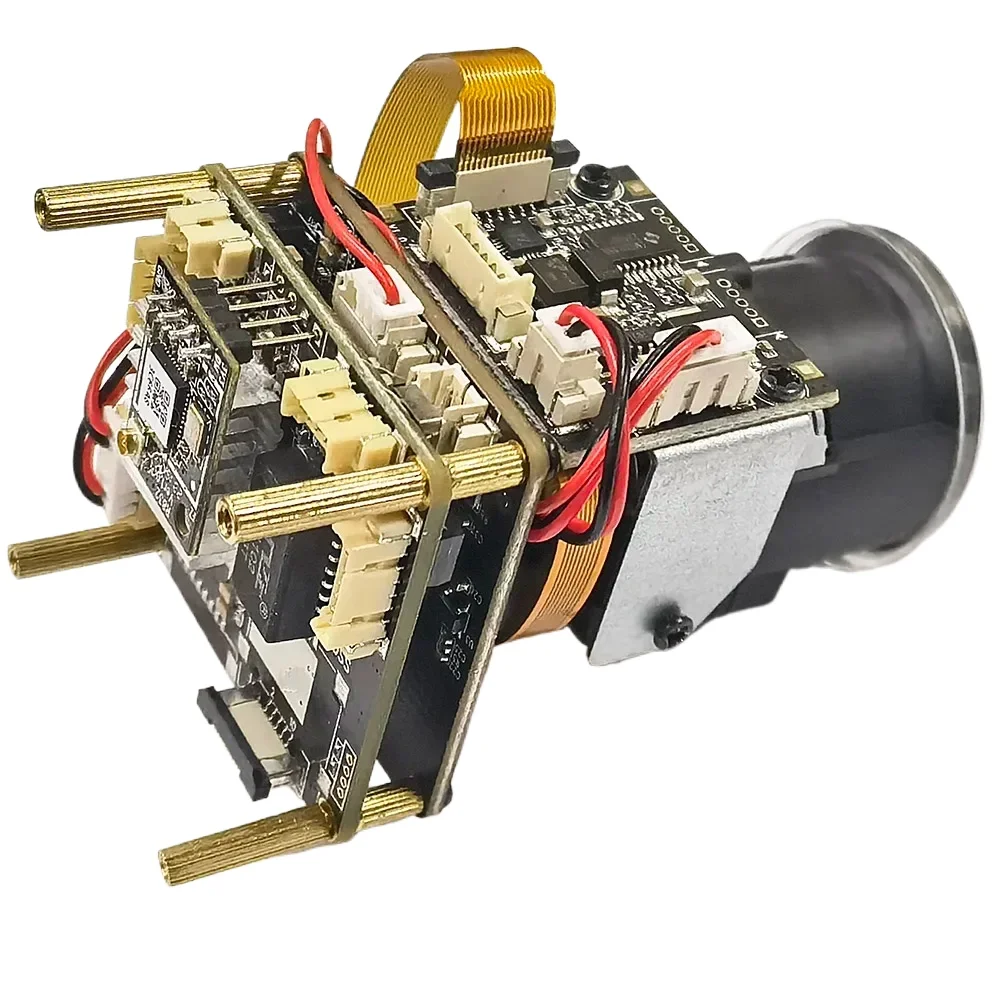
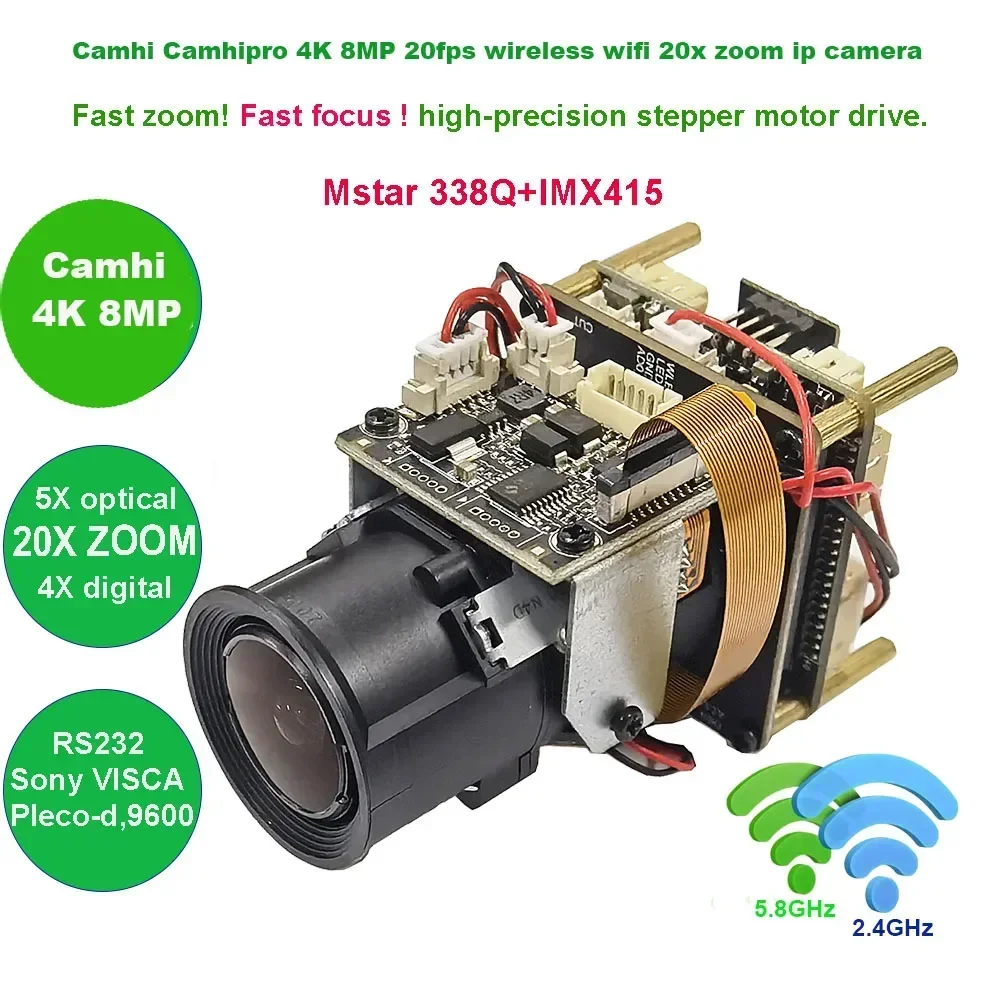
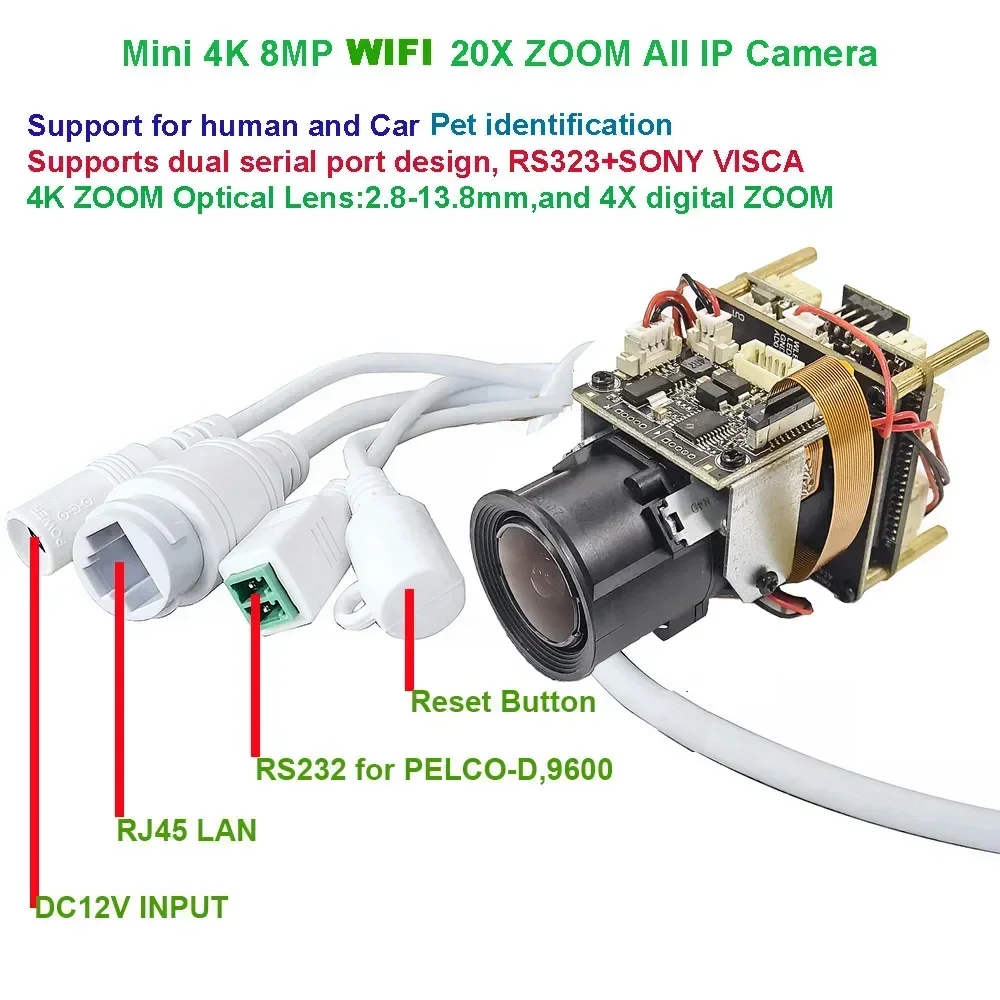
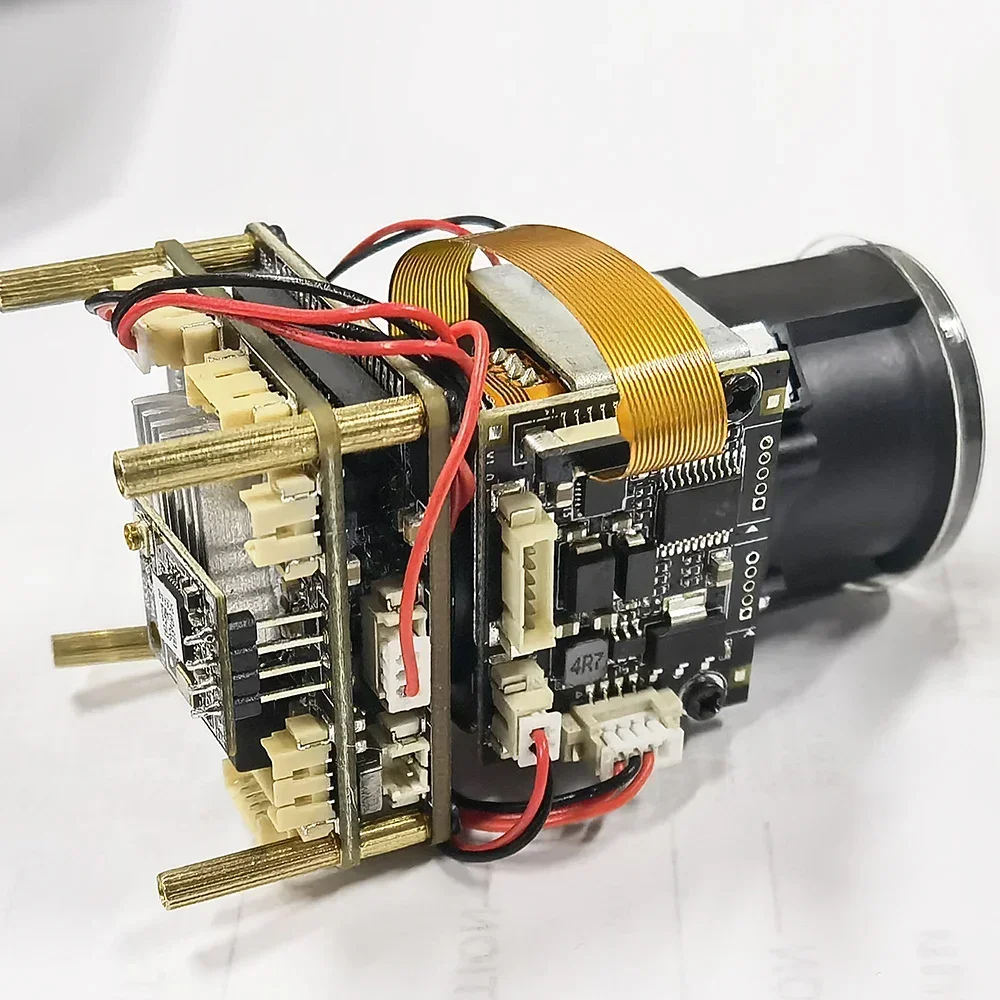
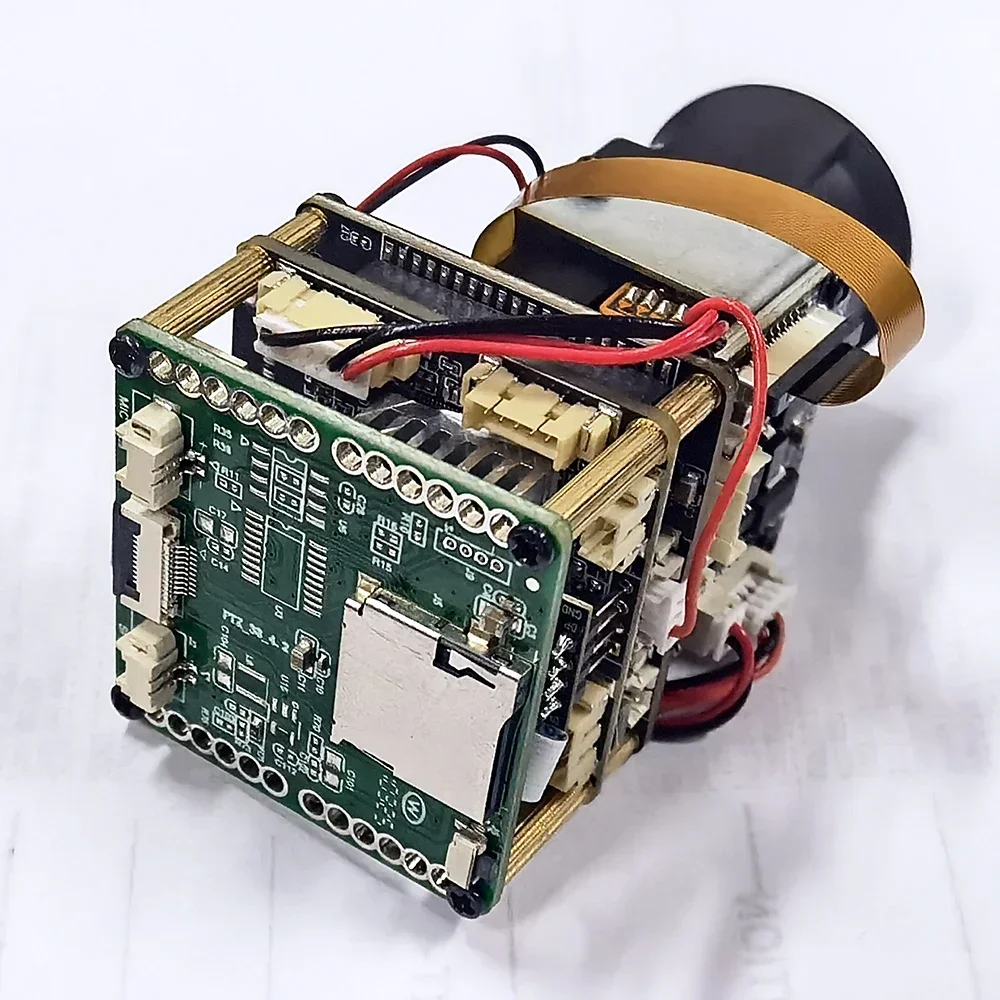
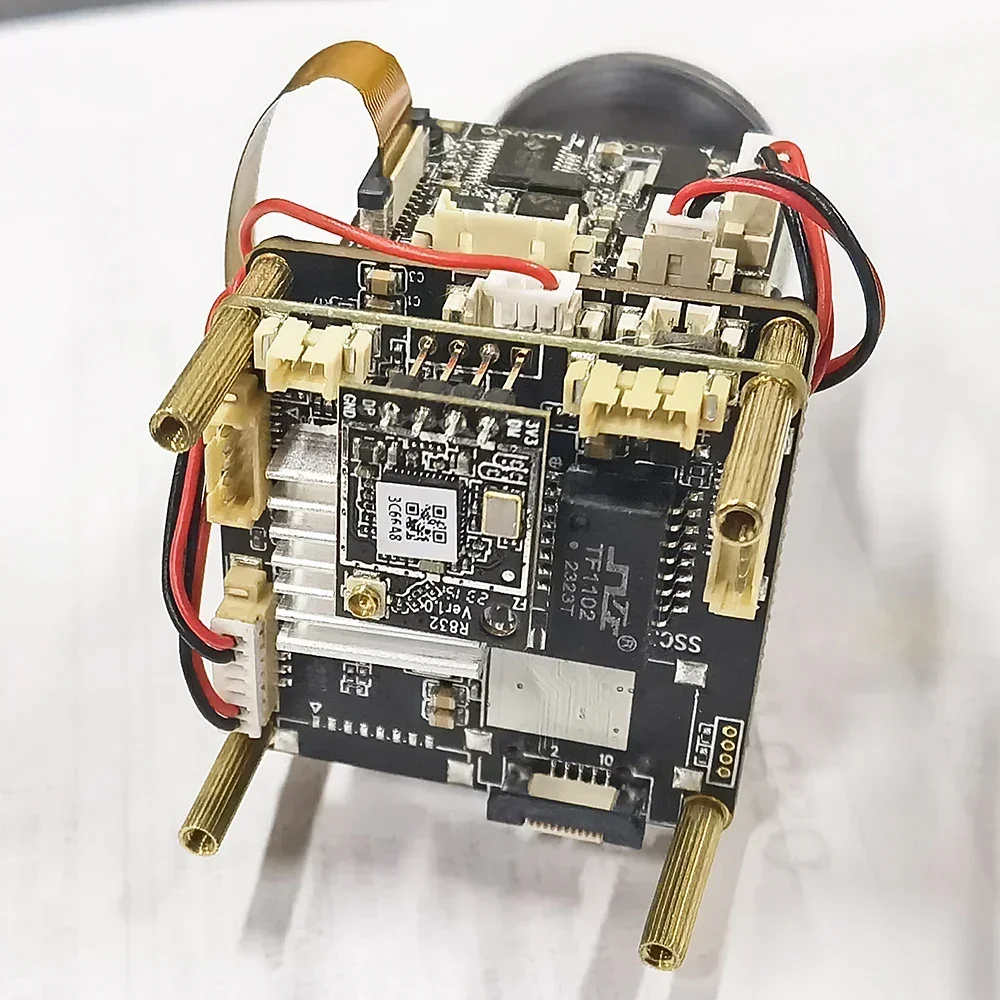
Camhi camhipro 20X zoom 4K 8MP wifi wireless Visca RS232 IMX415 IP Camera P2P ONVIF SD 512GB IP Camera
- Category: >>>
- Supplier: Shenzhen Hanqin Electronic Technology Co. Ltd.Shenzhen Ltd.
Share on (1601345675697):
Product Overview
Description
How to use external MCU to send VISCA protocol to control camera zoom

4K 8MP IP Camera adopts highly integrated MSTAR338Q+IMX415 processor, extremely low power consumption and strong stability; Support 4K 8MP 20fps, supports H.265 compression algorithm to ensure image quality while effectively reducing network bandwidth occupation; powerful network function, support standard support RTSP(TCP/UDP), support alarm picture upload FTP server, alarm picture to E-Mail, support mobile phone remote monitoring;
High sensitivity, high signal-to-noise CMOS image sensor
Using the MSTAR338Q processing chip+IMX415 CMOS
The highest pixel is up to 8MP, and the highest resolution is up to 8MP (3840*2160)
H.265 compression algorithm, effectively reducing network bandwidth, supporting dual stream, supporting mobile phone monitoring
Support humanoid, car, Pet identification
Support humanoid, car, pet recognition to trigger SD card recording, SD card capture, voice alarm, email alarm and other functions.
support fog function, support WDR, Support strong light suppression function.
Support humanoid recognition and humanoid alarm
Support multiple network protocols: TCP/IP, HTTP, TCP, ICMP, UDP, ARP, IGMP, SMTP, FTP, DHCP, DNS, DDNS, NTP, UPNP, RTSP, ,etc.
Support ON/VIF protocol,
Support for manufacturer dynamic domain name and third-party dynamic domain name resolution
Support alarm picture sending E-Mail
Support alarm picture upload FTP server
Support alarm sound outputs
Support timing capture pictures to FTP server
Support static IP, also support dynamic IP (DHCP)
Support P2P plug and play
Support IE, Google, Firefox browser
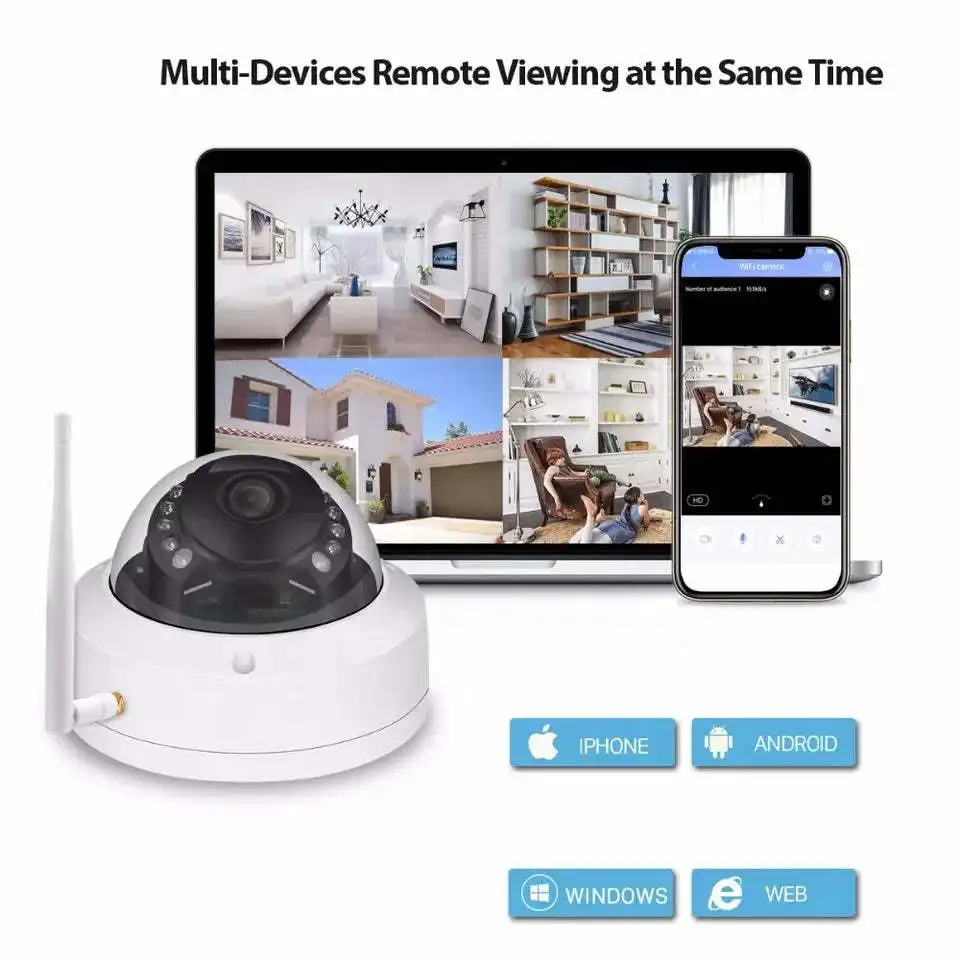
Supports up to 6 users to browse at the same time (3 users per stream)
Provide motion detection (area, sensitivity can be set) alarm function
Support UPNP automatic port mapping
Support Micro SD card function, support up to 256GB Micro SD card
Support PC client to download SD card video
Support mobile phone download and playback SD card recording
\t\t\t
\t\t\t | |
\t\t\t Operating system \t\t\t | \t\t\t embedded LINUX \t\t\t |
\t\t\t Main processor \t\t\t | \t\t\t MSTAR338Q \t\t\t |
\t\t\t Image Sensor \t\t\t | \t\t\t IMX415 1/2.8" Ultra Low Illumination CMOS Sensor \t\t\t |
\t\t\t Day and night mode \t\t\t | \t\t\t Support \t\t\t |
\t\t\t Compression standard \t\t\t | |
\t\t\t Compression standard \t\t\t | \t\t\t Video compression algorithm supports H.265, H.264 High Profile, H.264 Main Profile and H.264 Baseline \t\t\t |
\t\t\t Audio compression algorithm \t\t\t | \t\t\t G.711/G.711A \t\t\t |
\t\t\t Compressed transport stream \t\t\t | \t\t\t 512Kbps-6144bps, can be customized, \t\t\t |
\t\t\t Images \t\t\t | |
\t\t\t Maximum image size \t\t\t | \t\t\t 8MP (3840*2160) \t\t\t |
\t\t\t Sharpness \t\t\t \t\t\t Special function \t\t\t | \t\t\t First stream:4K 8MP (3840*2160),2560*1440,1080P \t\t\t support fog function, support WDR, Support strong light suppression function. \t\t\t |
\t\t\t Second stream:800*448,CIF \t\t\t | |
\t\t\t Video frame rate \t\t\t | \t\t\t 8mp 20fps,2560*1440,1080P,720P 25fps \t\t\t |
\t\t\t Character overlay \t\t\t | \t\t\t Support OSD name,time and date information overlay \t\t\t |
\t\t\t Image settings \t\t\t | \t\t\t Brightness, contrast, saturation, exposure, up and down reverse, left and right mirroring adjustable \t\t\t |
\t\t\t Network Function \t\t\t | |
\t\t\t Storage function \t\t\t | \t\t\t Supports up to 256G Micro SD card storage and supports scheduled video storage \t\t\t |
\t\t\t Motion detection \t\t\t | \t\t\t Four independent detection areas can be set (sensitivity 1-100 can be set) \t\t\t |
\t\t\t Alarm linkage \t\t\t | \t\t\t alarm sends the picture to the specified mailbox; the alarm uploads the picture and the video is uploaded to the FTP server; \t\t\t |
\t\t\t Network Protocol \t\t\t | \t\t\t Supports TCP/IP, HTTP, TCP, ICMP, UDP, ARP, IGMP, SMTP, FTP, DHCP, DNS, DDNS, NTP, UPNP, RTSP \t\t\t |
\t\t\t Access Protocol \t\t\t | \t\t\t Supports ON/VIF 2.4 Protocol \t\t\t |
\t\t\t Interface \t\t\t | |
\t\t\t Audio input \t\t\t | \t\t\t support External MIC \t\t\t |
\t\t\t Audio output \t\t\t | \t\t\t External speaker \t\t\t |
\t\t\t LAN interface \t\t\t | \t\t\t WIFI ,RJ45 10Base-T/100Base-TX \t\t\t |
\t\t\t
\t\t\t | |
\t\t\t IR night distance \t\t\t | \t\t\t support \t\t\t |
\t\t\t LEN \t\t\t | \t\t\t 20X ZOOM, 5x optics and 4x digital zoom \t\t\t |
\t\t\t waterproof level \t\t\t | \t\t\t indoor \t\t\t |
\t\t\t WIFI \t\t\t | \t\t\t not support \t\t\t |
\t\t\t Working temperature \t\t\t | \t\t\t -40 to +85 Celsius \t\t\t |
\t\t\t power \t\t\t | \t\t\t DC12V 1A \t\t\t |
\t\t\t Working Humidity \t\t\t | \t\t\t -10-95% \t\t\t |


 Command and Instructions:
1.The lens curve learning command: 253 + set + 252 +call
(The distance between the camera and the object must be greater than 50meters)
2.Minimum focus distance setting:Set command: 251 + set + X + call.
When X = 1, the minimum focusing distance is about 1.5 meters;
when X = 2, the minimum focusing distance is about 3 meters;
when X = 3, the minimum focusing distance is about 6 meters;
when X = 4, the focusing distance is infinity.Default X = 2
3. Focus mode setting:Set command: 250 + set + X + call.
When X = 1, the focus will only be triggered when the zoom movement is triggered;
when X = 2, any change in the pan, tilt, left, right, and zoom modes will trigger the movement to focus;
when X = 3, the automatic focusing mode, In any case, the movement will automatically focus. Default X = 2
4. Modification Digital ZOOM:
If ip address of camera is 192.168.188, Please open the browser and enter this address:
//192.168.1.88/cgi-bin/hi3510/param.cgi?cmd=setmaxezoom&-maxezoom=10
When maxezoom=1,digital zoom close,
Maxezoom value can be equal to any value from 1-10, representing the multiplier digital zoom of the number.
After the command is executed, please power off andrestart the camera. digital zoom to take effect
5.ZOOM OSD display and not display: 225 + call + X + call,
when X = 1, the ZOOM timesdisplay is on;
when X = 2, the zoom timesdisplay is off, the default X =1
6.Modify the control protocol method (you need to restart the movement to take effect after modification):
254+set+1+set: VISCA protocol (default) (PELCO-D, baud rate: 9600, address code: 1/255)
254+set+2+set: PTZ serial port protocol (PELCO-D, baud rate: 9600, address: 1
7. The movement supports the standard Visca protocol with a baud rate of 9600.
The address codes of the dome camera is 1
Humanoid recognition algorithm based on deep learning.Based on Huawei's deep learning humanoid recognition algorithm V2.0,
itprovides accurate humanoid recognition, providing continuous humanoid coordinates for the camera and smooth tracking of the camera.
VISCA protocol ZOOM magnification comparison table
81 01 04 47 00 00 00 00 ff 1X ZOOM
81 01 04 47 03 00 00 00 ff 2X ZOOM
81 01 04 47 03 08 00 00 ff 3X ZOOM
81 01 04 47 03 0f 00 00 ff 4X ZOOM
81 01 04 47 04 00 01 00 ff 5X ZOOM
81 01 04 47 04 00 01 05 ff 6X ZOOM
81 01 04 47 04 00 02 0f ff 7X ZOOM
81 01 04 47 04 00 03 0f ff 8X ZOOM
81 01 04 47 04 00 04 0f ff 9X ZOOM
81 01 04 47 04 00 05 0f ff 10X ZOOM
81 01 04 47 04 00 06 0f ff 11X ZOOM
81 01 04 47 04 00 07 0f ff 12X ZOOM
81 01 04 47 04 00 08 0f ff 13X ZOOM
81 01 04 47 04 00 09 0f ff 14X ZOOM
81 01 04 47 04 00 0A 0f ff 15X ZOOM
81 01 04 47 04 00 0B 0f ff 16X ZOOM
81 01 04 47 04 00 0C 0f ff 17X ZOOM
81 01 04 47 04 00 0D 0f ff 18X ZOOM
81 01 04 47 04 00 0E 0f ff 19X ZOOM
81 01 04 47 04 00 0F 0f ff 20X ZOOM
Package list
1x 20x zoom 4K 8mp Wireless wifi IP Camera
1x 12V power adapter
1x connection cable
We Recommend

New Arrivals
New products from manufacturers at wholesale prices







