

poloso RFNT2 laptop battery tester
- Category: >>>
- Supplier: Shenzhen Runfeng Elec. Tech. Co. Ltd.
Share on (1661570932):
Product Overview
Description
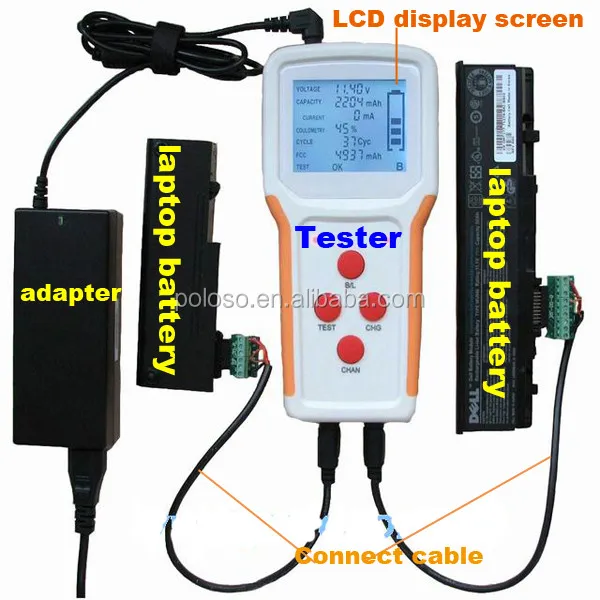
RFNT2 Laptop Battery Tester
with 2 channels ,supporting two batteries at once
Test,Charge for most brands laptop batteries.
Function:
*Charge: Two channels can work independently and serve two intelligent batteries separately. Active, pre-charge, constant current and constant voltage are the stages of charging mode. The initial charging mode depends on the battery voltage, so active and pre-charge don't happen to every batteries.
*Test:Testing time is 30seconds and the purpose is to check both the charging and discharging performances. After finishing test, LED flickers with green color and LCD reports the test result.
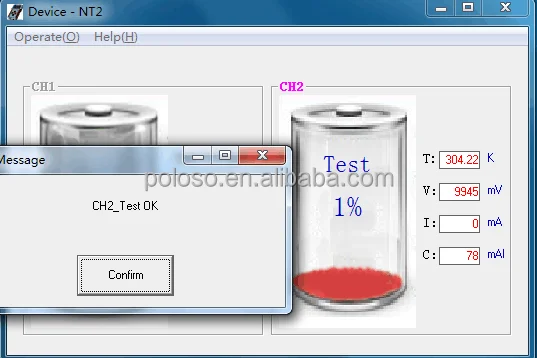
Normal: Test OK Shown on LCD
Abnormal: Test NG Shown on LCD
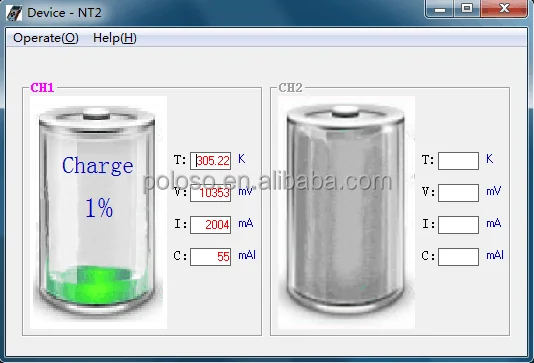
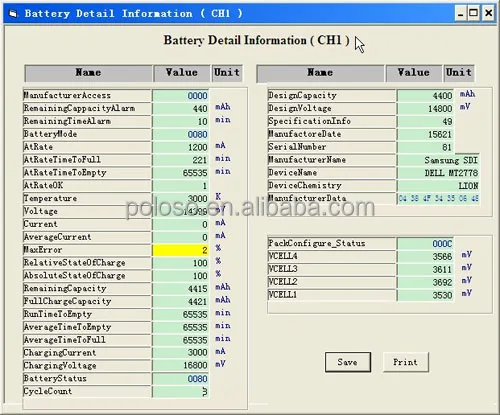
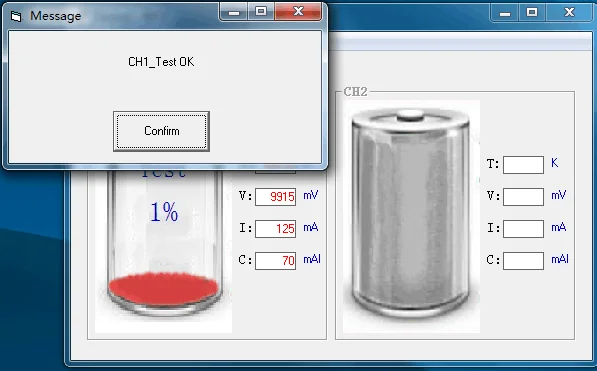
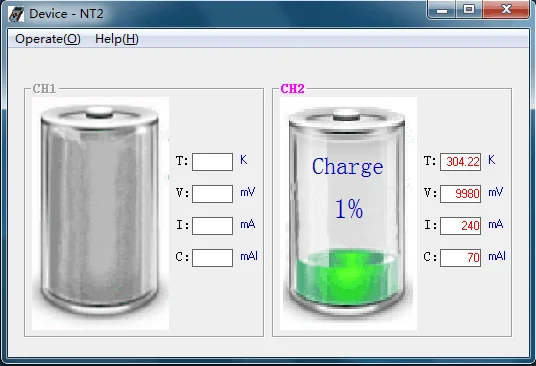
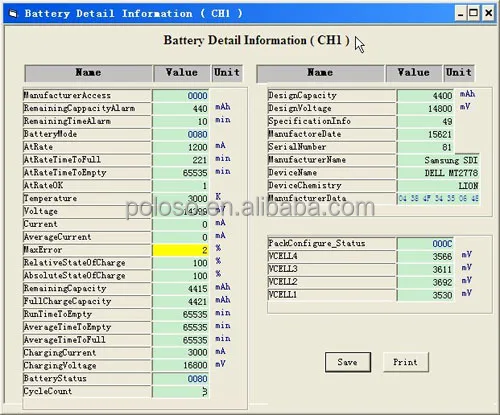
*Online Functions:Tester can be connected with master machine via a USB port. Users can monitor, control and set parameters via Battery Manager software in the master machine.
Feature:
Supporting two intelligent batteries at once
With charge and test functions
LCD for displaying battery information
LED for indicating working status
Pre-charge, fast charge and constant voltage charge for charging stages
With a USB port for connecting with computers, master machine can monitoring and control slave machine
Basic Parameters:
| Model | RFNT2 |
| Brand | poloso |
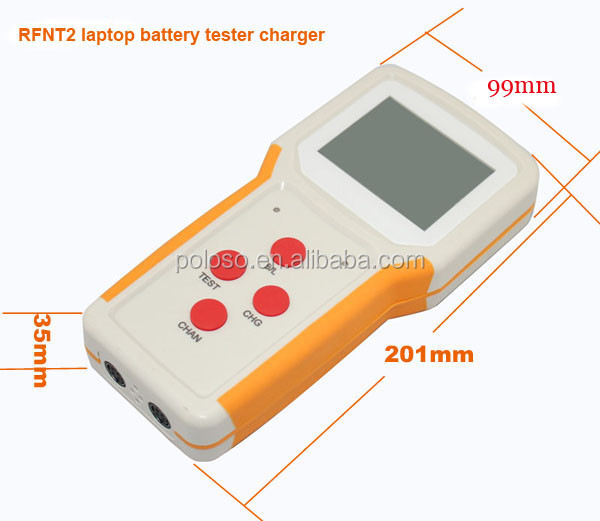
| Dimensions | 201 x 99 x 35 mm |
| Weight | 333g |
| Adapter | Input: AC 100 ~ 240 V Output: DC 19V 4.74A |
| Display mode | Segment LCD with white backlight LED in red and green |
| Charging mode | Constant current + constant voltage |
| Charging current | Maximum charging current of each channel: 2.5A |
| Standby power consumption | ≤1W |
| Charging time | Maximum 8 hours |
| Working temperature | 0~40℃ 20%-90% RH (Non condensation) |
| Storage temperature | -20℃~65℃ 10%-95% RH (Non condensation) |
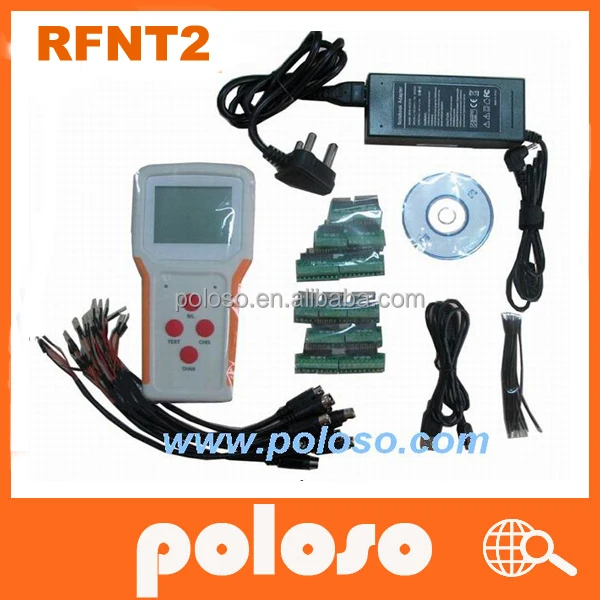
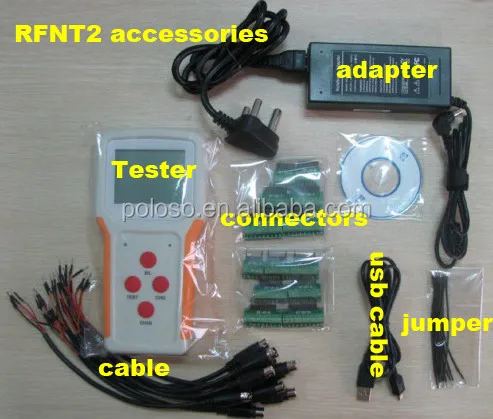
| Accessories | 1 * adapter,1*CD,14*connectors ,10*cables ,10*jumper |
Operation:
Power Up
1)Connect the adapter to AC power source
2)Connect the tester with the adapter
LCD shows battery information and LED lights up for a moment if a battery has been connected to the tester.
Both LCD backlight and LED lights up for a moment if no battery has been connected to the tester.
Connecting Battery
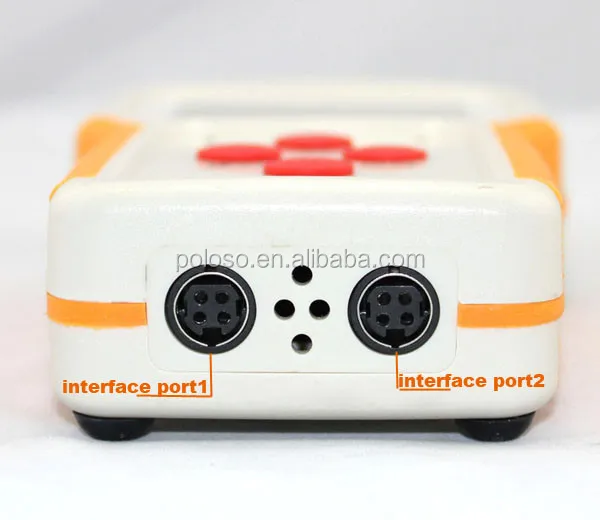
1). Make sure the connecting wire fits the battery
2). Make sure the connecting wire is plugged into the battery socket in correct direction
3). Make sure no poor connections
Charge
1). Normal charge
Tester starts to charge your battery after you press the charge button. Battery information will be showed on LCD screen in real time.
2). Active charge
If the battery needs to be activated, tester can not show any battery information. In this case, you should press the charge button to start up active charge. Tester will go into normal charge process after the battery is activated successfully.
Time limit of active charge: 60 seconds
Test
Tester starts to test your battery after you press the test button. Charging / discharging current and test result will be showed on LCD screen.
Online Functions
1)Connect tester to your computer via USB cord
2)Startup Battery Manager
3)Refer to Battery Manager User Manual
Remarks: Battery Manager software and USB drive program should be installed in your computer before you use this function.
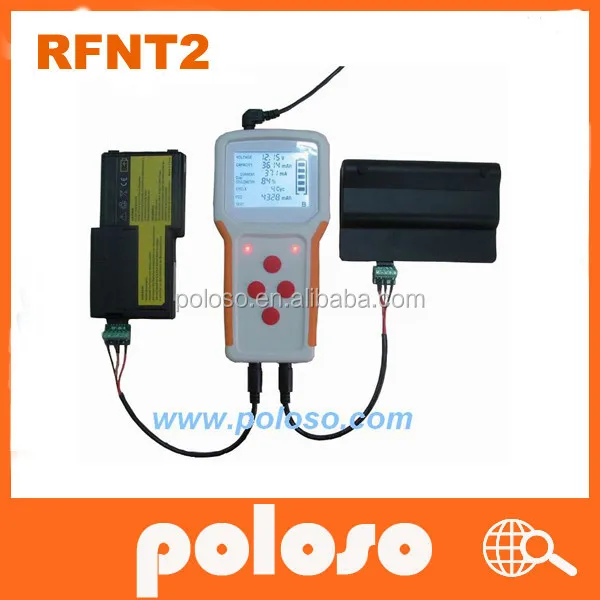
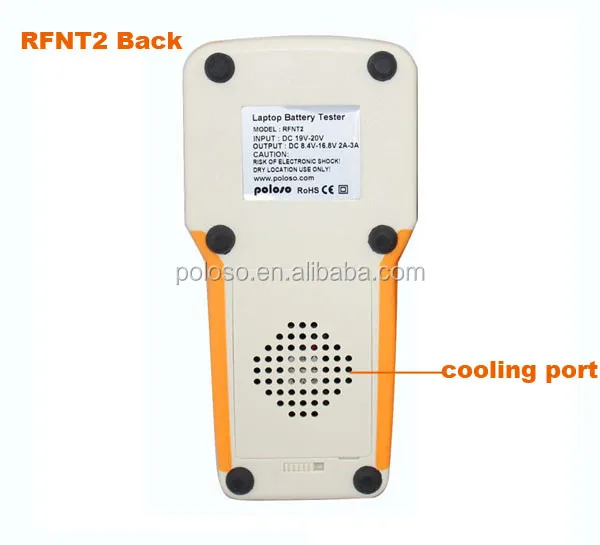
RFNT2 photos:

Test informaiton in computer:


We Recommend







New Arrivals
New products from manufacturers at wholesale prices






