
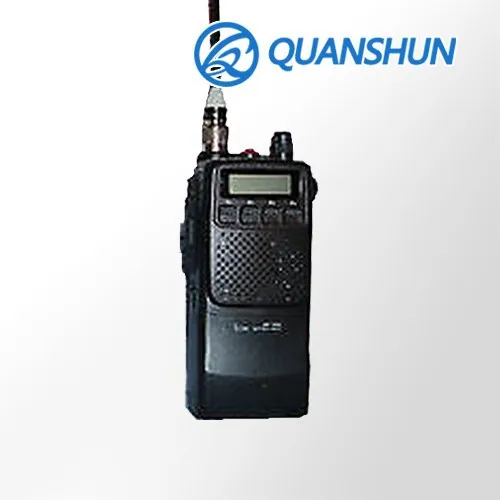
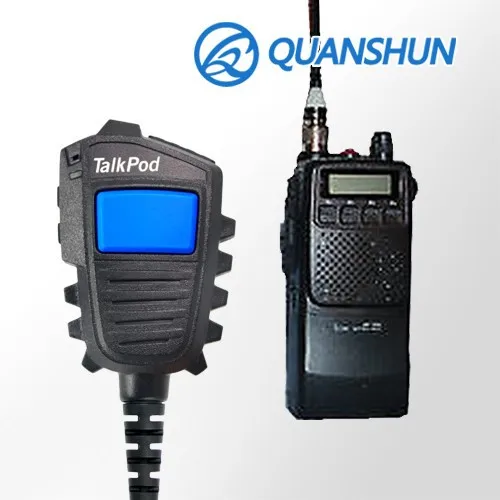
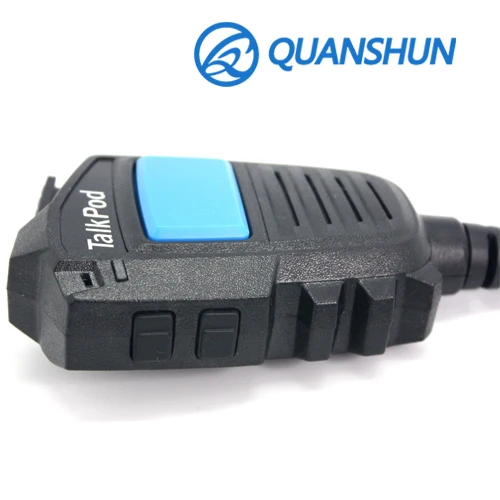
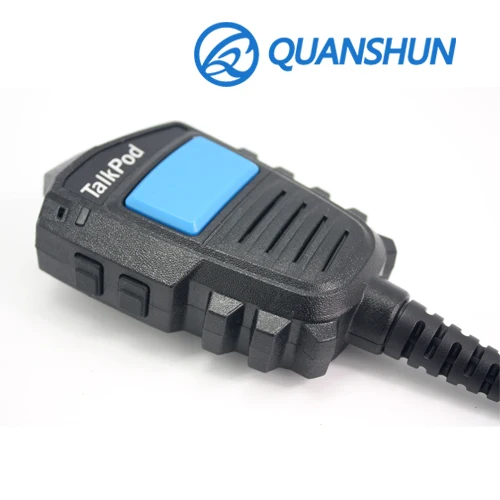
Talkpod Radio record remote speaker microphone with big blue PTT button
- Category: >>>
- Supplier: Fujian Quanzhou Quanshun Communication Technology Co. Ltd.
Share on (60224023668):
Product Overview
Description
X1 for IC-F20
VOICE RECORD REMOTE SPEAKER MICROPHONE
When you really need to stay in touch - whether during an urban incident or a wildland fire – Two-way radio is best choose. But when you are busy or missing a calling, the Voice Record RSM must be the excellent solution to update, Or any responsibility accident happened, the Voice Record RSM will as a aircraft black box. It’s got to be simple, rugged and reliable, built for the realities of first responders. No matter where an emergency occurs, you need to hear the conversation loud and clear and be able to replay it at will.
Up to 280 hours conversation storage;
Calling and answer will save as a conversation file and mark the date and time information;
Instant Replay Prev, Next, and Pause;
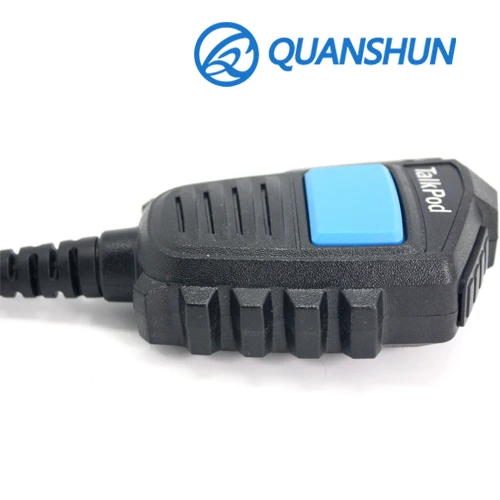
The max sized buttons design;
Password required for device access.
The call and answer will smart archived with one conversation file and mark with date and time information and can be replayed or download as often as required;
The X1 offers the high memory with recording capacity of up 280 hours.
The max sized buttons ensure for easy use even with gloved hands and a programmable smart PTT to keep both hands free when working;
The X1 include a charger with built-in voice amplifier and high capacity battery, voice announcements that indicate battery levels; when battery out of power, it still work as a RSM, so you will never miss any calling.
1. Overview

1 LED Indicator Light
2 Headphone Jack
3 USB Data Jack
4 Built-in Microphone
5 Built-in Speaker
6 (up) Power On / Off / Play Last
7 (Down) Play Next
8 PTT / Pause
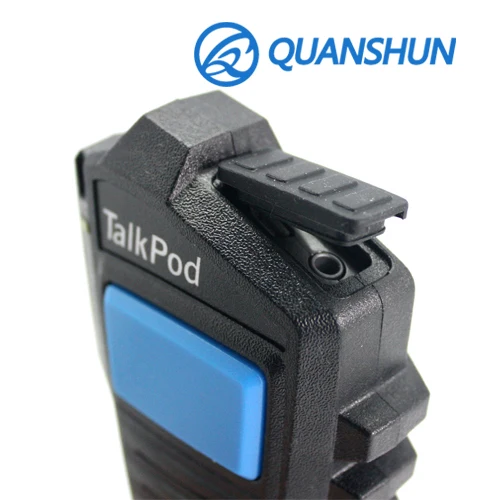
9 Clip Slot
2. Start
Power On/Off:
• Turn On: Long press the (up) key until the green LED lights flash 3 times;
• Turn Off: Long Press the (up) key in the standby mode, until the red LED lights flash 3 times.
Battery Charging:
• This product is built-in battery, when it connected by Micro-USB data cable to the PC, the battery will recharged automatically. Whole charging process takes about 4 hours.
Tips:
• The first time useing, please full charged the battery;
• When charging, the computer must be switched on;
• If your computer's USB can not provide enough power capacity, use a standard charger adapter or 4.2V output of qualified smartphone charger adapter, or contact your dealer.
3 Recording
• The recorder is alway standby working when RSM turn on, all incoming calls or outgoing answers will be recorded automatically, the audio files will saved in the built-in memory;
• Standby status, LED indicator light flashing green light;
• Recording status, LED indicator lights steady red light;
• At the end of any of (incoming / outgoing) calls the LED will flashing red for about 15 seconds, waiting for the next (incoming / outgoing) call response, the whole conversation will automatically archived with a single voice file stored in the built-in memory, more than 15 seconds will be automatically converted into standby mode, waiting for the next call recording.
Tips:
• Before recording, make sure you can communicate properly two way radio headphone jack;
• Please test recorder first time use,to make sure all function is normal setting;
• When the recording time exceeds the available capacity of the recording microphone shoulder or reach the upper limit of the maximum number of files, recordings shoulder microphone will automatically overwrite the oldest file;
• Do not attempt to interrupt the power or remove the battery when recording. This can lead to shoulder microphone recording failure;
• If you need a long recording, please recharged the battery before recording.
4 Play
• Press the (up) key to play the last recording in standby mode;
• Press (up) or (Down) to select the last / next voice record file;
• LED indicator lights flashing green when it play;
• Press the PTT key to end the play;
• Press (up) or (Down) continuously adjust the playback volume (optional).
Tips:
• When the headphones into the jack, the speakers are turned off;
• Loop, you can set the RSM loop.
5 download or delete files
• The Micro-USB data cable connected to the computer to read the file;
• After successfully connected to the computer, the computer (my computer) will display a folder hard disk;
• Open the appropriate hard disk, audio folder exist to 20151231, representing as year / month / day;
• Open the date folder, audio file formats exist to 235,959, representing as hours / minutes / seconds;
• Recording File Format WAV;
• Copy files, folders or set the need to copy files to the local computer's hard drive and keep it.
• Delete files, Then audio files have been copied, select unnecessary files and folders deleted it into the Recycle Bin (Optional: Password protection products require administrator password to delete the file).
6 FAQ
• Here are frequently asked questions to help solve simple problems arise RSM. If the problem persists, consult your dealer.
Unable to start recording shoulder microphone:
• The battery is exhausted or the battery is not placed correctly. Replace with new batteries and check the batteries are inserted properly.
Recording can not shoulder microphone recording;
• Recording shoulder microphone is not properly installed on the walkie-talkie;
• Out shoulder microphone recording the maximum allowed number of files or shoulder microphone recording storage space is full. Please delete some recordings or move them to an external storage device.
Unable to listen to the speaker recordings:
• Headset is plugged in. Please remove the headset;
• The volume is set to the minimum value. Adjust speaker volume. Can not play audio recording microphone shoulder;
• The battery is exhausted or the battery is not placed correctly. Replace with new batteries and check the battery is inserted properly;
• But still can not be recorded. Please check the number of audio files. Shoulder microphone recording can not stop, pause, play or record;
• The headset is not plugged in properly. Reconnect the headset is properly inserted;
• The volume is set to the minimum value. Adjust speaker volume.
9 Specifiaction
General Specifications |
|
Model Number | X1 |
Speaker | 8Ω 0.5W, Full-range |
Microphone | -56dB, Omnidirectional |
Function Buttons | Volume Up/Down, Reply Prev/Next/Pause |
Headphone Jack | 3.5mm standard audio jack |
Color Options | Black housing with blue PTT buttons |
Fixing | Rugged 360 rotating clothing clip |
Radio Compatibility | Portable radios & mobile radios |
Data Storage, Security and Software | |
Voice Storage Capacity | up 280 / 560 hours |
Memory Storage | 4GB / 8GB |
Memory Location | Internal - Not user accessible or removable |
Voice Download Method | USB 2.0 |
Password Protection | Password required for device access |
Evidence Tampering Protection | Software required for evidence review and processing |
Accidental Deletion Protection | Evidence must move through software delete process |
Device Operating System | CRRSM OS (based on Linux kernel) |
Supported Operating Systems | Windows, Mac OS and Linux |
File Format | WAV |
Data Jack | micro USB |
Battery and Electrical |
|
Battery Type | Lithium Ion |
Battery Characteristics | 3.7V 1300mAh at 25℃ |
Run Time | up 12 hours at 25℃ |
Standby Time | up 24 hours x 10 days |
Current Drain | 4mA at idle state, 25mA at record, 75mA at replay |
Charge Time | about 4 hours at 25℃ |
Operating Voltage | 3.7V |
General and Environmental |
|
Dimensions | 64x100x42 (mm) |
Weight | 163g |
Operating Temperature | -10℃ to 55℃ |
Storage Temperature | -40℃ to 85℃ |
Operating Humidity | 5% - 95% RH |
Drop Resistance | 2M(6') any orientation |
Water Resistance | IP54 design |
Patent | SIPO ZL 201420526861.9 |
Warranty | 2 Years |
* Specifications subject to change without notice.


Certifications
What really trust?
When faced with deciding which battery to buy, the quality whether reliable is difficult to make a decision. What really trust when you considering buy Quanshun products?

OEM & ODM
What really process?
When faced with deciding which battery should through OEM/ODM. You are urgent to know how it to do. What really process when you make up on your mind to do ODM and OEM with Quanshun manufacture?

Packaging & Shipping
What and How to get it?
When you are considering which battery you should buy, there must be a question you may think about it package and delivery, what and how you will really get when you considering buy quanshun battery?

Our Services
Why choose us?
When you decide which battery you like to buy ,you will take into account how pre and after-sale service, Quanshun service quality more than just providing products, why choose us when you determine to buy Quanshun products?

Your staisfaction is our proity choice!
FAQ
Q: What's MOQ?
A: In general, it is 50 Pcs. According situational, it is negotiable. You can also place sample order.
Q: Do you accept customized?
A: Yes, we did produce as customer requirment for many years.OEM & ODM are weclomed.
Q: Do battery need charge when you get at the first?
A: Upon delivery, battery is not fully charged. Recharge is needed. For NI-Cd the first charging should over night. NI-MM and LI-ion can stop charge when the light green.
Q: Brands your products covered?
A: Motorola, Kenwood, Hytera, Icom, Tait, Standard, Vertex Standard, Maxon, Macom, Smp, Clarigo and other OEM radios.
Q: How long is your warranty?
A: Battery and charger 18 month, two way radio and earphone 12 month.
If you have any other questions, please contract us, send E-mail us: service(at)qstx.com.
Product Finder:

Trade shows
Looking forward to meeting you!
We not only throug the Internet by send e-mail also take parts in all kinds of trade exhibition every year to do business with you.It's the the best way to communicate you with us.We are willing to operate with you.

Company Information
Who we are?
Quanshun was a experienced batteries manufacturer in China, now is one of the top radio and accessories providers and it will become the global influential industry leader. Our products has acquired CE ,Fcc,RoSH these certificate. Fast delivery ,competitive price and perfect after-sale service ,could ensure you get the max profit. To make your communication system more reliable ,more efficient, and more affordable, we are ready. And you?

Quanshun Communication Technology Co., Ltd
Add: Quanshun Bldg., Daxiamei, Nan'an, Quanzhou, Fujian, China 362302
Tel: (86 595) 8675 3355 / 8675 5555
Fax: (86 595) 8675 8299
E-mail: sales(at)qstx.com
//www.qstx.com/en
//qstx.en.alibaba.com
//qstx.manufacturer.globalsources.com
https://www.facebook.com/qstxcom
https://plus.google.com/107086547705653587666

We Recommend







New Arrivals
New products from manufacturers at wholesale prices






