
Профессиональная машина для пения караоке
- Category: Karaoke Players >>>
- Supplier: Shenzhen Jouyar Technology Co. Ltd.
Share on (60686476668):
Product Overview
Description
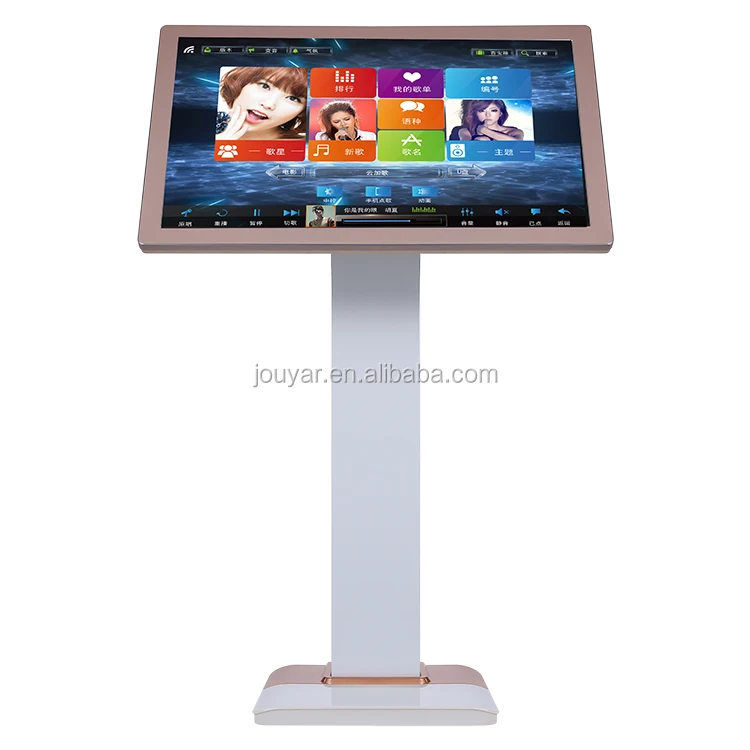
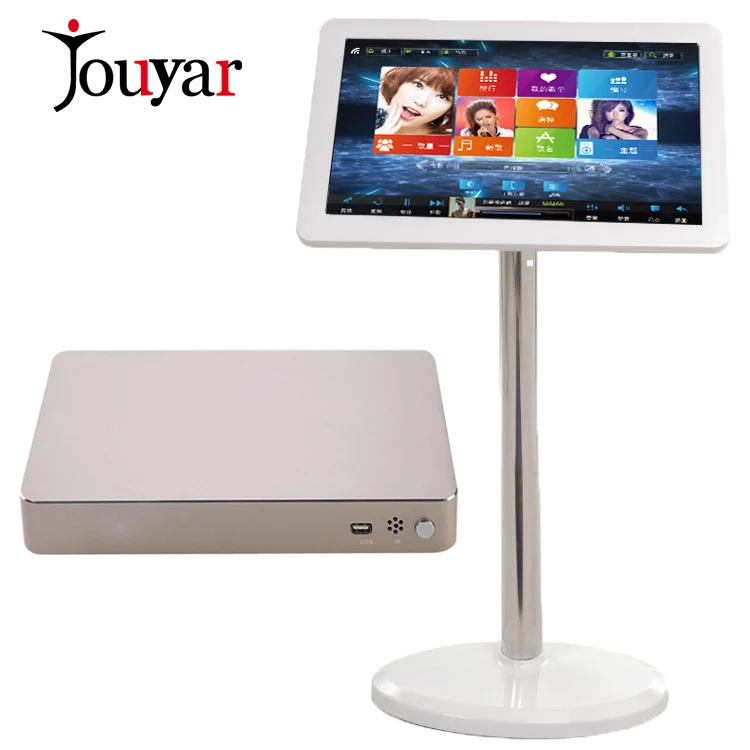
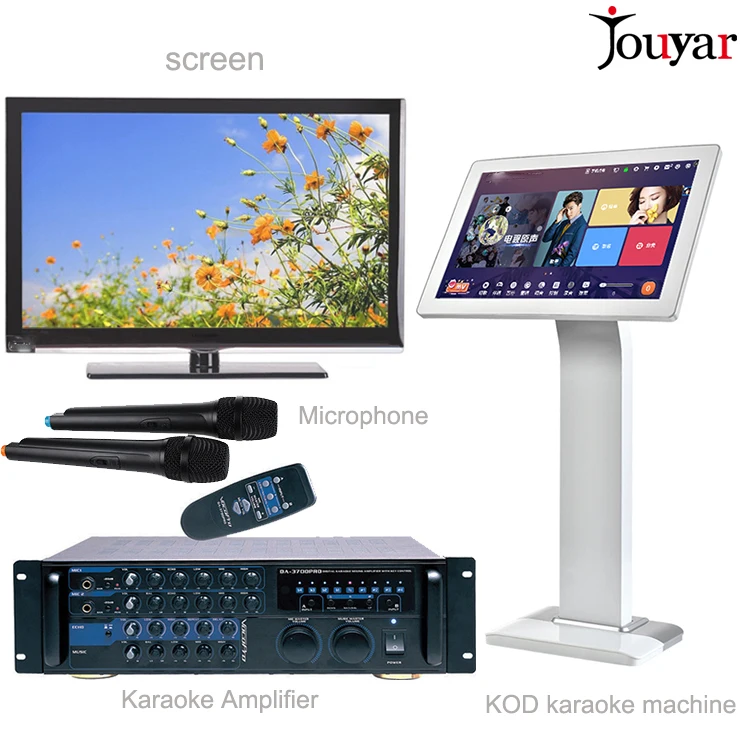
Professional Karaoke Singing Machine
Why choose jouyar Karaoke singing machine:
- l Own developed System,we own the best technology of Karaoke system in China
- l Best Karaoke system until now
- l Support 16 kinds of languages ,you can customize any languages ,we are developing all kinds of languages
- l Newest design of touch screen
- l System OEM&ODM is available
- l Dual system (Linux/Andriod) to avoid Andriod system’s unstable problem
- l Eight-cores ,double quicker than the common karaoke machines which are most Four-cores in the market
- l Support songs quantity :30.000 for 2T HDD,50.000 for 3T HDD ,200.000 if connect to the cloud database
Package include :
- 1. All in one Karaoke machine (19 inch touch screen)* 1
- 2. Power adapter + wire * 1 set
- 3. HDMI wire * 1
- 4. Certificate of qualification * 1
- 5. Instruction *1
Hardware specification:
- l - Use eight-core chip processor, mainboard has 8GB high-speed EMMC.
- l - Support 8T up high-capacity hard disk or dual hard disk.
- l - Network: 100M wired network, support wifi.
- l - Display port: VGA/HDMI.
- l - 2 usb, support large hard disk plugins.
- l - Support RS232.
- l - MIC IN/LINE IN input
- l - LINE OUT output
- l - SPDIF fiber interface
- l - Power supply: DC 12V 3-4A
Software Advantages:
- l Support 16 kinds of languages, including :Simplified Chinese ,Traditional Chinese,English,French,Vietnamese,Malay,Filipino,Japanese,Korea,Thai,Russian,Hindi,Cambodia,Indonesia,Lao,Burmese .
- Spanish ,Dutch,Portuguese etc are developing ,coming out soon .
- l Realize fast stream movie playing such as KTV, BluRay, etc. under LINUX. Realize direct
- l installation of android software. Realize some android software function such as online TV and movies, etc.
- l Support VGA + HDMI double screen different display
- l Support 3D original code blueray playing, subtitle, channel switching. Playing can be fast
- l forward and fast backward.
- l Support 1080P, 4k video full-format local and network hard decoding.
- l Support multiple format such as H.264, H.265, DTS, WAV, MPG, MP3, RMVB, MP4.
- l Support phantom play and preview play.
- l Support encrypted film source play.
- l Support interface HD input, support sound 5.1, 7.1, 10.1 digital input
- l Support mic in/line in input record, can support voice control and song scoring function
- l Support tones up and down adjustment and voice change
- l Support 3.5 serial port touch screen

System Common function Mode:

Function Mode | Description |
adding songs from usb flash disk
|
|
Play songs on usb flash disk |
|
Cloud download
|
|
Song order from the mobile phone
| 1. The gateway of the mobile phone and the gateway of the song order machine must be the same. The phone and the song order machine will be connected by the router. 2. Open “phone song order” on the song order interface, and use WeChat tscan the QR code,and then go into the phone song order page. 3. Mobile Phone song order and Mobile phone online chat will be processed at the same time.
|
Voice change
|
|
Movie Mode
|
|
Android system Mode
|
|
Photos:


Payment terms :
1.Bank Transfer
2.Paypal
3.western union
4.Money Gram
5.Alipay

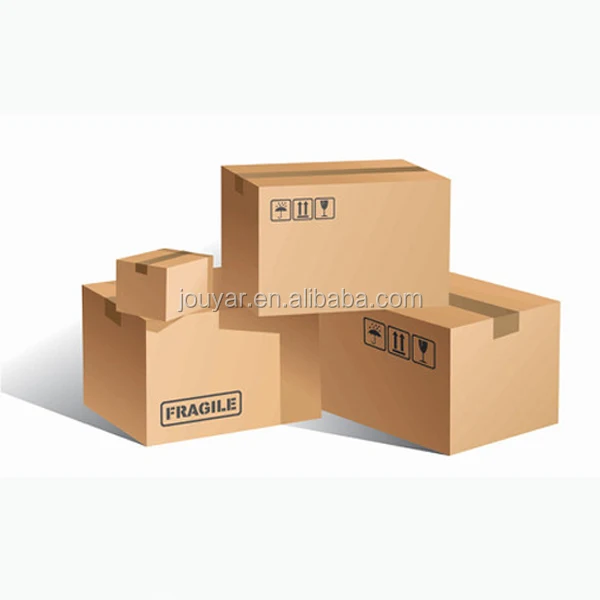
Packages:
FAQ:
Q: What is your terms of payment?
A: Payment<=2000USD, 100% in advance. Payment>=2000USD, 30% T/T in advance , balance before shippment.
Q: What is your terms of delivery?
A: EXW, FOB, CFR, CIF.
Q: How do you make our business long-term and good relationship?
A: 1. We keep good quality and competitive price to ensure our customers benefit ;
2. We respect every customer as our friend and we sincerely do business and make friends with them, no matter where they come from.
Contact US:

We Recommend


New Arrivals
New products from manufacturers at wholesale prices







