
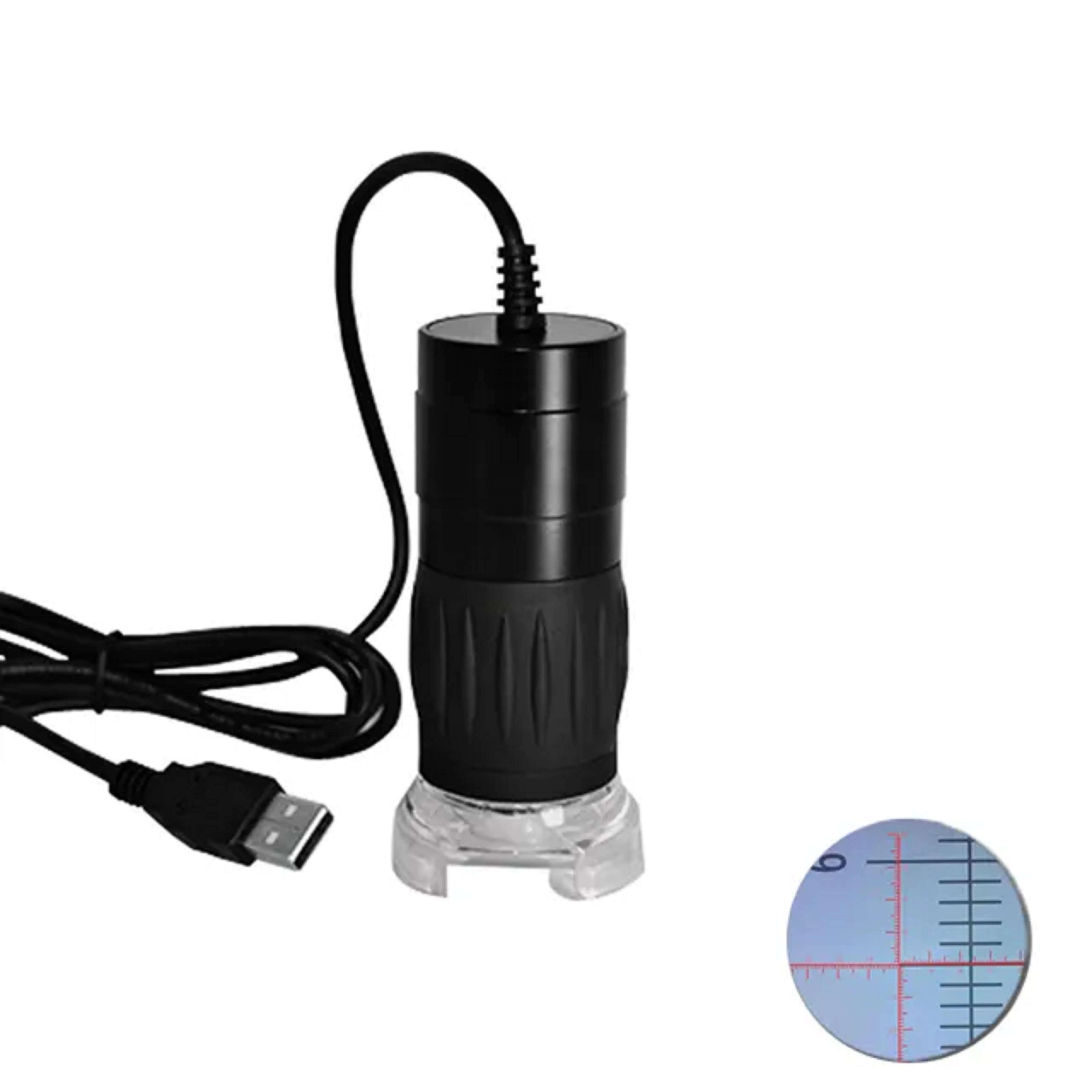
MDA2000R 1600X1200 resolution optics zoom, digital zoom USB portable digital microscope with reticle software for measurement
- Category: >>>
- Supplier: Hangzhou Future Optics Sci & Tech Co. Ltd.
Share on (60740696769):
Product Overview
Description
Product Description
Composition
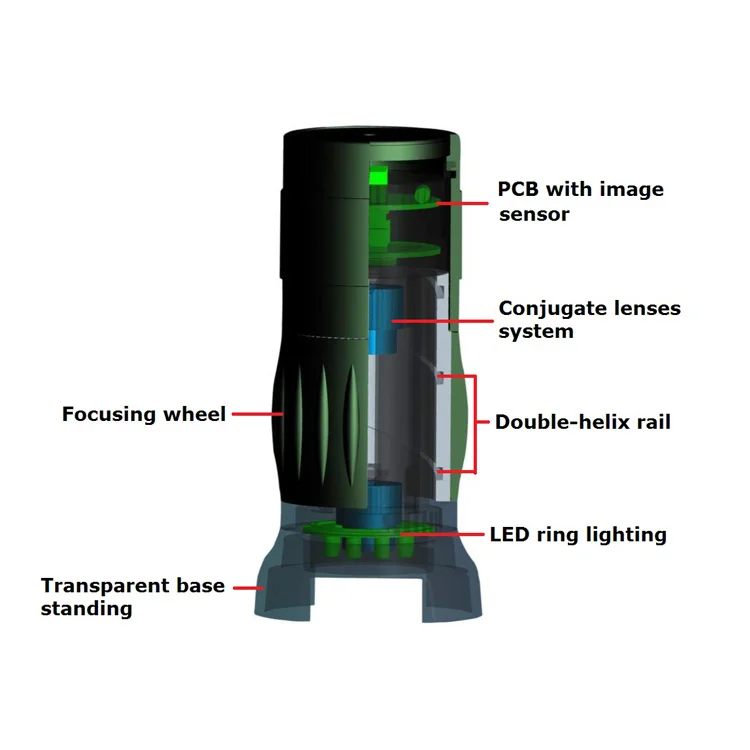
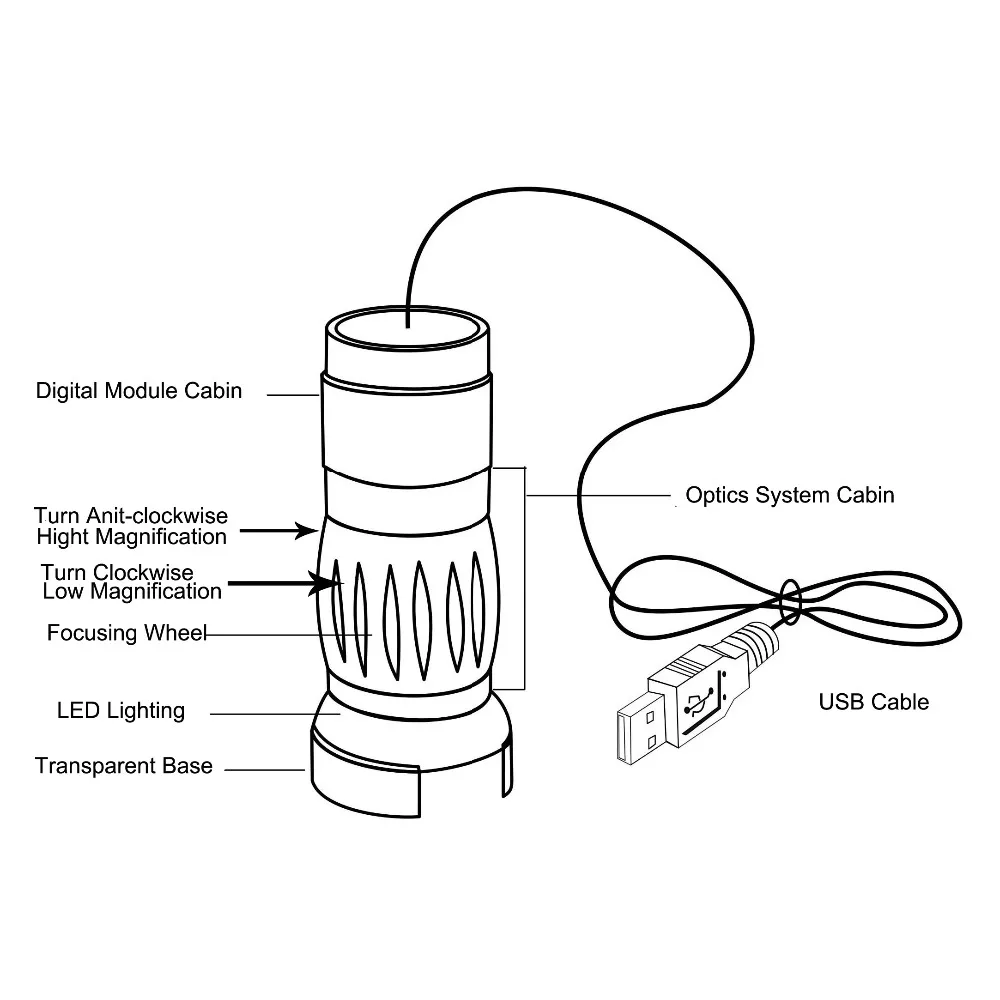
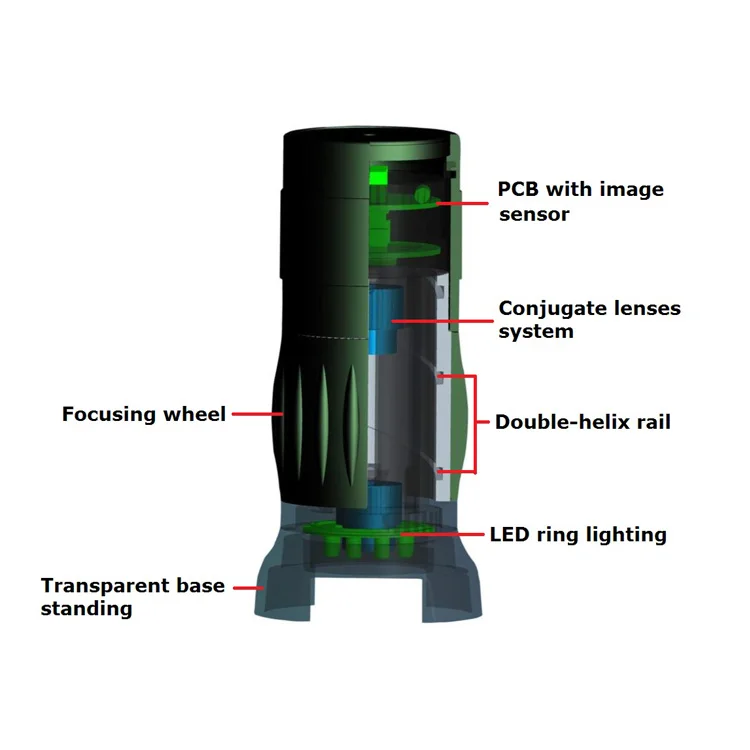
To be composed of lighting system, optics system, sensor-IC system and software of image capture.
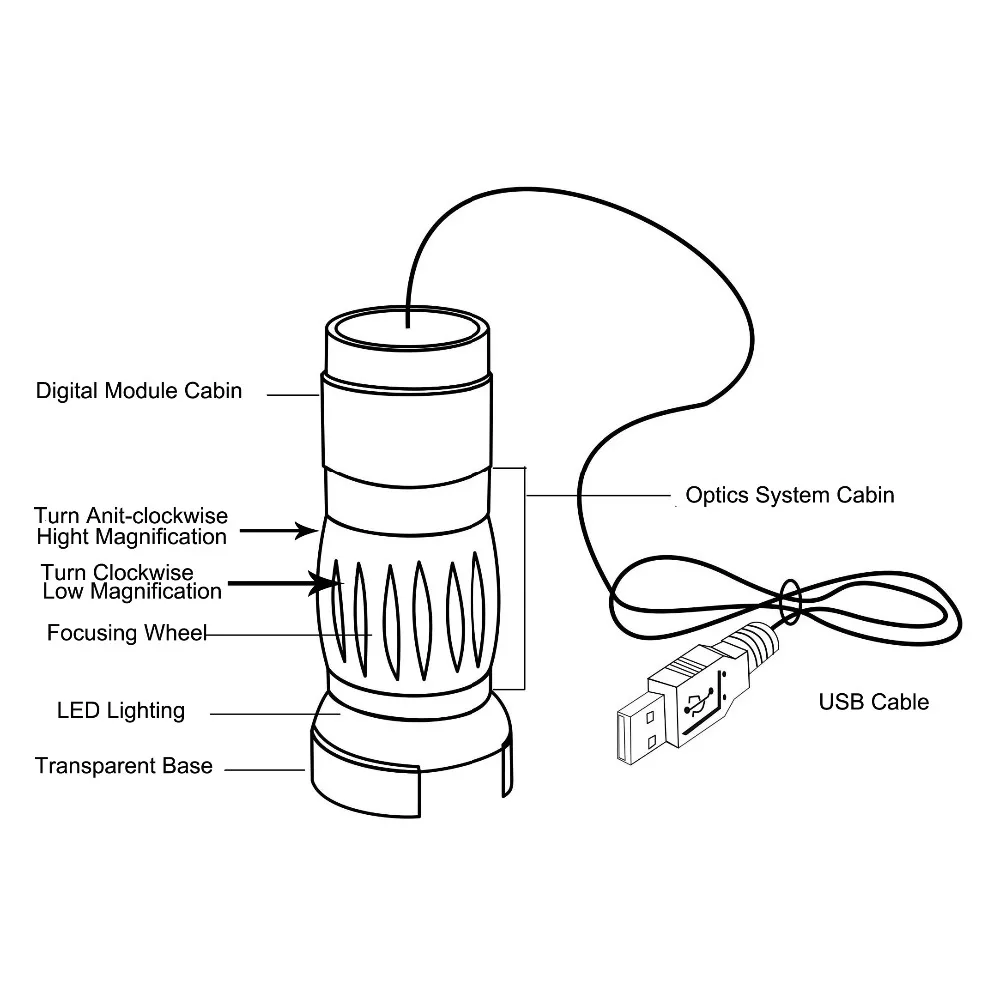
Including parts of stand base, ring LED lighting, built-in lenses, focusing wheel, digital module cabin, USB cable, and CD of software.
Function
By linking with PC vs USB 2.0 port,the images of the specimen are shown on the screen, and the shoot, video recording,measurement and editing can be done under the controlling of software attached.
Features
Excellent Optics
One set of conjugate lenses offers two different magnifications, which the low magnification is for wide field view and the high magnification is for detailed inspection; long working distance is suitable for assembly of fine equipment.
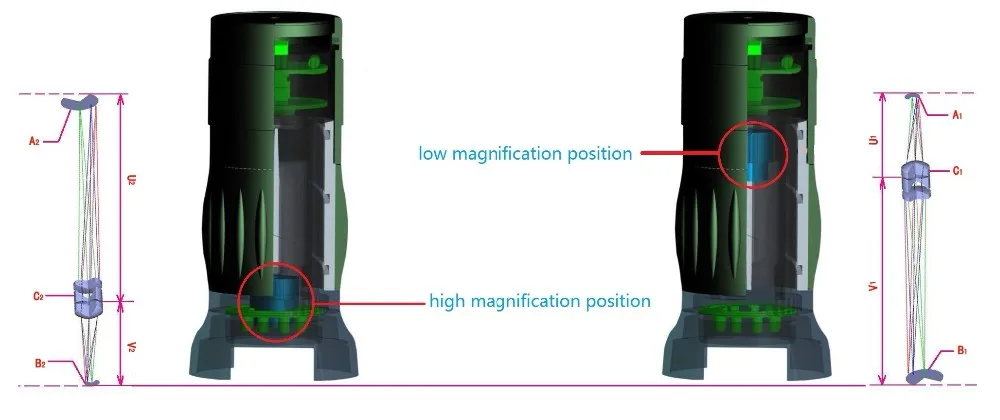
Innovating Design
The combination of low optical magnification and high digital magnification has it be possible to run out of room without a stable platform; Big focus wheel is good for zooming and focusing easy and smoothly.
Advanced IC Desing
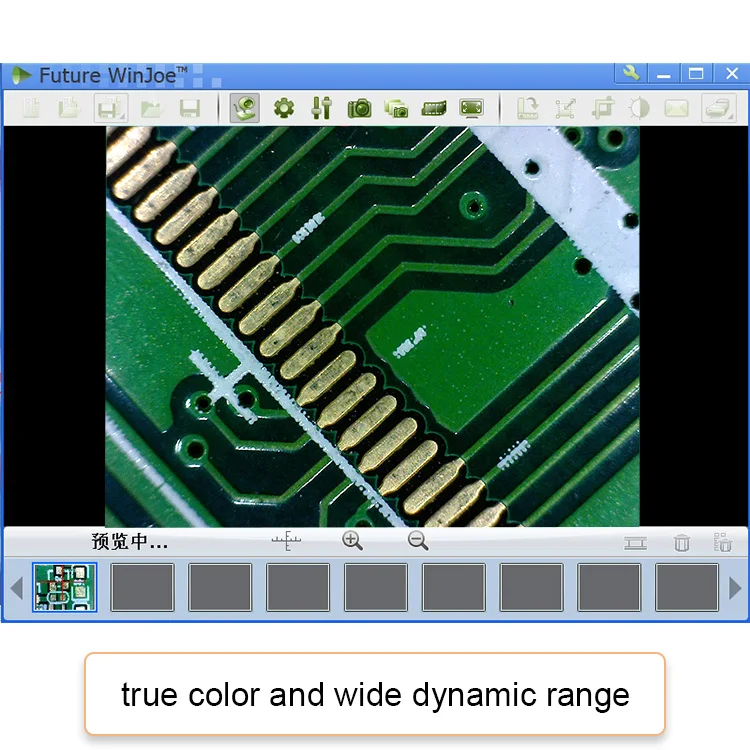
UVC design in use of Window XP, Vista and Windows 7; Power supply of LED coming from USB port; Wide dynamic range offers high quality images
Powerful Software
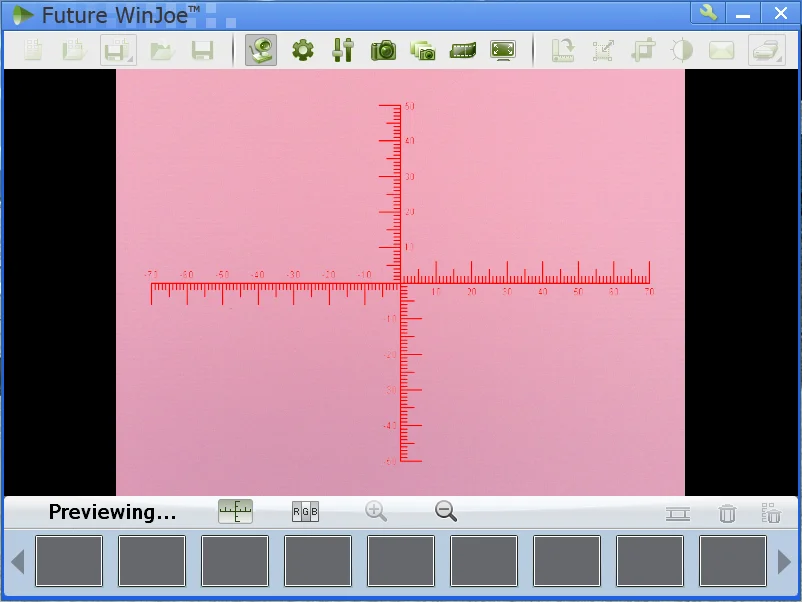
To support operation model of capture and show images in top resolution of sensor; movable reticle is usefully for measurement and indication of target; 7 languages of software for selection.
Operation
Basic operation:
To link with USB port.
Click" my company".
Click" USB video device".
Aim at target and focus.
View or shoot.
Professional operation:
Install Future Win Joe.
Link with USB port.
Click icon of software.
Aim at target and focus and zoom.
View, shoot, record, measure, edit.
Typical Application
Electronic Inspection
Analyzing microstructure of PCB board, checking up surfaces of precise workpieces, identifying key characteristics of IC module and component part, assembling and repairing miniaturized components.
Education and Scientific Research
To observe, analyze and study animal & plant cells, specimens and entities, e.g., real-time projection, picture and text report generation, detail measurement, dissection.
Printing Inspection
To check printing plate in detailed message, color, size and material quality.
Textile Inspection
To observe, record and measure textile density, material composition, color and quality.
Law Enforcerment
To search, gather, inspect traces, analyze and study at the scene.
Household and Office Tool
To check and examine personal collections, e.g., check quality of coins, jewelry and calligraphic works and paintings.
Specifications
Capture Mode | Picture and Video |
Sensor Parameter | 1/4” 2.0MP Color CMOS |
Max. Resolution | 1600*1200 |
Pixel Size | 2.8µm*2.8µm |
Sensitivity | 1.0V / lux-sec |
Dynamic Range | 60.0 dB |
S/N Ratio | 54.0 dB |
Working Distance | 5.0MM ---∞ |
Magnification | 1---40X; 240X |
Spectral Range | 400-650nm (with IR-filter) |
Frame Rate | 17fps@1280*1024 |
Preview Model | 1600*1200; 1280*1024; 640*480; 320*240 |
Exposure | ERS or Manual |
Power Consumption | 170 mW |
White Balance | ERS or Manual |
Out Interface | USB port |
Device Weight | 0.12kg |
Device Size | Φ45mm*95mm |
Software Feature
Image Capture Function.
On or off the linking of device;
Setting of image features, resolution, format, location;
Setting of image. Setting of full screen view.
Setting of single shoot;
setting of serial shoot;
Setting of video recoding.
Image File Management
Set up a new entry of PC open an entry of image file.
Saved in hard disk of PC save newly editing images in;
the same entry or in new entry open and edit the image files;
saved in PC disk.
Image File Edit
Picture rotation:90°,80°,270° or any angle defined by user.
Picture zoom on resolution or screen;
Modifying and Comparison: contrast, Brightness, color, saturation;
To post single picture or whole entry;
To print single picture or entry schema.
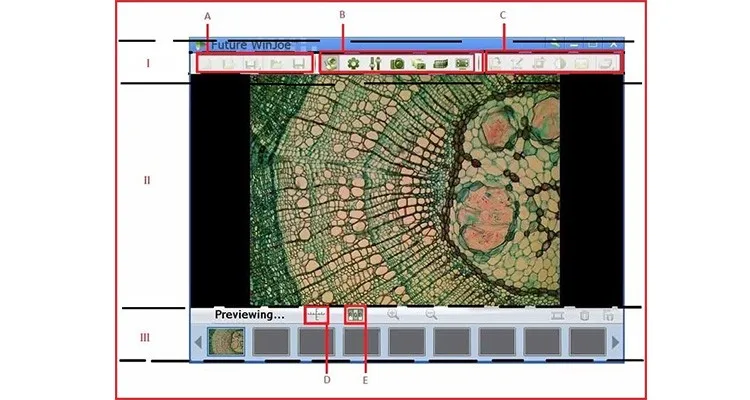
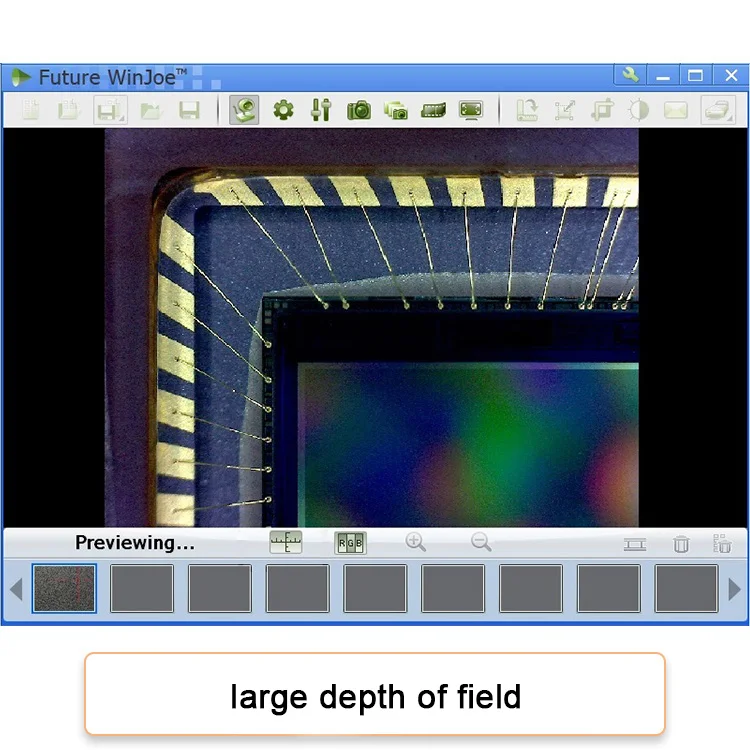
Preview window of Future Win Joe
There are three sections in preview window: menu area, preview area and thumbnail area.
1 Menu area (l) is located at top area of window, including picture file management button board (A), camera control button board (B) and picture processing button board (C);
2 Previewing area (Ⅱ) is in middle of window to display image captured live;
3 Thumbnail area (Ⅲ) is the bottom area of window, including thumbnail list of pictures and videos captured, switch button of reticle software (D) and switch button of RGB adjustment bar (E).
Certifications
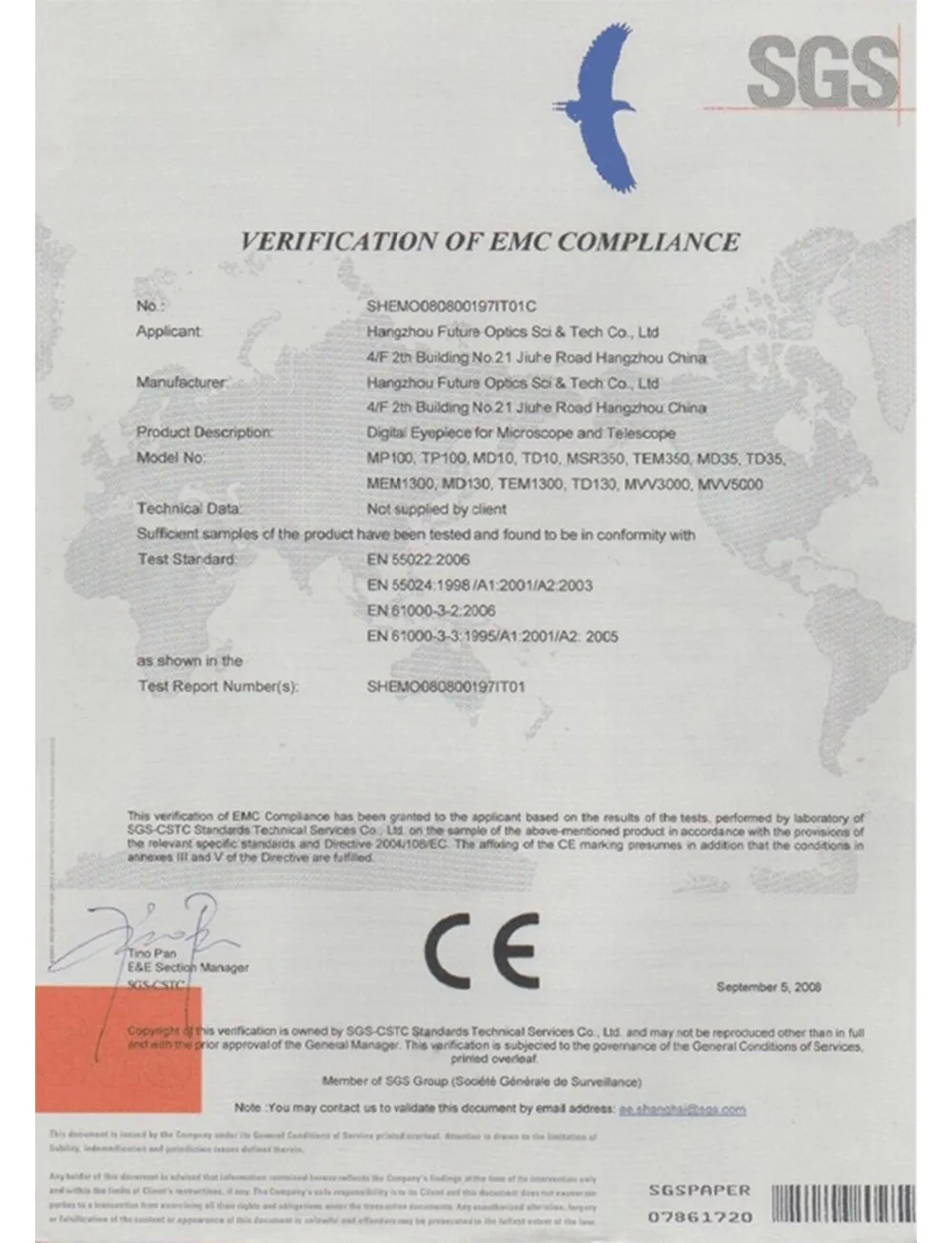

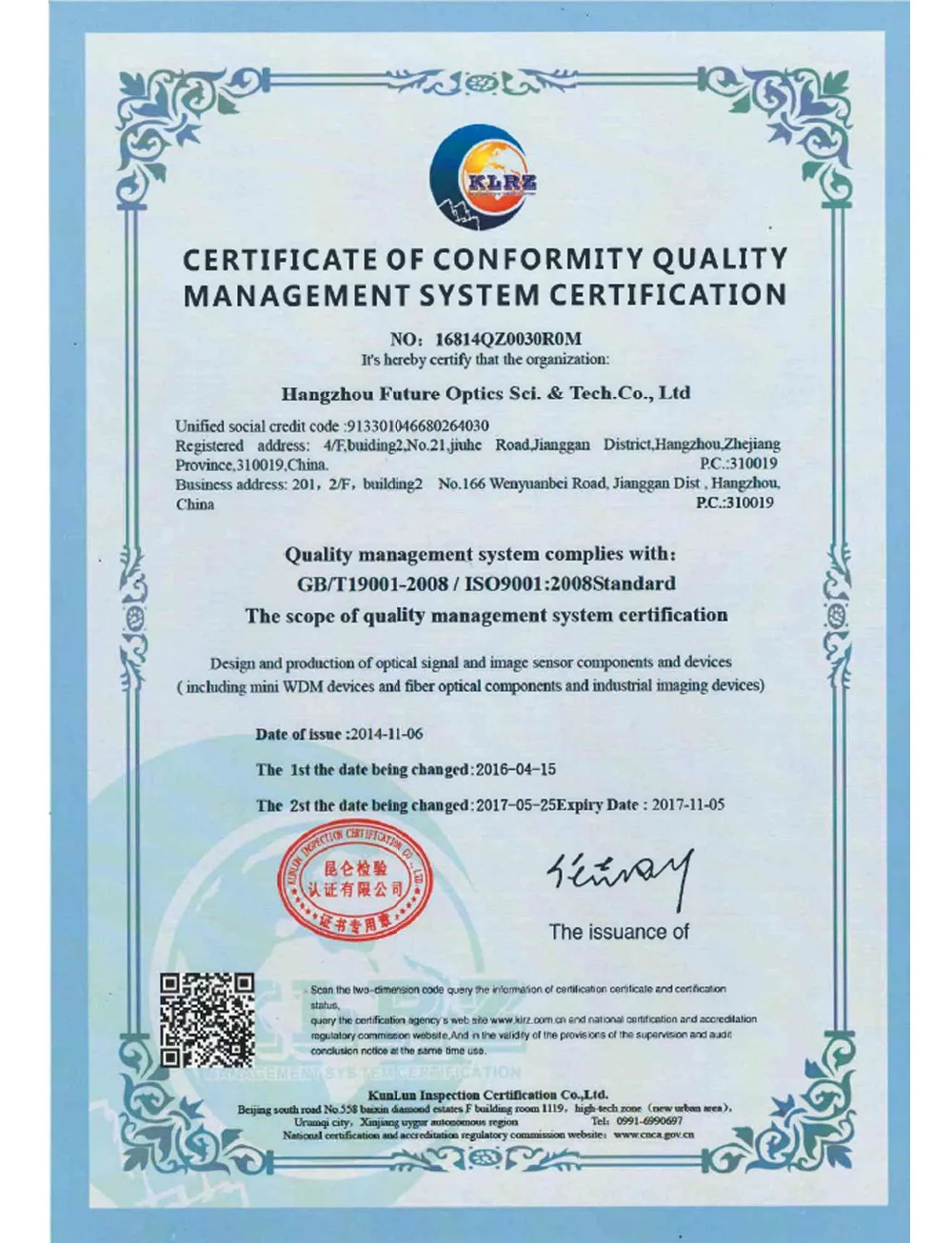
Company
We Recommend







New Arrivals
New products from manufacturers at wholesale prices






