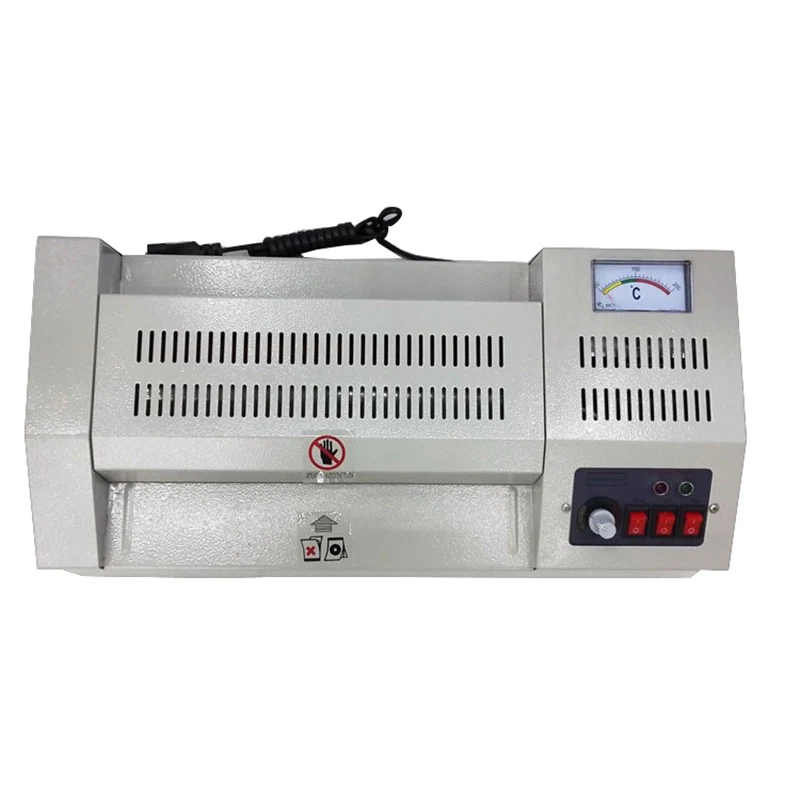
B6 260 iron laminator shell
- Category: Laminator >>>
- Supplier: Zhejiang Shinevy Technology Co. Ltd.
Share on (60794071565):
Product Overview
Description
Product Description
Product DescriptionPhoto laminator use method
First, boot
Plug the plug into the power supply, turn on the switch, the power light (red) lights up, and the motor starts working.
Then turn on the heating switch to warm up and the temperature will rise.
Second, set the temperature
Set the knob to the temperature position required for the plastic seal. If the operating temperature is not clear, set the temperature to 100 °C first, and then gradually adjust according to the plastic seal effect. Do not use high temperature above 140 °C at the beginning to avoid melting the plastic film in the machine and emitting smoke.
Third, the plastic seal
When the temperature reaches the set value, the thermostat indicator lights up. Wait for about 3 minutes, the temperature will gradually stabilize, then you can start to mold the photo.
Before you can seal the photo, you must first confirm the photo size. The selected plastic film must be about one inch larger than the photo. For example, the photo is six inches, and the plastic film should be seven inches. After selecting the plastic film, the photo is sandwiched in the center of the plastic film and molded by a laminator.
During the molding process, the constant temperature lamp will flash and repeat the "bright-dark" change. This indicates that the constant temperature system inside the machine is in the "heating-stop heating" switching, which is a normal phenomenon.
Fourth, the plastic seal is completed
The plastic photo will come out from the film outlet. You can't pull out the unplasticized photos. You should wait patiently until the laminator automatically exits the photo. When the photo is continuously sealed, the second plastic seal can only be performed after the front photo is taken out of the laminator.
Fifth, shut down
Turn the temperature to a cold state, and wait for the machine to run for ten minutes to cool down, then turn off the power.




We Recommend


New Arrivals
New products from manufacturers at wholesale prices