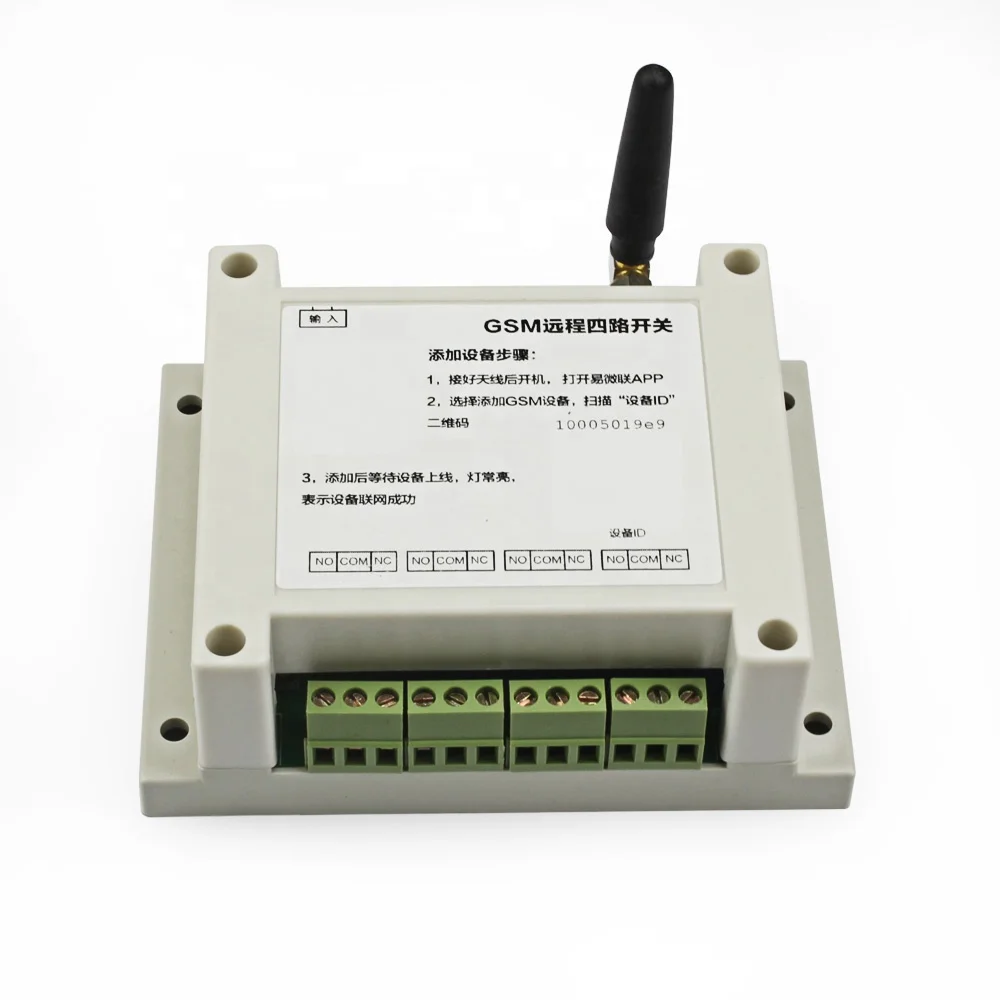
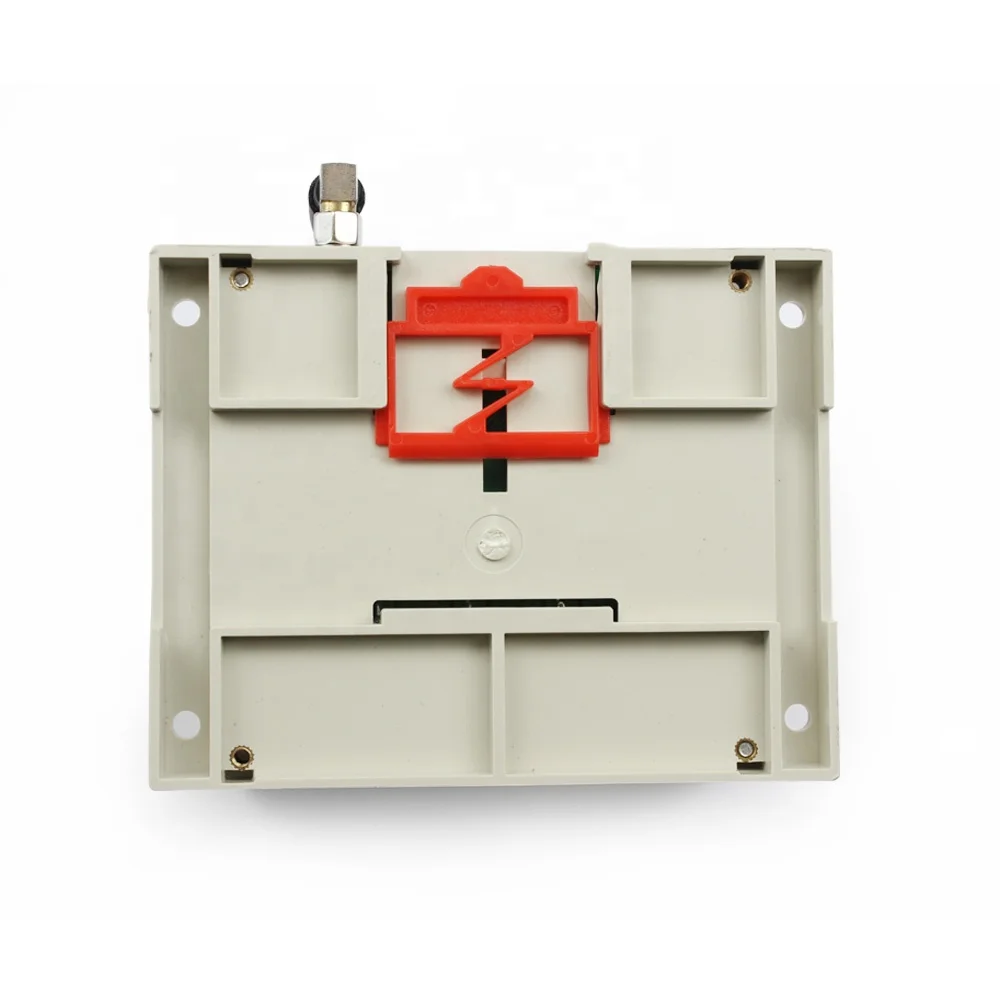
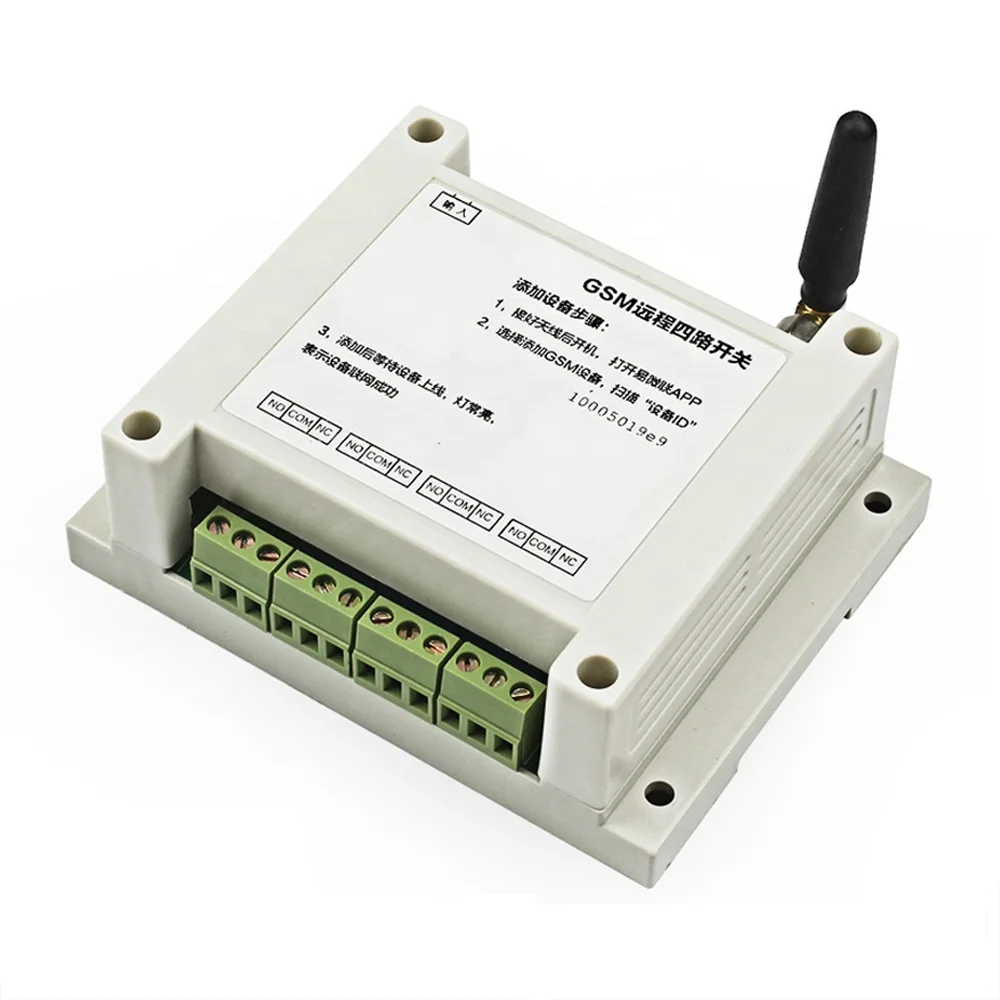
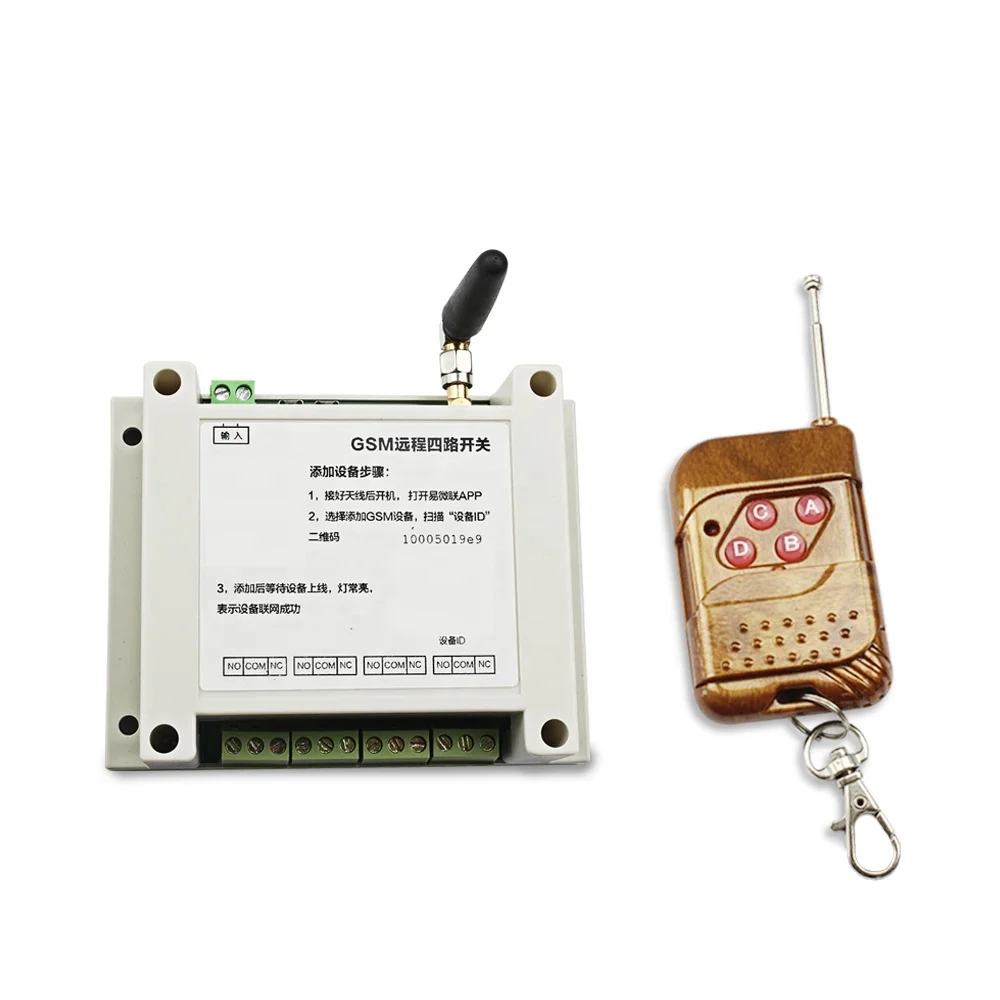
Taidacent 433Mhz 4 Way GPRS/GSM Relay Switch Controller Mobile APP Remote Control Ewelink Wireless Remote Control Relay Switch
- Category: >>>
- Supplier: Shenzhen Taida Century Technology Co. Ltd.
Share on (62010339833):
Product Overview
Description
Taidacent GPRS/GSM Relay Switch Controller 433Mhz 4 Way Mobile APP Remote Control Switch Wireless Remote Control Relay Switch
Product Description
Working mode
Self-locking mode: Each channel is independently controlled, click to open, press again to close;
Jog mode: Each channel is independently controlled, click to open, and automatically close after 1S delay;
Interlock mode: The channel is not independent from the channel, that is, only one switch can be turned on at the same time.
Model switching method:
The default self-lock mode, press the mode button to switch, the switching sequence: self-locking →jog-interlock-self-locking→jog... And the switched mode supports power-down saving.
Jog mode: Each channel is independently controlled, click to open, and automatically close after 1S delay;
Interlock mode: The channel is not independent from the channel, that is, only one switch can be turned on at the same time.
Model switching method:
The default self-lock mode, press the mode button to switch, the switching sequence: self-locking →jog-interlock-self-locking→jog... And the switched mode supports power-down saving.
Feature
GSM/GPRS remote 4-way switch
No need for WIF
Timing/delay
Mobile APP control
433 RF remote control
No need for WIF
Timing/delay
Mobile APP control
433 RF remote control
Application
Household lighting
Electric curtain
Aquarium aeration
Timed feeding
Agriculture and forestry irrigation
Control street light
Electric curtain
Aquarium aeration
Timed feeding
Agriculture and forestry irrigation
Control street light

Pin description | value | |
1 | Supply voltage input: AC90-250V | |
2 | Local buttons: S1-S4 correspond to control channel 1-channel 4 | |
3 | Mode switch button (MODE): self-locking / jog / interlock, default self-lock mode | |
4 | GSM antenna | |
5 | 433M wireless remote control receiving module (Note: This module is only available in GSM+433M version) | |
6 | Relay output: channel 1-channel 4 from left to right | |
7 | GPRS status indicator (green light): Slow flashing off means searching for network/no signal, steady light means successful networking | |
Wiring diagram
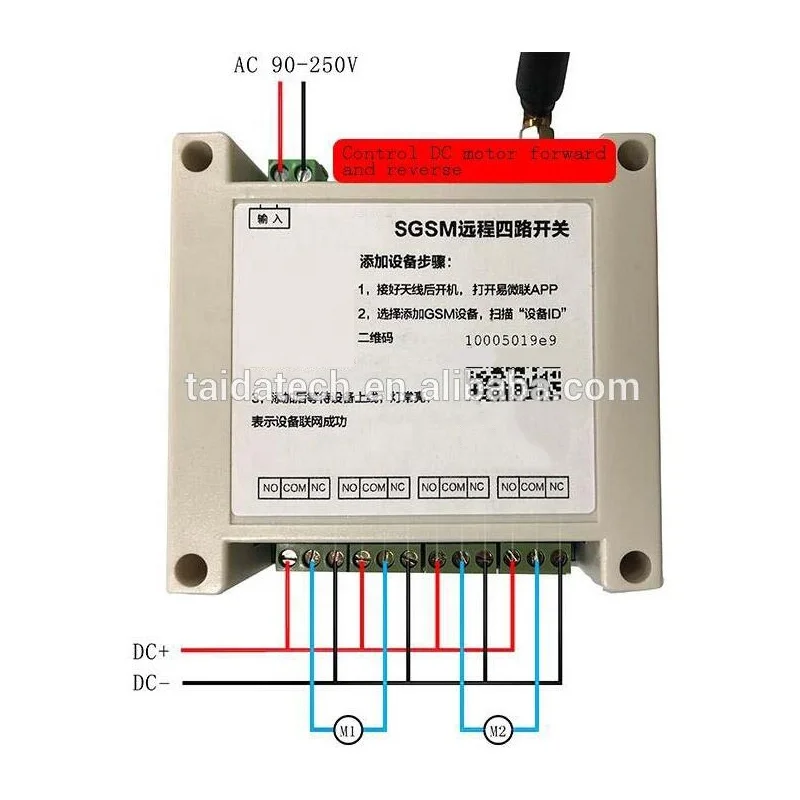
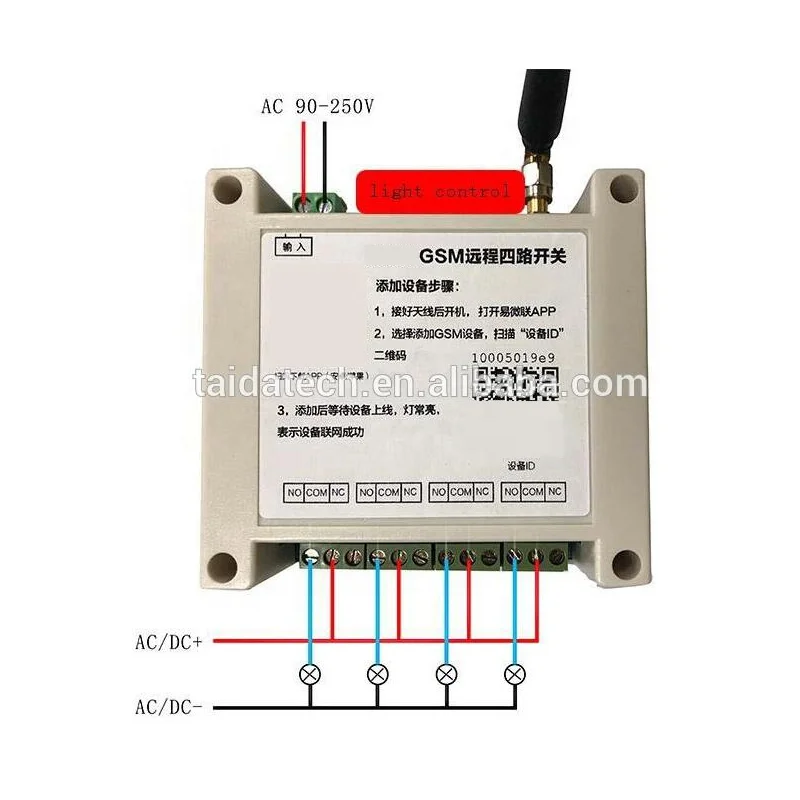
The output of 4 channels is the relay switch signal, which can be used to control the power supply with DCO-30V/ACO-250V. The corresponding wiring can be selected for different electrical appliances. The following is an example of controlling the luminaire and motor forward and reverse:


(1) Channel 1 open, channel 2 turn motor M1 forward
(2) channel 1 off, channel 2 open motor M1 reverse
(3) Channel 3 open, channel 4 turn motor M2 forward
(3) Channel 3 open, channel 4 turn motor M2 forward
(4) channel 3 off, channel 4 open motor M2 reverse
Installation Instructions
1. Add and find the device
2. Scan the QR code at the bottom right to add a device. The device needs to be activated when it is used for the first time (Connect the antenna, power on, press and hold the S1 button for about 5 seconds until green (The light
changes from fast flashing to slow flashing, indicating successful activation)
changes from fast flashing to slow flashing, indicating successful activation)
3. Naming the device
4. Added successfully
4 Way Remote control Instruction
First download the App, Scan the left QR code or Search "Ewelink" at App store.
(1) Directly press the A-D button on the remote control to control the on/off of channel 1-channel 4 respectively;(2) The remote control has been paired with the 433M module in the device by default. If you need to pair other remote controls, the method is as follows:
Code pairing method: Press and hold the button 2S on the 433M module in the device, release it after the indicator light turns on, and then press any key on the remote control. The indicator light flashes 4 times to indicate successful pairing;
Code clearing method: Press and hold the button on the 433M module in the device for more than 8S, the indicator light is off, indicating that all the remote controls have been successfully cleared.
Details Images
FAQ
1. who are we?
We are based in Guangdong, China, start from 2013,sell to North America(20.00%),Western Europe(18.00%),Domestic Market(15.00%),Southern Europe(8.00%),Oceania(6.00%),South America(5.00%),Southeast Asia(5.00%),Northern Europe(5.00%),Eastern Europe(4.00%),Mid East(4.00%),South Asia(4.00%),Eastern Asia(3.00%),Central America(3.00%). There are total about 11-50 people in our office.
2. how can we guarantee quality?
Always a pre-production sample before mass production;
Always final Inspection before shipment;
3.what can you buy from us?
power supply module,wireless module,rfid module,antenna,ble module
4. why should you buy from us not from other suppliers?
Taida was founded by several geeks who graduated from the top universities of China. In 2016, it moved to Guangzhou. Taida focuses on electronic communication product design, development. Its products exported to all over the world.
5. what services can we provide?
Accepted Delivery Terms: FOB,CIF,EXW;
Accepted Payment Currency:USD,EUR,JPY,CAD,AUD,HKD,GBP,CNY,CHF;
Accepted Payment Type: T/T,L/C,MoneyGram,PayPal,Western Union,Cash,Escrow;
Language Spoken:English,Chinese,Spanish,Portuguese,German,French,Russian
We are based in Guangdong, China, start from 2013,sell to North America(20.00%),Western Europe(18.00%),Domestic Market(15.00%),Southern Europe(8.00%),Oceania(6.00%),South America(5.00%),Southeast Asia(5.00%),Northern Europe(5.00%),Eastern Europe(4.00%),Mid East(4.00%),South Asia(4.00%),Eastern Asia(3.00%),Central America(3.00%). There are total about 11-50 people in our office.
2. how can we guarantee quality?
Always a pre-production sample before mass production;
Always final Inspection before shipment;
3.what can you buy from us?
power supply module,wireless module,rfid module,antenna,ble module
4. why should you buy from us not from other suppliers?
Taida was founded by several geeks who graduated from the top universities of China. In 2016, it moved to Guangzhou. Taida focuses on electronic communication product design, development. Its products exported to all over the world.
5. what services can we provide?
Accepted Delivery Terms: FOB,CIF,EXW;
Accepted Payment Currency:USD,EUR,JPY,CAD,AUD,HKD,GBP,CNY,CHF;
Accepted Payment Type: T/T,L/C,MoneyGram,PayPal,Western Union,Cash,Escrow;
Language Spoken:English,Chinese,Spanish,Portuguese,German,French,Russian
Recommend Products
We Recommend







New Arrivals
New products from manufacturers at wholesale prices