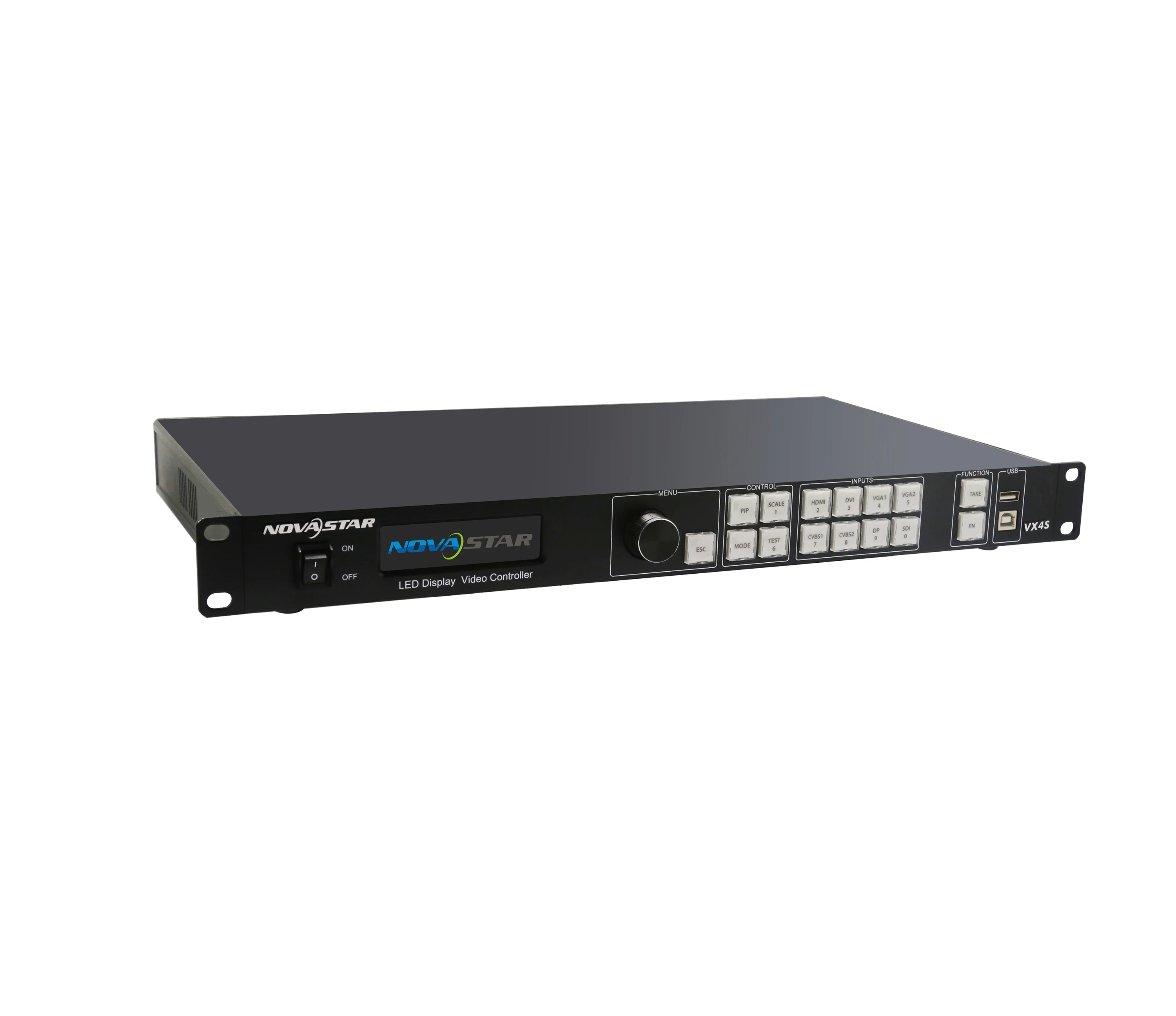
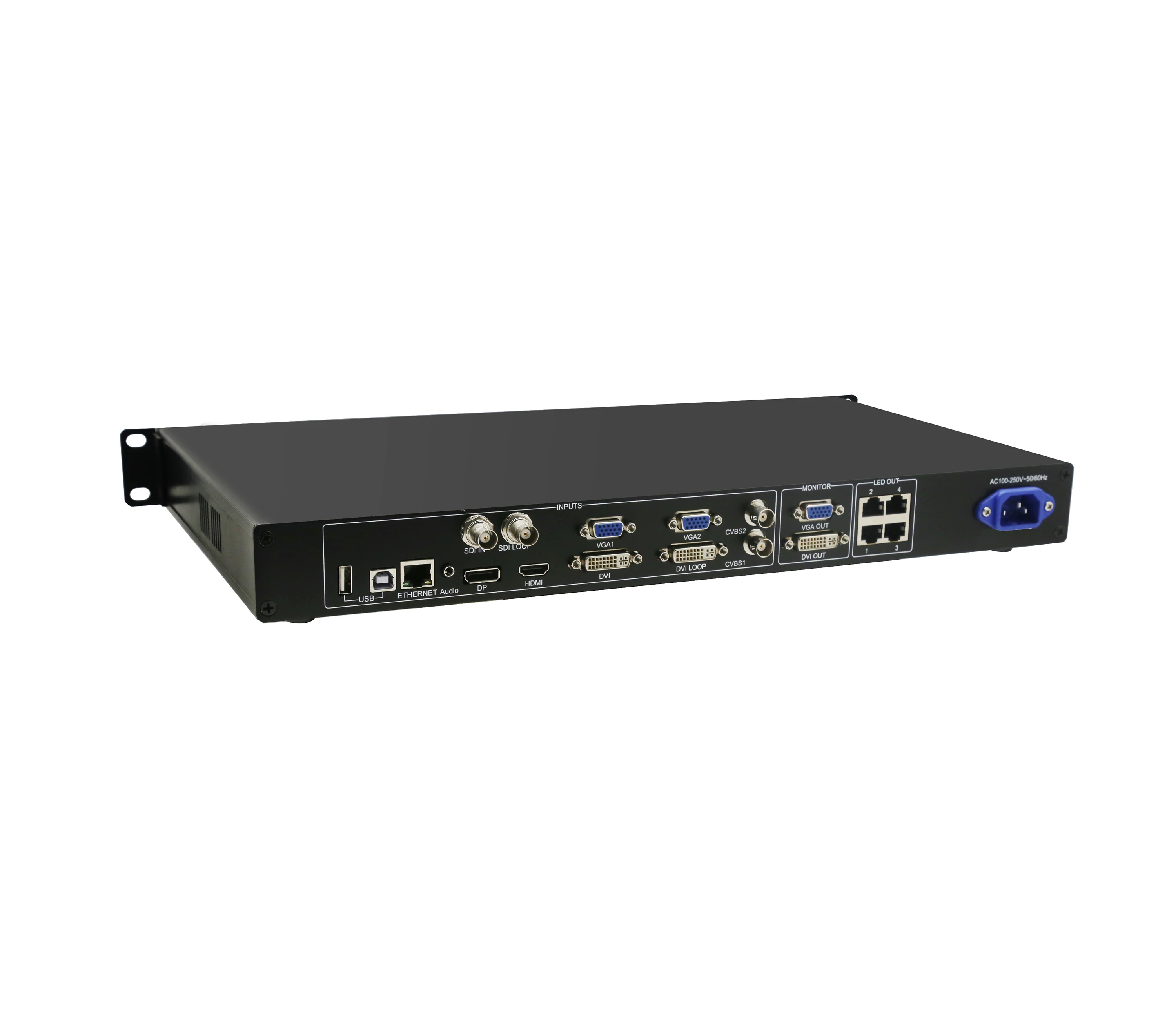
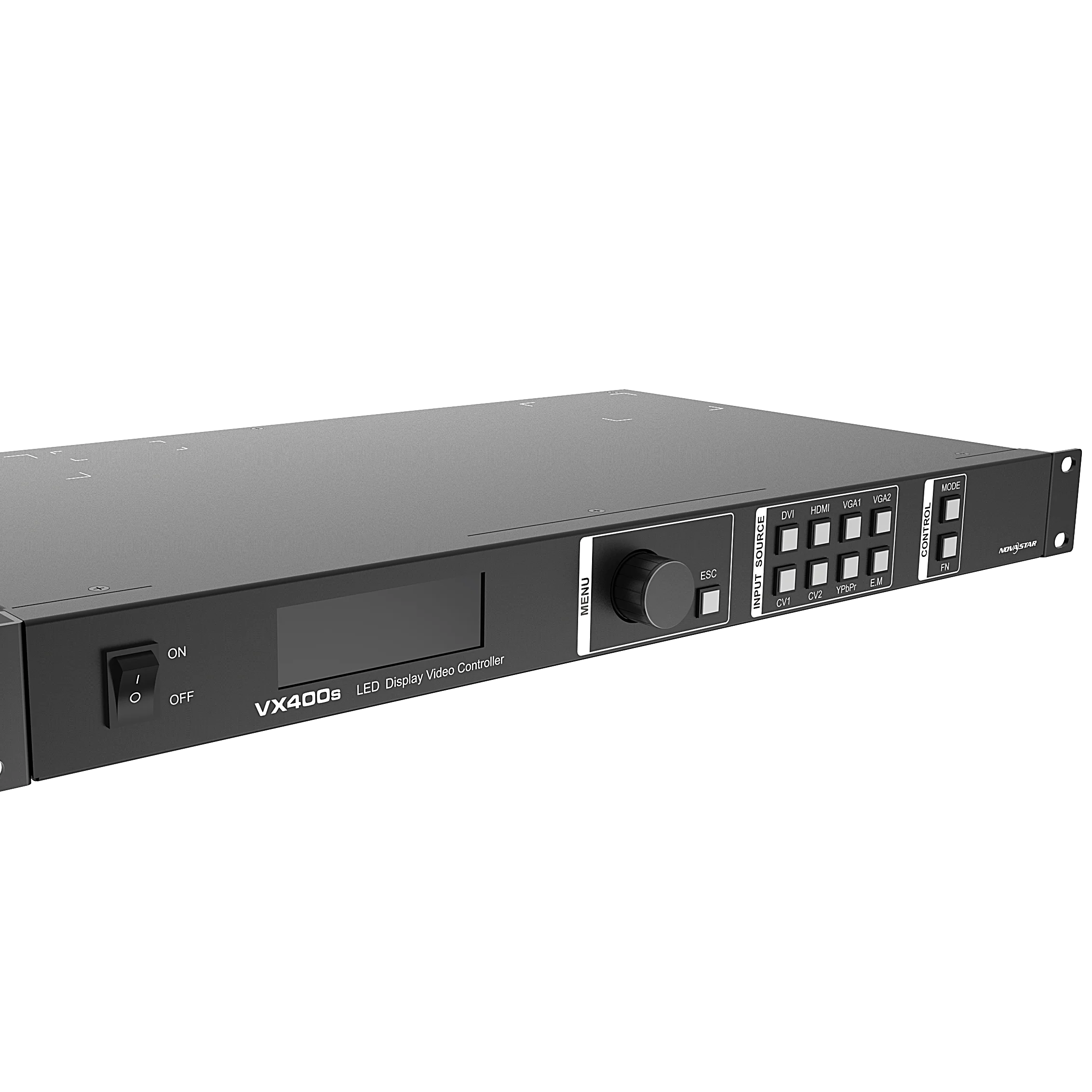
Full color led video processor of video wall NovaStar VX4S, VX4S N, VX16S, VX1000, VX600, VX400S
- Category: >>>
- Supplier: Shenzhen Bescanled Co. Limited
Share on (62240215730):
Product Overview
Description
Products Description
1) The inputs of the VX4S include CVBS×2, VGA×2, DVI×1, HDMI×1 , DP ×1 and SDI×1. They support input resolution up to 1920×1200@60Hz; the input images of VX4S can be zoomed point-to-point according to the screen resolution;
2) Provide seamless high-speed switch and fade-in/ fade-out effect so as to strengthen and display picture demonstration of professional quality;
3) The location and size of PIP can both be adjusted, which can be controlled at will;
4) Adopt the Nova G4 engine; the screen is stable and flicker free without scanning lines; the images are exquisite and have a good sense of depth;
5) Can implement white balance calibration and color gamut mapping based on different features of LEDs used by screens to ensure reproduction of true colors;
6) HDMI/external audio input;
7) 10bit/8bit HD video source;
8) The loading capacity: 2.3 million pixel;
9) Support multiple controller montage for loading huge screen;
10) Support Nova's new-generation point-by-point correction technology; the correction is fast and efficient;
12) Adopt an innovative architecture to implement smart configuration; the screen debugging can be completed within 30 seconds; greatly shorten the preparation time on the stage;
13) An intuitive LCD display interface and clear button light hint simplify the control of the system.
Details Images
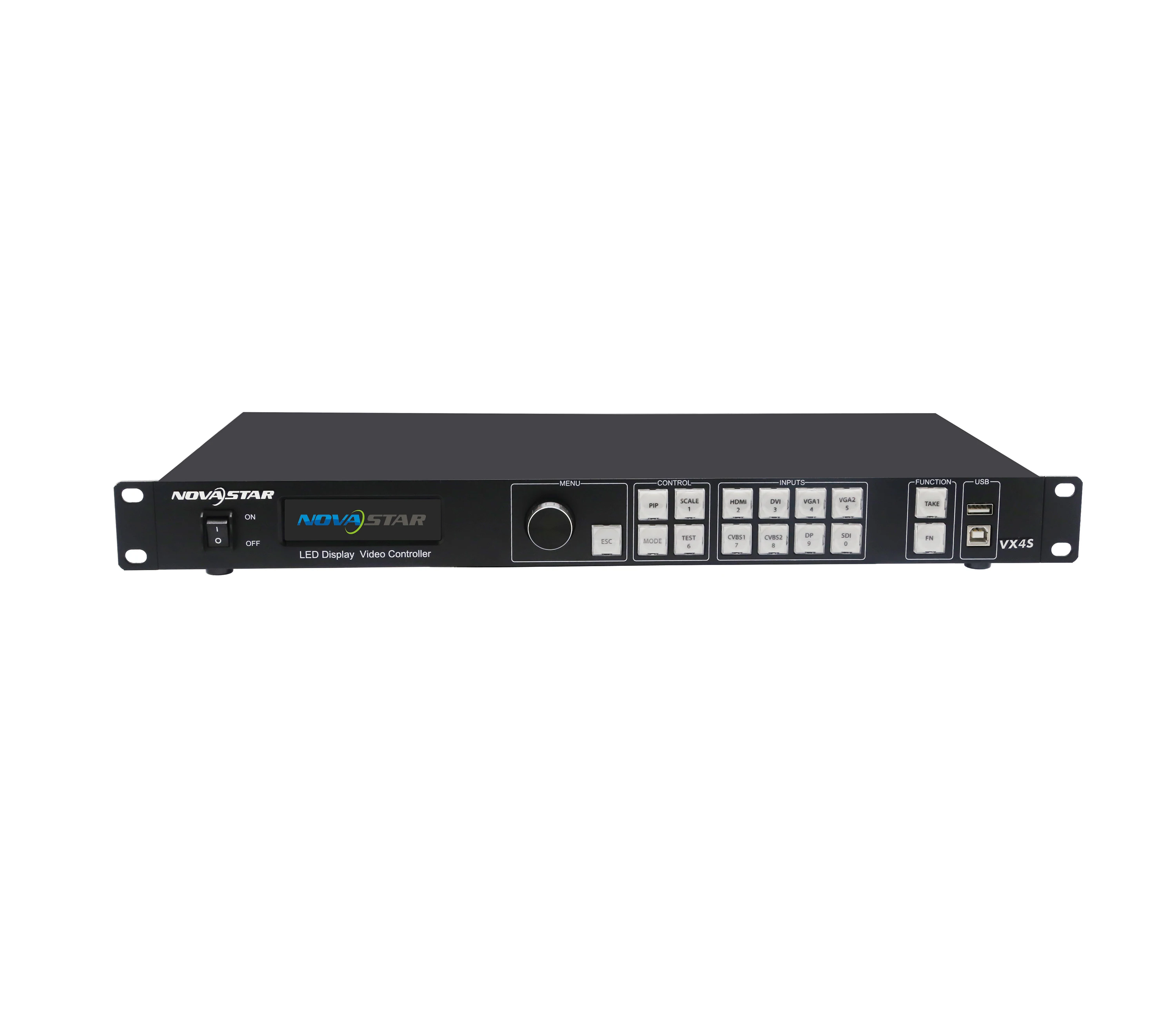
Front panel

①: Power switch. |
②: Operation screen. |
③: Knob. to press knob means Enter or OK, rotating knob represents selection or adjustment. |
④: ESC. Escape current operation or selection. |
⑤: Four control keyboard shortcuts. PIP: PIP Turn-on/Turn off. The lighting of this key represents the turn-on of PIP; otherwise, PIP is turned off. SCALE: Picture zoom turn-on/turn off. The lighting of this key represents the turn-on of zoom function; otherwise, zoom function is unavailable MODE: Shortcut menu of loading or storage of display model. The key is light when entering the model or shortcut menu, in case of exiting, the key is not bright. TEST: Shortcut key of turn-on/turn-off of testing picture. In case of entering testing picture, the key is bright; otherwise, the key is not bright. |
⑥: Shortcut keys for switching of 8 signal input source. Short press to set as the main screen input source, and long press to set as PIP input source. the key is bright after press when the video source has signal; the key flashes when the input of video source has no signal. the setting result can be checked while setting on the display screen and LCD screen |
⑦: Function keys TAKE: Display switching shortcut key. After short pressing TAKE key, PIP will be opened; if it has been opened, the switching of between MAIN and PIP will be realized. Fn: Custom shortcut key. |
⑧: Flat mouth (Type A, female USB) is USB interface, which connects U disk; Square mouth (Type B female USB) is USB controlling interface, Communication with PC. |
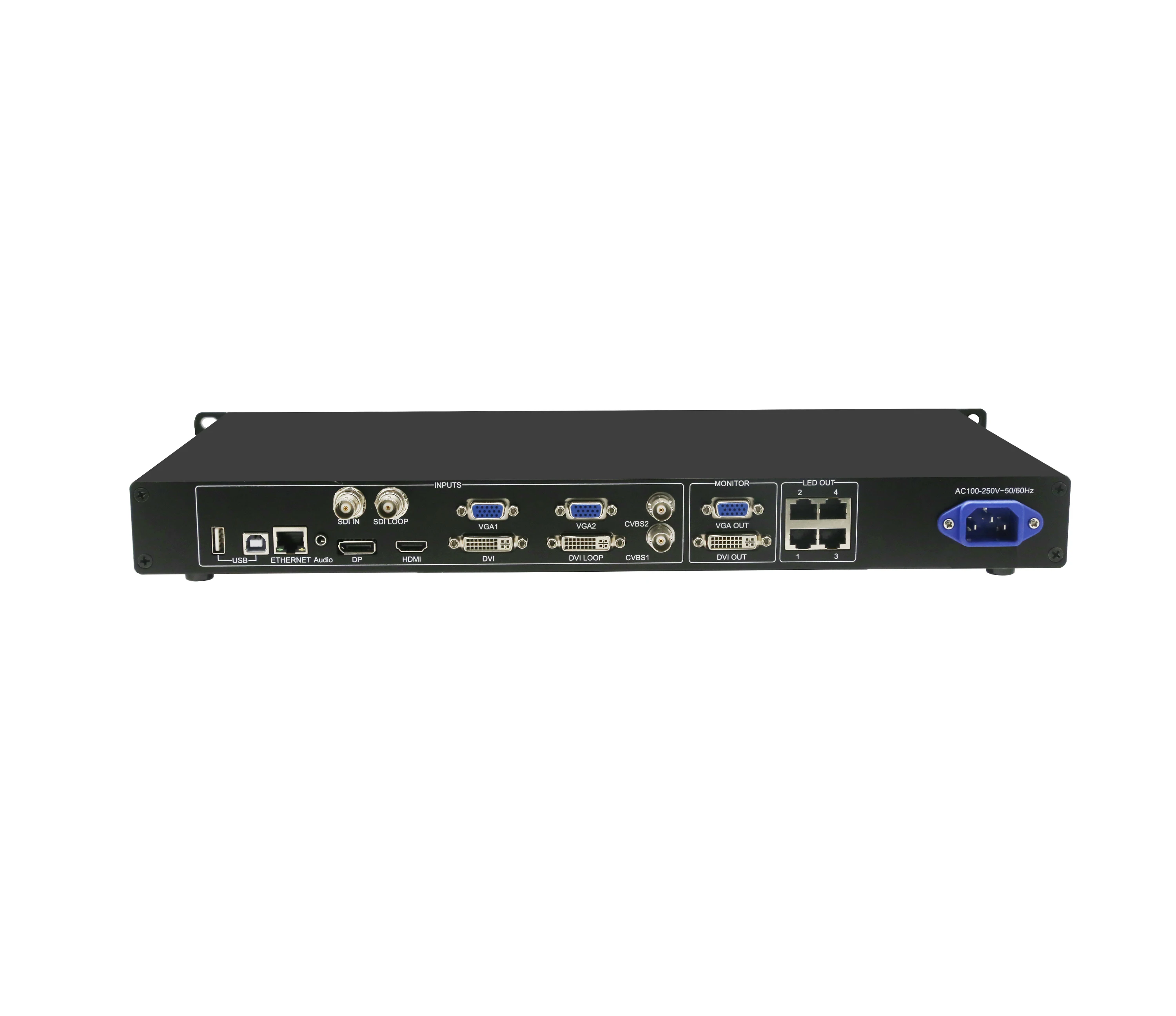
Rear Panel

Tips: In order to improve the user's experience, the layout of interface may be adjusted a little, The picture is only for reference.
Input Source | |
AUDIO | Audio Input |
DP | DP Input |
HDMI IN | HDMI Input |
SDI IN | SDI Input |
DVI IN | DVI Input |
VGA1~VGA2 | 2 -Channel VGA Inputs |
CVBS1~CVBS2 | 2 -Channel PAL/NTSC TV composite video Input |
Output Interface | |
DVI LOOP | DVI LOOP Output |
SDI LOOP | SDILOOP Output |
Monitor -DVI OUT 1 | DVI Monitoring Interface 1 |
Monitor -DVI OUT 2 | DVI Monitoring Interface 2 |
LED Out 1,2,3,4 | HDMI OUTPUT |
Controlling Interface | |
ETHERNET | Network Control (Communication with PC, or Access Network) |
Type B, female USB | USB Control (Communication with PC, or Cascade IN) |
Type A, female USB | USB Cascade OUT |
POWER | |
AC-100-240V-50/60HZ | AC Power interface |
Tips:The two USB ( typeA) on front panel and rear panel are both forbidden to connect with PC directly.
Input Index | ||
Port | Number | Resolution Specification |
CVBS | 2 | PAL/NTSC |
VGA | 2 | VESA Standard, support max. 1920 ×1200@60Hz inputng |
DVI | 1 | VESA Standard (support 1080i input), support HDCP |
SDI | 1 | 480i,576i,720P,1080i/P |
HDMI | 1 | EIA/CEA-861 standard, in accordance with HDMI-1.3 standard, support HDCP |
DP | 1 | VESA Standard |
Output index | ||
Port | Number | Resolution specification |
DVI LOOP | 1 | Consistent with DVI input |
VGA | 1 | 1280×1024@60Hz 1440×900@60Hz |
DVI | 1 | 1680×1050@60Hz 1600×1200@60Hz 1600×1200@60Hz – Reduced 1920×1080@60Hz 2560×816@60Hz 2048×640@60Hz 1920×1200@60Hz 2304×1152@60Hz 2048×1152@60Hz 1024×1280@60Hz 1536×1536@60Hz Self-defined output resolution (Bandwidth optimization) Horizontal resolution maximum 3840 pixels Vertical resolution maximum 1920 pixels |
SDI LOOP | 1 | 480i,576i,720p,1080i/p Consistent with SDI input |
Specification of complete machine | |
Input power | AC 100-240V, 50/60Hz |
Overall power consumption | 25W |
Temperature of working environment | -20℃~60℃ |
Humidity of working environment | 0%~95% |
Size | 482.6×251.5×45(mm) |
Net weight | 2.55 Kg |


Related Products
For Rental(Para alquiler)
P1.25/P1.56/P1.875/P2.5
Cabinet Size: 600mmx337.5mm
Tamaño del panel: 600mmx337.5mm
P1.925
Cabinet Size: 400mmx300mm
Tamaño del panel: 400mmx300mm
P2
Cabinet Size: 512mmx512mm
Tamaño del panel: 512mmx512mm
P3/P6
Cabinet Size: 576mmx576mm
Tamaño del panel: 576mmx576mm
P2.976/P3.91/P4.81
Cabinet Size: 500mmx500mm
Tamaño del panel: 500mmx500mm
P2.976/P3.91/P4.81
Cabinet Size: 500mmx1000mm
Tamaño del panel: 500mmx1000mm
For Fixed Installation(Para instalación fija)
P3/P6
Cabinet Size: 960mmx960mm
Tamaño del panel: 960mmx960mm
P4/P8
Cabinet Size:1024mmx1024mm
Tamaño del panel: 1024mmx1024mm
P5/P10
Cabinet Size: 960mmx960mm
Tamaño del panel: 960mmx960mm
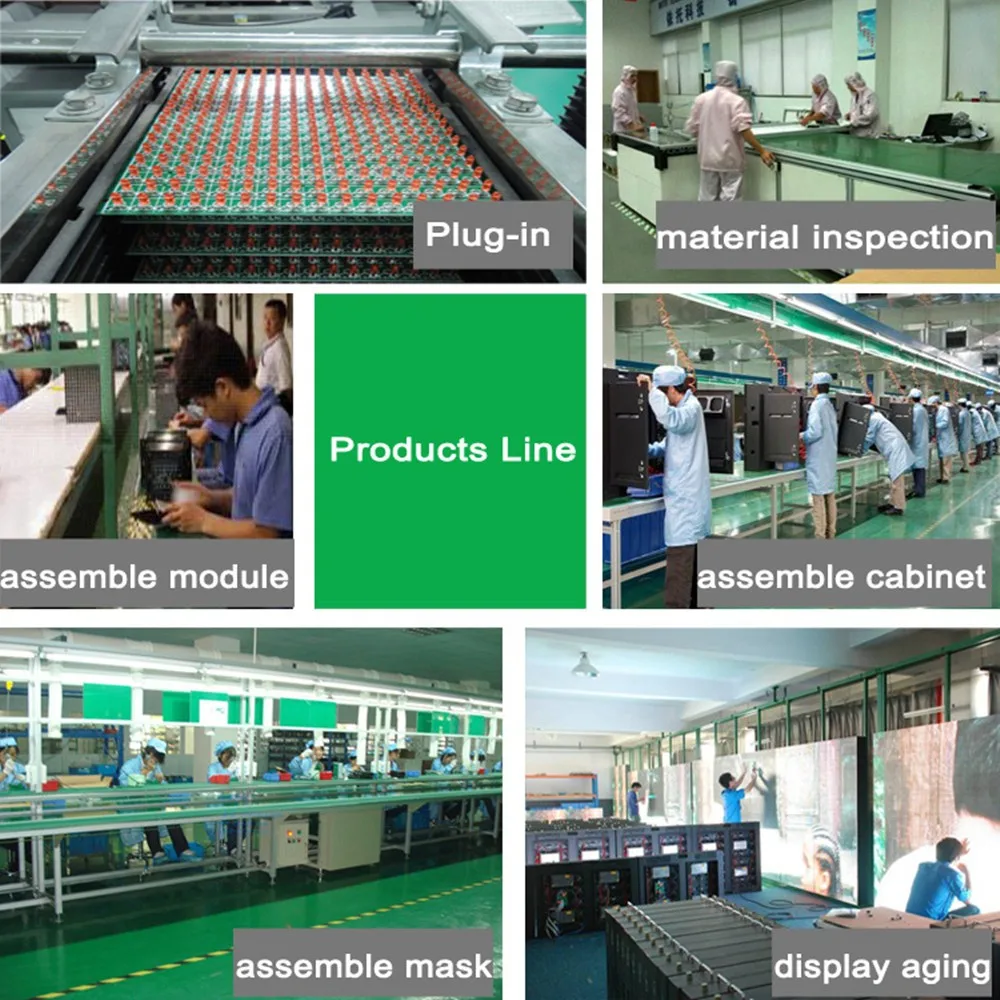
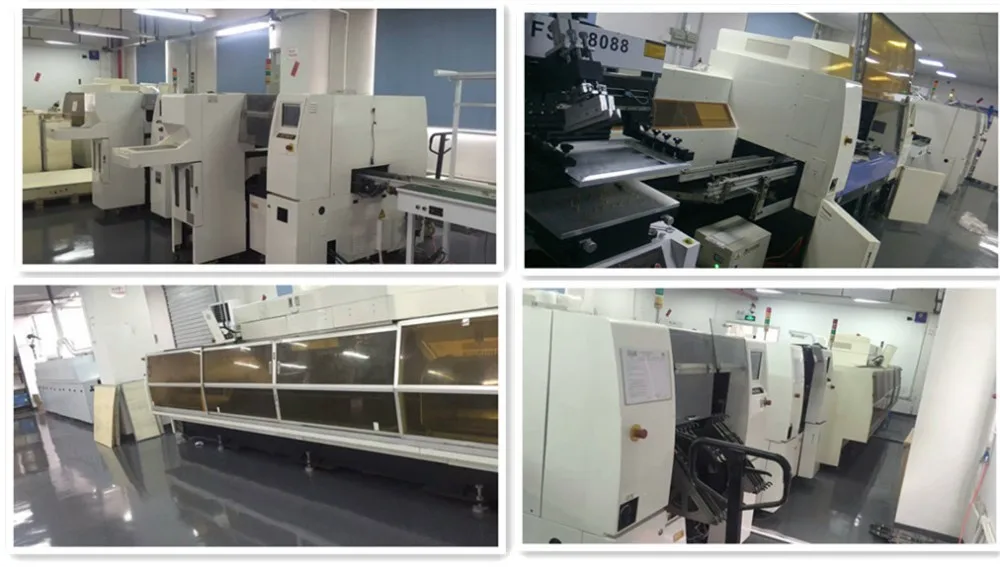
Our Company
Contact Us
Email: Gloria at bescanled.com
Mob/Whatsapp: +86-13450019895
Website:www.bescanled.com
All show: https://bescanled.en.alibaba.com
Semi-Automatic PET Bottle Blowing Machine Bottle Making Machine Bottle Moulding Machine
PET Bottle Making Machine is suitable for producing PET plastic containers and bottles in all shapes.
PET Bottle Making Machine is suitable for producing PET plastic containers and bottles in all shapes.

We Recommend
New Arrivals
New products from manufacturers at wholesale prices







