
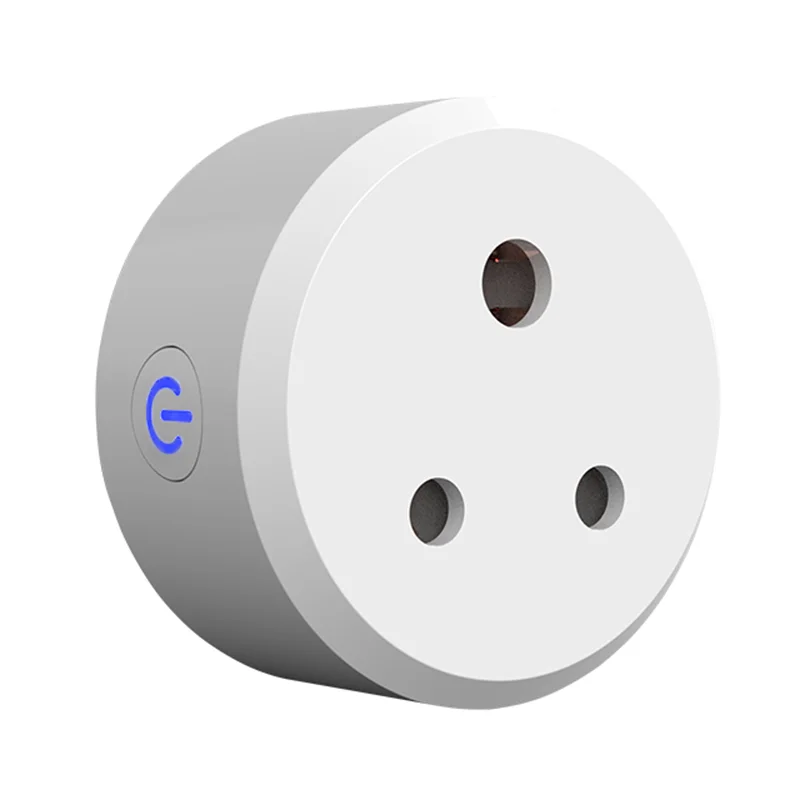
India Type D Electric Switches Outlets 3 Round Pin Smart Wifi Plug Compatible With Alexa Echo Google Assistant
- Category: >>>
- Supplier: Zhongshan Sunye Lighting Technology Co. Ltd.
Share on (62336078515):
Product Overview
Description
Product Description
Product Presentation
Plug with Socket | |
White | |
10A | |
100-240V | |
-20℃-70℃ | |
SYS20 | |
Style | India type |
Certificate


Related Products
Company Introduction


Packing&Shipping

FAQ
Q1. What app is used to control the light bulb?
A:The app is "Smart Life" which can download in store with Android and ISO.
Q2: Do you offer guarantee for the products?
A: Yes, we offer 2 years warranty to our products.
Q3: Which certificate do you have?
A:CE ROHS FCC are all available.
Q4. How much does adding our logo to the light bulb increase cost per unit.
A: That is for free if you want to add your logo to the light bulb and original packaging.B:For customized products with your logo added, we support replacement and repair,but not support return service.
Q5:How to connect to Amazon Alexa?
A:
Step 1:Add Device
Make sure there's at least one device in device list. Supported devices includes smart light, socket, heater, etc.
Step 2:Modify device name
Modify device name that Echo could easily recognize. Such as: Living room Light,Bedroom Light.
Step 3: Set up Echo
Use Alexa APP or computer(//alexa.amazon.com). Set up Echo from "Settings".
Step 4: Add Skill
Add"Skill"in Alexa App or computer. Enter into the skill and search for TuyaSmart. Tap on "Enable Skill"and enter your TuyaSmart
account & password to finish binding.
Step 5: Control Device
First of all, it need to discover devices. Speak to Echo:Alexa(or Echo),Discover my devices. After about 20s, Echo tells you how
many devices found. You could then voice control devices, only support English.
Support the below voice commands:
Alexa(or Echo),turn on bedroom light
Alexa(or Echo),turn off bedroom light
Alexa(or Echo),set bedroom light to 50 percent
Alexa(or Echo),increase bedroom light to 50 percent
Alexa(or Echo),decrease bedroom light to 50 percent
A:The app is "Smart Life" which can download in store with Android and ISO.
Q2: Do you offer guarantee for the products?
A: Yes, we offer 2 years warranty to our products.
Q3: Which certificate do you have?
A:CE ROHS FCC are all available.
Q4. How much does adding our logo to the light bulb increase cost per unit.
A: That is for free if you want to add your logo to the light bulb and original packaging.B:For customized products with your logo added, we support replacement and repair,but not support return service.
Q5:How to connect to Amazon Alexa?
A:
Step 1:Add Device
Make sure there's at least one device in device list. Supported devices includes smart light, socket, heater, etc.
Step 2:Modify device name
Modify device name that Echo could easily recognize. Such as: Living room Light,Bedroom Light.
Step 3: Set up Echo
Use Alexa APP or computer(//alexa.amazon.com). Set up Echo from "Settings".
Step 4: Add Skill
Add"Skill"in Alexa App or computer. Enter into the skill and search for TuyaSmart. Tap on "Enable Skill"and enter your TuyaSmart
account & password to finish binding.
Step 5: Control Device
First of all, it need to discover devices. Speak to Echo:Alexa(or Echo),Discover my devices. After about 20s, Echo tells you how
many devices found. You could then voice control devices, only support English.
Support the below voice commands:
Alexa(or Echo),turn on bedroom light
Alexa(or Echo),turn off bedroom light
Alexa(or Echo),set bedroom light to 50 percent
Alexa(or Echo),increase bedroom light to 50 percent
Alexa(or Echo),decrease bedroom light to 50 percent
We Recommend







New Arrivals
New products from manufacturers at wholesale prices






