
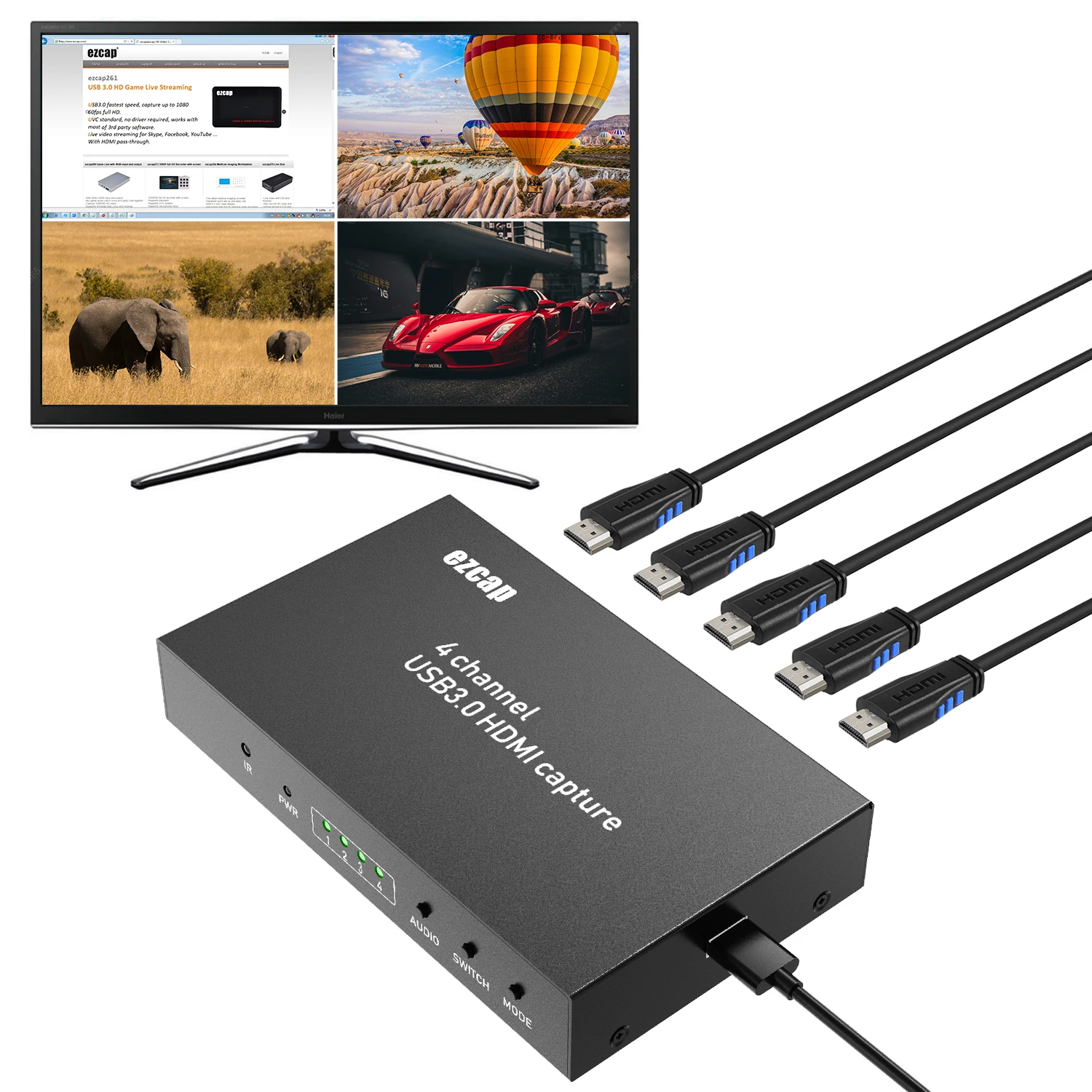
ezcap264A HDMI 4 X 1 Quad Multi Viewer HDMI Video Switcher
- Category: >>>
- Supplier: Shenzhen Forward Video Technology Co. Limited
Share on (62398865349):
Product Overview
Description
ezcap264A HDMI 4 X 1 Quad Multi-Viewer HDMI Video Switcher

4 channel video Multi-viewer
USB3.0 HDMI capture
Quick Start Guide
Thanks for purchasing ezcap264 4 channel USB3.0 HDMI capture, or ezcap264A 4 channel video Multi-viewer. The following guides you how to set up. Hope this device will bring you nice digital experience.
ezcap264 /ezcap264A has 4 HDMI input port, and built-in multi-viewer& switch function.
Ezcap264 capture/live stream full HD 1080 60 video through USB3.0 port, user can capture 1 or 2, or 4 channel same time depends you need.

ezcap264/ezcap264A
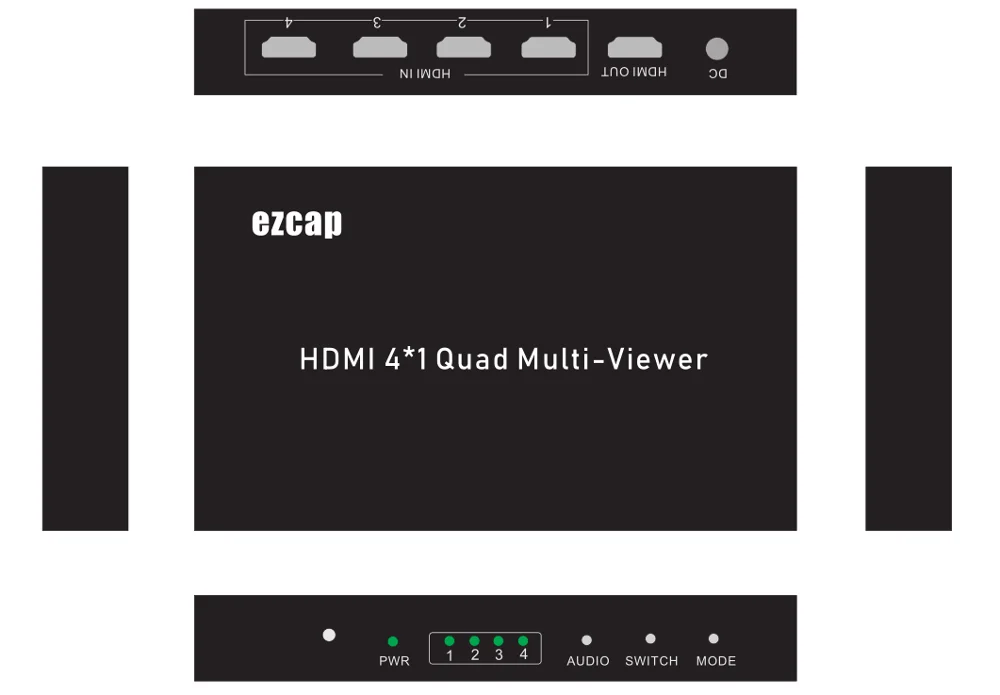
1. HDMI IN – Connect video source with HDMI cable
2. HDMI OUT – Connect to TV with HDMI cable
3. DC – DC 5V2A supply
4. USB3.0 – Connect to computer with USB3.0 cable
Ezcap264A doesn’t have this port.
5. MODE – Switch between one channel view mode and multi-view mode:


Multi-view operation:
Power on ezcap264 /ezcap264A
Connect video source to HDMI input each channel
Connect HDMI OUT to TV
Use buttons or remote controller to operate.
For ezcap264, you can connect to PC with an USB3.0 cable, so can capture or stream video,
Following is the manual for ezcap264. (no need read down for ezcap264A)
Specifications:
Connections | |
Interface | USB 3.0 |
Video Input | HDMI X 4 |
Audio Input | HDMI X 4 |
Video Output | HDMI |
Audio Output | HDMI |
Hardware Extra | |
Dimensions | 170*100*30MM |
Weight | 460g |
Package Contents | |
Device | ezcap264 / ezcap264A |
Others | 5V2A Power supply, remote controller, manual, USB3.0 cable (only for ezcap264) |
Standards | |
System Requirement | Windows 7,8,10, OS X 10.9 or later, Linux. PC: Intel Core i5-3400 + NVIDIA GT630, NB: Intel Core i7-3537U 2.0 GHz + NVIDIA GT735, Mac: i5 quad-core or above, VGA card supporting DirectX 10, Sound card, 4GB RAM, Powered USB 3.0 port: Intel chipset with native USB 3.0 host controller (Renesas, Fresco …) |
|
|
Resolution | 720 x 480 (60p), 720 x 576 (50p), 1280 x 720p (50p), 1280 x 720p(60p), 1920 x 1080 (50i), 1920 x 1080 (60i), 1920 x 1080 (24p), 1920 x 1080 (25p), 1920 x 1080 (30p), 1920 x 1080 (50p), 1920 x 1080 (60p). |
|
|
Software compatibility: | OBS Studio (windows,OS X); Windows Media Encoder (Windows); Adobe Flash Media Live -Encoder (Windows, OS X); Real Producer Plus (Windows); VLC (Windows, OS X, Linux); QuickTime Broadcaster (OS X); QuickTime Player (OS X); Wirecast (Windows,OS X); vMix(Windows); Potplayer(Windows)and etc. |
Development interface compatibility: | DirectShow (Windows), DirectSound (Windows),V4L2 (Linux), ALSA (Linux) OS X (QuickTime) |
Record Quality | Max 1080P 60fps |

We Recommend







New Arrivals
New products from manufacturers at wholesale prices






