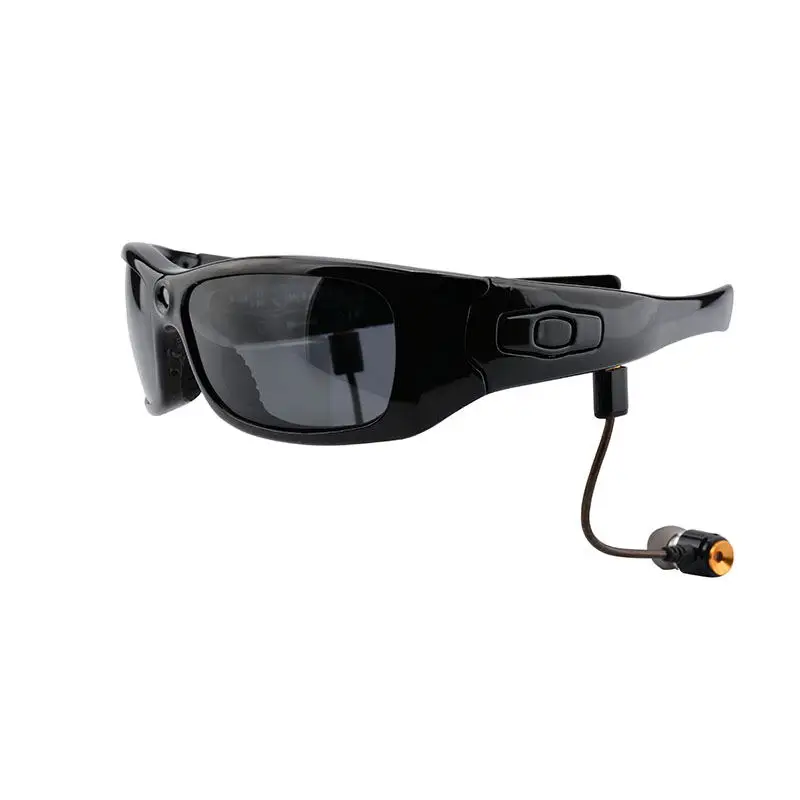
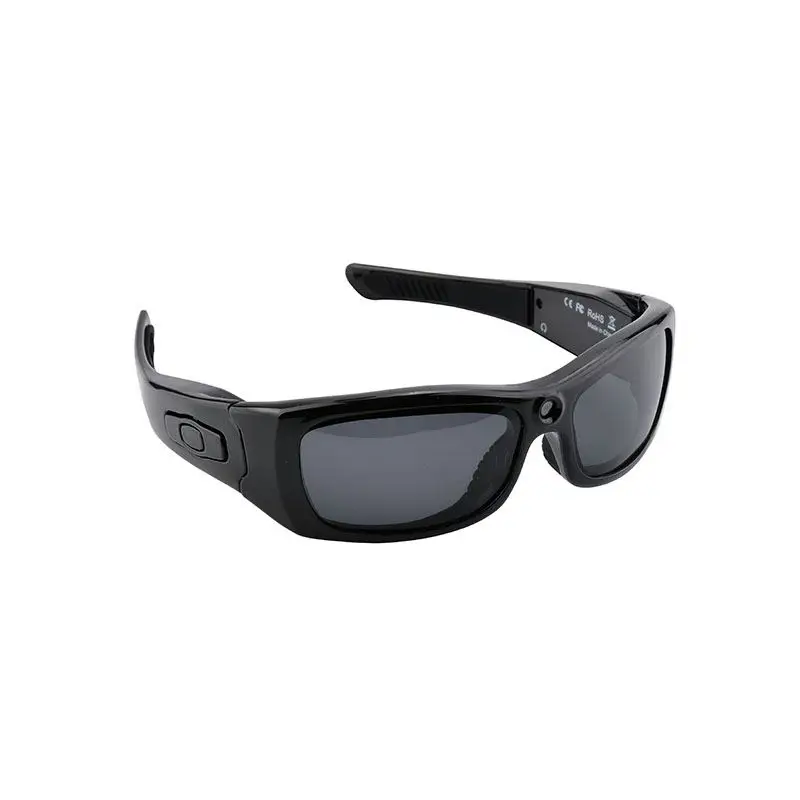
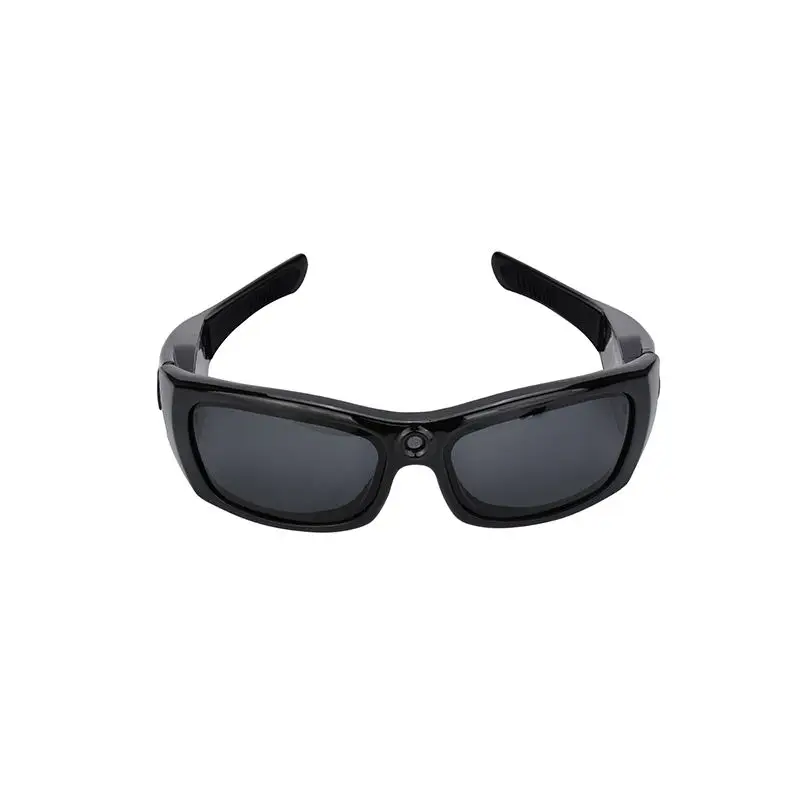
China Factory Wholesale Mens Smart Blue tooth Camera Video Glasses For Women Driving Cycling Sports Eyewear Sunglasses
- Category: >>>
- Supplier: Huizhou Zaycan Technology Co. Ltd.
Share on (62442533503):
Product Overview
Description
Product Description
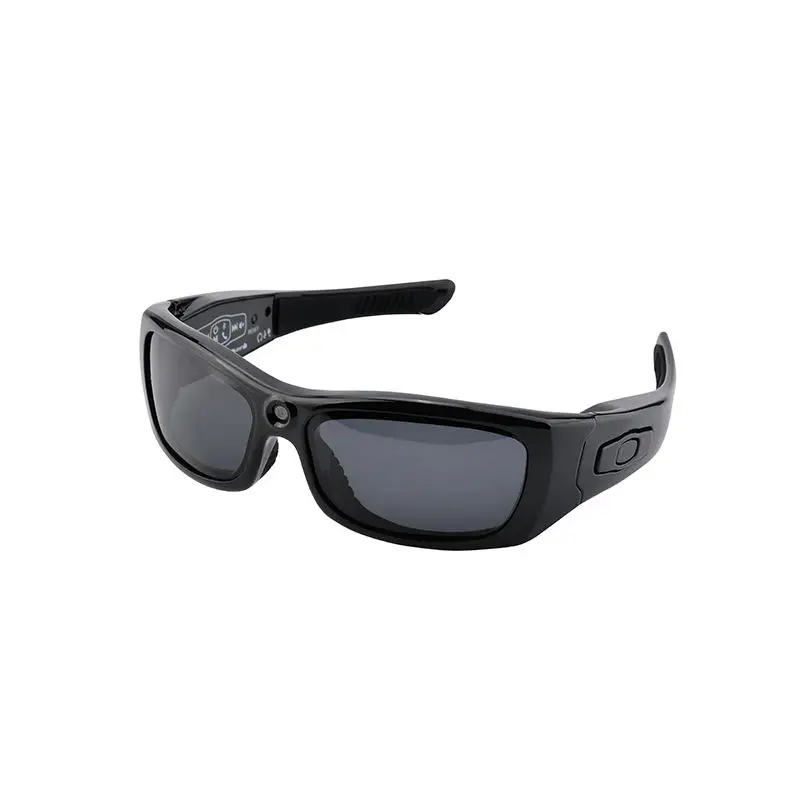
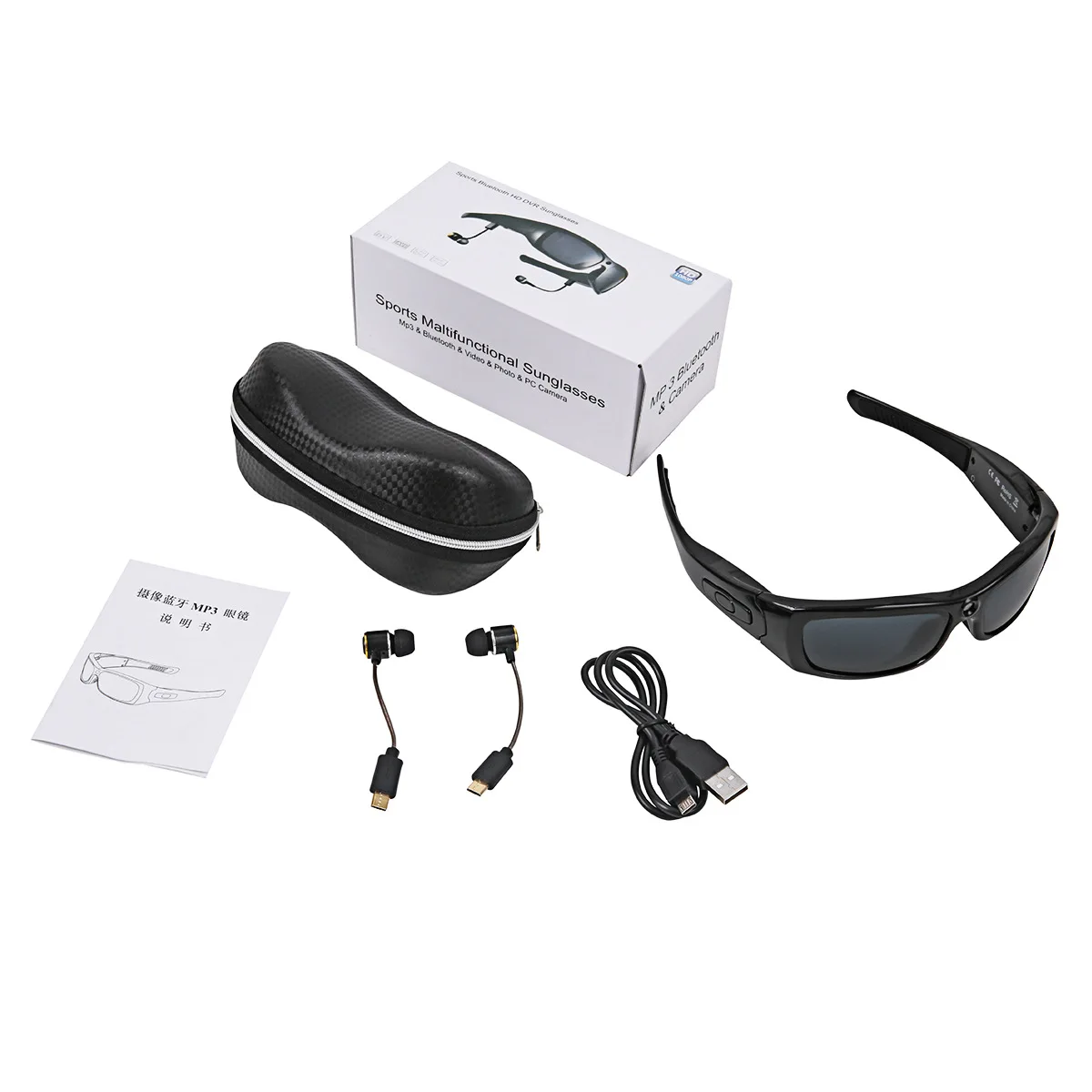
China Factory Wholesale Mens Smart Bluetooth Camera Video Glasses For Women Driving Cycling Sports Eyewear Sunglasses


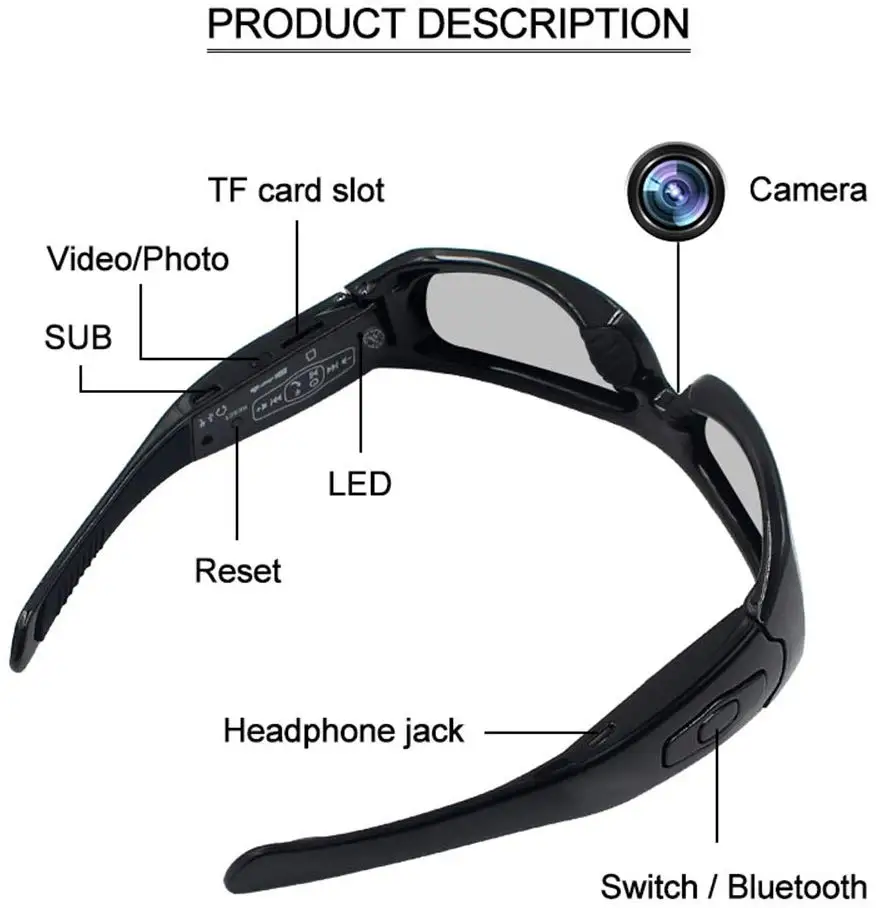
Detailed Images


1. Power on
Press the Power-on button (HD Video) for about 3 seconds, the red light is on for 2 seconds then off, and the blue light is on, the device
enters into the Stand-by state(Please insert the TF card first).
enters into the Stand-by state(Please insert the TF card first).
Note: In stand-by state, the product will power off automatically without operations within 2 minutes.
2. Photo
In stand-by state, short-time press the Power-on button (HD Video) to take the photos. Meanwhile, the blue LED blinks once, goes off, save the files in *.JPG format.
Note: Please take photos in the environment with full illumination, the lens is not covered by shelter, and keep the distance with the subject more than 50 cm. Then, the photos are in correct directions, natural colors, clear pictures and stable images.
Note: Please take photos in the environment with full illumination, the lens is not covered by shelter, and keep the distance with the subject more than 50 cm. Then, the photos are in correct directions, natural colors, clear pictures and stable images.
3. Video
In stand-by state, long-time press the Power-on button (HD Video) for about 2 seconds,the blue light blinks 3 times and then flashes slowly, start videoing, In videoing, short-time press the Power-on button(HD Video) , stop videoing, the blue light is on. Meanwhile, a file in *.AVI format is saved. For guaranty the size and safety of the taken videos, the system saves the videos once every 10 minutes
automatically, and taking the video continuously.
automatically, and taking the video continuously.

4. Power off
In stand-by state, long-time press the power-off button(HD Video) for 3 seconds, blue light blinks 3 times and goes off , then red light blinks once and goes off, indicating the device shutdown.
5. Low-voltage
When the product detects the low voltage of battery in working, the light blinks three times, then shut down automatically. The
files being taken will be saved before shutdown.
files being taken will be saved before shutdown.
6. Reset
When the product stops response from misuse or other unknown reasons and can’t connect to the computer, please press the Reset button,and then finish one reset operation,the product is in shutdown .

7. PC Camera
Connect the device with computer USB interface through USB cable, find the removable disk in the computer,short press the video button,the device exits removable disk and enters into the PC Camera (Webcam) mode. In this mode, your camera can be used as a PC camera.Short press the video button again,the device will exit PC camera and goes back to removable disk.
8. Time set
The video recorder provides the function to display the video record time in video file, you can set the time and the time display or not according to actual needs; The time display format: "Year. Month. Day Hours: Minutes:Seconds",setup times are as follows:
a. Turn off the camera—>to connect the computer—> open the removable disk—> click the right mouse button on blank space of the root directory of the device —>move the cursor on "New" option of the pop-up menu —> select "Text Document"—> named "time" to the text document, need to pay attention to its extension name is ". txt" —> completion of setting up time file; you can set up in
accordance with the above steps on your desktop, other disk partition, under the other folder and then copy to a removable disk root directory.
b. Open the "time" text document, input the time settings string, the string is composed of "Year. Month.Day Hours.Minutes.Seconds show/hide flag",set-up times are as follows:With time shows: 2016-12-16 23:59:59
a. Turn off the camera—>to connect the computer—> open the removable disk—> click the right mouse button on blank space of the root directory of the device —>move the cursor on "New" option of the pop-up menu —> select "Text Document"—> named "time" to the text document, need to pay attention to its extension name is ". txt" —> completion of setting up time file; you can set up in
accordance with the above steps on your desktop, other disk partition, under the other folder and then copy to a removable disk root directory.
b. Open the "time" text document, input the time settings string, the string is composed of "Year. Month.Day Hours.Minutes.Seconds show/hide flag",set-up times are as follows:With time shows: 2016-12-16 23:59:59
9. Tech parameters:
Item | Parameter |
Video format | AVI |
Video encoding | M-JPEG |
Video resolution | 1920*1080P |
Video frame rate | 30fps±1fps |
Media playing software | Attached software in the operating system, or the mainstream video playing software |
Picture format | JPG |
Picture pixel | 5MP(2592*1944) |
Image ratio | 4:3 |
Compatible O/S | Windows me/2000/XP/2003/vista; Mac OS 10.4; Linux; |
charging voltage | DC-5V |
Charging time | About 2 hours |
Interface | Mini USB |
Storage | Micro SD(TF) card, up to 32GB |
Battery | 320mA, high-capacity lithium polymer |
Bluetooth Part
Bluetooth Specification | ||
Comply with Bluetooth protocol | V4.1,high fidelity stereo sound | |
Frequency | 2.4 GHZ | |
Maximum transmission range | 10m | |
Continuous talking time | 3.5 hours | |
Audio solutions for terminal | 15 Bit | |
SNR | > 60 db | |
Standby time | 10 days | |
Working temperature | -10-55 degrees | |

1. Bluetooth Power on/off
Long press the Bluetooth button for 5 seconds until you hear the voice reminding “Power on” and the red indicator is flashing, it
means the bluetooth is power on and enter into standby mode.
Under Bluetooth standby mode, long press the Bluetooth button for 5 seconds, you will hear the voice reminding “Power off” and the red light is off, the blue light is flashing 3 times then goes off, it means the bluetooth is shutdown.
means the bluetooth is power on and enter into standby mode.
Under Bluetooth standby mode, long press the Bluetooth button for 5 seconds, you will hear the voice reminding “Power off” and the red light is off, the blue light is flashing 3 times then goes off, it means the bluetooth is shutdown.
2. Bluetooth pairing
Under Bluetooth on/off mode, long press button (about 5 seconds) until the red and blue indicator will flashing alternatively, it means that the Bluetooth is in the paring status. In the paired state, through the mobile phone to search the device, called the "SM21" device, then connect it, the pairing is successful, you will hear voice remind of matching success, the red light is flashing, and the device will enter insto standby mode automatically .
Under Bluetooth on/off mode, long press button (about 5 seconds) until the red and blue indicator will flashing alternatively, it means that the Bluetooth is in the paring status. In the paired state, through the mobile phone to search the device, called the "SM21" device, then connect it, the pairing is successful, you will hear voice remind of matching success, the red light is flashing, and the device will enter insto standby mode automatically .
3. Answer a call
When a call is in, a ringing tone will come out of this headset, short press the Bluetooth button to answer a call, voice reminding.
4. Refuse a call
When a call is in, a ringing tone will come out of this headset. long the Bluetooth button for 2 seconds to refuse, voice reminding.
5. Dialing on cell phone
In the normal online of Bluetooth devices, press 2 times the Bluetooth ,at the sound of a du, and voice prompt the device automatically dial.

6. Previous/Next Song and Volume Adjustment
When you listen to the MP3 music under the bluetooth paired status,you can choose the songs by short press Rew button to the previous song, short press NEXT button to the next song, and short press bluetooth button to pause the song.
Under Music/Talking status,long pressto volume decreases,long pressto volume increase,and can hear the Corresponding prompt.
Under Music/Talking status,long pressto volume decreases,long pressto volume increase,and can hear the Corresponding prompt.
1. In the Bluetooth connection status, while listen to MP3 music, MP3 will automatically pause when a call comes in, press the Bluetooth button , answer the phone.After the end of the phone, MP3 player automatically restored.
2. When video or photograph, Bluetooth can be used simultaneously.
3. Bluetooth, video or photo function can be used independently.
4. Import Polaroid polarized lenses provide the best protection for eyes in.Effectively prevent ultraviolet rays, bewildere light and harmful blue light. Anytime you wear it very clear.
5. Connect USB cable to computer or power adapter correctly can make the device charge(recommended shutdown the device before charging).
6. During charging, the red light flashes,the blue light is on after fully charged.
7. Please follow the local traffic rules to avoid the violation when driving the vehicle.
8. Please be noted that high-level volume for a long time may result in the permanent loss of your hearing ability, we suggest the user to use an appropriate sound volume.
9. Don’t pull or plug in the product with wet hands, which may cause short circuit of the product.
10. Don’t expose the product to fire or excessive heat.
11. Don’t expose the product to electromagnetic wave circumstances,which may cause malfunction of the product.
12. When fully charged, remove the device, so as not to affect battery life
Packing&Shipping


Application


Related Products
Product Experience & Customer Feedback


Company Introduction
HUIZHOU ZAYCAN TECHNOLOGY CO., LTD.
Zaycan is a top supplier which dedicated to design, R&D, production and sales of smart glasses.
Our factory covers an area of about 2,000 square meters, and there are 3 production lines and more than 100 employees, annual capacity over 300,000 units.
We have an experienced R&D team, about 80% engineers have more than 10 years experience in design of software and hardware structure.
In addition, we have a profesional international trading team provide good communication and service for our international partners.
We will continue to deepen R&D and innovation, improve product performance, quality and service. Our vision is to provide our partners with competitive products and become a leading supplier of automotive products.
Zaycan is a top supplier which dedicated to design, R&D, production and sales of smart glasses.
Our factory covers an area of about 2,000 square meters, and there are 3 production lines and more than 100 employees, annual capacity over 300,000 units.
We have an experienced R&D team, about 80% engineers have more than 10 years experience in design of software and hardware structure.
In addition, we have a profesional international trading team provide good communication and service for our international partners.
We will continue to deepen R&D and innovation, improve product performance, quality and service. Our vision is to provide our partners with competitive products and become a leading supplier of automotive products.


FAQ
Q: The player do not play after pressed start button.
A:Trouble shooting: confirm if it is with power or not, if it is with, please charge
A:Trouble shooting: confirm if it is with power or not, if it is with, please charge
Q: Do not CAMERA or Photo?
A:Checking memory if it has enough storage or not.
A:Checking memory if it has enough storage or not.
Q: No voice when player
A: Trouble shooting: Volume is too low, adjust the volume, player is connecting with PC. no music files in you player.
A: Trouble shooting: Volume is too low, adjust the volume, player is connecting with PC. no music files in you player.
A:T/T,L/C,Western Union,Money Gram,Paypal,Secure Payment,Trade Assurance.
Q: Are you factory or trade company?
A: We are factory. One in Huizhou, Guangdong and One in Dongguan Guangdong. We welcome you to our factory for business.
Q:How does your factory do regarding quality control?
A: Quality is priority. Smart people always attach great importance to quality controlling from the beginning of the production.
Q: Do you accept OEM/ODM?
A: We accept OEM, as well as a professional team for customer ODM services.
Q: Can you provide me free samples?
A: Yes, If you need samples, we will charge the sample cost which depends on your requirement, if you make order, the sample fee
will refund to you.
Q: Why can you bring us more profit?
A: Our own factory and trading, means we can reduce a lot of costs, so we can bring profits to our customers.
Q: How to work with you?
A: We are very sincere to do business with our customers, normally, after order confirmed and deposit paid, mass production will
be arranged; We will synchronize all information with you.
Q: How I can find you if you are not here?
A: Here are my contacts as following:
Email: info@zaycan.com
Skype: kension.lee
Phone/Whatsapp/wet chat: 0086 15889770871
I am always online over 16 hours. Any more questions, welcome contact me via above contacts.
We Recommend
New Arrivals
New products from manufacturers at wholesale prices