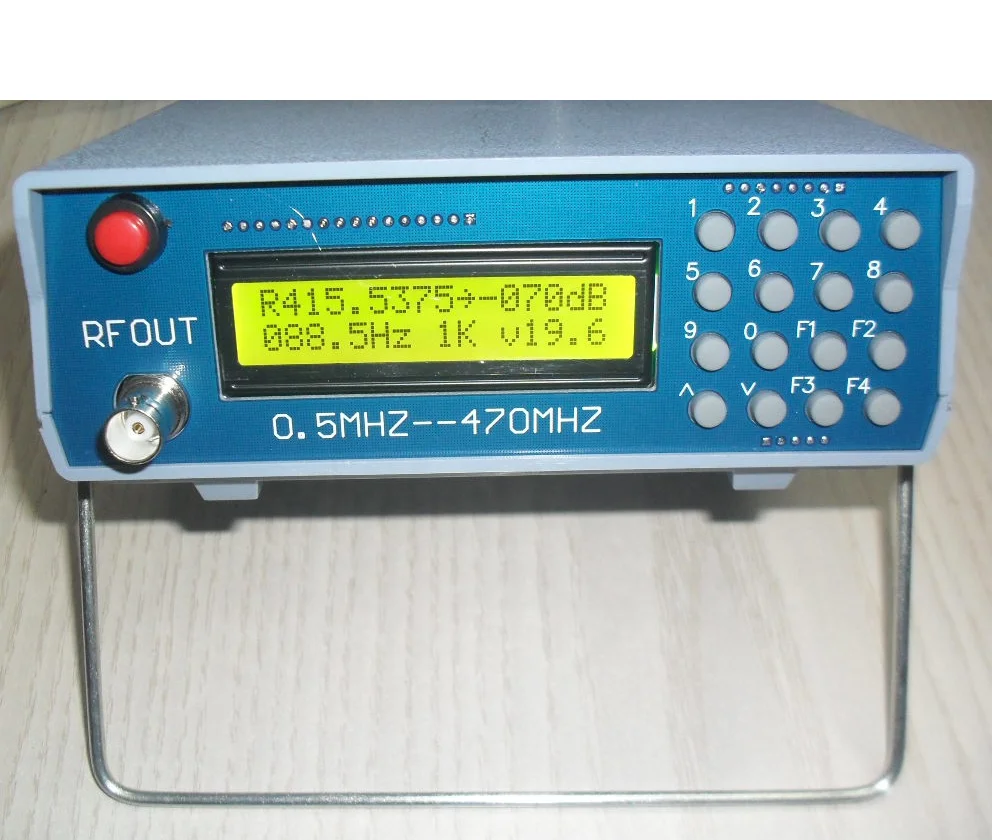
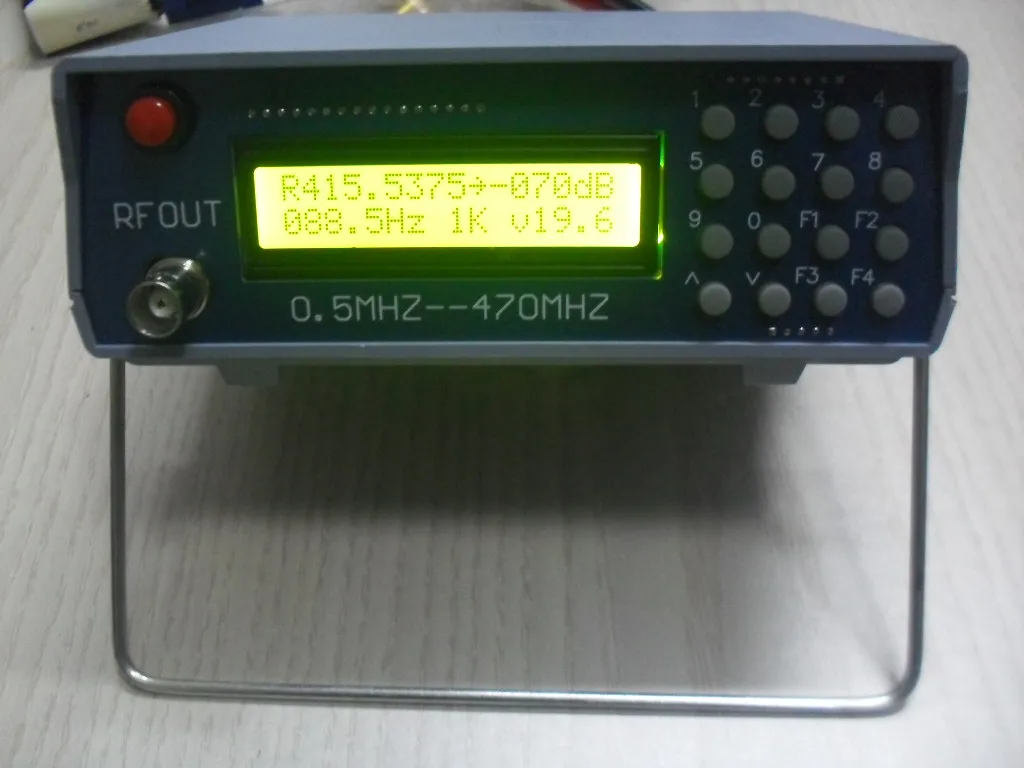
High Frequency RF Signal Source 0.5 470Mhz RF Signal Generator Meter Tester for FM Radio
- Category: Signal Generators >>>
- Supplier: Shenzhen Yuan Qi Trading Co. Ltd.
Share on (1600556218297):
Product Overview
Description
RF signal source (0.5-470mhz)
1. Specially used for FM interphone debugging
2. Frequency 0.5mhz-470mhz
3. Output signal strength - 70 to - 132dbm (other values are invalid)
4. Built in 800Hz audio modulation (FM mode modulation) (other values are invalid)
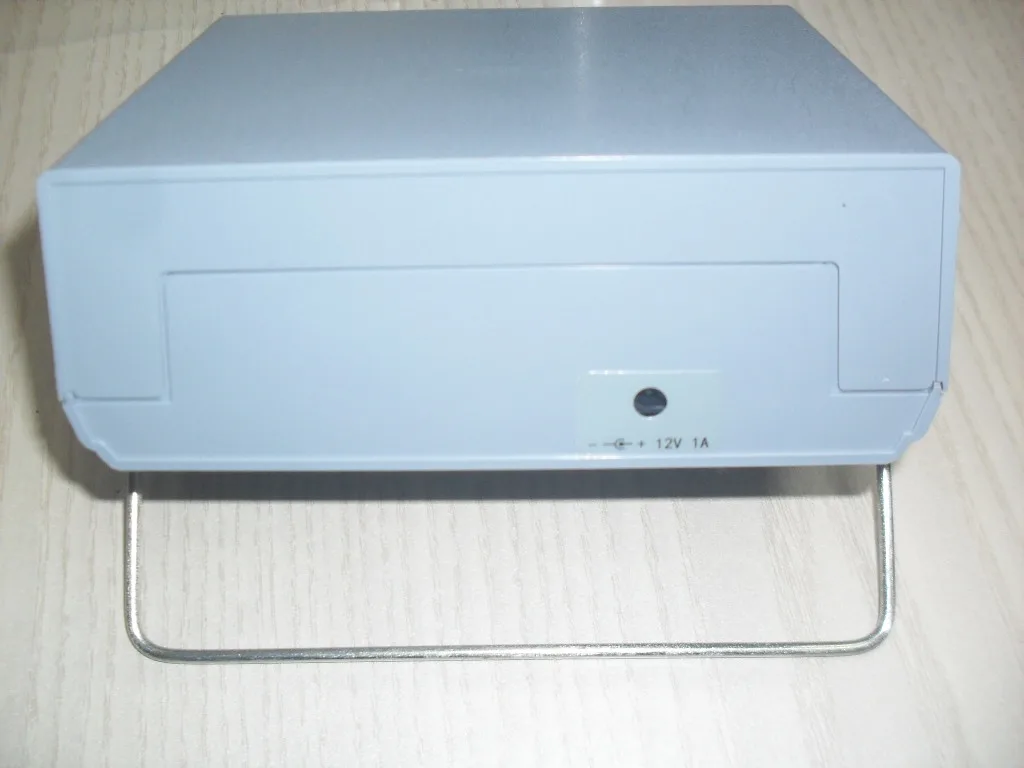
5. Use 8-12v DC power supply
6. Frequency 7-digit example: 439.0125mhz display 4390125 if it is 439.125mhz display 4391250
7. (input power is prohibited, and the signal source will be burned if the input power exceeds 0 DBM.) because the input power is burned, it is not included in the warranty. Remember!!!
8. There is no power supply, test line or paper manual at random. Please refer to the webpage for specific operation methods.
9. Net weight: 300g
The operation method is as follows:
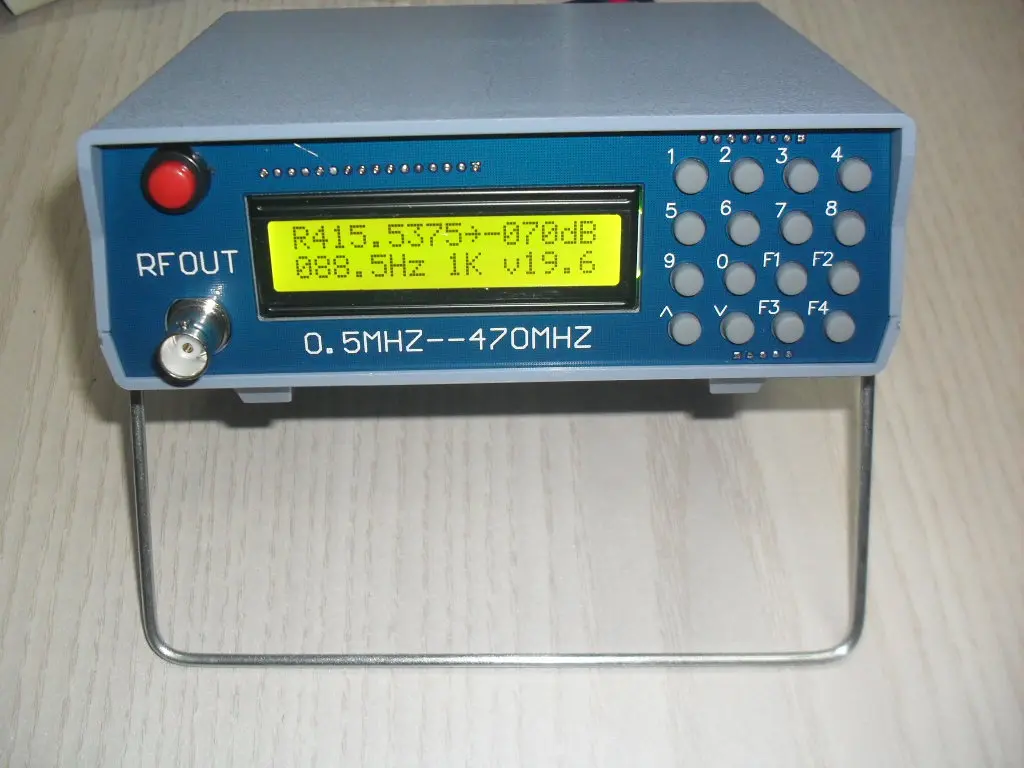
F1: cycle to select the setting item "to point to the selected item, including frequency, signal strength and audio modulation frequency
F2: backspace key in case of input error
F3: close and open signal output
F4: turn audio signal modulation off and on
Number key: enter the value of the selected item directly
Up and down: step to modify the value of the selected item
be careful:
It is forbidden to input power. Once the input power exceeds 0 DBM, the signal source will be burned. The damage caused by the input power is not included in the warranty.
Interphone signal source description
Source mode:
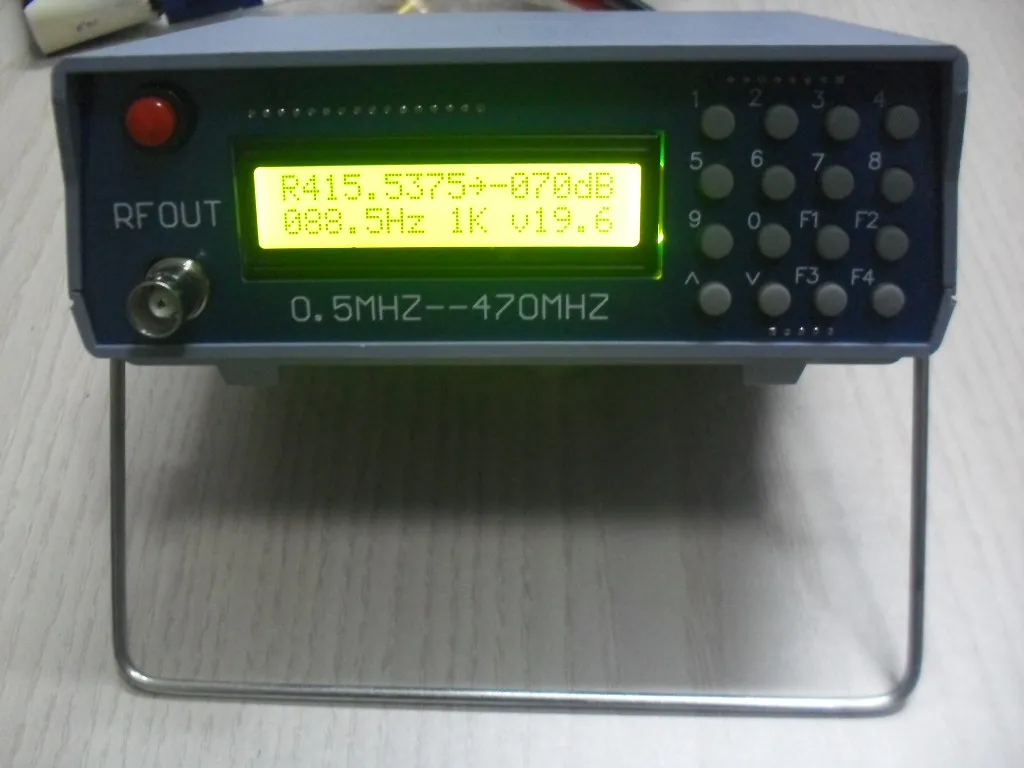
First line left frequency (0.5-470m), right output power (- 70 to - 132dbm)
Second line left sub tone (50.0-280.0hz any analog sub tone and 105 digital sub tones) right modulation tone system (0-3k) (0k is off modulation tone)
Number keys: direct input for the cursor pointing to the item
Up and down key: step adjustment cursor points to item value
F1 key: cursor points to move
F2 key: backspace key
F3 key: when the cursor of function key points to output power, sub tone and modulation tone, it is a cycle switch function. For example, when the cursor points to power output, it is a cycle switch signal output.
F4 key: not used
Analog sub tone setting: input 4 digits of sub audio point directly, fill "0" before 4 digits, for example, input 0, 8, 8, 5 at
88.8hz
Now, if you use the up and down keys to adjust, it will be adjusted in steps of 0.1Hz. If you need to use the standard 50 sub tones to adjust, you need to input 0, 0, 0, 0, and then use the up and down keys to adjust. It will start from the first standard sub tone 67hz.
Digital sub tone setting: input 3-digit sub tone code, press F3 example 023, input 0, 2, 3 first, and then press F3 to set successfully. Press F2 to switch between I and N of digital sub tone, and adjust up and down keys to add and subtract in 105 groups of digital sub tones.
The value input 0 of modulation tone and sub tone is equivalent to off.
Step frequency setting: when the cursor points to the frequency, long press F3 to save the current displayed frequency as step frequency.
Fast input integer frequency: for example, input 4, 3, F3 is 430.0000
Special attention:
This signal source is mainly used to test the sensitivity of analog walkie talkie. It belongs to narrowband FM mode and is not suitable to test the receiving sensitivity of radio. Moreover, the maximum output is - 70dBm, which belongs to UV level.
Therefore, this signal can not bedetected by mv level oscilloscope and frequency meter.
1. Specially used for FM interphone debugging
2. Frequency 0.5mhz-470mhz
3. Output signal strength - 70 to - 132dbm (other values are invalid)
4. Built in 800Hz audio modulation (FM mode modulation) (other values are invalid)
5. Use 8-12v DC power supply
6. Frequency 7-digit example: 439.0125mhz display 4390125 if it is 439.125mhz display 4391250
7. (input power is prohibited, and the signal source will be burned if the input power exceeds 0 DBM.) because the input power is burned, it is not included in the warranty. Remember!!!
8. There is no power supply, test line or paper manual at random. Please refer to the webpage for specific operation methods.
9. Net weight: 300g
The operation method is as follows:
F1: cycle to select the setting item "to point to the selected item, including frequency, signal strength and audio modulation frequency
F2: backspace key in case of input error
F3: close and open signal output
F4: turn audio signal modulation off and on
Number key: enter the value of the selected item directly
Up and down: step to modify the value of the selected item
be careful:
It is forbidden to input power. Once the input power exceeds 0 DBM, the signal source will be burned. The damage caused by the input power is not included in the warranty.
Interphone signal source description
Source mode:
First line left frequency (0.5-470m), right output power (- 70 to - 132dbm)
Second line left sub tone (50.0-280.0hz any analog sub tone and 105 digital sub tones) right modulation tone system (0-3k) (0k is off modulation tone)
Number keys: direct input for the cursor pointing to the item
Up and down key: step adjustment cursor points to item value
F1 key: cursor points to move
F2 key: backspace key
F3 key: when the cursor of function key points to output power, sub tone and modulation tone, it is a cycle switch function. For example, when the cursor points to power output, it is a cycle switch signal output.
F4 key: not used
Analog sub tone setting: input 4 digits of sub audio point directly, fill "0" before 4 digits, for example, input 0, 8, 8, 5 at
88.8hz
Now, if you use the up and down keys to adjust, it will be adjusted in steps of 0.1Hz. If you need to use the standard 50 sub tones to adjust, you need to input 0, 0, 0, 0, and then use the up and down keys to adjust. It will start from the first standard sub tone 67hz.
Digital sub tone setting: input 3-digit sub tone code, press F3 example 023, input 0, 2, 3 first, and then press F3 to set successfully. Press F2 to switch between I and N of digital sub tone, and adjust up and down keys to add and subtract in 105 groups of digital sub tones.
The value input 0 of modulation tone and sub tone is equivalent to off.
Step frequency setting: when the cursor points to the frequency, long press F3 to save the current displayed frequency as step frequency.
Fast input integer frequency: for example, input 4, 3, F3 is 430.0000
Special attention:
This signal source is mainly used to test the sensitivity of analog walkie talkie. It belongs to narrowband FM mode and is not suitable to test the receiving sensitivity of radio. Moreover, the maximum output is - 70dBm, which belongs to UV level.
Therefore, this signal can not bedetected by mv level oscilloscope and frequency meter.
Specification
Frequency | 0.5mhz-470mhz |
Output signal strength | - 70 to - 132dbm (other values are invalid) |
Product Description
Packing & Delivery




Package: Normally we use the standard exporting packaging. We also can according to clients' request .
Shipping :
1. By Couriers: DHL, UPS, FEDEX, TNT are the main courier we are co-operating at present.
2. By Air: Delivery from the Shenzhen airport to customers’ destination city air port.
3. By Sea: Delivery from the shenzhen sea port
Shipping :
1. By Couriers: DHL, UPS, FEDEX, TNT are the main courier we are co-operating at present.
2. By Air: Delivery from the Shenzhen airport to customers’ destination city air port.
3. By Sea: Delivery from the shenzhen sea port
Company Profile


Shenzhen Yuanqi Trading Company Adhering to the exquisite product design and manufacturing process of European industrialized countries, we provide you with a complete range of products with complete specifications and reliable equipment matching combination. Our company has always regard quality as the paramount goal.We are make efforts in order to create a high-level environment, the introduction and absorption of advanced domestic technology and production equipment, the establishment of a scientific and standardized modern enterprise management system and quality system. We equipped with large-scale spot warehouses, sales and service network throughout the country.If you have any questions about the products and services, please feel free to contact us.
FAQ
1. who are we?
We are based in Guangdong, China, start from 2020,sell to North America(20.00%),Africa(20.00%),Eastern Europe(10.00%),Southeast Asia(10.00%),Eastern Asia(10.00%),Western Europe(10.00%),Southern Europe(10.00%),South Asia(10.00%). There are total about 11-50 people in our office.
2. how can we guarantee quality?
Always a pre-production sample before mass production;
Always final Inspection before shipment;
3.what can you buy from us?
CNC,Amplifier,Oscilloscope,Tester,Generator
4. why should you buy from us not from other suppliers?
Shenzhen Yuanqi Trading Company, is a company devotes to the Oscilloscope, tester and generator.The company has advanced production equipment and testing instruments,with excellent marketing team
5. what services can we provide?
Accepted Delivery Terms: CIF,EXW;
Accepted Payment Currency:USD,EUR,CAD,AUD,HKD,GBP,CNY;
Accepted Payment Type: T/T,MoneyGram,Credit Card,PayPal,Western Union;
Language Spoken:English,Chinese
We are based in Guangdong, China, start from 2020,sell to North America(20.00%),Africa(20.00%),Eastern Europe(10.00%),Southeast Asia(10.00%),Eastern Asia(10.00%),Western Europe(10.00%),Southern Europe(10.00%),South Asia(10.00%). There are total about 11-50 people in our office.
2. how can we guarantee quality?
Always a pre-production sample before mass production;
Always final Inspection before shipment;
3.what can you buy from us?
CNC,Amplifier,Oscilloscope,Tester,Generator
4. why should you buy from us not from other suppliers?
Shenzhen Yuanqi Trading Company, is a company devotes to the Oscilloscope, tester and generator.The company has advanced production equipment and testing instruments,with excellent marketing team
5. what services can we provide?
Accepted Delivery Terms: CIF,EXW;
Accepted Payment Currency:USD,EUR,CAD,AUD,HKD,GBP,CNY;
Accepted Payment Type: T/T,MoneyGram,Credit Card,PayPal,Western Union;
Language Spoken:English,Chinese
We Recommend

CONTEC MS100 SpO2 signal generator SpO2 ecg Simulator
US $300.00-$450.00

Fixed outdoor 6 bands mobile phone for signal jammers
US $3500-$4000


New Arrivals
New products from manufacturers at wholesale prices