
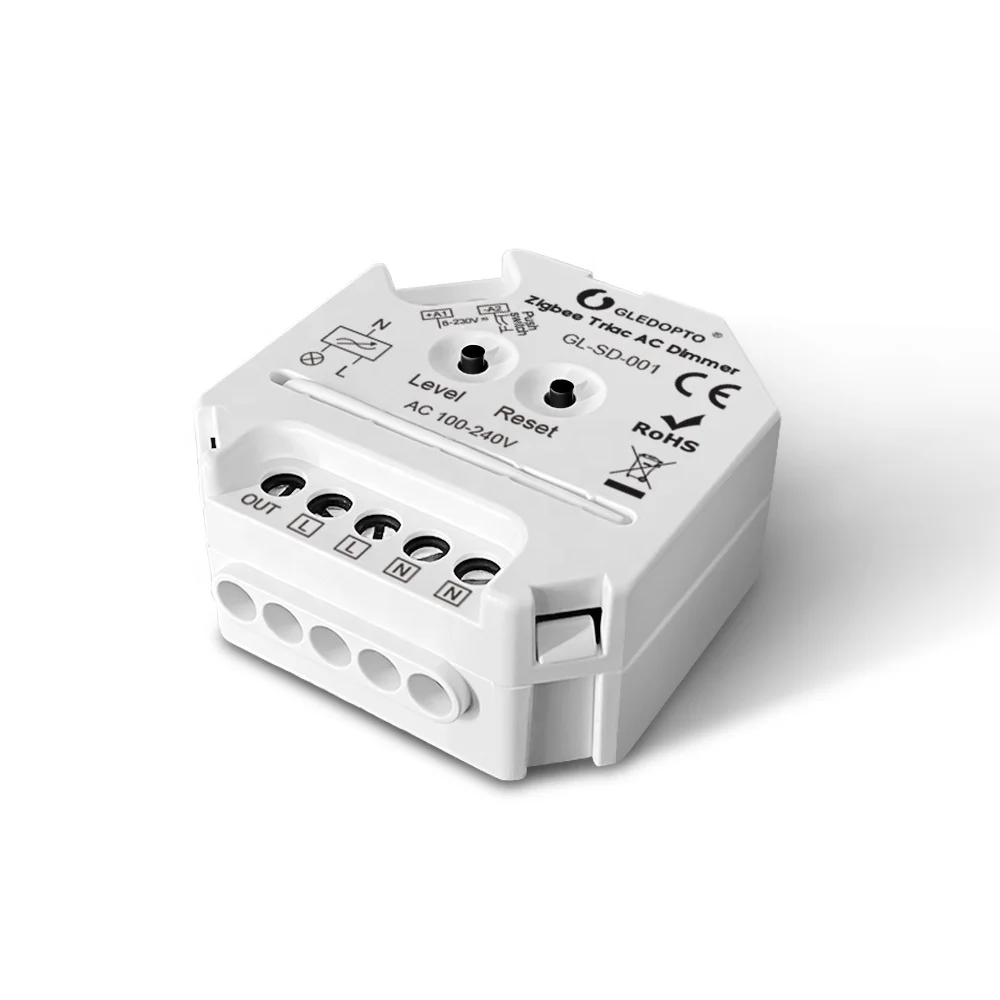
GL SD 001 Gledopto Trailing Edge Dimming LED Dimmer Smart Home Switch Module Compatible Alexa ZigBee Smart Light LED Dimmer 400W
- Category: Lighting Accessories >>>
- Supplier: Shenzhen Gledopto Co. Ltd.
Share on (1600622893014):
Product Overview
Description
Product Description
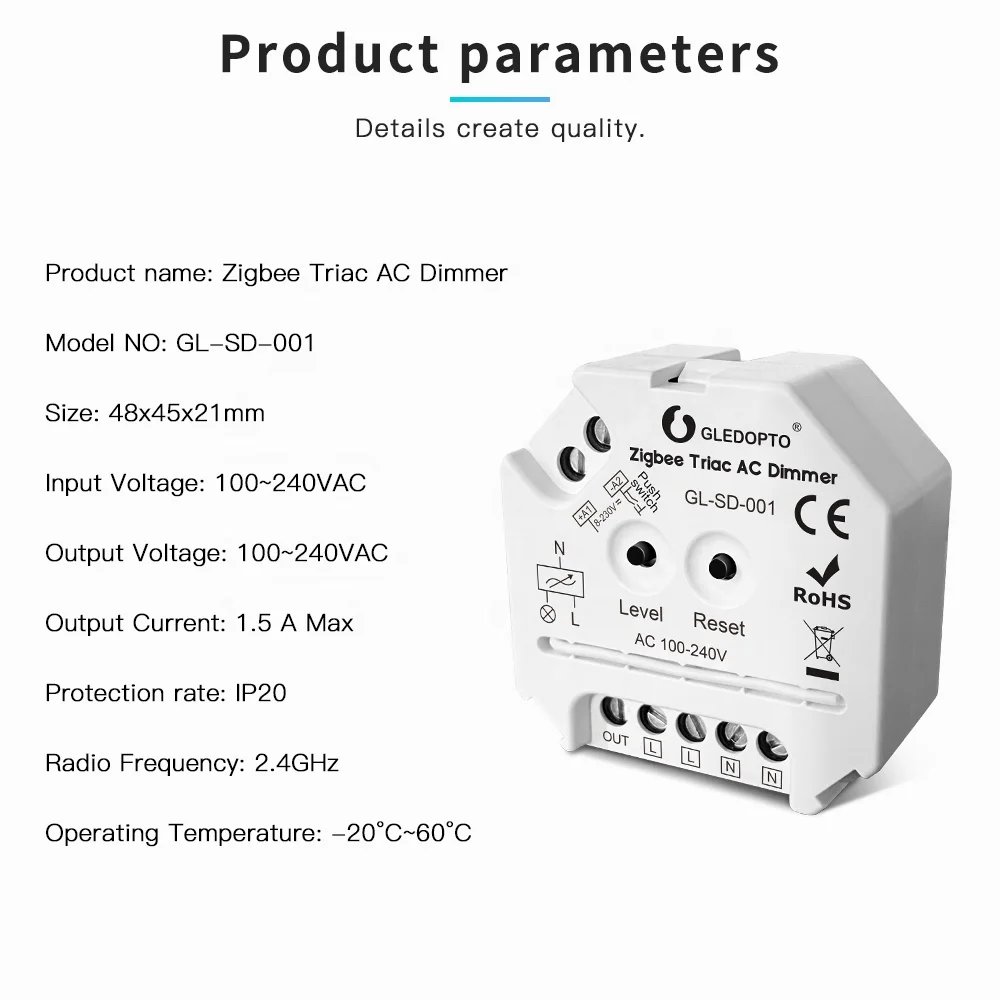
Main Specs of ZigBee 3.0 Triac AC Dimmer Pro | ||
Input/Output Volt. | 100 -240V AC | |
Output Power | Total 400W max. | |
Output Current | 1.5A max | |
Control Tech. | ZigBee 3.0 + 2.4G RF | |
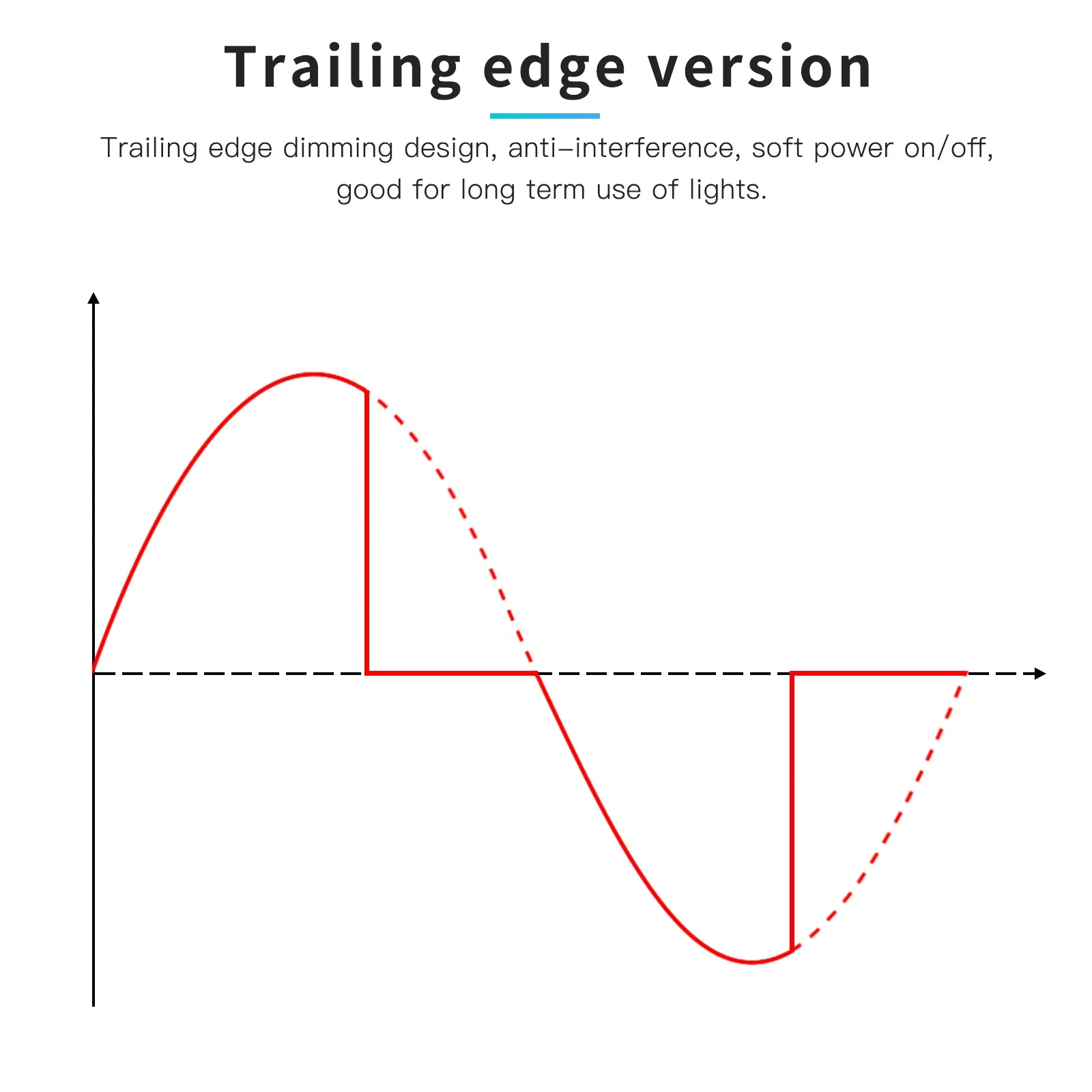
Dimming Method | Trailing edge | |
Remote Distance | ≥30Meter | |
Shelf Material | ABS Anti-fire materials | |
Working Temp. | -20°C~60°C | |
【Top Features】
■ Standard ZigBee 3.0 protocol, compatible with universal ZigBee bridge or coordinator
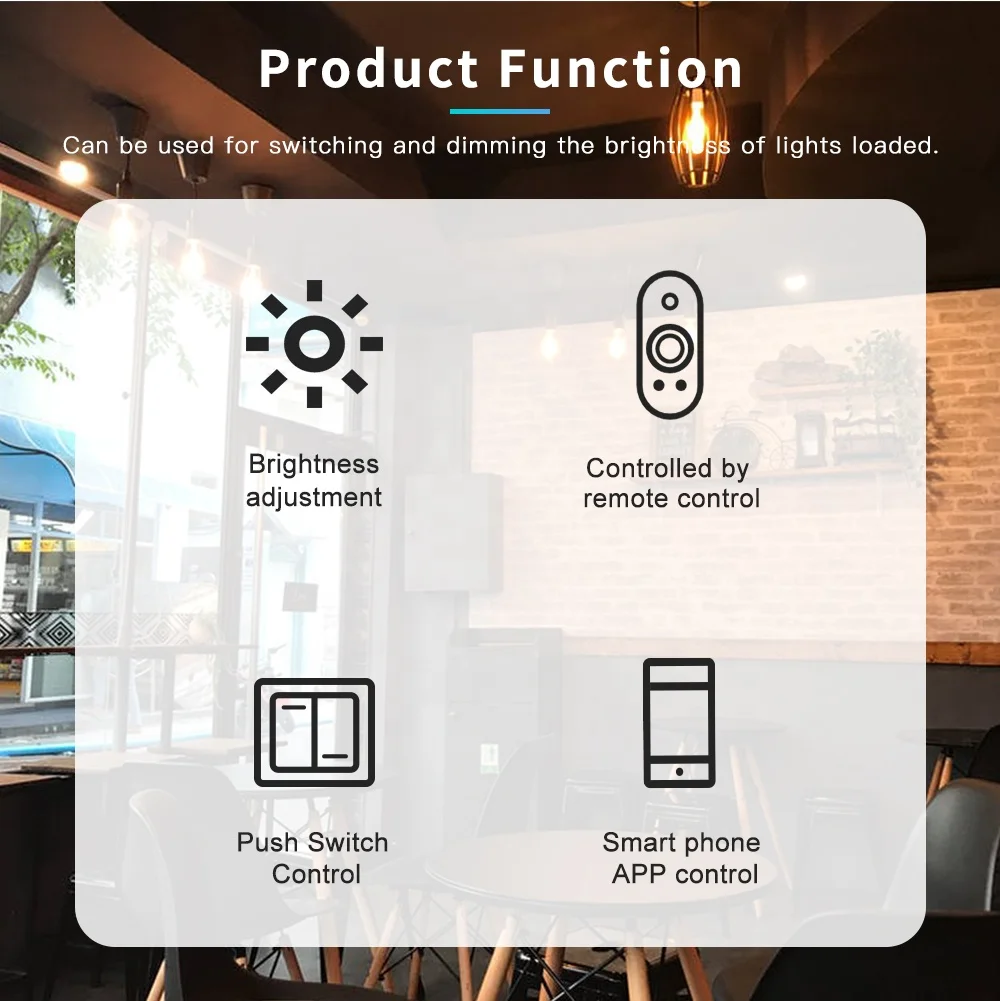
■ Wide input&output 100-240Vac, 1xCH, max 400W power loaded■ Multiple controlling ways, APP, Voice, Push Switch, Press Button, 2.4G RF Remote Control
■ Strong Mesh feature, good for long distance wireless controlling
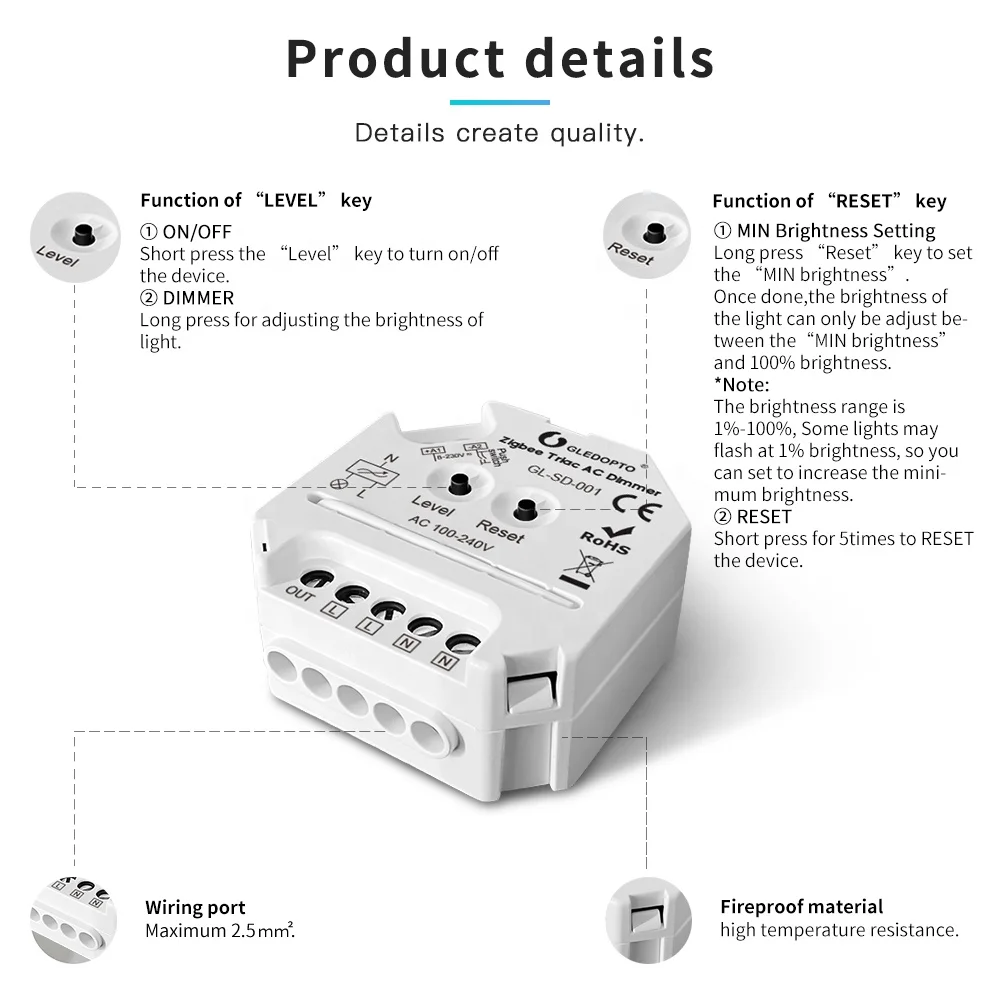
■ Minimum brightness settable, dimmable from min. to 100% full brightness
■ Trailing edge dimming design, anti-interference, soft power on/off, good for long term use of lights
■ Max 30pcs ZigBee remoters controllable through touchlink pairing
■ ABS flame retardant material shell, safe for application
■ Screw terminals design, easy and reliable for connection
■ Mini size design, easy for installation into wall switch socket box
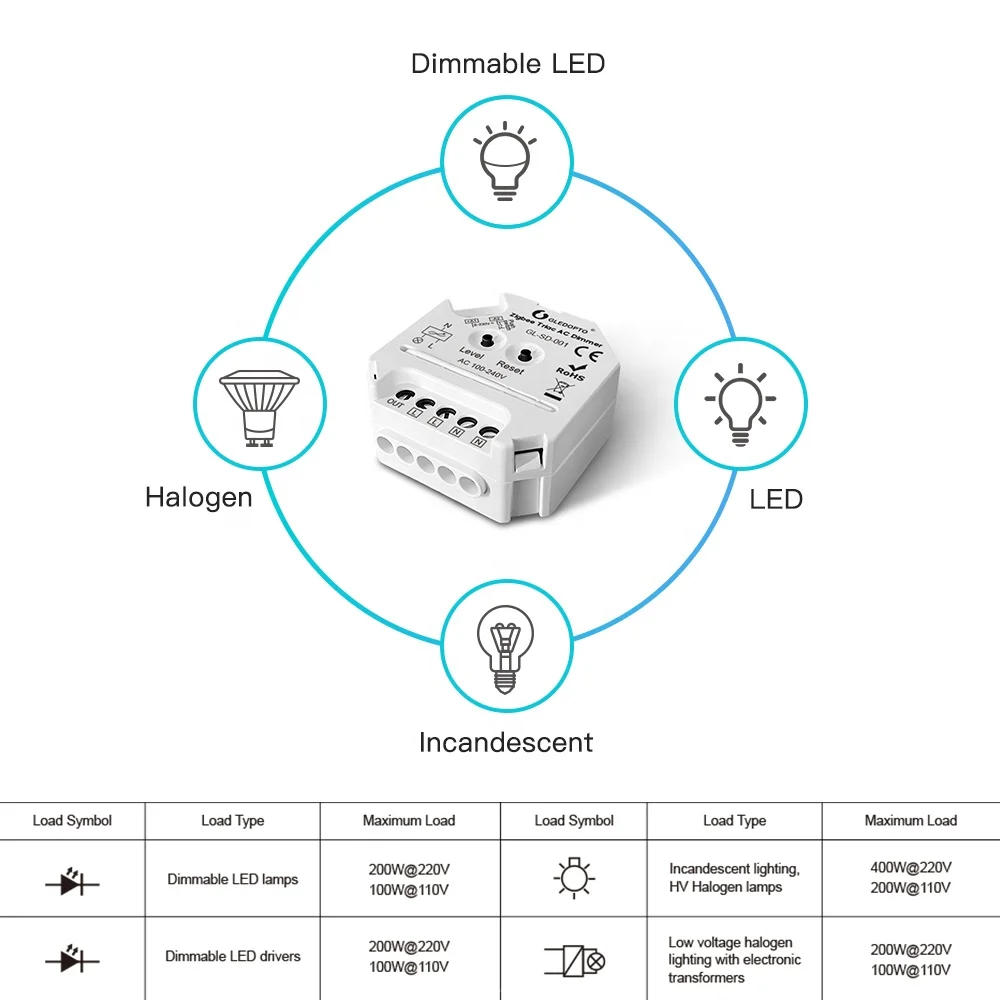
■ Fit for dimmable LED lights/drivers, incandescent or HV halogen lamps, LV halogen lamps powered by electronic transformer.

400W AC Dimmer Wiring & Key Functions | ||||||
Compatible Load Types | ||
Dimmable LED Lamps | 200W@220V 100W@110V | |
Dimmable LED drivers | 200W@220V 100W@110V | |
Incandescent lighting, HV Halogen lamps | 400W@220V 200W@110V | |
Low voltage halogen lighting with electronic transformers | 200W@220V 100W@110V | |

ZigBee Smart Dimmer Multiple Network Connection Ways

★ Pairing with Zigbee Hub
① Please ensure the device wasn’t be paired. Otherwise, please “RESET” the device according to the part Ⅶ “RESET”.
③ Open the zigbee App (hue or Amazon Alexa), add the device.
④ The device *show itself on App and the light (connected to the device) will *blink 4 times.
② After STEP 1, there will be a pairing process about 90s. Once times out, you need to repeat the ①.
③ Open the zigbee App (hue or Amazon Alexa), add the device.
④ The device *show itself on App and the light (connected to the device) will *blink 4 times.

★ TouchLink to a Zigbee Remote Control/Touch Panel
① Please make sure the distance between the device and remote control/ touch panel less than 10cm;
② Method 1: Short press “Reset” button for 4 times to start “Touchlink Commissioning”. The device will flash
3 times to indicate successful enter the touch link pairing mode.
3 times to indicate successful enter the touch link pairing mode.
Method 2: Re-power on the device.
a. If the device is not added to the zigbee network, “Touchlink Commissioning” will start after 15s, 165s timeout.
b. If the device is already added to the zigbee network, it will start “Touchlink Commissioning” immediately, 180s time out.
Please repeat the operation once timeout.
a. If the device is not added to the zigbee network, “Touchlink Commissioning” will start after 15s, 165s timeout.
b. If the device is already added to the zigbee network, it will start “Touchlink Commissioning” immediately, 180s time out.
Please repeat the operation once timeout.
③ Set the remote / touch panel to enter “Touchlink Commissioning”.
please refer to the manual of the corresponding remote / touch panel.
④ The paring light will blink twice to indicate successfully connected.
Now the device shall be zigbee remote / touch panel controllable.
please refer to the manual of the corresponding remote / touch panel.
④ The paring light will blink twice to indicate successfully connected.
Now the device shall be zigbee remote / touch panel controllable.
*Note:
① If the device & remote control in different zigbee network, each remote can link with one device.
② If the device & remote control in the same zigbee network, max 30 remotes can link with one device.
③ For the Philips Hue /Amazon Echo Plus, the device & remote control shall in the same network before TouchLink.
① If the device & remote control in different zigbee network, each remote can link with one device.
② If the device & remote control in the same zigbee network, max 30 remotes can link with one device.
③ For the Philips Hue /Amazon Echo Plus, the device & remote control shall in the same network before TouchLink.

★ Find and Bind Mode
*Note: Make sure that the device & remote are in the same network.
① Short press “Reset” button (or re-power on the device) for 3 times.
The light (connected to the device) will blink twice, and start “Find and Bind” mode to find the “Target Node”.
② Set the remote control / touch panel (target node) to enter the “Find and Bind” mode to search for “Bind Initiator”.
Please refer to the manual of the corresponding remote / touch panel.
③ “Find and Bind” is completed, the remote / touch panel shall have indication.
Now the device shall be remote control / touch panel controllable.

★ Pairing with GLEDOPTO 2.4GHz RF Remote Control /
Touch Panel
Touch Panel
① Battery power on the RF remote control / touch panel, within 3s, press zone “I” (of any group you want the light into) to start the pairing process.
② the light (connected to the device) blink 4 times to indicate successfully paring.
③ now the device shall be 2.4GHz remote control / touch panel controllable.
GLEDOPTO® ZigBee 3.0 Trailing Edge AC Dimmer Factory Reset Methonds | ||||||
▲ RESET the Zigbee Network
① Method 1: Delete the device on the APP.
Method 2: Short press“RESET” key on the device for 5 times.
Method 3: Power cycle(on/off) the device for 5 times.
Method 2: Short press“RESET” key on the device for 5 times.
Method 3: Power cycle(on/off) the device for 5 times.
② The light (connected to the device) Flash 4 times, reset is done.
▲ RESET the 2.4GHz RF Network
① Method 1: power on the light, short press (within 4s) “MASTER I” button for 5 times. (or “I” button of Zone 1-6 which is pairing).
Method 2: power on the light, short press(within 4s)“-” button for 5 times.(or“-” button of Zone 1-4 which is paring).
② The light (connected to the device) shall flash for 4 times.
③ Reset is done.
More Features & Lighting Application


Phase-cut ZigBee3.0 Dimmer Packing Details

Related Products
Certifications


Company Information


FAQs
Q1. Can I have a sample order for led light?
A: Yes, we welcome sample order to test and check quality. Mixed samples are acceptable.
Q2. What about the lead time?
A:Sample needs 3-5 days, mass production time needs 1-2 weeks for order quantity more than 1000pcs
Q3. Do you have any MOQ limit for led light order?
A: Low MOQ, 1pc for sample checking is available
Q4. How do you ship the goods and how long does it take to arrive?
A: We usually ship by DHL, UPS, FedEx or TNT. It usually takes 3-5 days to arrive. Airline and sea shipping also optional.
Q5. How to proceed an order for led light?
A: Firstly, please let us know your requirements or application.
Secondly, we'll make quotation according to your requirements or our suggestions.
Thirdly, customer confirms the samples and places deposit for official order.
Fourthly, we arrange the production.
Fifthly, customers make balance payment for the order, and we arrange shipment once the payment received.
Q6. Is it OK to print my logo on led light product?
A: Yes. Please inform us formally before our production and confirm the design firstly based on our sample.
Q7: Do you offer guarantee for the products?
A: Yes, we offer 2-3 years warranty to our products.
Q8: How to deal with the faulty?
A: Firstly, our products are produced in strict quality control system and the defective rate will be less than 0.2%.
Secondly, during the guarantee period, we will send new lights with new order for small quantity.For large defective products, we can arrange to repair them and resend them to you, or we can discuss the solution
including re-call according to actual situation.
We Recommend


New Arrivals
New products from manufacturers at wholesale prices







