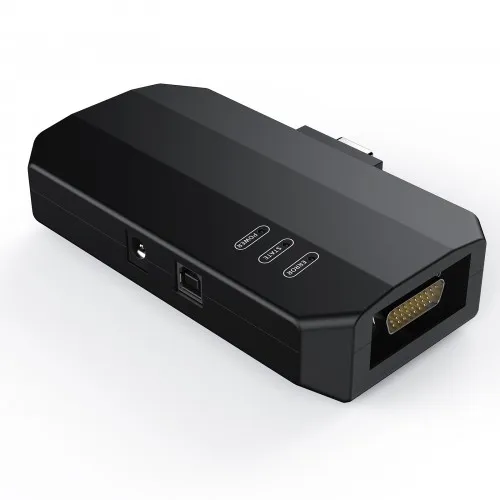
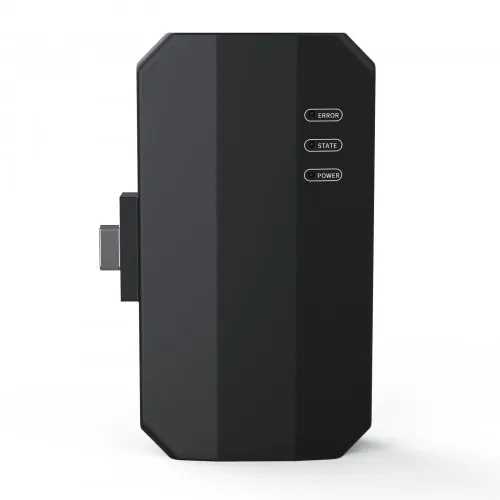
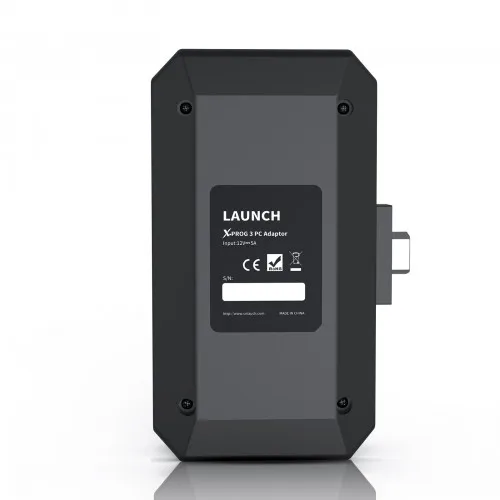
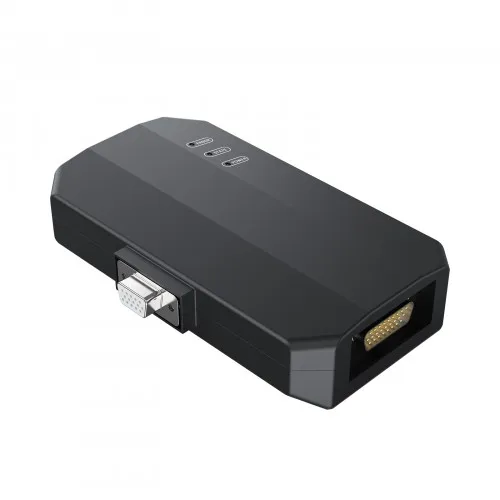
Launch X431 IMMO Programmer X PROG3 PC Adaptor Supports Engine Data Validation Function
- Category: >>>
- Supplier: Suzhou Everich Imp & Exp Co. Ltd.
Share on (1601080751092):
Product Overview
Description
Launch X431 IMMO Programmer X-PROG3 PC Adaptor Supports Engine Data Validation Function
The Launch X431 X-prog3 PC adapter used in conjunction with X-PROG3 immo programmer,support read/write ECUs data quickly, including read the chip ID and back up the EEPROM data, back up the FLASH data and restore EEPROM/FLASH data.
2023 Original Launch X-Prog3 GIII PC Adapter XProg3 ECU Programmer
Used in conjunction with X-PROG3 anti lift matching programmer
Features:
Easy to copy data
2D menu, clear and easy to choose
Powerful search function
Support engine data validation function
Convenient modification of ECU data
Used in conjunction with X-PROG3 immo programmer
USB communication, with a speed more than three times that of Android devices, making it more stable
Support list June 2023:
| ECU Name | ECU Type | ECU Brand | G3 | FLEX |
| EDC16XX | ECM | Bosch | Support | Support |
| EDC17XX | ECM | Bosch | Support | Support |
| MD1CSXXX | ECM | Bosch | Support | Support |
| MD1CPXXX | ECM | Bosch | Support | Support |
| ME17.X.X | ECM | Bosch | Support | Support |
| MED17.X.X | ECM | Bosch | Support | Support |
| MED9.X.X | ECM | Bosch | Support | Support |
| MEV17.X.X | ECM | Bosch | Support | Support |
| MEVD17.X.X | ECM | Bosch | Support | Support |
| MG1CSXXX | ECM | Bosch | Support | Support |
| MG1CPXXX | ECM | Bosch | Support | Support |
| MSDXX | ECM | CONTINENTAL/SIEMENS | Support | Support |
| MSVXX | ECM | CONTINENTAL/SIEMENS | Support | Support |
| SDIX | ECM | Continental | Support | Support |
| GM EXX/TXX | ECM | DELCO | Support | Support |
| SIM271XX | ECM | Continental | Support | Support |
| SIMOS12.X | ECM | Continental | Not support | Support |
| SIMOS8.X | ECM | Continental | Support | Support |
| SIMOS-PCR2.X | ECM | Continental | Not support | Support |
| 6HPXX | TCM | ZF | Support | Support |
| 8HPXX | TCM | ZF | Support | Support |
| 7DCT300 | TCM | ZF | Support | Support |
| 9G Tronic | TCM | Bosch | Support | Support |
| ALXXX | TCM | ZF | Support | Support |
| TCXX | TCM | Bosch | Support | Support |
| DPS6/DC4 | TCM | GETRAG | Support | Support |
| DKG | TCM | GETRAG | Support | Support |
| DLXXX | TCM | Temic | Support | Support |
| DQXXX | TCM | Temic | Support | Support |
| MPS6 | TCM | GETRAG | Support | Support |
| SPS6 | TCM | GETRAG | Support | Support |
| VGSX | TCM | GETRAG | Support | Support |
| VL381 | TCM | Temic | Support | Support |
| GM 6TXX/6LXX | TCM | DELCO | Support | Support |
| MEDG17.9.8 | TCM | Bosch | Support | Support |
| MEG17.9.2 | TCM | Bosch | Support | Support |
Package Includes:
1pc x Launch X431 IMMO Programmer X-PRO G3 PC Adaptor
If need X431 ECU TCU programmer standalone version, checkSE175
How to Use Launch X-prog3 PC Adapter?
Firstly, connect the X-PRO G3 PC ADAPTOR to the computer using a cable, and then connect the X-PROG3 PC ADAPTOR to G3. Secondly, click to enter the software (without connecting the X-PROG3 PC ADAPTOR and G3, the software cannot be accessed). The serial number will be automatically recognized from the X-PROG3 PC ADAPTOR. The activation code needs to be obtained from the envelope of the X-PROG3 PC ADAPTOR. Thirdly, click [Activation] (only once, no need to activate it again later), as shown in Figure 1


4. Read the chip ID, as shown in Figure 7.


7. Restore EEPROM/FLASH data, as shown in Figure 10 (the figure shows the file selection page).


We Recommend


New Arrivals
New products from manufacturers at wholesale prices







