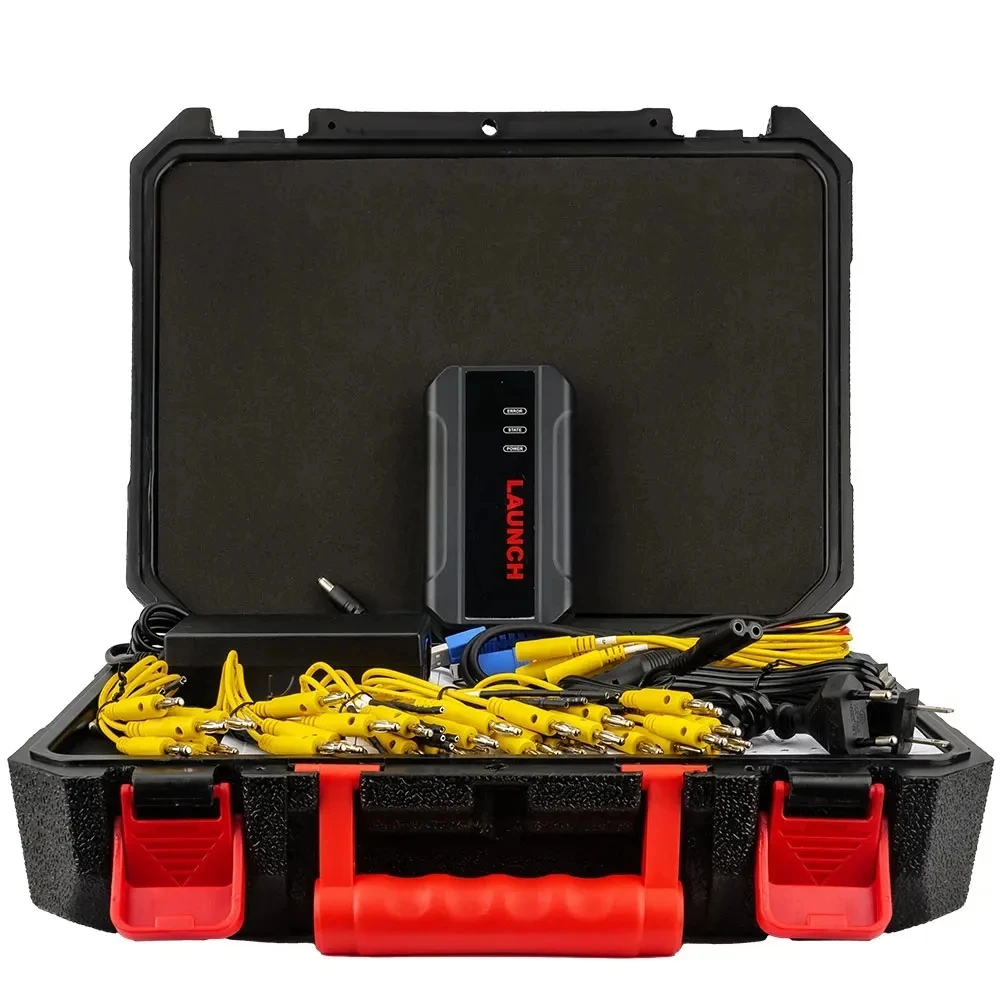
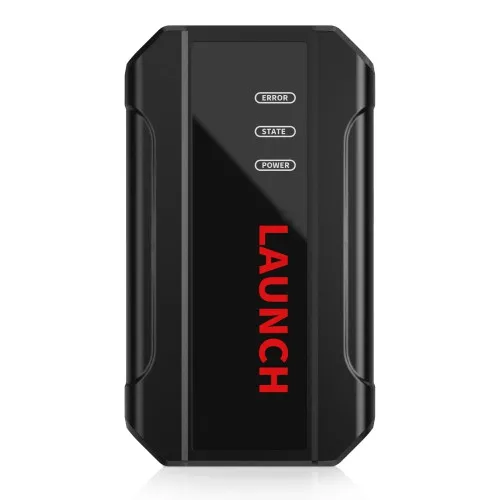
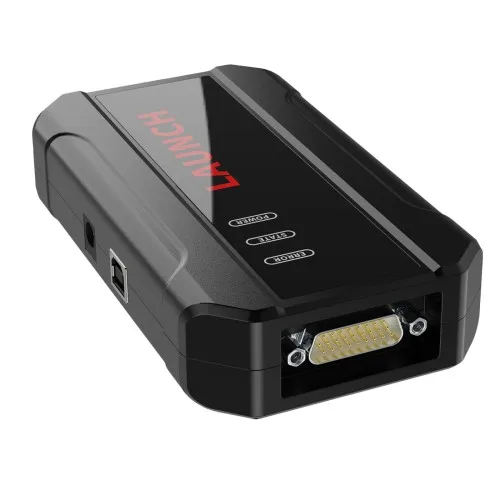
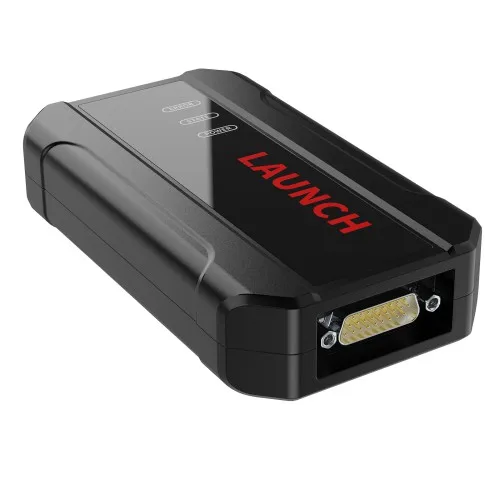
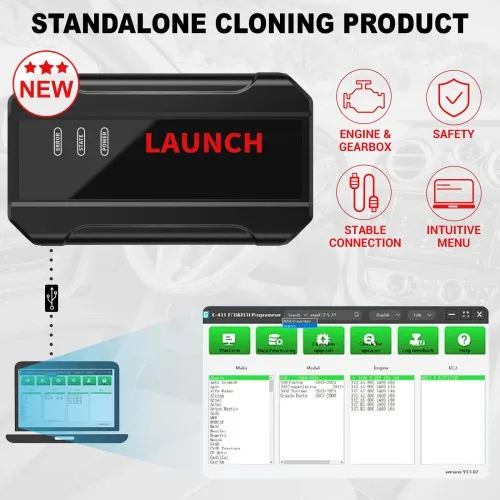
Original Launch X 431 ECU & TCU Programmer Standalone Cloning Device 2D Menu for ECU Data Reading/Writing
- Category: >>>
- Supplier: Sichuan Chensirui Technology Co. Ltd.
Share on (1601105047743):
Product Overview
Description
Product Description
Launch X-431 ECU & TCU Programmer Standalone Cloning Device 2D Menu for ECU Data Reading/Writing.
Product Description
The LAUNCH X-431 ECU & TCU Programmer supports ECUs data reading & writing quickly, including reading the chip ID and backing up
the EEPROM data, backing up the FLASH data, and restoring EEPROM/FLASH data.
Launch X-431 ECU & TCU Programmer Standalone Cloning Device 2D Menu for ECU Data Reading/Writing
Launch X-431 ECU & TCU Programmer supports ECUs data reading & writing quickly, including reading the chip ID and backing up the
EEPROM data, backing up the FLASH data and restoring EEPROM/FLASH data. There are two methods to read various vehicle brand ECUs
info. The X-431 ECU & TCU Programmer also supports Data Processing, anti-theft shutdown and file verification.
The LAUNCH X-431 ECU & TCU Programmer supports ECUs data reading & writing quickly, including reading the chip ID and backing up
the EEPROM data, backing up the FLASH data, and restoring EEPROM/FLASH data.
Launch X-431 ECU & TCU Programmer Standalone Cloning Device 2D Menu for ECU Data Reading/Writing
Launch X-431 ECU & TCU Programmer supports ECUs data reading & writing quickly, including reading the chip ID and backing up the
EEPROM data, backing up the FLASH data and restoring EEPROM/FLASH data. There are two methods to read various vehicle brand ECUs
info. The X-431 ECU & TCU Programmer also supports Data Processing, anti-theft shutdown and file verification.
Product Features:
1. 2D menu, clear and easy to choose
2. Powerful search function
3. Convenient modification of ECU data
4. USB communication, with a speed more than three times that of Android devices, making it more stable
5. Easy to copy data
6. Support engine data validation function
7. One year free update
1. 2D menu, clear and easy to choose
2. Powerful search function
3. Convenient modification of ECU data
4. USB communication, with a speed more than three times that of Android devices, making it more stable
5. Easy to copy data
6. Support engine data validation function
7. One year free update
Launch X431 ECU Progarmmer Functions:
1. ECUs Data Reading & Writing quickly.
· Support two methods to read various vehicle brand ECUs info.
· Support Read the chip ID and Back up the EEPROM data.
· Support Back up the FLASH data and Restore EEPROM/FLASH data
2. Support Data Processing, anti-theft shutdown and file verification.
ECU Support list June 2023:
1. ECUs Data Reading & Writing quickly.
· Support two methods to read various vehicle brand ECUs info.
· Support Read the chip ID and Back up the EEPROM data.
· Support Back up the FLASH data and Restore EEPROM/FLASH data
2. Support Data Processing, anti-theft shutdown and file verification.
ECU Support list June 2023:

Launch X431 ECU TCU Programmer and PC Software Use Guide:Firstly, connect the X431 ECU &TCU Programmer to the computer with a
cable. Then, click to enter the software. The serial number will be automatically recognized from the X-431 ECU &TCU Programmer,
and the activation code needs to be obtained from the envelope bar of the X-431 ECU&TCU Programmer.
Click [Activate] to activate (only activate once, no need to activate again later), as shown in Figure 1. Without connection, you
cannot access the software, as shown in Figure 2.
cable. Then, click to enter the software. The serial number will be automatically recognized from the X-431 ECU &TCU Programmer,
and the activation code needs to be obtained from the envelope bar of the X-431 ECU&TCU Programmer.
Click [Activate] to activate (only activate once, no need to activate again later), as shown in Figure 1. Without connection, you
cannot access the software, as shown in Figure 2.

Specification

item | value |
Type | Code Reader |
Voltage | 12v |
Power | 110 |
Applicable Models | most of all cars |
Place of Origin | China |
Guangdong | |
Brand Name | launch |
Model Number | ecu and tcu programming |
Warranty | 1Years |
Product Name | launch ecu and tcu programmer |
Function 1 | ecu programming |
Function 2 | ecu programming |
Feature 1 | ecu writing |
Feature 2 | ecu reading |
Feature 3 | restoring EEPROM/FLASH data. |
Color | Black |
Weight | 5.5KG |
Update | Online |
Quality | Superior |
I. ECU Date Reading and Writing:
1. Obtain the related ECU.
Method (1): Obtain the desired ECU type through brand > model > engine > ECU in turn, as shown in Figure 3.
1. Obtain the related ECU.
Method (1): Obtain the desired ECU type through brand > model > engine > ECU in turn, as shown in Figure 3.

Method (2): Query the desired ECU by entering a value in the search box. The search categories include Bosch number and Search, as
shown in Figure 4. For example, search for the MED17.5.25 engine by Search, as shown in Figure 5.
shown in Figure 4. For example, search for the MED17.5.25 engine by Search, as shown in Figure 5.


2.Click [Direct Connection Diagram] to obtain the ECU connection diagram, as shown in Figure 6.

3. Connection:
Connect the ECU and PCBOX according to the information provided in the connection diagram. The physical connection diagram of MED17 .5 .25 (using the BENCH mode line)is shown in Figure 7, and the physical connection diagram using the gearbox adapter is shown in Figure 8.
Connect the ECU and PCBOX according to the information provided in the connection diagram. The physical connection diagram of MED17 .5 .25 (using the BENCH mode line)is shown in Figure 7, and the physical connection diagram using the gearbox adapter is shown in Figure 8.


4. Read the chip ID, as shown in Figure 9.

5. Back up the EEPROM data and save it, as shown in Figure 10 (the figure shows the save page of the read date).

6. Back up the Flash date and save it, as shown in Figure 11 (the figure shows the process of reading FLASH date)..

7. Restore EEPROM / FLASH date, as shown in Figure 12 (the figure shows the file selection page).

II. Date Processing
1. Click the [Date Processing] button on the main page, as shown in Figure 13, and select [IMMO Off and File Verification] ([DTC
Shield] is not currently supported), as shown in Figure 14.
1. Click the [Date Processing] button on the main page, as shown in Figure 13, and select [IMMO Off and File Verification] ([DTC
Shield] is not currently supported), as shown in Figure 14.


2. File verification and IMMO OFF (process: select file>connect network to obtain>save file), as shown in Figure 15.

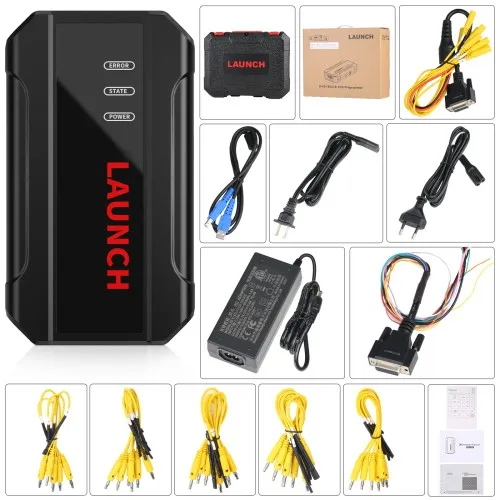
Package Includes:
1pc x the Host
1pc x Jumper
1pc x MCU Cable
1pc x EU Adapter
1pc x US Adapter
1pc x Power Supply Cable
1pc x USB Cable
1pc x the Host
1pc x Jumper
1pc x MCU Cable
1pc x EU Adapter
1pc x US Adapter
1pc x Power Supply Cable
1pc x USB Cable
Company Profile



Our company's products are :Industrial filter, auto parts, motorcycle parts,car diagnostic tools.
we have over 13 years experience in this filed .we have our own factory and the agent of some famous brand , offer best price with high quality for all product.
Our main products are:1. diagnostic tools, LAUNCH X431, Key Programmer,car key,remote key ,smart key,key cutting machine,diagnostic tools car,vehicle tools,heavy truck diagnostic tool,chip tuning,car immo,alldata,autodata, autel maxisys,Car ECU, ecu flash.
2.car auto part:crankshaft connecting rod, car headlight assembly, audio host, car rearview mirror, wheel hub, filter, piston, sensor, fuel injector, Bumpers, motorcycle parts, engines and generators,
3.Industrial filter:pall,hydac,mahle filter,filtrec filter,stauff filter,taisei kogyo filter,argo filter,hu-pro filter, eppestiner filter,parker filter,air compressor filter,ingersollrand filter,atlascopco filter,sullair filter,fuda filter,fusheng filter,compair filter,
4.motorcycle parts,and other products.
We are not only a supplier of products, we are porters for foreign buyers,We can ship your order to any address you specify. We provide pre-sale and after-sales service for you. From us, You can get high quality service, reliable price, high quality products.
We value every sample order to ensure consistent product quality. We cannot achieve the lowest price of the product, but we have been working hard to strive for the highest quality.
Come on, we can start our cooperation with the sample order first, we won't let you down!
we have over 13 years experience in this filed .we have our own factory and the agent of some famous brand , offer best price with high quality for all product.
Our main products are:1. diagnostic tools, LAUNCH X431, Key Programmer,car key,remote key ,smart key,key cutting machine,diagnostic tools car,vehicle tools,heavy truck diagnostic tool,chip tuning,car immo,alldata,autodata, autel maxisys,Car ECU, ecu flash.
2.car auto part:crankshaft connecting rod, car headlight assembly, audio host, car rearview mirror, wheel hub, filter, piston, sensor, fuel injector, Bumpers, motorcycle parts, engines and generators,
3.Industrial filter:pall,hydac,mahle filter,filtrec filter,stauff filter,taisei kogyo filter,argo filter,hu-pro filter, eppestiner filter,parker filter,air compressor filter,ingersollrand filter,atlascopco filter,sullair filter,fuda filter,fusheng filter,compair filter,
4.motorcycle parts,and other products.
We are not only a supplier of products, we are porters for foreign buyers,We can ship your order to any address you specify. We provide pre-sale and after-sales service for you. From us, You can get high quality service, reliable price, high quality products.
We value every sample order to ensure consistent product quality. We cannot achieve the lowest price of the product, but we have been working hard to strive for the highest quality.
Come on, we can start our cooperation with the sample order first, we won't let you down!
We Recommend


New Arrivals
New products from manufacturers at wholesale prices







