
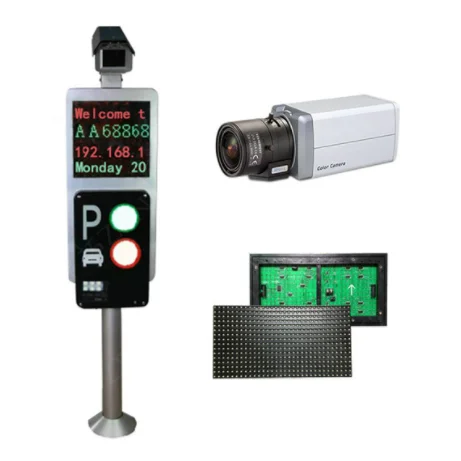
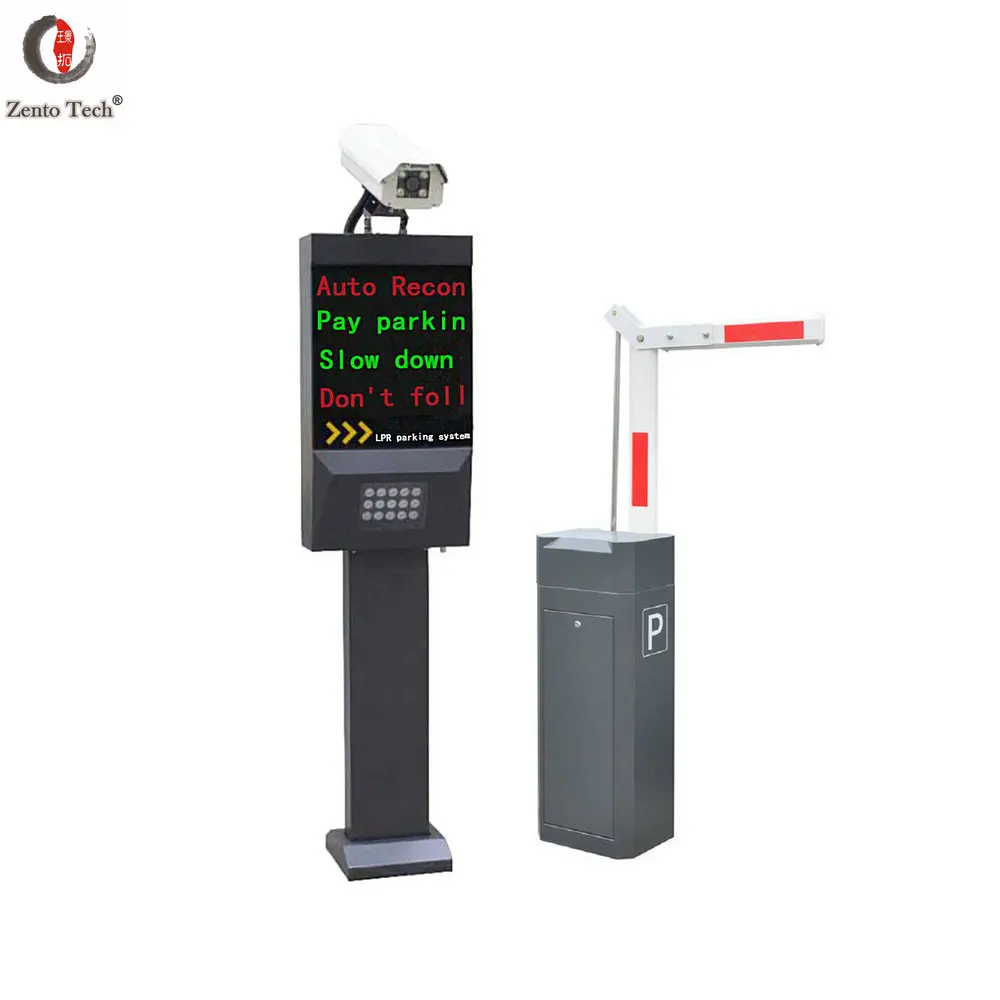
ZENTO Hot Sale Automatic License Plate Recognition Parking System
- Category: Surveillance Products >>>
- Supplier: Shenzhen Zento Traffic Equipement Co. Ltd.
Share on (62532221329):
Product Overview
Description
Product Description
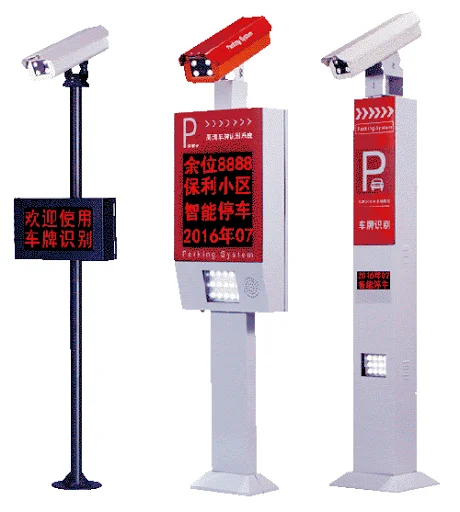
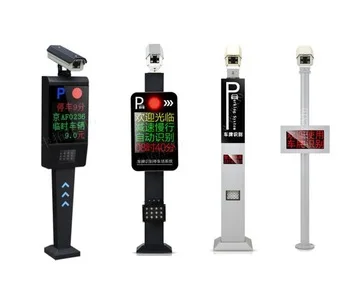
Automatic Recognition of License Plate Parking System
License Plate Recognition technology (License Plate Recognition, LPR) is based on the computer technology, image processing technology, and the fuzzy Recognition, to build the characteristics of the vehicle model, identify the vehicles' characteristic, such as Plate, model, color, etc. It can automatically extract the plate image from an image, it USES the advanced image processing technology, pattern recognition and artificial intelligence to the collected images information and processing, it can be identify the license plate Numbers, letters and Chinese characters, and directly given recognition result, makes the system become a reality.
The New LPR Technology has absorbed the advantage algorithm domestic and abroad ,on the basis of this, the optimization and improvement are made.The speed and accuracy of recognition have been greatly improved.Especially for lighting requirements,changed the defective of highly reliance on the environment that is undoubtedly an obstacle to installation and application. Due to the uncertainty of the installation location,plate reflection, backlight and other factors will directly affect the recognition of the license plate.The improved algorithm has greatly improved the recognition of the above license plates
1.Can identify vehicle license text and figures
2.Can identify one line and two lines license plate number
3.Can identify Chinese and English of license plate number
4.Can recognize 0-2 letters and numbers 1 to 4 for the license plate number
5.The database can store the capture image, license plate number, lane number and the time of vehicle through record.
6. License plate number entrance and exit record can report output
7.Support English, Korean, Simplified Chinese and Traditional Chinese and other language customizable.
8. Image size: 768*576pixels
9. Front size: 16*16-48*64 pixels
10. Camera gun level angle: the maximum angle 25 degree into the drive lane
11. Camera gun vertical angle: the maximum angle 25 degree into the horizontal
12. Minimum brightness: 500lux
2.Can identify one line and two lines license plate number
3.Can identify Chinese and English of license plate number
4.Can recognize 0-2 letters and numbers 1 to 4 for the license plate number
5.The database can store the capture image, license plate number, lane number and the time of vehicle through record.
6. License plate number entrance and exit record can report output
7.Support English, Korean, Simplified Chinese and Traditional Chinese and other language customizable.
8. Image size: 768*576pixels
9. Front size: 16*16-48*64 pixels
10. Camera gun level angle: the maximum angle 25 degree into the drive lane
11. Camera gun vertical angle: the maximum angle 25 degree into the horizontal
12. Minimum brightness: 500lux
Specification
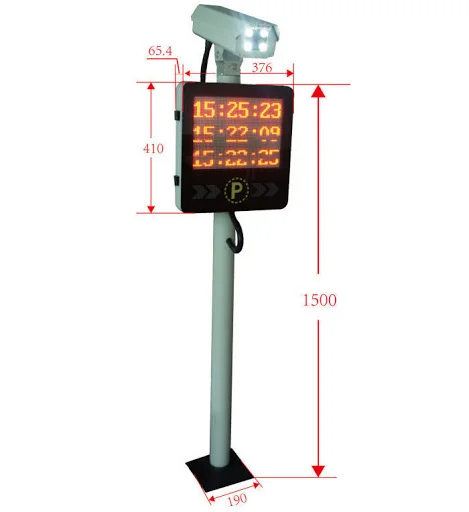
Size | Display:150×200mm Face Display:150×200mm Total Size:1400×200×130mm |
Details | IN/GND(AUDIO) OUT(AUDIO) NETWORK |
Operating temperature | -25℃ ~+60℃, RH ≤90% |
Related humidity | ≥90%RH |
Normal work life | Five years |
Power supply | AC 220V/110V ±10% 50/60MHZ(optional) |
Operating system | Win XP, Win7, Win8, Win10, 32/62 bits |
Power interface | DC12V |
Identification accuracy | >99% |
Voice prompt | 0.2 seconds |

Instructions
1.Vehicle Enter
①The vehicle enters the license plate camera capture area, triggering the camera capture.
②The license plate recognition system automatically captures the image of the vehicle and recognizes the license plate number,the vehicle category is then derived by searching the database.
③The display shows the car's validity(VIP car or monthly car)Or balance(Stored value car),welcome Indications etc.
④Voice playback about identified license plates,welcome Indications etc.
⑤If parking space is not full, the vehicle enter into it,the barrier release automatically,and the vehicle entry time is recorded. When cars crosses the entrance, the parking space display refreshes the parking space.The whole process is done automatically,no staff intervention required.The vehicle is always in motion,non stop
1.Vehicle Enter
①The vehicle enters the license plate camera capture area, triggering the camera capture.
②The license plate recognition system automatically captures the image of the vehicle and recognizes the license plate number,the vehicle category is then derived by searching the database.
③The display shows the car's validity(VIP car or monthly car)Or balance(Stored value car),welcome Indications etc.
④Voice playback about identified license plates,welcome Indications etc.
⑤If parking space is not full, the vehicle enter into it,the barrier release automatically,and the vehicle entry time is recorded. When cars crosses the entrance, the parking space display refreshes the parking space.The whole process is done automatically,no staff intervention required.The vehicle is always in motion,non stop
2. Vehicle Exit
①The vehicle enters the license plate camera capture area, triggering the camera capture.
②The license plate recognition system automatically captures the image of the vehicle and
recognizes the license plate number,the vehicle category is then derived by searching the
database.
③The display shows the car's validity(VIP car or monthly car)or balance(Stored value
car).Amount charged(Temporary car),goodbye indications etc.
④Voice playback plate number and payment and goodbye indications etc.
⑤If the vehicle is a stationary vehicle,gate automatically open.The computer pulled the capture
image of the car when it entered and admission time, etc.If it's temporary parking that the vehicle
must be suspended for payment before leaving.If the vehicle in the blacklist, the gate will not be
turned on, whether temporary or stationary, and the system will send out an alarm to alert the
staff.
⑥Vehicles crossing the exit and leave the parking lot, the system records the departure time of
the vehicle ,then the parking space screen refreshes the parking space.
①The vehicle enters the license plate camera capture area, triggering the camera capture.
②The license plate recognition system automatically captures the image of the vehicle and
recognizes the license plate number,the vehicle category is then derived by searching the
database.
③The display shows the car's validity(VIP car or monthly car)or balance(Stored value
car).Amount charged(Temporary car),goodbye indications etc.
④Voice playback plate number and payment and goodbye indications etc.
⑤If the vehicle is a stationary vehicle,gate automatically open.The computer pulled the capture
image of the car when it entered and admission time, etc.If it's temporary parking that the vehicle
must be suspended for payment before leaving.If the vehicle in the blacklist, the gate will not be
turned on, whether temporary or stationary, and the system will send out an alarm to alert the
staff.
⑥Vehicles crossing the exit and leave the parking lot, the system records the departure time of
the vehicle ,then the parking space screen refreshes the parking space.

Product Details


Product Dispaly
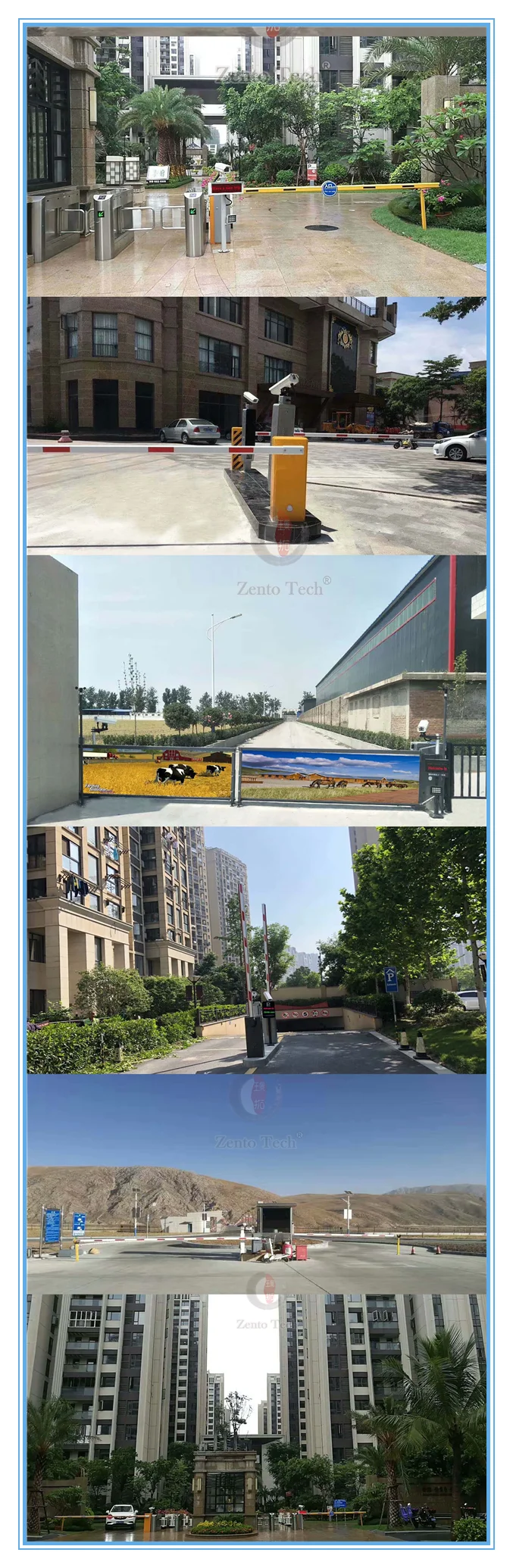
Our products are currently sold in more than 80 countries and regions around the world, and Our products are Suitable for the parking lot in residential communities, enterprises and institutions, hotels, commercial buildings, government organizations, logistics company, hospitals, villages, shopping markets, and so on. The most important thing is that our products are excellent in quality, advanced in technology and favorable in price, and have been well praised by our customers.
Company Profie
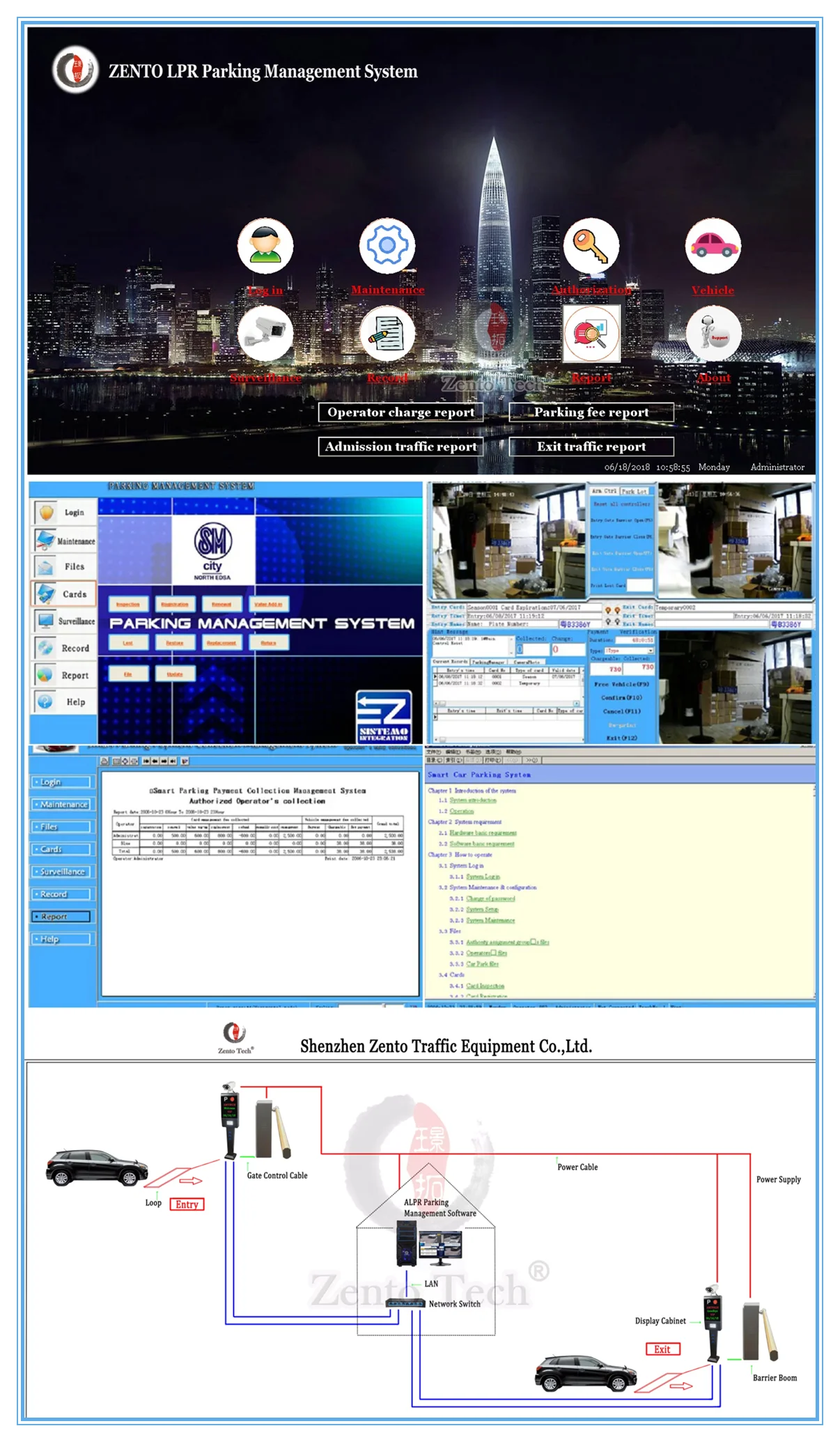
Our company has our own software management platform and has our own independent intellectual property rights in algorithms and
software research and development, so we can completely process data ( identify different license plates, i.e. characters,
different charging standards: temporary charging, monthly charging, VIP charging, etc. ) and store data ( storage method,
duration, interval, etc. ) according to the needs of different customers.
software research and development, so we can completely process data ( identify different license plates, i.e. characters,
different charging standards: temporary charging, monthly charging, VIP charging, etc. ) and store data ( storage method,
duration, interval, etc. ) according to the needs of different customers.

FAQ
1. What is the strength of your company in this industry?
We are the top 5 in turnstile field in China, more than 120 employees and over 20 senior R & D technical persons to ensure thegate could work well in different environment, power supply and current. Experienced foreign trade business team can help you to deal with any emergency before, during and after the sales. The brand ZENTO is highly recognized in Southeast Asia.
2. What is your pricing strategy?
For overseas markets, we will use competitive prices to support a strong distributor in each area, and gradually establish
overseas service agency, as a good opportunity, some long-term cooperation partners will compete with us to sign the annual cooperation agreement (including execution price).
3. How about quality control?
IOS9002 could help us to realize the factory management control and our ERP system can help us to control the cost of procurement links effectively, so we can provide a good price. New test system could do uninterrupted fatigue testing to ensure its using life. Pre-shipment inspection and third-party supervision are available.
4. How about some special design?
That’s our advantage of design new gate or barrier according to your real situation to make different size, software and features.Video call available during design and communicate in time during this procedure.
5. Do you have agency for after-sales service?
Any question about delivery goods, you could find our sales anytime. For installation, we will offer instruction video to help and if you face any technical question, welcome to contact with us to have a face time to solve it.
6. What time do you need to delivery?
Commonly to say, 5-7 working days after payment could delivery for common orders, but it depends the order quantity. We could talk about this question before final payment.
7. How about the payment method?
Standard products: 30% deposit, 70% balance payment before shipment. Customized products: 50% deposit, 50% balance payment before shipment.
Contract amount more than USD15000: 50% deposit, 50% balance payment before shipment.T/T, PayPal, Alibaba Credit guarantee order8.
8. How to ship?
We are the top 5 in turnstile field in China, more than 120 employees and over 20 senior R & D technical persons to ensure thegate could work well in different environment, power supply and current. Experienced foreign trade business team can help you to deal with any emergency before, during and after the sales. The brand ZENTO is highly recognized in Southeast Asia.
2. What is your pricing strategy?
For overseas markets, we will use competitive prices to support a strong distributor in each area, and gradually establish
overseas service agency, as a good opportunity, some long-term cooperation partners will compete with us to sign the annual cooperation agreement (including execution price).
3. How about quality control?
IOS9002 could help us to realize the factory management control and our ERP system can help us to control the cost of procurement links effectively, so we can provide a good price. New test system could do uninterrupted fatigue testing to ensure its using life. Pre-shipment inspection and third-party supervision are available.
4. How about some special design?
That’s our advantage of design new gate or barrier according to your real situation to make different size, software and features.Video call available during design and communicate in time during this procedure.
5. Do you have agency for after-sales service?
Any question about delivery goods, you could find our sales anytime. For installation, we will offer instruction video to help and if you face any technical question, welcome to contact with us to have a face time to solve it.
6. What time do you need to delivery?
Commonly to say, 5-7 working days after payment could delivery for common orders, but it depends the order quantity. We could talk about this question before final payment.
7. How about the payment method?
Standard products: 30% deposit, 70% balance payment before shipment. Customized products: 50% deposit, 50% balance payment before shipment.
Contract amount more than USD15000: 50% deposit, 50% balance payment before shipment.T/T, PayPal, Alibaba Credit guarantee order8.
8. How to ship?
By air or by sea, quantity over 10 sets better to choose by sea to reduce cost.
9. How about your package?
Exported product: Wooden case package of Export exempted from inspection plus pearl wool and plastic wrap
Domestic: Bubble wrap plus carton or pearl wool plus wooden packaging.
10. How long is your warranty period?
13 months, add 10% of contract amounts since the second year,15% of the contract amounts since the third year.
9. How about your package?
Exported product: Wooden case package of Export exempted from inspection plus pearl wool and plastic wrap
Domestic: Bubble wrap plus carton or pearl wool plus wooden packaging.
10. How long is your warranty period?
13 months, add 10% of contract amounts since the second year,15% of the contract amounts since the third year.
We Recommend


New Arrivals
New products from manufacturers at wholesale prices







